1. Вовед
This manual provides comprehensive instructions for the setup, operation, and maintenance of your Ducky One 2 RGB Full Size Mechanical Keyboard (Model DKON1808ST). The Ducky One 2 RGB features an updated design, an enhanced RGB interface for customizable lighting, and modern USB-C connectivity. Please read this manual thoroughly to ensure proper use and to maximize your keyboard's potential.

Слика: Од горе надолу view of the Ducky One 2 RGB Full Size Mechanical Keyboard, showcasing its full layout and initial RGB lighting on specific keys.
2. Содржина на пакетот
Проверете дали сите артикли се присутни во пакувањето:
- Ducky One 2 RGB Full Size Mechanical Keyboard (DKON1808ST)
- Отстранлив USB-C до USB-A кабел
- Additional PBT Double Shot Keycaps (random colors)
- Привлечник за клучеви
- Упатство за употреба (овој документ)
3. Поставување
Follow these steps to set up your Ducky One 2 RGB keyboard:
- Отпакувај: Внимателно извадете ја тастатурата и сите додатоци од пакувањето.
- Поврзете кабел: Locate the USB-C port on the back of the keyboard. Connect the USB-C end of the provided cable to the keyboard and the USB-A end to an available USB port on your computer.
- Вклучување: Your computer should automatically detect the keyboard. No additional drivers are typically required for basic functionality.
- Опционален софтвер: For advanced RGB customization and macro programming, Ducky may provide optional software. Refer to the official Ducky website for the latest software downloads and instructions.

Image: Detail of the USB-C port on the Ducky One 2 RGB keyboard, showing the connection point for the detachable cable.
4. Упатства за работа
4.1 Основни функции на тастатурата
The Ducky One 2 RGB functions as a standard full-size keyboard. All keys perform their labeled actions. The keyboard features Cherry MX Brown switches, providing a tactile bump for keystroke confirmation.

Слика: Под агол view of the Ducky One 2 RGB keyboard, showing the full layout and the illuminated RGB backlighting.
4.2 Прилагодување на RGB осветлувањето
The Ducky One 2 RGB offers extensive lighting customization both through on-board controls and optional software.
- Контроли на возилото: Use the Function (Fn) key in combination with specific keys (often F10, F11, F12, or arrow keys) to cycle through lighting modes, adjust brightness, and change colors. Refer to the keyboard's keycap legends for specific combinations.
- Прилагодување на софтверот: For more detailed control, download the Ducky RGB software from the official Ducky website. This software allows for per-key lighting customization, advanced effects, and integration with systems like Razer's Chroma broadcasting.
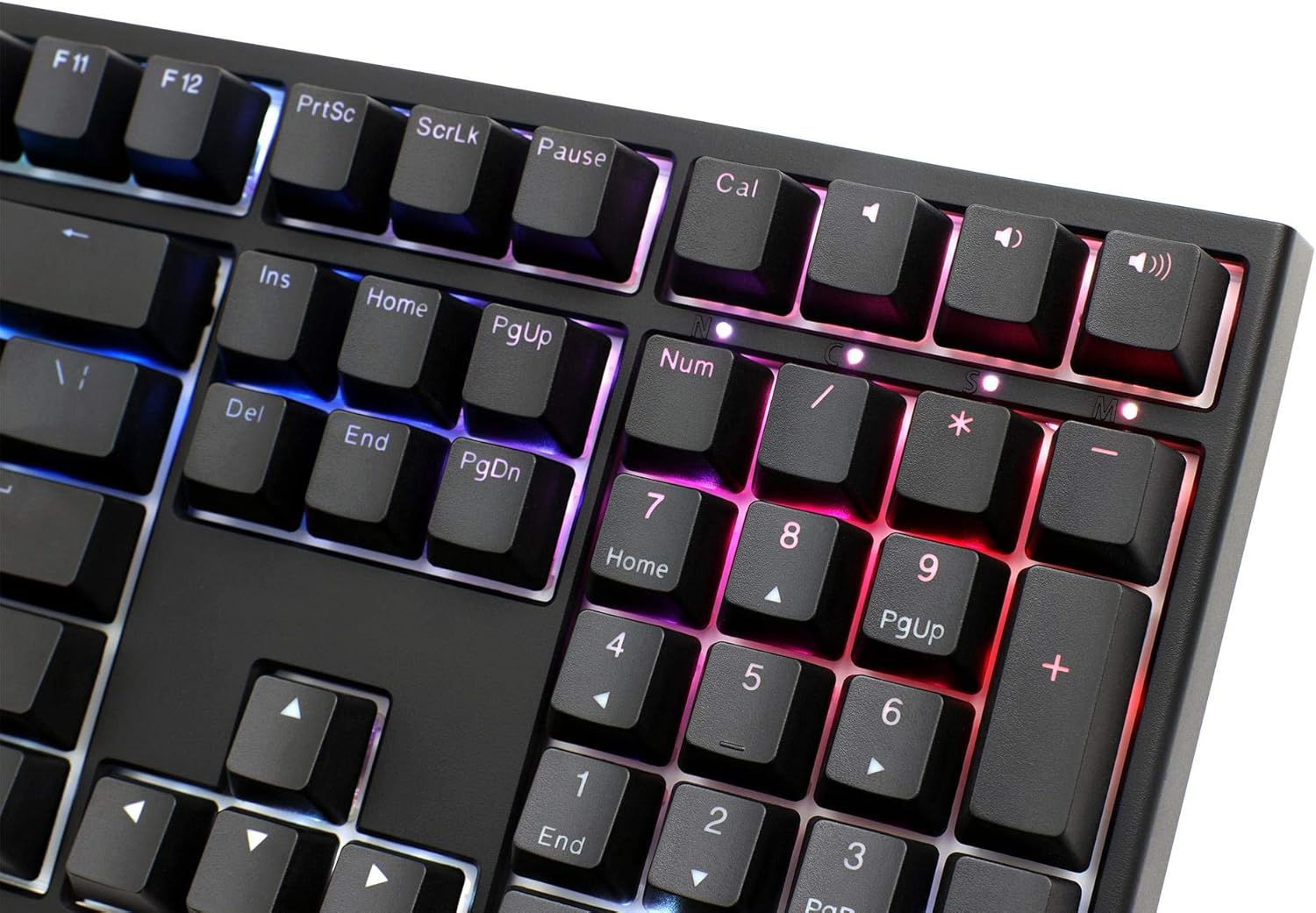
Image: Close-up of the numeric keypad on the Ducky One 2 RGB keyboard, demonstrating the customizable RGB lighting effects.
4.3 Макро програмирање
The Ducky One 2 RGB supports on-the-fly macro recording. Consult the detailed instructions on the official Ducky website or the full user manual for specific key combinations and procedures to record and assign macros.
4.4 Префрлување на N-клуч (NKRO)
The keyboard features USB N-Key Rollover, ensuring that every key press is registered accurately, even when multiple keys are pressed simultaneously. This is particularly beneficial for fast typing and gaming.
5. Одржување
Правилното одржување гарантира долготрајност и перформанси на вашата тастатура.
- Чистење:
- Исклучете ја тастатурата од компјутерот.
- Користете мека четка или компримиран воздух за да отстраните прашина и остатоци од меѓу копчињата на копчињата.
- За тврдокорна нечистотија, нежно избришете ги капачињата на копчињата со адamp крпа и раствор од благ сапун. Уверете се дека течноста не влегува во тастатурата.
- Отстранување на капачето на копчето: Use the provided keycap puller to carefully remove keycaps for cleaning or replacement. Grip the keycap firmly and pull straight up. Avoid excessive force to prevent damage to the switch.

Слика: Страничен професионалецfile of the Ducky One 2 RGB keyboard, illustrating the keycap height and ergonomic design.
6 Смена на проблеми
If you encounter issues with your Ducky One 2 RGB keyboard, refer to the following common solutions:
| Прашање | Можна причина / решение |
|---|---|
| Keyboard not detected by computer |
|
| RGB осветлувањето не работи или е неконзистентно |
|
| Specific keys not responding |
|
7. Спецификации
- Модел: DKON1808ST
- Бренд: Даки
- Тип на прекинувач: Цреша MX Браун
- Распоред: Целосна големина
- Поврзување: USB-C (одвојлив)
- Задно осветлување: RGB
- Клучни капи: Double Shot PBT and ABS
- Превртување на клучот N: USB N-Key Rollover
- Тежина: 771.11 гр
- Компатибилност со оперативен систем: Windows, Linux, macOS
8. Гаранција и поддршка
Ducky products are manufactured to high-quality standards. For warranty information, please refer to the warranty card included with your product or visit the official Ducky website. For technical support, driver downloads, and frequently asked questions, please visit the Ducky support page:
Ве молиме чувајте го вашиот доказ за купување за барањата за гаранција.


