Вовед
This manual provides essential information for the safe and efficient use of your ASUS ZenBook UX333FA-DH51 laptop. Please read this guide thoroughly before operating your device to ensure proper setup, operation, and maintenance.

Image: The ASUS ZenBook UX333FA-DH51 laptop in its royal blue finish, showcasing its sleek, closed design.
Што има во кутијата
Verify that all items are present in your product packaging. If any item is missing or damaged, contact your retailer or ASUS support.
- ASUS ZenBook UX333FA-DH51 Notebook
- Адаптер за напојување
- Кабел за напојување
- Документација (Водич за брз почеток, Гарантна картичка)
Поставување
1. Поврзување на адаптерот за напојување
Before first use, or if the battery is low, connect the power adapter to the laptop and a power outlet.
- Plug the AC adapter into the power connector on the side of your ZenBook.
- Вклучете го кабелот за напојување во адаптерот за наизменична струја.
- Вклучете го другиот крај од кабелот за напојување во ѕиден штекер.

Слика: Страна view of the laptop, highlighting the various ports including the power input, USB ports, and HDMI.
2. Првично вклучување и поставување на Windows
Once connected to power, open the laptop lid and press the power button. Follow the on-screen instructions to complete the Windows 10 setup process. This includes selecting your region, language, accepting terms, and setting up user accounts.
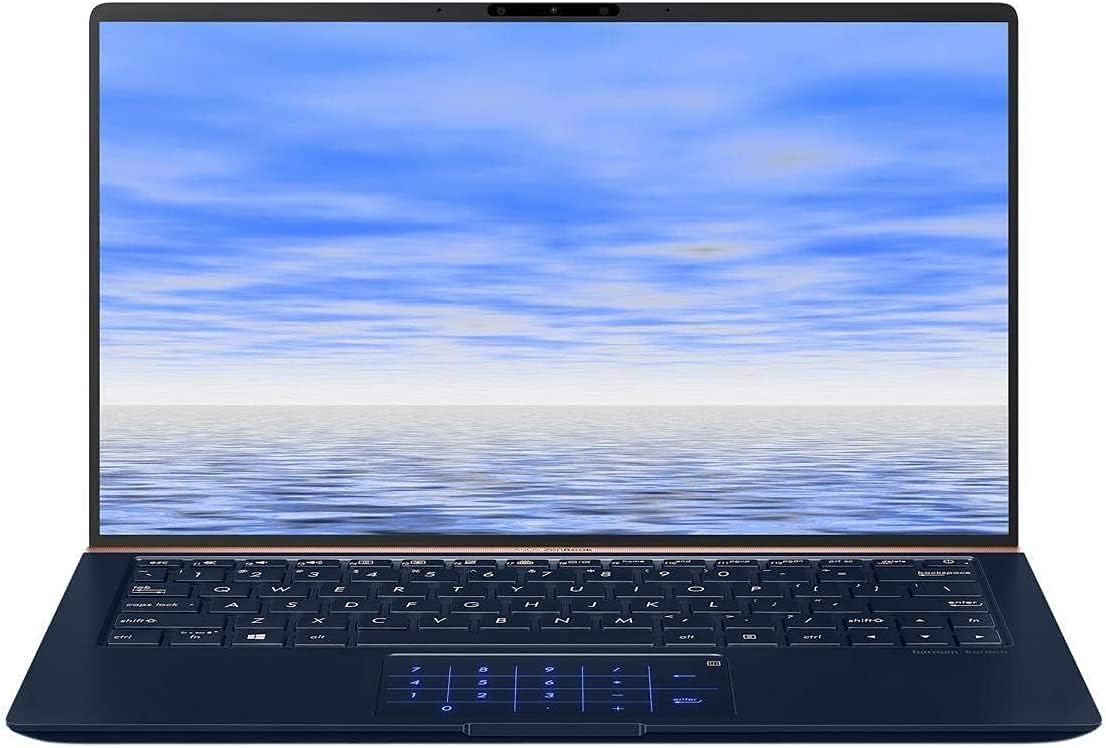
Image: The ASUS ZenBook UX333FA-DH51 with its display open, ready for initial setup or use.
Ракување со лаптопот
Тастатура и подлога за допир
Your ZenBook features a full-sized keyboard and a precision touchpad. The unique ErgoLift hinge automatically tilts the keyboard for a more comfortable typing experience when the lid is opened.

Слика: Крупен план view of the laptop's keyboard and the innovative NumberPad integrated into the touchpad.
- Функциски копчиња: Користете го Fn key in combination with the F1-F12 keys for quick access to system functions like volume control, brightness adjustment, and Wi-Fi toggle.
- Нумеричка тастатура: The touchpad can transform into an LED-illuminated numeric keypad for data entry. Refer to the on-screen instructions or the ASUS utility for activation and usage.
Карактеристики на прикажување
The ZenBook UX333FA-DH51 features a 13.3-inch Full HD (1920x1080) NanoEdge display with ultra-slim bezels, providing an immersive visual experience.

Image: The laptop open, emphasizing the expansive, near-borderless NanoEdge display.
Управување со енергија
Manage your laptop's power settings through Windows 10 to optimize battery life or performance.
- Режим на спиење: Затворете го капакот или притиснете го кратко копчето за вклучување за да влезете во режим на спиење.
- Исклучи: Одете на Старт > Напојување > Исклучи to completely turn off the laptop.
- Рестартирајте: Одете на Старт > Напојување > Рестартирање да го рестартирате системот.
Одржување
Чистење на вашиот лаптоп
- Користете мека крпа без влакненца гampизмијте со вода или со специјализирано средство за чистење на екранот.
- За тастатурата и куќиштето, користете мека, сува крпа. Избегнувајте груби хемикалии или абразивни материјали.
- Пред чистење, проверете дали лаптопот е исклучен од струја и изваден од струја.
Нега на батерии
- Избегнувајте често целосно празнење на батеријата.
- Чувајте го лаптопот на ладно и суво место ако не го користите подолг временски период.
- Periodically calibrate the battery by fully discharging and recharging it.
Софтверски ажурирања
Regularly update your Windows operating system and ASUS drivers to ensure optimal performance and security.
- Ажурирања на Windows: Одете на Поставки > Ажурирање и безбедност > Windows Update.
- ASUS Driver Updates: Посетете ја официјалната поддршка на ASUS website for your model to download the latest drivers and utilities.
Решавање проблеми
Овој дел се однесува на вообичаени проблеми со кои може да се соочите. За посложени проблеми, погледнете ја поддршката на ASUS. webсајт или контактирајте со службата за корисници.
| Проблем | Можно решение |
|---|---|
| Лаптопот не се вклучува. |
|
| Екранот е празен или црн. |
|
| Touchpad is unresponsive or erratic. |
|
| Батеријата брзо се троши. |
|
Спецификации
Key technical specifications for the ASUS ZenBook UX333FA-DH51.
| Карактеристика | Детал |
|---|---|
| Име на моделот | ZenBook UX333FA-DH51 |
| Приказ | 13.3-инчен Full HD (1920x1080) |
| Процесор | Intel Core i5-8265U (1.6GHz, Turbo up to 3.9GHz) |
| RAM меморија | 8GB LPDDR3 (On Board) |
| Складирање | 256GB PCIe G3x2 SSD + TPM |
| Графика | Intel HD графика (интегрирана) |
| Оперативен систем | Windows 10 (64 битни) |
| Безжично поврзување | 802.11 гр |
| USB порти | 1x USB 2.0, 1x USB 3.0 (Note: Specific port types may vary, refer to physical device) |
| Тежина на ставката | 2.6 фунти |
| Димензии (ДxШxВ) | 15 x 1 x 10 инчи |
| Боја | Кралско сино |
Информации за гаранцијата
Your ASUS ZenBook UX333FA-DH51 comes with a limited manufacturer's warranty. The specific terms and duration of the warranty may vary by region and retailer. Please refer to the warranty card included in your product packaging or visit the official ASUS webстраница за детални информации за гаранцијата. Зачувајте го доказот за купување за рекламации за гаранција.
Поддршка
For technical assistance, driver downloads, or further information regarding your ASUS ZenBook UX333FA-DH51, please visit the official ASUS support webсајт:
Официјална поддршка на ASUS Webсајт
You may also find helpful resources and contact information for customer service on the webсајт.


