Вовед
This manual provides essential instructions for the safe operation, setup, and maintenance of your Protocol Director HD Foldable Drone. Please read this manual thoroughly before operating the drone to ensure proper function and to prevent damage or injury.
The Protocol Director HD is a foldable drone equipped with a live streaming HD camera, designed for capturing aerial video and photos. It features an intuitive 2.4 GHz remote control, an altitude sensor for stable flight, and a free downloadable app for enhanced camera control and flight path drawing.
Безбедносни мерки на претпазливост
- Секогаш ракувајте со дронот на отворени, непречени места, подалеку од луѓе, животни и пречки.
- Do not operate near airports, restricted airspace, or sensitive facilities.
- Maintain a safe distance from power lines, trees, and water bodies.
- Пред секој лет, проверете дали сите пропелери се безбедно прицврстени и неоштетени.
- Не летајте при силни ветрови или неповолни временски услови.
- Држете ги прстите и косата подалеку од ротирачките пропелери.
- Adult supervision is recommended for users under 18 years of age. Recommended age for operation is 14 years and up.
- Only use original Protocol replacement parts and accessories.
- Do not attempt to modify the drone or its components.
- Turn off the drone and remote control when not in use.
Содржина на пакетот
Проверете дали сите артикли се присутни во пакувањето:
- Protocol Director HD Foldable Drone with Camera
- Remote Control with Phone Mount
- USB кабел за полнење
- 2 x Drone Batteries
- Патничка торба
- Упатство за употреба (овој документ)
- Spare Parts: Blades, Screwdriver

Image: The Protocol Director HD Foldable Drone, showcasing its compact design with propellers extended and camera visible at the front.
Поставување
1. Полнење на батеријата на дронот
- Insert one of the drone batteries into the USB charging cable.
- Поврзете го USB кабелот за полнење со USB извор на напојување (на пр., USB порт на компјутер, USB адаптер за ѕид).
- Индикаторската ламба за полнење на USB кабелот ќе свети за време на полнењето и ќе се исклучи кога ќе се наполни целосно.
- Полнењето обично трае приближно 60-90 минути. Не преполнувајте.
2. Инсталирање батерии за далечински управувач
- Отворете ја преградата за батерии на задната страна на далечинскиот управувач.
- Вметнете 4 AA батерии (не се вклучени), осигурувајќи се дека поларитетот е точен (+/-).
- Добро затворете ја преградата за батерии.

Image: The drone's remote control with a smartphone securely mounted, displaying a live feed from the drone's camera.
3. Расклопување на дронот
- Gently unfold each of the four rotor arms until they click into place.
- Пред летот, проверете дали сите раце се целосно испружени и заклучени.
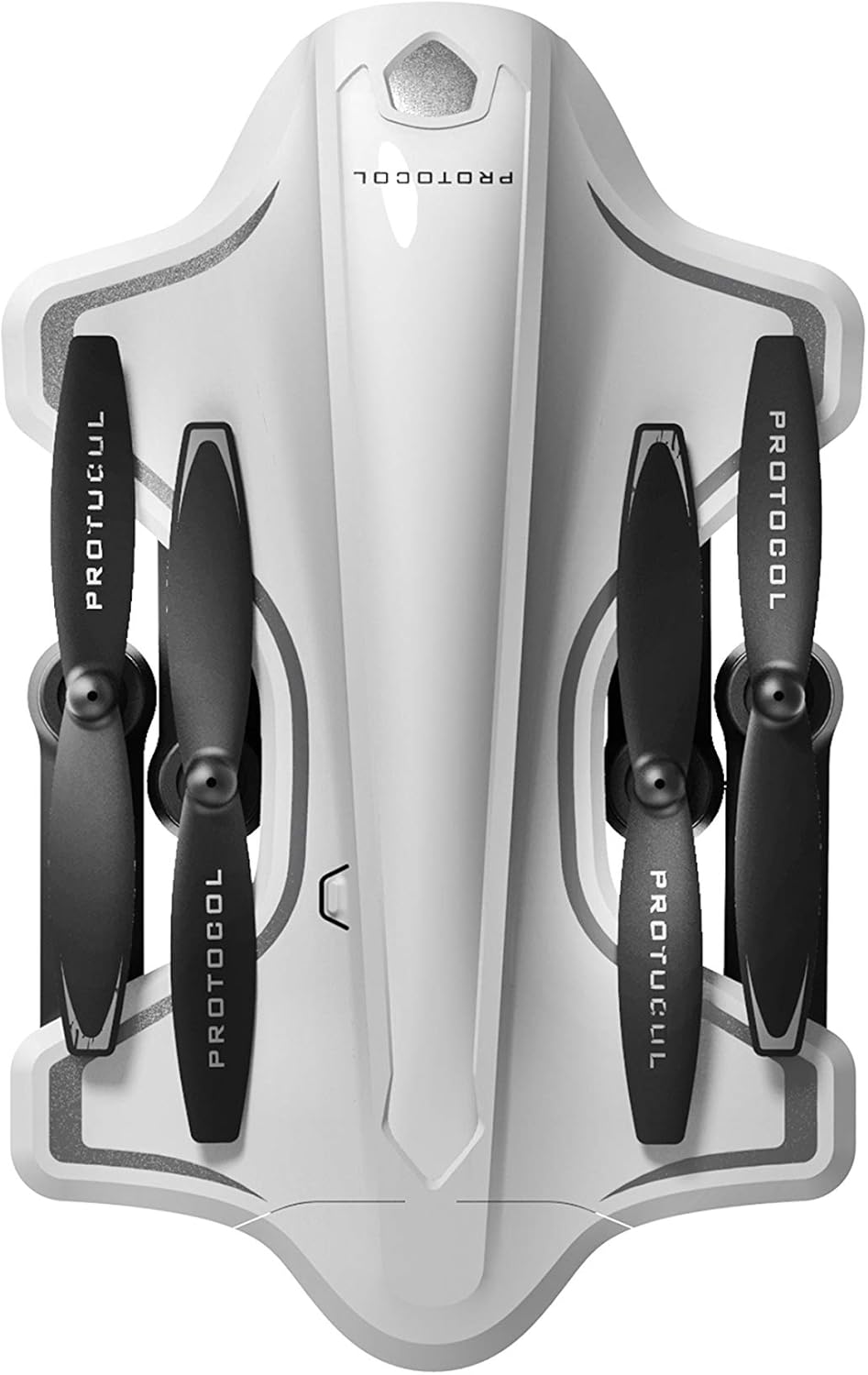
Image: The Protocol Director HD Foldable Drone in its compact, folded configuration, ready for transport.
4. Инсталирање на батеријата на дронот
- Пронајдете го просторот за батерии на дронот.
- Insert the fully charged drone battery, ensuring it is securely seated.
- Затворете го капакот на преградата за батерии.
5. Downloading the App (Optional for Camera Features)
- Пребарај за the "Protocol Director HD" app in your smartphone's app store (iOS or Android).
- Download and install the free application.
- Mount your smartphone onto the remote control's phone mount.
Упатства за работа
1. Вклучување и спарување
- Ставете го дронот на рамна, рамна површина.
- Turn on the drone by pressing the power button. The drone's lights will flash.
- Вклучете го далечинскиот управувач.
- Притиснете го левиот џојстик (гас) до крај нагоре, а потоа до крај надолу. Светлата на дронот ќе светат постојано, што укажува на успешно спарување.
2. Calibrating the Gyroscope
After pairing, it is recommended to calibrate the gyroscope for stable flight:
- With the drone on a flat surface, push both joysticks down and to the right simultaneously for a few seconds.
- The drone's lights will flash rapidly and then become solid, indicating calibration is complete.
3. Основни контроли за летање
The Protocol Director HD features auto launch, hover, and land functions due to its altitude sensor.
- Auto Launch: Press the dedicated auto launch button on the remote. The drone will ascend to a stable hovering altitude.
- Гас (лев џојстик):
- Push up: Increase altitude
- Push down: Decrease altitude
- Push left/right: Rotate drone left/right (yaw)
- Контрола на насоката (десен џојстик):
- Push up: Fly forward
- Push down: Fly backward
- Push left: Fly left (strafe)
- Push right: Fly right (strafe)
- Auto Land: Press the dedicated auto land button. The drone will slowly descend and land.
- Избор на брзина: Use the speed button on the remote to cycle through three selectable speeds (low, medium, high).
4. Camera and App Features
Connect your smartphone to the drone's Wi-Fi network (usually named "Protocol_Drone_XXXXXX") to access live streaming and advanced camera functions via the app.
- Стриминг во живо: View the drone's camera feed in real-time on your smartphone.
- Снимање видео: Initiate and stop video recording (480p resolution) through the app.
- Фотографирање: Take still images through the app.
- Multiple Camera Angles: The app supports three different camera angles (Aerial, POV, Selfie) for varied content creation.
- Аудио снимање: The app allows for audio recording alongside video.
- Draw Your Own Flight Path: Utilize the app's feature to draw a flight path on your screen, and the drone will follow it.
- VR Capability: The app is VR capable; VR goggles are sold separately.
Одржување
- Инспекција на пропелер: Regularly check propellers for cracks, bends, or damage. Replace any damaged propellers using the provided spare parts and screwdriver.
- Чистење: Use a soft, dry cloth to clean the drone and remote control. Avoid using liquids or harsh chemicals.
- Нега на батеријата:
- Не преполнувајте батерии.
- Чувајте ги батериите на ладно и суво место.
- Remove batteries from the drone and remote control during long periods of non-use.
- Складирање: Fold the drone arms for compact storage in the provided travel bag when not in use. Store in a cool, dry environment.
Решавање проблеми
| Проблем | Можна причина | Решение |
|---|---|---|
| Дронот не се вклучува. | Батеријата не е наполнета или не е правилно инсталирана. | Осигурајте се дека батеријата е целосно наполнета и правилно вметната. |
| Далечинскиот управувач не се вклучува. | AA batteries are dead or incorrectly installed. | Replace AA batteries, checking polarity. |
| Drone and remote do not pair. | Pairing sequence not followed correctly. | Ensure drone is on, then remote. Push left joystick up then down completely. |
| Дронот лебди за време на летот. | Gyroscope needs calibration; uneven surface at launch. | Land the drone, place on a flat surface, and recalibrate the gyroscope (both joysticks down and right). |
| One propeller does not spin. | Propeller damaged or motor issue. | Check for obstructions. Replace damaged propeller. If issue persists, contact support. |
| No live video feed on smartphone. | Не е поврзано со Wi-Fi-то на дронот; апликацијата не е отворена. | Ensure smartphone is connected to the drone's Wi-Fi network and the app is running. |
Спецификации
| Бренд | Протокол |
| Име на моделот | Director HD |
| Број на модел | 6182-7RCHA |
| Димензии (преклопен) | Приближно 4.75 инчи (должина) |
| Димензии (проширени) | Approximately 9 inches (length, including blades) |
| Тежина | 0.94 килограми (940 g) |
| Резолуција на камерата | 480p (Video Capture) |
| Поврзување | Wi-Fi (for app control and live streaming), 2.4 GHz (for remote control) |
| Стабилизација | 6-axis motion-sensitive auto stabilizers, Altitude sensor |
| Режими на брзина | Three selectable speeds |
| Батерија со дрон | Rechargeable (2 included) |
| Батерија за далечински управувач | 4 x AA батерии (не се вклучени) |
| Материјал | Plastic (Crash-resistant) |
| Препорачана возраст | 14 години па нагоре |
Гаранција и поддршка
For warranty information, technical support, or to purchase replacement parts, please visit the official Protocol webстраницата или контактирајте го нивниот оддел за услуги на клиентите. Зачувајте ја сметката за купување како доказ за купување.
Webсајт: www.protocolny.com (Прampлинкот, вистинската врска може да варира)
Контакт: Refer to the Protocol website for contact details, including phone numbers or email support.


