Вовед
This user manual provides comprehensive instructions for the setup, operation, maintenance, and troubleshooting of your Alienware M15 Gaming Laptop. Please read this manual thoroughly to ensure optimal performance and longevity of your device. For additional support, refer to the official Alienware support resources.
Производот завршиview
Клучни карактеристики
- 8th Generation Intel Core i7-8750H (6-Core, 9MB Cache, up to 4.1GHz w/ Turbo Boost)
- 15.6" FHD (1920 x 1080) 60Hz Anti-glare IPS, 300-nits 72% Color gamut, narrow-border Display
- 16GB, 2x8GB, DDR4, 2666MHz RAM
- 128GB PCIe M.2 SSD + 1TB (+8GB SSHD) Hybrid Drive
- Nvidia GeForce GTX 1060 with 6GB GDDR5 Graphics Card
- Оперативниот систем Windows 10 Home
Физички компоненти

Слика 1: Предна страна view of the Alienware M15 laptop, showcasing the display with the Alienware logo.

Слика 2: Горе-надолу view of the open Alienware M15 laptop, highlighting the keyboard layout and touchpad.

Слика 3: Левата страна view of the Alienware M15 laptop, showing various ports such as USB 3.0.
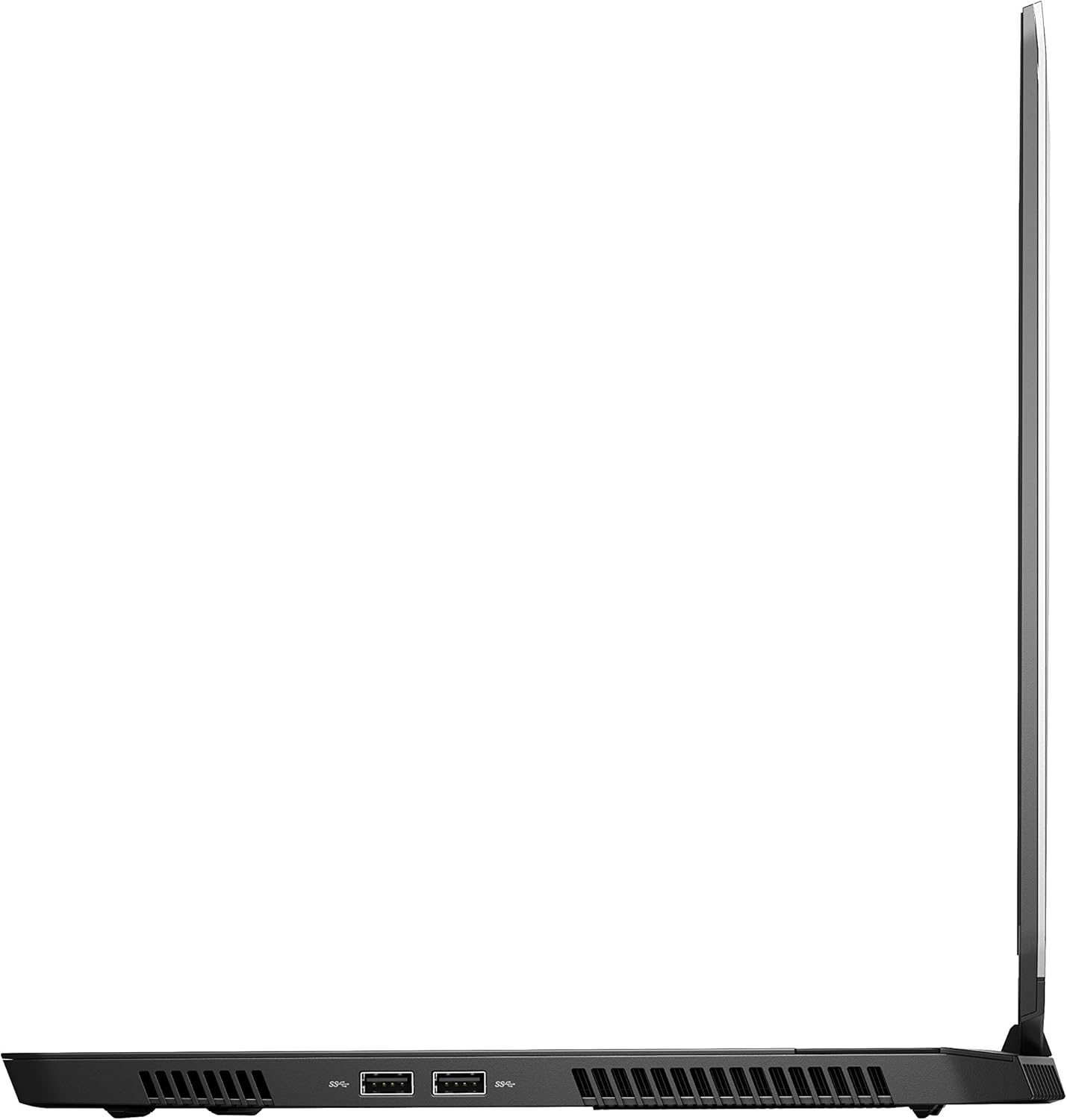
Слика 4: Десна страна view of the Alienware M15 laptop, displaying additional ports and ventilation.

Слика 5: Експлодираше view illustrating the internal cooling system of the Alienware M15 laptop, including fans and heat sinks.
Поставување
Отпакување
Внимателно отстранете ги сите компоненти од пакувањето. Проверете дали се присутни следниве елементи:
- Alienware M15 Gaming Laptop
- Кабел за напојување
- 180W адаптер за напојување
Почетно вклучување
- Поврзете го адаптерот за напојување со влезот за напојување на лаптопот.
- Приклучете го кабелот за напојување во ѕиден штекер.
- Open the laptop lid and press the power button, typically located on the top right of the keyboard deck or a dedicated button on the chassis.
- Следете ги упатствата на екранот за да го завршите процесот на поставување на Windows 10 Home, вклучувајќи го изборот на јазик, мрежната врска и креирањето на корисничка сметка.
Упатства за работа
Основно работење
Your Alienware M15 laptop runs on Windows 10 Home. Familiarize yourself with the operating system's interface. The keyboard features customizable backlighting via Alienware's software. The touchpad supports multi-touch gestures for navigation.
Гејмерски перформанси
The Alienware M15 is designed for high-performance gaming. For optimal gaming experience, ensure the laptop is connected to the power adapter. This allows the system to utilize its full power capabilities for the CPU and GPU. While gaming, the laptop may generate significant heat; this is normal for high-performance hardware. Consider using a cooling pad for extended gaming sessions to enhance thermal management.
Одржување
Чистење
- Екран: Користете мека крпа без влакненца малку гampсо вода или средство за чистење екрани. Избегнувајте груби хемикалии.
- Тастатура и шасија: Use a soft brush or compressed air to remove dust from keys and vents. Wipe surfaces with a microfiber cloth.
- Пристаништа: Use compressed air to clear dust from USB, HDMI, and other ports.
Софтверски ажурирања
Regularly update your Windows operating system, graphics drivers (NVIDIA GeForce), and Alienware software. Updates often include performance improvements, security patches, and bug fixes. Access Windows updates through Settings > Update & Security. Graphics drivers can be updated via the NVIDIA GeForce Experience application.
Нега на батерии
To maximize battery lifespan, avoid consistently discharging the battery completely. For prolonged use while plugged in, consider using battery management features (if available in Alienware Command Center) to limit charging to 80-90% capacity.
Решавање проблеми
This section addresses common issues you might encounter with your Alienware M15 laptop.
| Проблем | Можна причина / решение |
|---|---|
| Laptop gets excessively hot during use. | High-performance components generate heat. Ensure ventilation vents are clear. Use a cooling pad. Update graphics drivers. |
| "No media present" error or SSD/HDD not detected. | This can sometimes be a temporary software glitch. Try restarting the laptop. If persistent, ensure the power cable is securely connected and try a hard reboot (unplug power, hold power button for 15 seconds, then reconnect and power on). If the issue persists, contact support. |
| Wi-Fi connection drops frequently. | Ensure Wi-Fi drivers are up to date. Check for interference from other devices. Restart your router and the laptop. If the issue persists, consider reinstalling Wi-Fi drivers or contacting support. |
| System performance is slow or lagging. | Ensure the laptop is plugged into power for full performance. Close unnecessary background applications. Check for malware. Ensure sufficient free space on the SSD/HDD. |
Спецификации
Detailed technical specifications for the Alienware M15 Gaming Laptop (Model: AWM15-7830SLV-PUS).
| Карактеристика | Детал |
|---|---|
| Големина на екранот на стоечкиот екран | 15.6 инчи |
| Резолуција на екранот | 1920 x 1080 пиксели |
| Максимална резолуција на екранот | 1920x1080 пиксели |
| Процесор | 4.1 GHz core_i7_8750h |
| RAM меморија | 16 GB DDR4 |
| Брзина на меморија | 2666 MHz |
| Хард диск | 1000 GB 128GB PCIe M.2 SSD + 1TB (+8GB SSHD) Hybrid Drive |
| Графички копроцесор | NVIDIA GeForce GTX 1060 |
| Бренд за чипсет | NVIDIA |
| Опис на картичката | Посветен |
| Големина на рам на графичка картичка | 6 GB |
| Безжичен тип | 802.11a/b/g/n |
| Број на USB 3.0 порти | 3 |
| Бренд | Alienware |
| Серии | AWm15-7830SLV-PUS |
| Број на модел на ставка | AWM15-7830SLV-PUS |
| Оперативен систем | Windows 10 Home |
| Тежина на ставката | 4.8 фунти |
| Димензии на производот | 10.8 x 14.3 x 0.8 инчи |
| Боја | Црното |
| Бренд на процесор | Интел |
| Број на процесори | 6 |
| Тип на меморија на компјутер | DDR4 SDRAM |
| Големина на флеш меморија | 16 |
| Интерфејс за хард диск | Цврста состојба |
| Брзина на ротација на хард дискот | 5400 вртежи во минута |
| Тип на оптички погон | Нема оптички погон |
| Voltage | 240 волти |
| Батерии | Потребни се 1 литиум метални батерии. (вклучено) |
| Датум прв на располагање | 5 јануари 2019 година |
| Име на моделот | AWm15-7830SLV-PUS |
| Големина на екранот | 15.6 инчи |
| Големина на хард дискот | 1000 GB |
| Модел на процесорот | Core i7 8750H |
| Големина на инсталирана рам меморија | 16 GB |
| Специјална карактеристика | Антисјаен слој |
Гаранција и поддршка
For detailed warranty information, please refer to the documentation included with your purchase or visit the official Alienware support website. For technical assistance, driver downloads, and further resources, please visit the Alienware support portal.
Официјален прирачник за користење (PDF) е достапен и за преземање: Преземи PDF упатство за користење