Производот завршиview
The Cisco 562 Headset is a wireless DECT 6.0 stereo headset designed for professional use, offering clear audio and comfortable wear. It features an over-the-head, binaural design with supra-aural ear placement and a uni-directional electret condenser microphone. This manual provides essential information for setting up, operating, and maintaining your headset.
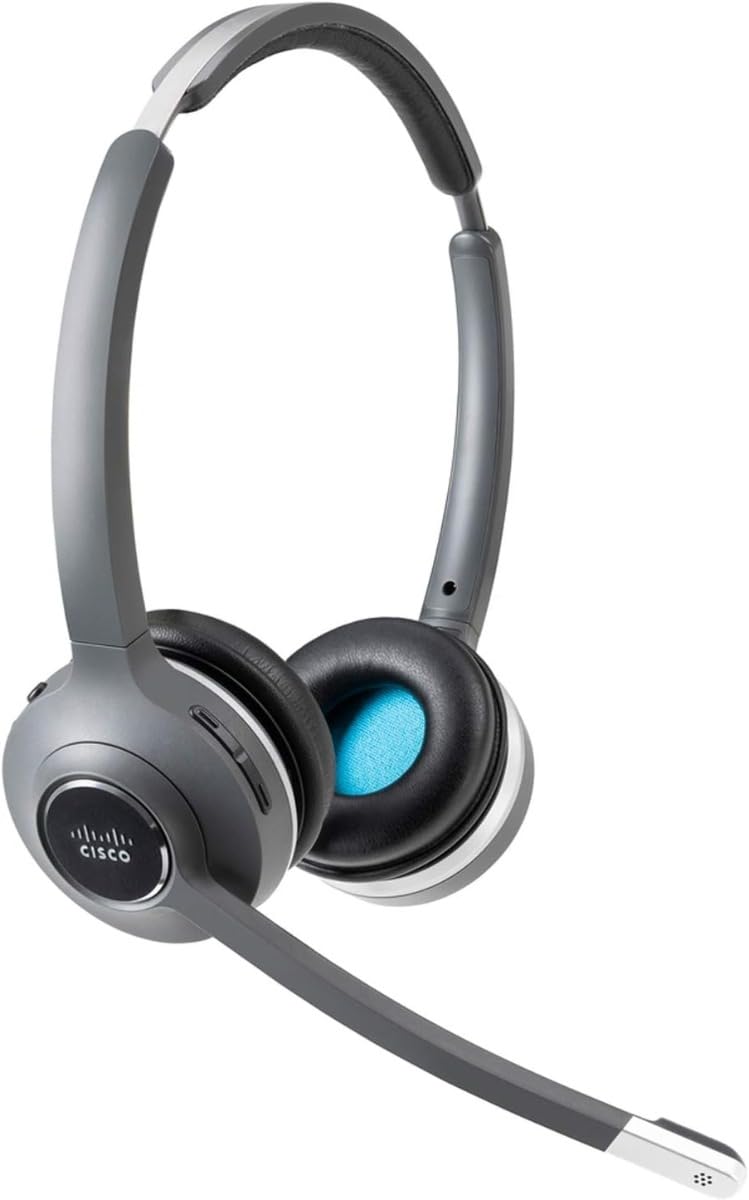
Image: Cisco 562 Wireless DECT Headset with its charging base. The headset is gray and black, featuring an adjustable headband and a microphone boom. The charging base has LED indicators for battery status.
Поставување
1. Полнење на слушалките
Place the Cisco 562 Headset onto its charging base. Ensure the headset is properly seated for charging. The LED indicators on the base will illuminate to show the charging status. A fully charged headset will display all indicators lit.
2. Прилагодување на слушалките
The headset features an adjustable headband for a comfortable fit. Extend or retract the headband as needed. The microphone boom is also adjustable and can be positioned for optimal voice pickup.
Упатства за работа
Контрола на јачината на звукот
Locate the volume control buttons on the headset earcup. Press the '+' button to increase volume and the '-' button to decrease volume.
Функција за исклучување
A dedicated mute button is available on the headset for quickly muting or unmuting your microphone during calls.
Одговарање/завршување повици
Use the call control button on the headset to answer incoming calls or end active calls.
Удобност и фит
The headset is designed for extended wear with comfortable ear cushions and an adjustable fit. Ensure the headset is positioned correctly on your head for maximum comfort and sound isolation.
Одржување
To ensure the longevity and optimal performance of your Cisco 562 Headset, follow these general maintenance guidelines:
- Keep the headset and charging base clean using a soft, dry cloth.
- Избегнувајте изложување на слушалките на екстремни температури, влажност или директна сончева светлина.
- Store the headset on its charging base when not in use to maintain battery health.
- Не обидувајте се сами да ги расклопите или поправите слушалките, бидејќи тоа може да ја поништи гаранцијата.
Решавање проблеми
If you encounter issues with your Cisco 562 Headset, consider the following general troubleshooting steps:
- Нема аудио: Ensure the headset is powered on and properly connected to your device. Check volume settings on both the headset and the connected device.
- Микрофонот не работи: Verify the microphone is not muted. Check microphone settings on your connected device.
- Проблеми со поврзувањето: Ensure the headset is within the wireless operating range (up to 300 ft). Re-pair the headset with your device if necessary.
- Проблеми со квалитетот на повиците: For call quality problems, ensure your connected device's software and the headset's firmware are up to date. Refer to Cisco's official support resources for advanced diagnostics.
Спецификации
| Бренд | Cisco |
| Модел | 562 |
| Технологија за поврзување | Безжичен (DECT 6.0) |
| Безжично оперативно растојание | 300 стапки |
| Режим на звук | Стерео |
| Максимална фреквентна реакција | 48 kHz |
| Поставување на увото | On Ear (Supra-aural) |
| Форма фактор | Over-The-Head, Binaural |
| Тип на микрофон | Uni-Directional, Electret, Condenser |
| Импеданса | 90 оми |
| Боја | Црното |
Гаранција и поддршка
For detailed warranty information, technical support, and additional resources, please refer to the documentation included with your product or visit the official Cisco support website. Specific warranty terms and support options may vary by region and product registration.
Можете да ја посетите Cisco Store за повеќе информации за производот.


