1. Вовед
The Osmo Genius Starter Kit for iPad & iPhone transforms your device into a hands-on learning tool, combining physical play with digital interaction. Designed for children aged 6-10, this kit offers five educational games that cover subjects like math, spelling, creativity, and problem-solving. Children interact with physical game pieces, and the Osmo Base and Reflector allow the device to 'see' and react to their real-life movements, bringing their creations and actions to life on screen.
Official Osmo overview video demonstrating the interactive learning experience.
2. Што има во кутијата
Your Osmo Genius Starter Kit includes the following components:
- Osmo Base & Reflector for iPad
- Tangram pieces
- Numbers tiles
- Words tiles
- Stackable storage for each game
- Access to 5 Game Apps: Numbers, Tangram, Words, Newton, and Masterpiece
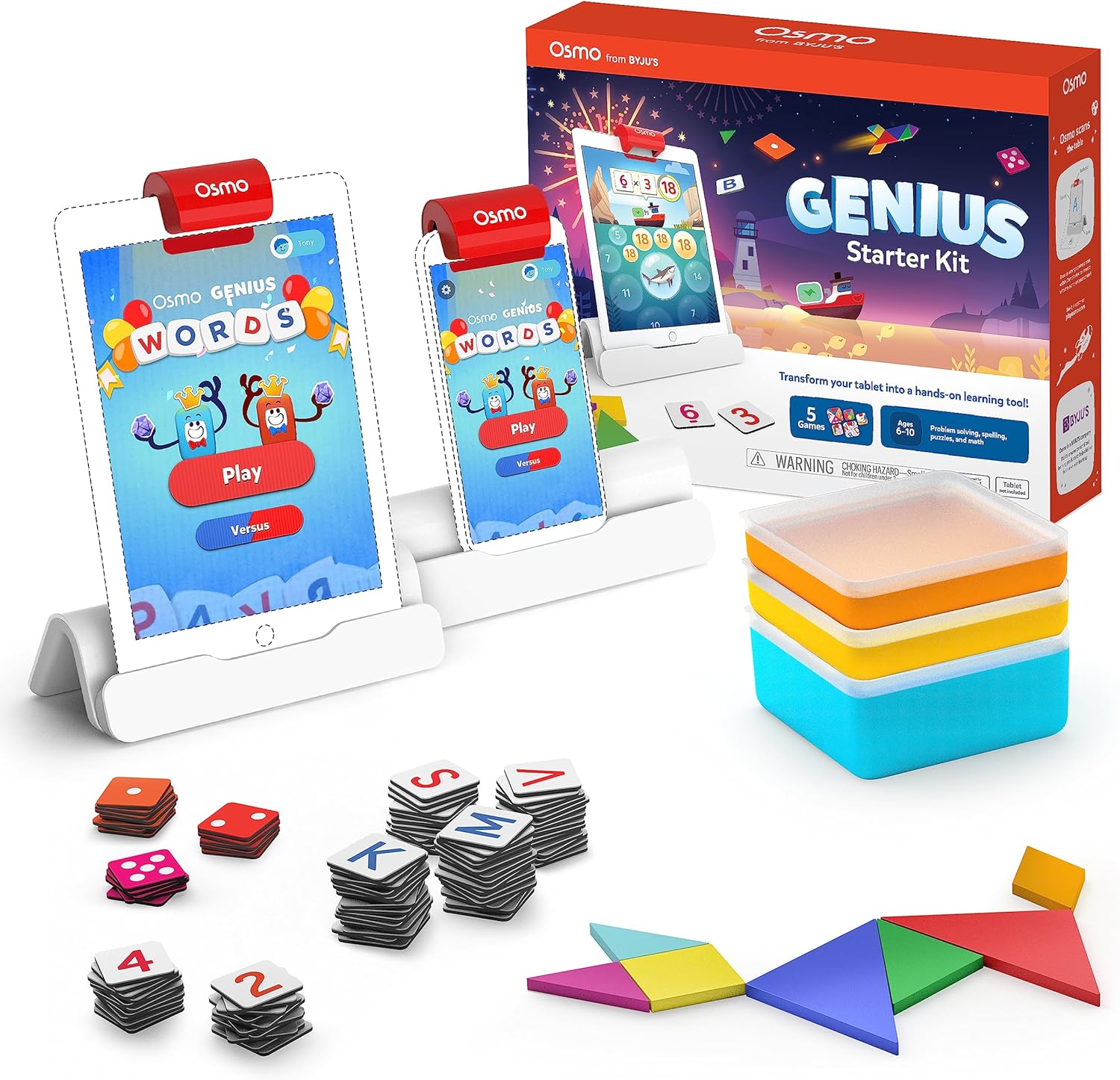
Image showing the Osmo Genius Starter Kit packaging, base, and included game pieces.
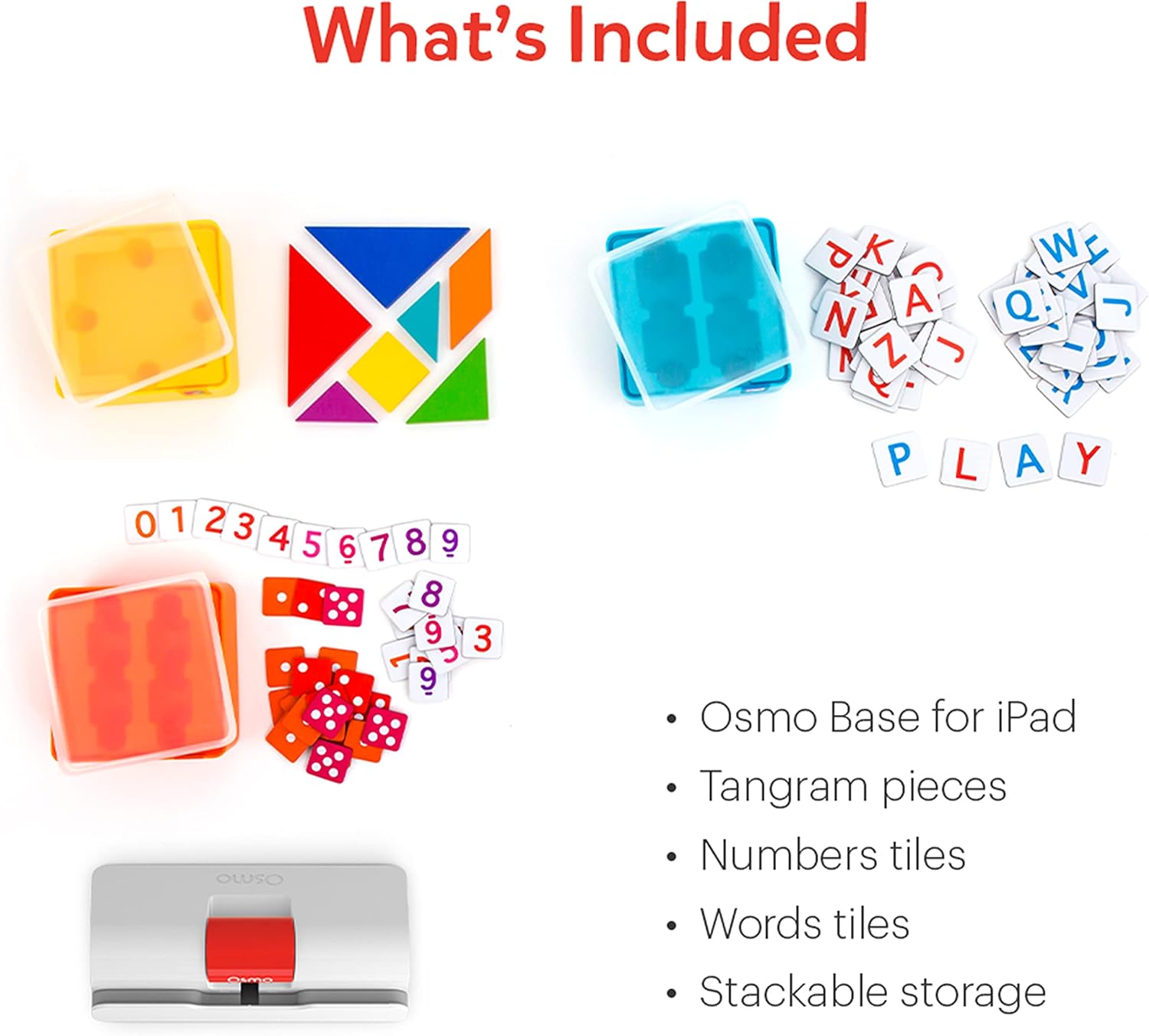
Детално view of the physical game pieces and their convenient stackable storage containers.
3. Компатибилност
The Osmo Genius Starter Kit is compatible with most iPad and iPhone models. Please verify your device's compatibility before use.
- Компатибилност со iPad: All iPads except Generation 1-4, Air Gen 1, & iPad Mini Gen 1-3. The new iPad 10th Gen, iPad Pro 11” (4th Gen), & iPad Pro 12.9” (6th Gen) are not currently compatible; compatibility coming later in 2023. iPad Reflector 2021 required for: iPad Mini 6, iPad Air 4-5, iPad Pro 11-inch & iPad Pro 12.9-inch. The minimum iOS version needed is iOS 15.
- Компатибилност со iPhone: iPhone 12, 12 Pro, 12 Pro Max, 13, 13 Pro, 13 Pro Max, 14, 14 Plus. No other iPhones are compatible. Requires the Osmo iPad base & 2021 reflector hardware. The minimum iOS needed is iOS 14.0.

Visual guide to compatible iPhone and iPad models for the Osmo system.
4. Упатства за поставување
Follow these steps to set up your Osmo Genius Starter Kit:
- Place your device in the Osmo Base: Ensure your iPad or iPhone is securely seated in the white Osmo Base. The device should be positioned vertically.
- Attach the Reflector: Gently place the red Osmo Reflector over the top edge of your device, ensuring it covers the front-facing camera. The reflector is crucial for the Osmo system to 'see' the physical game pieces on your table.
- Download Osmo Apps: Пребарај за
Поврзани документи - 901-00011

Osmo Numbers и упатства за употреба на Osmo Newton
Сеопфатен водич за користење на Osmo Numbers и Osmo Newton, со детали за механиката на играта, совети и најдобри практики за привлечно образовно искуство.
Започнување со Osmo Words
Сеопфатен водич за Osmo Words, кој опфаќа поставување на играта, играње, режими, креирање прилагодени албуми и најдобри практики за оптимални перформанси. Научете како да користите плочки со букви за да пишувате зборови врз основа на слики, истражете различни режими на игра како Adventure, Versus и Zen и откријте како да креирате и споделувате свои албуми со зборови.
Водич за поставување на Osmo за таблети за пожар
Ова упатство дава чекор-по-чекор инструкции за поставување на едукативни играчки Osmo со таблети Amazon Fire, опфаќајќи компатибилност на уредите, поставување на базата, креирање сметка, преземање игри и професионални...file управување.
Водич за поставување на Osmo за iPad и Fire таблет
Сеопфатно упатство за поставување на производите на Osmo, вклучувајќи го Osmo Creative Set и Osmo Newton, со детали за компатибилноста, чекорите за поставување, упатствата за играта и решавање проблеми.
Getting Started with Osmo Numbers
A guide to Osmo Numbers, an educational game for early learners focusing on math concepts like counting, addition, subtraction, and multiplication. Learn how to play, master game modes, and discover tips for maximizing scores and unlocking new content.
Започнување со Osmo Tangram
Водич за Osmo Tangram, со детали за карактеристиките на играта, нивоата, достигнувањата и најдобрите практики за оптимално искуство. Научете како да играте, да се движите низ менијата и да ги складирате вашите фигури на Танграм.