Xtrfy H2 Professional Gaming Headset User Manual
Model: H2 | Brand: Xtrfy
1. Производот завршиview
The Xtrfy H2 is a professional gaming headset engineered for esports, combining durable construction with optimized audio performance. It features extra-large ear cushions with memory foam for comfort during extended use and a detachable microphone for clear communication.
Главните карактеристики вклучуваат:
- Competitive gaming headset: 53 mm drivers emphasize crucial in-game sounds.
- Comfort for intensive and long gaming sessions: Lightweight aluminum frame, extra-large memory foam ear cushions with breathable mesh fabric.
- Minimal sound leakage and maximum sound: PU leather inside ear pads minimizes noise leakage and maximizes audio quality.
- Convenient: Detachable microphone, braided cable, and easily accessible audio controls.
- Multi-platform compatible: PC, Mac (external sound card required), PS4, PS4 Pro, Xbox One & Xbox One S (adapter may be required), mobile devices, and VR systems with CTIA standard connection.

Figure 1: Xtrfy H2 Professional Gaming Headset with detachable microphone.
2. Содржина на пакетот
Your Xtrfy H2 headset package should contain the following items:
- Слушалки за игри Xtrfy H2
- Отстранлив микрофон
- Braided Audio Cable (attached)
3. Информации за безбедност
Please read and follow these safety guidelines to ensure proper use and prevent damage to the headset or injury to yourself:
- Избегнувајте продолжено слушање на висока јачина на звук за да спречите оштетување на слухот.
- Do not expose the headset to extreme temperatures, humidity, or liquids.
- Keep the headset away from strong magnetic fields.
- Не обидувајте се да ги расклопите или модифицирате слушалките. Ова ќе ја поништи гаранцијата.
- Чистете ги слушалките само со мека, сува крпа.
4. Поставување
The Xtrfy H2 headset is designed for easy plug-and-play functionality across multiple platforms.
4.1 Поврзување на слушалките
- Прикачете го микрофонот: Locate the microphone input port on the left earcup. Align the microphone connector with the port and firmly push it in until it clicks into place.
- Поврзете се со уред: Plug the 3.5mm audio jack of the braided cable into the corresponding audio port on your PC, gaming console controller (PS4, PS4 Pro, Xbox One, Xbox One S - adapter may be required), mobile device, or VR system.
- Компатибилност со Mac: For Mac systems, an external sound card may be required for full functionality.
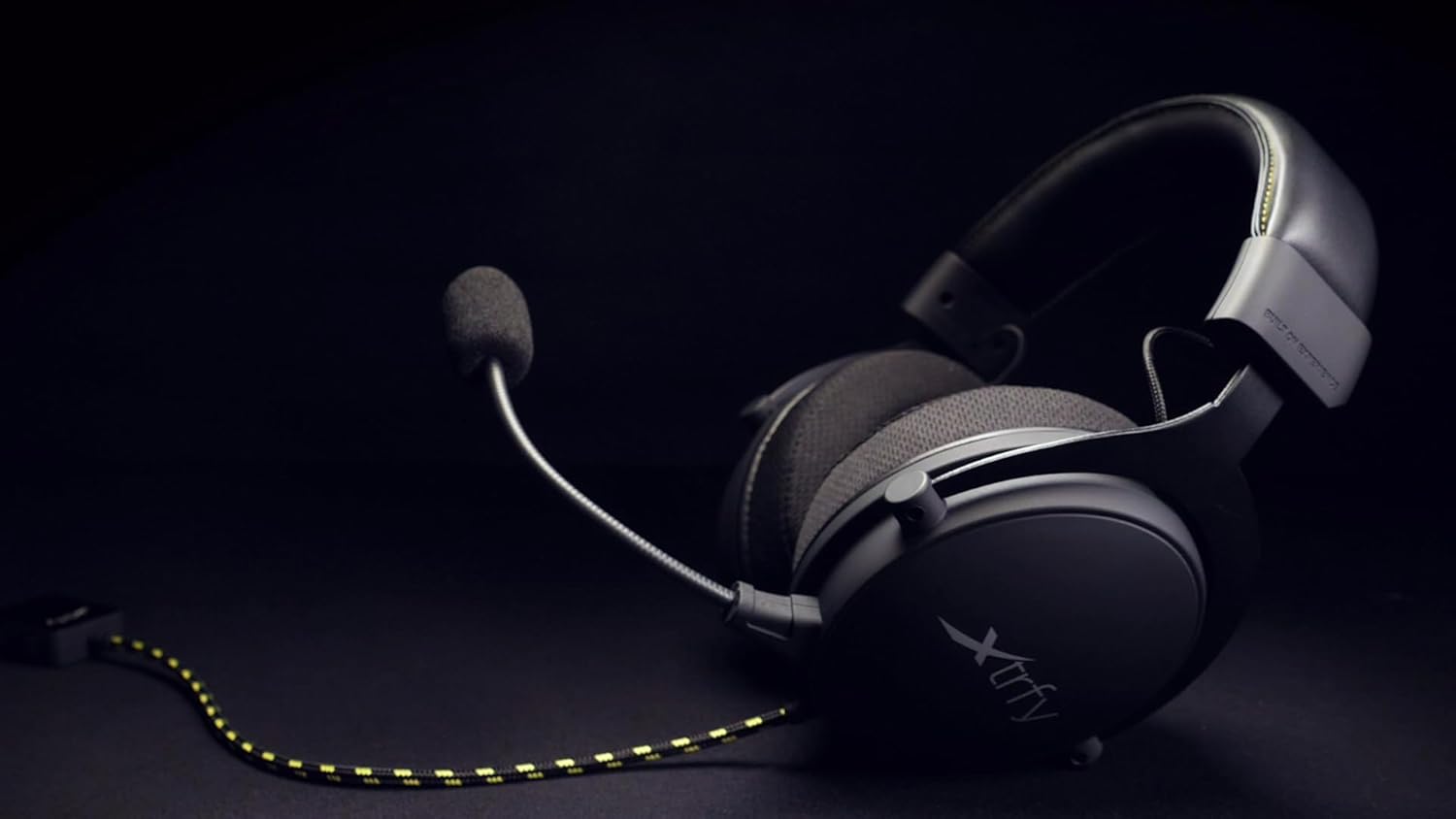
Figure 2: The Xtrfy H2 headset showing the braided cable and detachable microphone.
5. Ракување со слушалките
Once connected, the Xtrfy H2 headset is ready for use. Adjust settings as needed on your connected device.
5.1 Аудио контроли
- Контрола на јачината на звукот: Use the inline volume control located on the braided cable to adjust the audio output level.
- Исклучување на микрофонот: The inline control also features a switch to mute or unmute the microphone.

Figure 3: A user wearing the Xtrfy H2 headset while engaged in gaming, demonstrating typical usage.
Video 1: Official Xtrfy H2 Pro gaming headset overview, приказasing карактеристики и дизајн.
6. Одржување
Proper maintenance will extend the lifespan of your Xtrfy H2 headset.
- Чистење: Use a soft, dry, lint-free cloth to wipe down the earcups and headband. For the mesh fabric, a slightly damp cloth can be used, but ensure it is not saturated. Avoid harsh chemicals or abrasive materials.
- Складирање: Чувајте ги слушалките на ладно и суво место кога не се во употреба. Избегнувајте заплеткување на кабелот.
- Ушни перничиња: The extra-large memory foam ear cushions are designed for durability. If replacement is needed, contact Xtrfy support for genuine parts.

Слика 4: Одблиску view of the Xtrfy H2 headset's earcups, highlighting the breathable mesh fabric and design.

Слика 5: Детално view of the Xtrfy H2 headset's headband, showing the stitching and material.
7 Смена на проблеми
If you encounter issues with your Xtrfy H2 headset, refer to the following common problems and solutions:
| Проблем | Можна причина | Решение |
|---|---|---|
| Нема аудио од слушалките | Incorrect connection, low volume, muted. | Ensure 3.5mm jack is fully inserted. Check inline volume control and device volume settings. Verify microphone mute switch is off. |
| Микрофонот не работи | Microphone not attached correctly, muted, or incorrect input settings. | Ensure microphone is firmly attached. Check inline mute switch. Verify microphone input settings on your device. |
| Квалитетот на звукот е слаб | Loose connection, audio source issue, or incorrect device settings. | Check all connections. Test with a different audio source. Adjust audio settings on your device. |
If the issue persists after trying these solutions, please contact Xtrfy customer support.
8. Спецификации
| Карактеристика | Детал |
|---|---|
| Име на моделот | H2 |
| Технологија за поврзување | Жичен (3.5 mm приклучок) |
| Големина на драјвер за аудио | 53 милиметри |
| Опсег на фреквенција | 20 Hz - 25000 Hz |
| Облик на слушалката | Над-уво |
| Материјал | Алуминиум (рамка) |
| Материјал на перничето за уши | Memory Foam with breathable mesh fabric and PU leather interior |
| Микрофон | Се одвојува |
| Карактеристика на кабел | Плетенка |
| Тип на контрола | Volume Control, Microphone Mute (inline) |
| Компатибилни уреди | Laptops, Desktops, Gaming Consoles (PS4, PS4 Pro, Xbox One, Xbox One S), Tablets, Cellphones, VR systems (with CTIA standard connection) |
| Тежина на ставката | 0.38 килограми (13.4 унци) |
| Димензии на производот | 4.33 x 8.07 x 9.45 инчи |
| Производител | Xtrfy |
| Боја | Црна/челична |
9. Гаранција и поддршка
Xtrfy products are built to last. For information regarding warranty coverage, technical support, or replacement parts, please visit the official Xtrfy webстраницата или директно контактирајте ја нивната служба за корисници.
Можете исто така да ја посетите Xtrfy Store on Amazon за повеќе информации за производот и ресурси.


