1. Вовед
Thank you for choosing the Karlsson Gummy Digital Alarm Clock. This manual provides essential information for the safe and efficient operation of your new alarm clock. Please read it thoroughly before use and retain it for future reference.
This digital alarm clock features a soft silicone exterior, a clear digital display, and essential functions like alarm and snooze, designed for ease of use and integration into any bedroom environment.
2. Информации за безбедност
- Чувајте го уредот подалеку од вода и висока влажност.
- Не го изложувајте уредот на директна сончева светлина или екстремни температури.
- Use only the specified battery type (3 x AAA batteries).
- Осигурајте се дека батериите се вметнати со точен поларитет (+/-).
- Отстранете ги батериите ако уредот нема да се користи подолг период за да спречите протекување.
- Отстранете ги искористените батерии одговорно во согласност со локалните прописи.
- Не обидувајте се сами да го расклопите или поправите уредот. Контактирајте квалификуван сервисер.
3. Содржина на пакетот
Ве молиме проверете го пакувањето за следните ставки:
- 1 x Karlsson Gummy Digital Alarm Clock (Model KA5753GY)
Забелешка: 3 x AAA batteries are required for operation and are not included in the package.
4. Карактеристики на производот
- Материјал: Soft Silicone exterior for a comfortable touch.
- Прикажи: Clear Digital display showing hours and minutes.
- Функции: Classic Alarm function and Snooze button.
- Читливост: Large numbers for easy reading, even in low light conditions with the light function.
- Извор на енергија: Battery operated (3 x AAA batteries, not included).
- Димензии: Approximately 7 cm (Height) x 14 cm (Width) x 5 cm (Depth).
5. Поставување
5.1 Инсталација на батерија
- Пронајдете го преградата за батерии на задната страна од будилникот.
- Отворете го капакот на преградата за батерии со лизгање и вадење.
- Insert 3 x AAA batteries, ensuring correct polarity (+ and -) as indicated inside the compartment.
- Добро затворете го капакот на преградата за батерии.

Слика: Назад view со преграда за батерии.
5.2 Почетно вклучување
Once batteries are installed, the digital display should light up, and the clock will be ready for time setting.
6. Упатства за работа
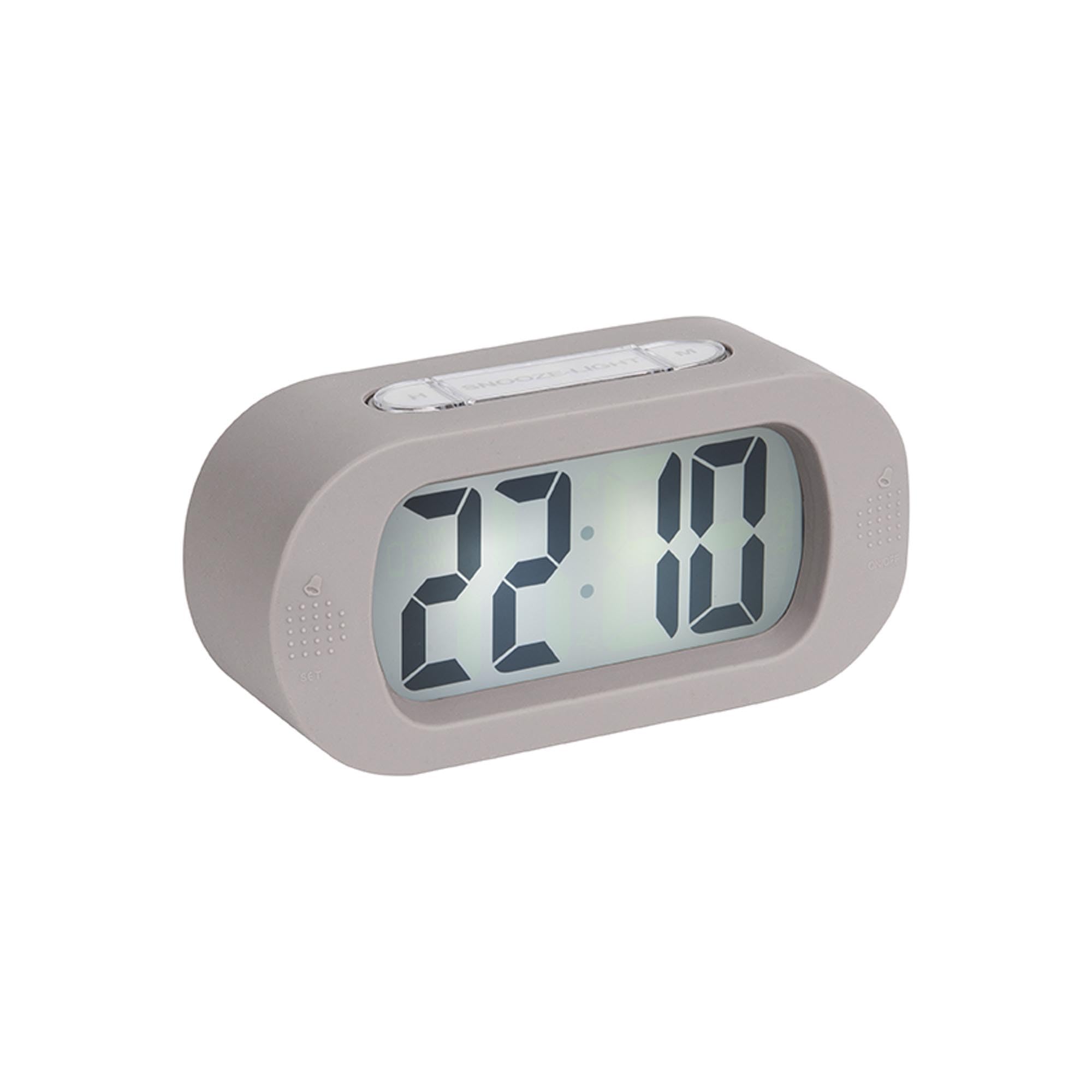
Слика: напред view на будилникот.
6.1 Поставување време
- Притиснете и задржете го "TIME SET" button (located on the back) until the hour digits start flashing.
- Користете го „Х“ button (on top) to adjust the hour.
- Притиснете го "TIME SET" button again to switch to minute setting.
- Користете го „М“ button (on top) to adjust the minutes.
- Притиснете "TIME SET" уште еден последен пат за потврда и излез од режимот за поставување време.
6.2 Поставување аларм
- Притиснете и задржете го "СТАВЕНО" button (on the front bottom left) until the alarm hour digits start flashing.
- Користете го „Х“ копче за прилагодување на часот на алармот.
- Притиснете "СТАВЕНО" again to switch to alarm minute setting.
- Користете го „М“ копче за да ги прилагодите минутите на алармот.
- Притиснете "СТАВЕНО" one last time to confirm and exit alarm setting mode.
6.3 Активирање/деактивирање на алармот
To turn the alarm on or off, locate the alarm switch or button (often on the side or back, indicated by an alarm icon). Slide or press it to toggle the alarm status. A small alarm icon on the display usually indicates the alarm is active.
6.4 Функција за одложување
Кога ќе се огласи алармот, притиснете го големото копче „ОДЛОЖИ/ПАЛЕТЕ“ button on top of the clock. The alarm will pause for a few minutes (typically 5-9 minutes) and then sound again. You can repeat this process.
6.5 Светлосна функција
Притиснете го „ОДЛОЖИ/ПАЛЕТЕ“ button briefly to illuminate the display for a few seconds, allowing you to read the time in the dark.
7. Одржување
7.1 Чистење
Wipe the clock with a soft, dry cloth. Do not use abrasive cleaners or solvents, as these may damage the silicone surface or display.
7.2 Замена на батеријата
When the display dims or the alarm weakens, it's time to replace the batteries. Follow the battery installation steps in Section 5.1.
8 Смена на проблеми
| Проблем | Можна причина | Решение |
|---|---|---|
| Екранот е празен или затемнет. | Батериите се слаби или се неправилно вметнати. | Replace batteries with new 3 x AAA batteries, ensuring correct polarity. |
| Алармот не се огласува. | Alarm is not activated or batteries are low. | Ensure the alarm is switched ON. Replace batteries if needed. |
| Time/Alarm cannot be set. | Buttons are not being pressed correctly or device is unresponsive. | Ensure you are pressing and holding the correct buttons as per instructions. Remove and reinsert batteries to reset the device. |
9. Спецификации
- Број на модел: KA5753GY
- Материјал: Силикон
- Боја: Топло сива боја
- Тип на приказ: Дигитален
- Димензии (В x Ш x Д): Приближно 7 см x 14 см x 5 см (2.76 x 5.51 x 1.97 инчи)
- Тежина: Приближно 220 грама (0.49 фунти)
- Извор на енергија: 3 x AAA батерии (не се вклучени)
- Посебни карактеристики: Alarm, Snooze, Light
- Тип на соба: Спална соба
- Употреба: Затворен
10. Гаранција и поддршка
For warranty information and customer support, please refer to the retailer where you purchased the Karlsson Gummy Digital Alarm Clock or visit the official Karlsson webстраница. Зачувајте го доказот за купување за какви било гаранциски побарувања.
Поддршка преку Интернет: www.karlssonclocks.com


