1. Производот завршиview
The LAUNCH CRP123X V2.0 is an advanced OBD2 diagnostic scan tool designed for comprehensive vehicle system analysis. It provides robust diagnostic capabilities for Engine, ABS, SRS, and Transmission systems, along with various reset functions and full OBD2 modes. This manual provides detailed instructions for its proper use and maintenance.
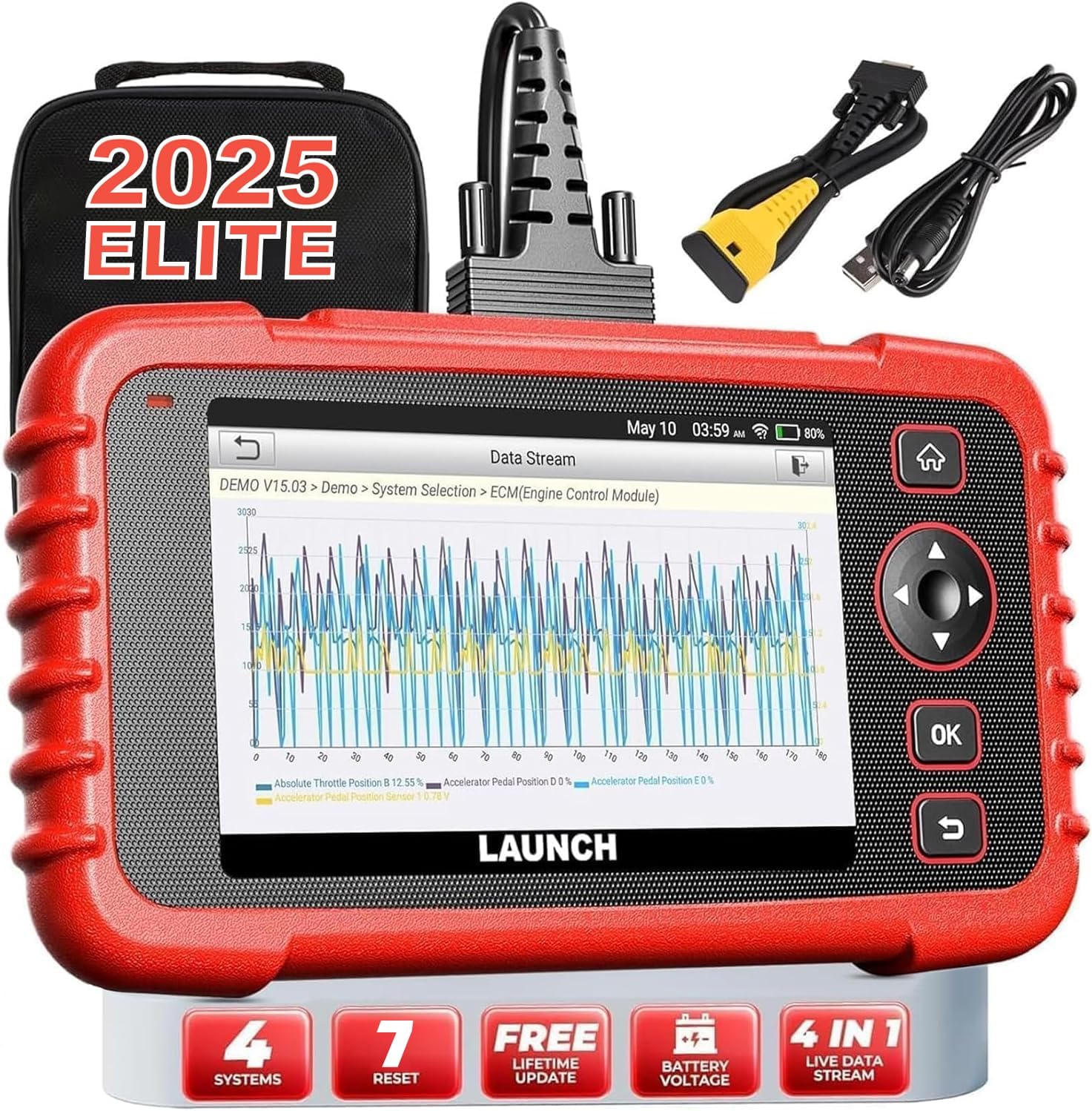
Image: The LAUNCH CRP123X V2.0 diagnostic tool, showcasing its compact design, touchscreen display, and included accessories like the carrying case and diagnostic cables.
2. Поставување
2.1 Содржина на пакетот
Пред да започнете, проверете дали сите елементи се присутни во пакетот:
- LAUNCH CRP123X V2.0 Diagnostic Scanner
- OBD II дијагностички кабел
- Кабел за полнење (USB)
- Упатство за употреба (овој документ)
- Торба за носење

Image: A visual representation of the LAUNCH CRP123X V2.0 package contents, including the diagnostic tool, cables, and carrying bag.
2.2 Почетно поставување
Follow these steps to prepare your scanner for first use:
- Наполнете го уредот: Connect the scanner to a power source using the provided charging cable. Ensure the device is fully charged before initial use.
- Вклучување: Притиснете и задржете го копчето за вклучување за да го вклучите уредот.
- Поставки за јазик и време: Следете ги упатствата на екранот за да го изберете вашиот претпочитан јазик, временска зона и други почетни поставки.
- Поврзете се на Wi-Fi: Navigate to the 'Settings' menu, select 'Network', and connect to an available Wi-Fi network. This is crucial for software updates.
- Ажурирање на софтверот: After connecting to Wi-Fi, go to the 'Upgrade' section and download any available software updates. Regular updates ensure compatibility with the latest vehicle models and diagnostic features.

Image: A step-by-step guide illustrating how to connect the scanner to the OBD2 port, start the engine, and begin diagnosis.
3. Упатства за работа
3.1 Поврзување со возило
To begin diagnostics, locate your vehicle's OBD2 port (typically under the dashboard on the driver's side). Plug the diagnostic cable into the OBD2 port and then connect the other end to the LAUNCH CRP123X V2.0 scanner. Turn the vehicle's ignition to the ON position (engine off or running, depending on the test).
3.2 System Diagnostics (Engine, ABS, SRS, Transmission)
The CRP123X V2.0 specializes in diagnosing four core vehicle systems:
- Моторен систем: Reads and clears engine fault codes, turns off the Check Engine Light (MIL), views live data, and performs O2 sensor tests.
- Систем против блокирање на сопирачките (ABS): Diagnoses ABS system issues, reads and clears ABS fault codes, and views live data streams related to braking.
- Supplemental Restraint System (SRS/Airbag): Detects and clears fault codes related to the airbag system, ensuring proper functionality of safety components.
- Систем за пренос: Accesses transmission control module information, reads and clears transmission fault codes, and displays live data for transmission performance.

Image: An illustration highlighting the four main systems (ABS, Engine, SRS, Transmission) that the CRP123X V2.0 can diagnose, showing its ability to read and clear fault codes quickly.
3.3 Целосни OBD2 функции
The tool supports all 10 modes of OBD2 testing for comprehensive emissions-related diagnostics:
- Читајте кодови
- Избришете ги кодовите
- I/M Подготвеност
- Поток на податоци
- View Рамка за замрзнување
- O2 сензорски тест
- Тест на монитор на одборот
- Тест на системот EVAP
- Информации за возилото
- Пребарување DTC

Image: Icons representing the complete suite of OBD2 functions available on the scanner, designed to assist in self-diagnosis.
3.4 Hot Reset Functions
The CRP123X V2.0 includes several commonly used reset functions:
- Ресетирање на маслото
- Ресетирање на SAS (сензор за агол на управување)
- ETC (Electronic Throttle Control) Reset
- Крварење од АБС
- Ресетирање на сопирачките
- D.P.F (Diesel Particulate Filter) Regeneration
- Ресетирање на BMS (Систем за управување со батерии)

Image: Visuals depicting the seven hot reset functions, such as ABS Bleeding, BMS Reset, Brake Reset, ETC Reset, D.P.F Regeneration, Oil Reset, and SAS Reset.
4. Одржување и грижа
- Чистење: Користете мека, гamp cloth to clean the scanner's exterior. Avoid abrasive cleaners or solvents.
- Складирање: Store the device in its original carrying bag in a dry, cool environment, away from direct sunlight and extreme temperatures.
- Ажурирања на софтверот: Regularly check for and install software updates via Wi-Fi to ensure optimal performance and compatibility with new vehicle models and diagnostic protocols.
- Нега на батеријата: За продолжено складирање, осигурајте се дека батеријата е наполнета приближно 50-70% за да се одржи нејзиното здравје.
5. Решавање на вообичаени проблеми
| Проблем | Можна причина | Решение |
|---|---|---|
| Уредот не се вклучува | Low battery; Loose connection to OBD2 port; Device malfunction | Charge the device; Ensure secure connection; Contact support |
| Unable to connect to vehicle | Faulty OBD2 cable; Incorrect vehicle ignition status; Vehicle not OBD2 compliant | Check cable integrity; Turn ignition to ON; Verify vehicle compatibility |
| Diagnostic report shows no codes | No active fault codes present; Incorrect system selected | This indicates no current issues; Ensure correct system is chosen for diagnosis |
| Проблеми со Wi-Fi конекцијата | Incorrect password; Weak signal; Network interference | Re-enter password; Move closer to router; Check network settings |
6. Технички спецификации
| Карактеристика | Детал |
|---|---|
| Бренд | ЛАНЦИРАЊЕ |
| Модел | CRP123X V2.0 |
| Димензии на производот | 11.72"Д x 8.15"Ш x 3.54"В |
| Оперативен систем | Андроид |
| Автомобилски фит тип | Universal Fit |
| Тежина на ставката | 2.33 фунти |
| Батерии | Потребни се 1 литиум-јонски батерии |
7. Гаранција и поддршка
The LAUNCH CRP123X V2.0 comes with a lifetime free software update policy, ensuring your device remains current with the latest vehicle data and diagnostic capabilities without additional costs.
For further assistance, detailed information, or troubleshooting not covered in this manual, please refer to the official PDF documents:
You may also visit the official LAUNCH website or contact their customer support for direct assistance.


