Вовед
Осцилирачкиот вентилатор PELONIS со 3 брзини, тајмер и далечински управувач, обезбедува максимална удобност во минимален простор. Со висок, тесен про...file, this fan is ideal for smaller rooms or areas with limited floor space. It features three speeds, multiple modes, and a timer for automatic shutoff. A convenient remote control allows for easy operation from a distance.
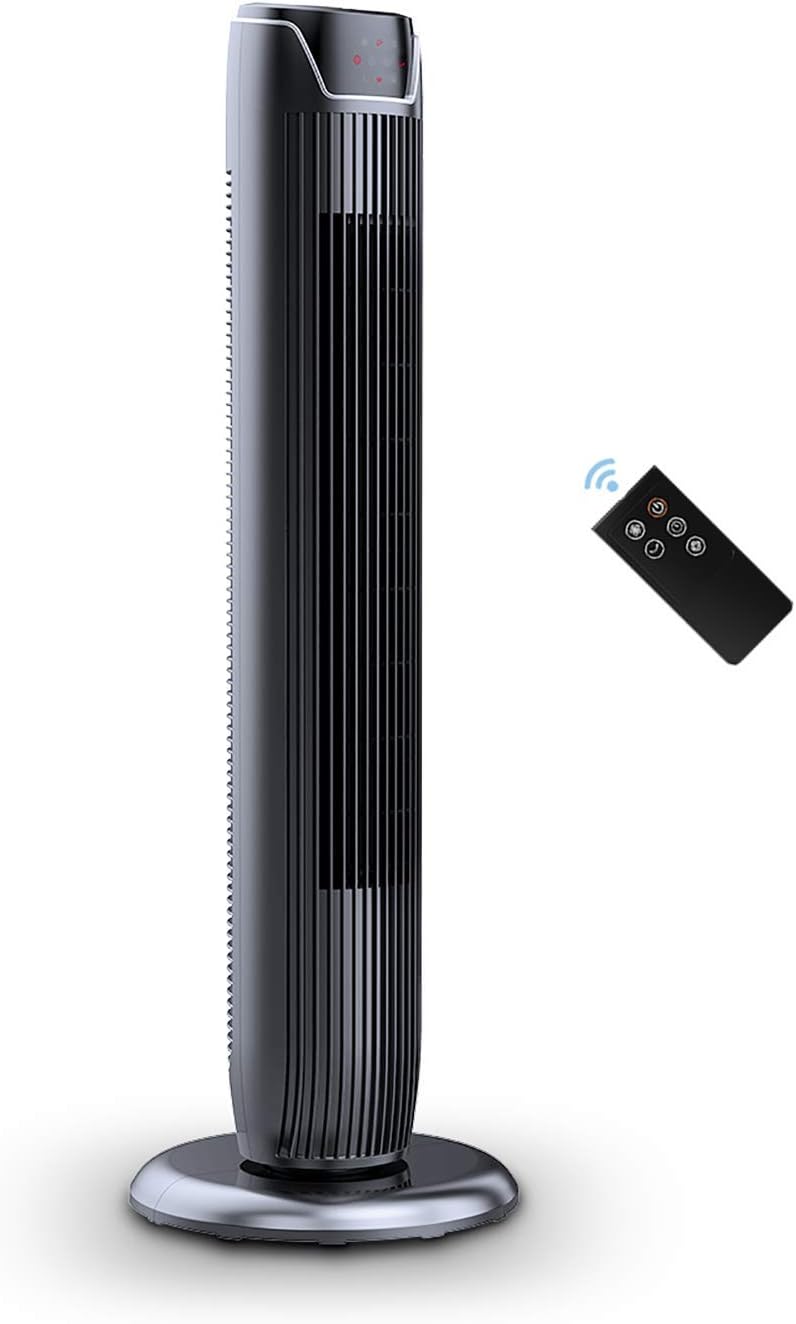
Figure 1: PELONIS FZ10-19JR Quiet Oscillating Tower Fan and Remote Control.
Информации за безбедност
Always read and follow all safety instructions before using this appliance to prevent injury or damage. Keep this manual for future reference.
- Заштита од прегревање: The motor has built-in overheat protection for peace of mind, automatically shutting off the fan if it overheats.
- Детска безбедност: The compact design on the fan grid ensures the safety of children by preventing finger penetration.
- Предлог 65 Предупредување: Овој производ може да содржи хемикалии познати на државата Калифорнија дека предизвикуваат рак и вродени дефекти или други повреди на репродуктивноста.
- Вентилаторот треба да биде поставен на стабилна, рамна површина за да се спречи превртување.
- Не вметнувајте прсти или туѓи предмети во решетката на вентилаторот.
- Исклучете го вентилаторот од штекерот пред чистење или вршење на какво било одржување.
Содржина на пакетот
По отворањето на пакувањето, проверете дали сите компоненти се присутни:
- PELONIS FZ10-19JR Tower Fan Unit
- Далечински управувач
- Base Parts (multiple pieces for assembly)
- Упатство за користење (PDF достапно онлајн)
Поставување
The PELONIS FZ10-19JR Tower Fan requires minimal assembly. Follow these steps to set up your fan:
- Соберете ја основата: The base comes in multiple pieces. Snap the base pieces together securely.
- Attach Fan Unit to Base: Carefully align the fan unit with the assembled base. Ensure the power cord is routed through the designated opening in the base.
- Обезбедете ја базата: Locate the screw underneath the base and tighten it to firmly attach the fan unit to the base.
- Поставување: Place the assembled fan on a stable, flat surface.
- Поврзување за напојување: Plug the fan into a standard 120V/60HZ power outlet.
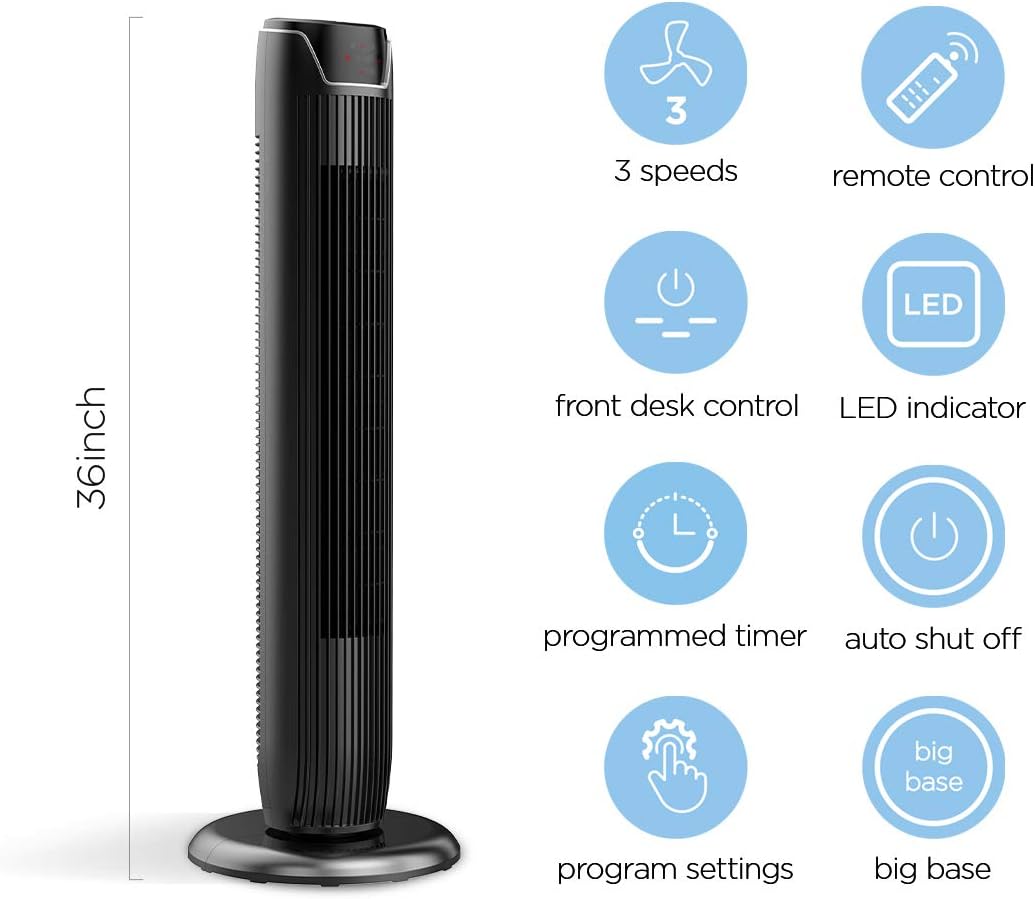
Figure 2: The 36-inch height of the tower fan, highlighting its compact design and various features.

Figure 3: Key features of the PELONIS tower fan, including silent operation, wide-angle airflow, timer, and auto shut-off.
Видео 1: Оверview of the 36-inch PELONIS FZ10-19JR Oscillating Tower Fan, demonstrating its compact size and features.
Упатства за работа
Your PELONIS tower fan can be operated using the multi-functional control panel on top of the unit or the included remote control.
Контролен панел и далечински управувач
Both the control panel and the remote offer identical functions for convenience. The control panel is located on the top of the fan for easy access without bending.

Figure 4: Close-up of the overhead control panel, highlighting the tight fence design for safety and the internal gale wheel for air volume.
- Копче за вклучување (ВКЛУЧЕНО/ИСКЛУЧЕНО): Го вклучува или исклучува вентилаторот.
- Копче за режим: Циклусира низ различни режими на ветер (нормално, природно, спиење).
- Копче за брзина: Ја прилагодува брзината на вентилаторот (ниска, средна, висока).
- Oscillation Button (Osc): Activates or deactivates the 60° wide-angle oscillation function.
- Копче за тајмер: Sets the automatic shutoff timer (up to 7 hours).
Режими на вентилатори
- Нормален ветер: Provides a constant airflow.
- Природен ветер: Simulates natural breezes with alternating strong and weak airflows.
- Режим на спиење: Operates at a low noise level (as low as 48 dB) for undisturbed sleep. The LED display auto-off after 30 seconds to minimize light disturbance.
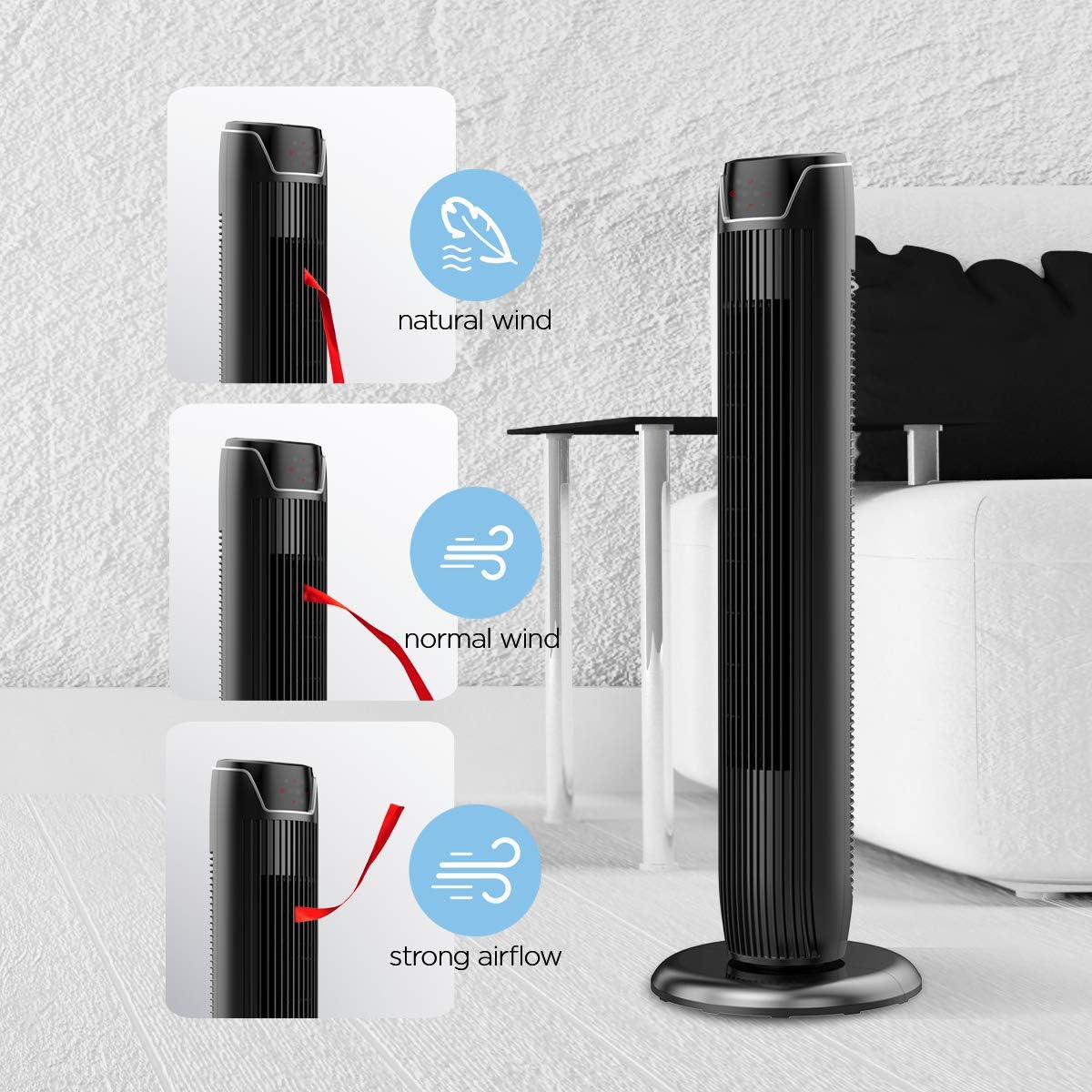
Figure 5: Visual representation of the fan's different wind modes: Natural Wind, Normal Wind, and Strong Airflow.

Figure 6: The fan's quiet operation in sleep mode, ideal for bedrooms and nurseries.
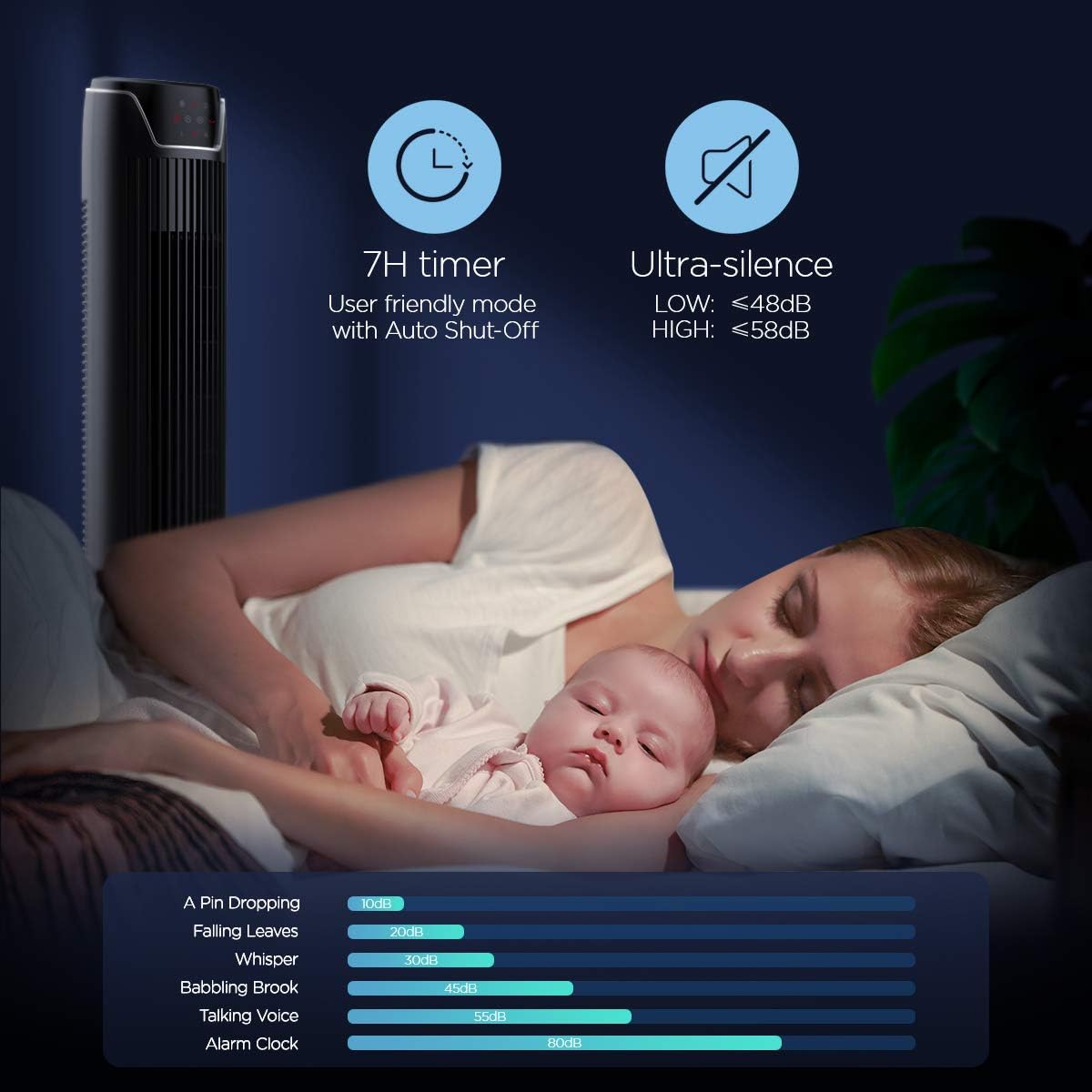
Figure 7: Illustration of the fan's ultra-silence feature (below 48dB on low speed), perfect for quiet environments.
Складирање на далечински управувач
The fan features a built-in cubby at the back for convenient storage of the remote control, ensuring it is always within reach and not easily misplaced.
Video 2: Demonstration of the remote control storage slot on the back of the Pelonis Tower Fan.
Одржување
Редовното чистење помага во одржувањето на перформансите на вентилаторот и го продолжува неговиот век на траење.
- Надворешно чистење: Користете мека, гamp крпа за бришење на надворешните површини на вентилаторот. Не користете абразивни средства за чистење или растворувачи.
- Чистење на решетката: Use a vacuum cleaner with a brush attachment to remove dust from the fan grilles. For deeper cleaning, a compressed air can may be used to dislodge dust from hard-to-reach areas.
- Внатрешно чистење: The fan is not designed for easy disassembly for internal cleaning. Regular external cleaning and compressed air use are recommended to minimize dust accumulation inside.
- Проверете дали вентилаторот е целосно сув пред повторно да го вклучите.
Решавање проблеми
If you encounter issues with your PELONIS tower fan, try the following troubleshooting steps:
- Вентилаторот не се вклучува:
- Осигурајте се дека кабелот за напојување е безбедно вклучен во работен електричен штекер.
- Проверете дали штекерот е функционален со вклучување на друг уред.
- Проверете дали е притиснато копчето за вклучување на вентилаторот.
- Fan Not Oscillating:
- Press the oscillation button on the control panel or remote.
- Ensure there are no obstructions preventing the fan from rotating.
- Слаб проток на воздух:
- Зголемете ја поставката за брзина на вентилаторот.
- Clean the fan grilles to remove any dust or debris that may be obstructing airflow.
- Невообичаен шум:
- Осигурајте се дека вентилаторот е поставен на стабилна, рамна површина.
- Check for any loose parts or foreign objects within the fan grilles.
- If the noise is a creaking sound during oscillation, ensure the base is not overtightened. Loosen it slightly if necessary.
- Далечинскиот управувач не работи:
- Ensure the remote control's batteries are correctly installed and not depleted.
- Point the remote directly at the fan's control panel.
- Погрижете се да нема пречки помеѓу далечинското и вентилаторот.
Спецификации
| Карактеристика | Детал |
|---|---|
| Бренд | ПЕЛОНИС |
| Име на моделот | FZ10-19JR |
| Боја | Сјајно црно |
| Дизајн на електричен вентилатор | Вентилатор на подот |
| Извор на енергија | Електричен со кабел |
| Стил | Модерен |
| Димензии на производот | 11.8" Д x 11.8" Ш x 36.14" В |
| Тип на соба | Спална соба |
| Специјална карактеристика | Осцилирачки |
| Препорачана употреба | Office, Air Circulation, Bedroom, Living Room, Home |
| Ниво на бучава | 48 dB |
| Тип на завршница | Сјајни |
| Voltage | 120 волти |
| Вклучени компоненти | Далечински |
| Внатрешна/надворешна употреба | Затворен |
| Спецификација исполнет | ETL |
| Контролен метод | Далечински |
| Материјал за сечилото | Пластика |
| Број на нивоа на моќност | 3 |
| Производител | Пелонис |
| UPC | 750545105431 |
| Тежина на ставката | 9.13 фунти |
Гаранција и поддршка
ПЕЛОНИС нуди 1-годишна гаранција на производителот with the purchase of this product, demonstrating confidence in its quality.
For detailed information, refer to the official User Manual (PDF) available online:
Преземи го упатството за користење (PDF)
For further assistance or inquiries, please visit the official PELONIS Store on Amazon: PELONIS Store


