Упатство за користење на премиум безжични слушалки DALI IO-6 преку уво ANC
Model: IO-6
Вовед
Welcome to the user manual for your DALI IO-6 Premium Wireless Over-The-Ear ANC Headphones. These headphones are designed to deliver exceptional audio quality with the convenience of wireless connectivity and advanced Active Noise Cancellation (ANC) technology. This manual provides essential information on setup, operation, maintenance, and troubleshooting to ensure you get the most out of your DALI IO-6 headphones.
Содржина на пакетот
Пред да започнете, проверете дали сите елементи се присутни во пакетот:
- Слушалки DALI IO-6
- USB кабел за полнење
- Аудио кабел од 3.5 мм
- Travel Case (if included)
- Водич за брз почеток
- Ушни перничиња
Note: The specific contents may vary slightly based on regional packaging.
Поставување
1. Полнење на слушалките
Before first use, fully charge your DALI IO-6 headphones. A full charge provides approximately 30 hours of battery life with ANC enabled.
- Connect the supplied USB charging cable to the USB-C port on the headphones.
- Connect the other end of the cable to a USB power adapter (not supplied) or a powered USB port on a computer.
- The LED indicator on the headphones will show charging status. It typically takes about 2 hours for a full charge.

Figure 1: DALI IO-6 headphones, Army Green color, showing the overall design. The USB-C port is located on one of the earcups.
2. Bluetooth спарување
Pair your DALI IO-6 headphones with your Bluetooth-enabled device (smartphone, tablet, laptop, etc.).
- Проверете дали слушалките се исклучени.
- Press and hold the Power/Bluetooth button on the headphones for approximately 5 seconds until the LED indicator flashes blue and red, indicating pairing mode.
- На вашиот уред, одете во поставките за Bluetooth и овозможете Bluetooth.
- Select "DALI IO-6" from the list of available devices.
- Once paired, the LED indicator on the headphones will turn solid blue.

Слика 2: Предна страна view of the DALI IO-6 headphones, showcasing the earcups and headband. The control buttons are located on the right earcup.
3. Жична врска
For a wired connection, use the supplied 3.5mm audio cable.
- Поврзете го едниот крај од 3.5 mm аудио кабелот со аудио влезниот приклучок на слушалките.
- Connect the other end to the 3.5mm audio output jack on your device.
- Слушалките автоматски ќе се префрлат во жичен режим.
Упатства за работа
Вклучување/исклучување
- За вклучување: Притиснете и задржете го копчето за вклучување 2 секунди.
- За исклучување: Притиснете и задржете го копчето за вклучување 3 секунди.
Music Playback and Call Control
| Функција | Акција |
|---|---|
| Пушти/Пауза | Притиснете го копчето за повеќе функции еднаш. |
| Следна песна | Press the Multi-function button twice. |
| Претходна песна | Press the Multi-function button three times. |
| Јачина на звук нагоре | Притиснете го копчето за јачина на звук +. |
| Намалување на јачината на звукот | Притиснете го копчето за јачина на звук -. |
| Одговори/заврши повик | Притиснете го копчето за повеќе функции еднаш. |
| Одбијте го повикот | Притиснете и задржете го копчето за повеќе функции 2 секунди. |
| Активирајте го Гласовниот асистент | Press and hold the Multi-function button for 2 seconds (when not on a call). |
Активно поништување на бучава (ANC) и режим на транспарентност
The DALI IO-6 features Active Noise Cancellation to reduce ambient noise and a Transparency Mode to allow external sounds to pass through.
- To cycle through ANC modes (ANC On, Transparency Mode, ANC Off): Press the ANC button located on the earcup.
- The LED indicator will change color to indicate the current ANC mode.
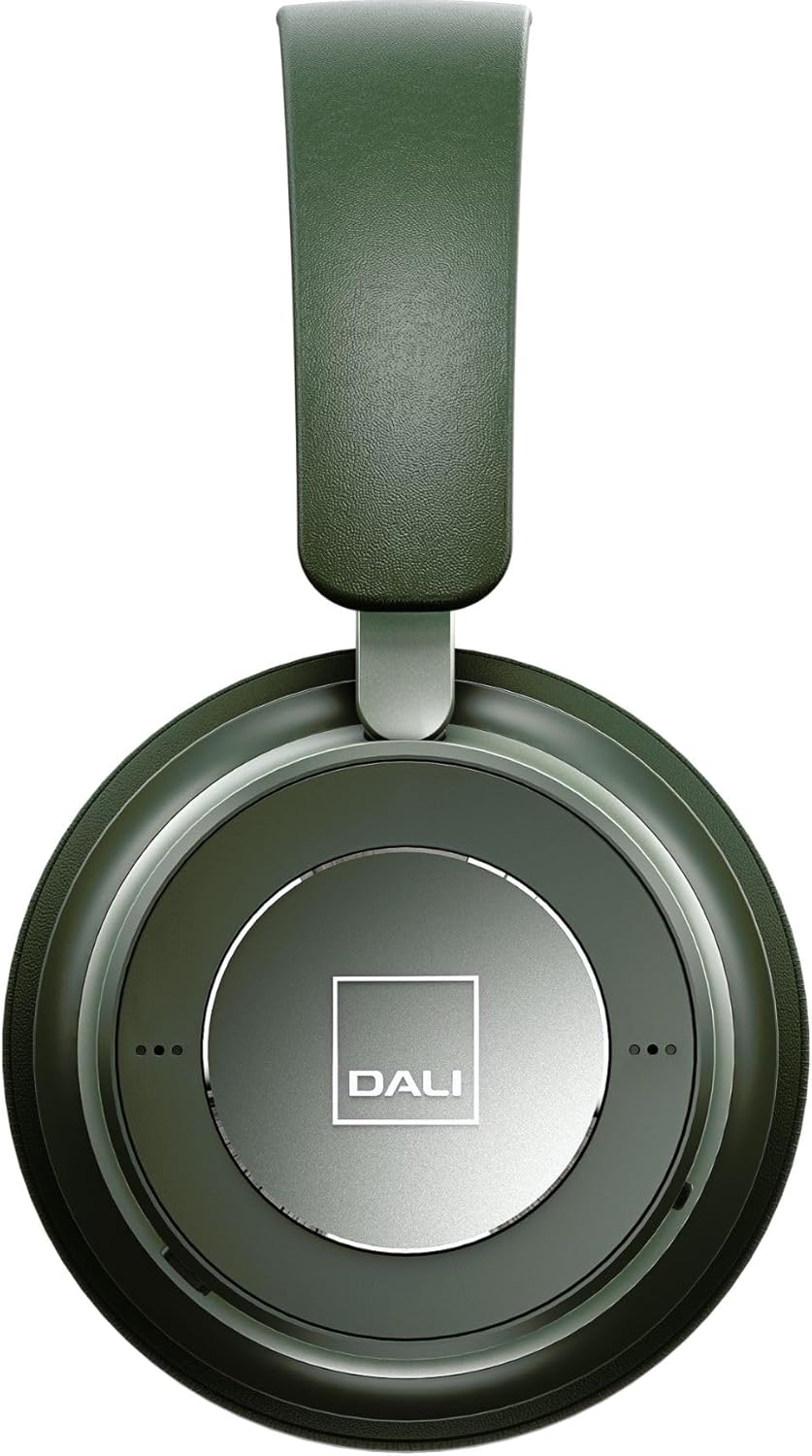
Слика 3: Одблиску view of the DALI IO-6 earcup, highlighting the DALI logo and the subtle design details. The control buttons are integrated into the earcup design.
Одржување и нега
Proper care will extend the life and performance of your DALI IO-6 headphones.
- Чистење: Користете мека, сува крпа за чистење на слушалките. Не користете абразивни средства за чистење, растворувачи или силни хемикалии.
- Складирање: When not in use, store the headphones in their protective travel case to prevent damage.
- Температура: Избегнувајте изложување на слушалките на екстремни температури (топли или ладни) или висока влажност.
- Изложеност на течност: Keep the headphones away from water and other liquids. They are not waterproof.
- Ушни перничиња: The ear cushions are designed for comfort and can be replaced if worn. Refer to DALI's official webместо за резервни делови.

Figure 4: DALI IO-6 headphones resting on a concrete surface, demonstrating their robust build and design. This image highlights the durable materials used.
Решавање проблеми
If you encounter issues with your DALI IO-6 headphones, try the following solutions:
| Проблем | Можно решение |
|---|---|
| Нема моќ | Проверете дали слушалките се целосно наполнети. Поврзете ги на извор на енергија и проверете го индикаторот за полнење. |
| Не може да се спари преку Bluetooth |
|
| Нема звук |
|
| ANC не работи ефикасно |
|
Спецификации
| Карактеристика | Детал |
|---|---|
| Име на моделот | IO-6 |
| Технологија за поврзување | Безжичен (Bluetooth 5.0) |
| Контрола на бучава | Активно откажување на бучавата (ANC) |
| Џек за слушалки | 3.5 мм Jackек |
| Траење на батеријата | До 30 часа (со ANC) |
| Време на полнење | Прибл. 2 часа |
| Опсег на фреквенција | 10 - 20000 Hz |
| Импеданса | 25 Ом |
| Големина на драјвер за аудио | 50 мм |
| Материјал | Пластика, мемори пена |
| Димензии на производот | 3.11 x 8.86 x 9.65 инчи |
| Тежина на ставката | 2.4 фунти |
Гаранција и поддршка
DALI products are built to high standards and come with a limited warranty. For specific warranty terms and conditions, please refer to the warranty card included with your product or visit the official DALI webсајт.
For technical support, service, or replacement parts, please contact DALI customer support through their official website or authorized service centers. You can find more information and contact details at: www.dali-speakers.com


