1. Вовед
The TP-Link TL-SG108 is an 8-Port Gigabit Desktop Switch designed to expand your network capacity with minimal effort. This unmanaged switch offers a simple, plug-and-play solution for connecting multiple wired devices, such as computers, gaming consoles, printers, and smart TVs, to your network. Its sturdy metal casing ensures durability, and its fanless design provides quiet operation. This manual provides essential information for setting up, operating, and maintaining your TL-SG108 switch.
2. Содржина на пакетот
Потврдете дека вашиот пакет ги содржи следниве ставки:
- TP-Link 8-Port Gigabit Desktop Switch (TL-SG108)
- Адаптер за напојување
- Гумени ногарки (за поставување на работна површина)

Image: The retail packaging for the TP-Link TL-SG108 switch, showing the device and its accessories.
3. Карактеристики на производот
- 8 гигабитни етернет порти: Provides 8 10/100/1000 Mbps auto-negotiation RJ45 ports for high-speed wired connections.
- Plug-and-play: Requires no configuration or software installation for immediate use.
- Цврсто метално куќиште: Durable metal housing with a fanless design for quiet operation.
- Traffic Optimization (QoS): Supports 802.1p and DSCP QoS for smooth handling of latency-sensitive traffic like voice and video.
- Сигурен пренос на податоци: IEEE 802.3x flow control ensures dependable data transmission.
- Енергетска ефикасност: Features Green Technology for up to 80% power saving by automatically adjusting power consumption based on link status and cable length.
- Автоматско преговарање: Поддржува Auto-MDI/MDIX, елиминирајќи ја потребата од вкрстени кабли.
- Разновидно поставување: Designed for desktop use or wall-mounting.

Image: Diagram illustrating the advanced functions of the TL-SG108 switch, including QoS for fluent online experience and IGMP Snooping for traffic optimization in IPTV.

Image: The TP-Link TL-SG108 switch with icons representing its energy-saving 'Green Tech' and 'Energy Conversion' features.
4. Поставување
The TL-SG108 switch is designed for easy installation. Follow these steps to set up your device:
- Place the Switch: Choose a stable, flat surface for the switch, or mount it to a wall using appropriate hardware (not included). Ensure adequate ventilation around the device.
- Прикачете ги гумените ногарки: If placing on a desktop, attach the included rubber feet to the bottom of the switch to prevent scratching and provide stability.
- Поврзете напојување: Plug the power adapter into the switch's power port and then into a standard electrical outlet. The Power LED on the switch should illuminate.
- Поврзете ги уредите: Connect your network devices (e.g., router, computer, gaming console, printer, smart TV) to any of the 8 RJ45 ports on the switch using Ethernet cables. The Link/Act LEDs for connected ports will light up, indicating an active connection.
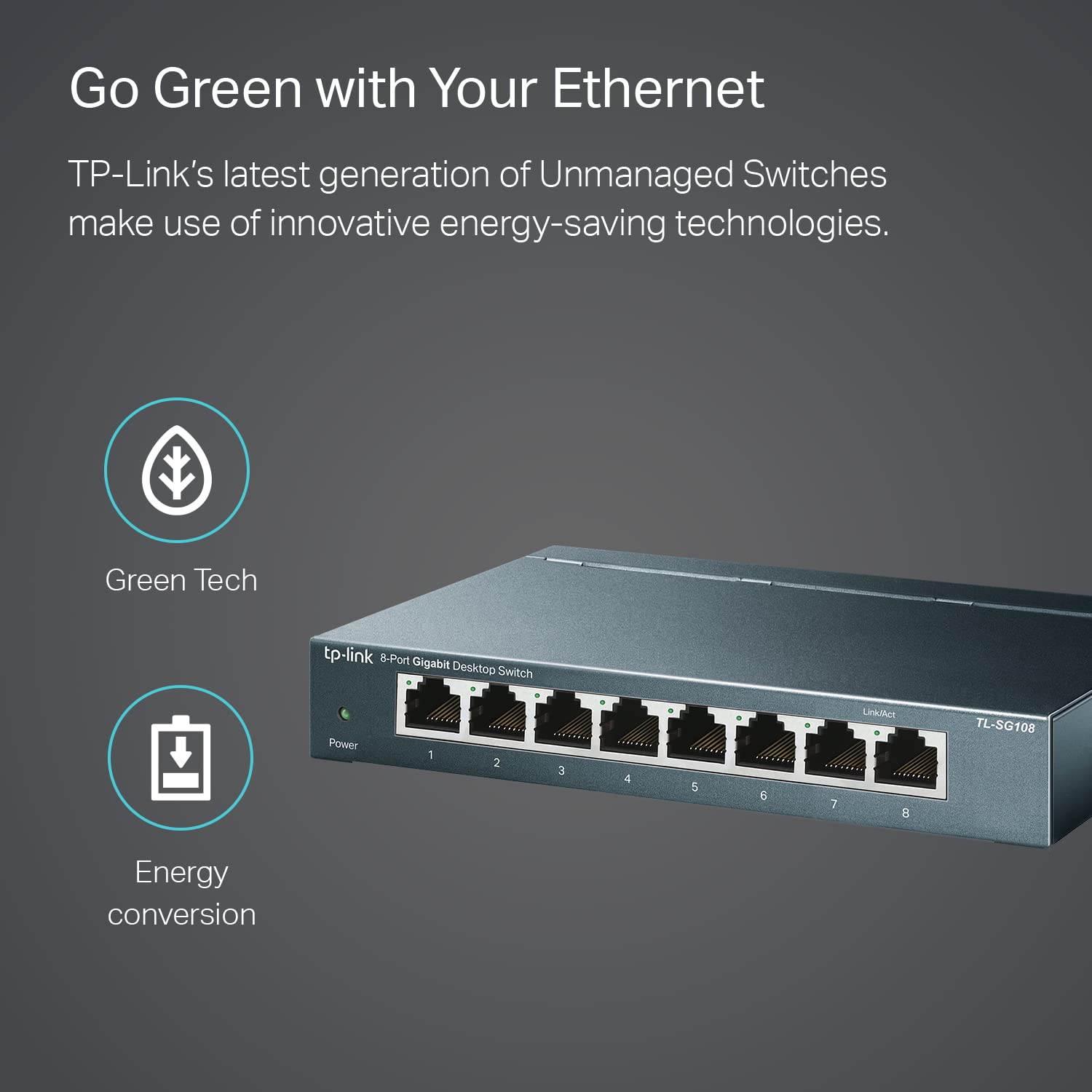
Image: The TP-Link TL-SG108 switch demonstrating its role in expanding network connectivity, showing connections to a computer, gaming console, printer, and smart TV.

Image: Visual representation of the TP-Link TL-SG108 switch's versatility in different environments: home, gaming setups, and business offices.
5. Упатства за работа
The TL-SG108 is an unmanaged switch, meaning it operates automatically without requiring user configuration. Once powered on and connected, it will begin forwarding data between connected devices.
- Напојување LED: A green LED indicates the switch is powered on. If this LED is off, check the power connection.
- LED диоди за поврзување/активирање (по порт): Each RJ45 port has an associated LED. A solid green light indicates a stable link, while a blinking green light indicates data activity (transmitting or receiving data).

Слика: Агол од предна страна view of the TP-Link TL-SG108 8-Port Gigabit Desktop Switch, showing its power indicator and eight RJ45 ports with their respective Link/Act LEDs.
6. Одржување
To ensure optimal performance and longevity of your TL-SG108 switch, follow these maintenance guidelines:
- Чистење: Користете мека, сува крпа за чистење на надворешноста на прекинувачот. Не користете течни или аеросолни средства за чистење.
- Вентилација: Осигурајте се дека прекинувачот е поставен во добро проветрено место за да спречите прегревање. Не ги блокирајте отворите за вентилација.
- Еколошки услови: Operate the switch within the specified temperature range of 0°C to 40°C (32°F to 104°F) and avoid environments with high humidity.
- Циклус на напојување: If the switch experiences issues, try power cycling it by unplugging the power adapter, waiting a few seconds, and then plugging it back in.
7 Смена на проблеми
If you encounter problems with your TL-SG108 switch, refer to the following common issues and solutions:
- Без моќност:
- Осигурајте се дека адаптерот за напојување е безбедно поврзан со прекинувачот и со функционален електричен штекер.
- Проверете дали штекерот е функционален со вклучување на друг уред.
- Нема врска/активност на портата:
- Check that the Ethernet cable is securely connected to both the switch port and the device.
- Обидете се со друг Ethernet кабел за да исклучите неисправен кабел.
- Осигурајте се дека поврзаниот уред е вклучен и дека неговиот мрежен адаптер работи правилно.
- Обидете се да го поврзете уредот со друга порта на прекинувачот.
- Бавна брзина на мрежата:
- Осигурајте се дека сите поврзани уреди и кабли поддржуваат Gigabit Ethernet (за гигабитни брзини се препорачуваат Cat5e или понови кабли).
- Проверете дали на вашата мрежа работат прекумерен мрежен сообраќај или апликации што бараат интензивен пропусен опсег.
- Потврдете дека вашиот давател на интернет услуги (ISP) ги испорачува очекуваните брзини на вашиот рутер.
8. Спецификации
| Карактеристика | Опис |
|---|---|
| Модел | TL-SG108 |
| Број на пристаништа | 8 x 10/100/1000 Mbps RJ45 порти |
| Стапка на пренос на податоци | 1000 мегабити во секунда (Mbps) |
| Тип на интерфејс | RJ45 |
| Материјал на случајот | Метал |
| Димензии (Д x Ш x В) | 5.91 x 3.15 x 5.91 инчи |
| Тежина на ставката | 13.8 унци (0.86 фунти) |
| Работна температура | 0°C до 40°C (32°F до 104°F) |
| Температура на складирање | -40°C до 70°C (-40°F до 158°F) |
| Voltage | 220 Volts (Input for Power Adapter) |
| Потрошувачка на енергија | Максимална: 3.97W (220V/50Hz) |
9. Гаранција и поддршка
TP-Link provides a limited lifetime warranty for this product. For technical assistance, unlimited 24/7 technical support is available free of charge. Please refer to the TP-Link official website for detailed warranty terms and contact information for support services.


