1. Вовед
Thank you for choosing the ZIPRO Boost Exercise Bike. This manual provides essential information for the safe and effective assembly, operation, and maintenance of your new fitness equipment. Please read this manual thoroughly before first use and keep it for future reference.
2. Информации за безбедност
- Консултирајте се со лекар пред да започнете која било програма за вежбање.
- Пред секоја употреба, проверете дали сите делови се безбедно прицврстени.
- Чувајте ги децата и миленичињата подалеку од опремата за време на работата.
- Поставете го велосипедот за вежбање на рамна, стабилна површина.
- Носете соодветна облека и обувки за вежбање.
- Do not exceed the maximum user weight capacity of 120 kg.
- Веднаш престанете да вежбате ако почувствувате слабост, вртоглавица или болка.
3. Содржина на пакетот
Пред склопување, проверете дали сите компоненти се присутни и неоштетени:
- Главна рамка
- Предни и задни стабилизатори
- Педали (лево и десно)
- Седиште и седло
- Кормило и кормила
- Компјутер за вежбање
- Хардвер за склопување (завртки, подлошки, навртки)
- Алатки за склопување (клучеви, шестоаголни клучеви)
- Упатство за употреба
4. Инструкции за склопување
Follow these steps for proper assembly. It is recommended to have two people for certain steps.
- Прикачете стабилизатори: Прицврстете ги предните и задните стабилизатори на главната рамка користејќи ги испорачаните завртки и подлошки. Уверете се дека се цврсто затегнати.
- Инсталирајте педали: Identify the left (L) and right (R) pedals. The left pedal screws counter-clockwise, and the right pedal screws clockwise. Tighten securely.
- Монтирање на столб за седиште и седло: Insert the seat post into the main frame and adjust to the desired height. Attach the saddle to the seat post and secure it.
- Attach Handlebar Post: Insert the handlebar post into the main frame.
- Install Handlebars and Computer: Attach the handlebars to the handlebar post. Connect the sensor wires from the main frame to the exercise computer. Mount the computer onto the handlebar post.

Figure 4.1: Detailed assembly diagram for the ZIPRO Boost Exercise Bike.

Слика 4.2: Експлодирано view of the exercise bike components, illustrating how parts fit together during assembly.
5. Упатства за работа
5.1 Прилагодување на отпорот
The ZIPRO Boost features an 8-level magnetic resistance system. To adjust the resistance, turn the tension control knob located below the computer display. Turn clockwise to increase resistance (harder) and counter-clockwise to decrease resistance (easier).

Figure 5.1: The resistance adjustment knob, showing levels 1 through 8.
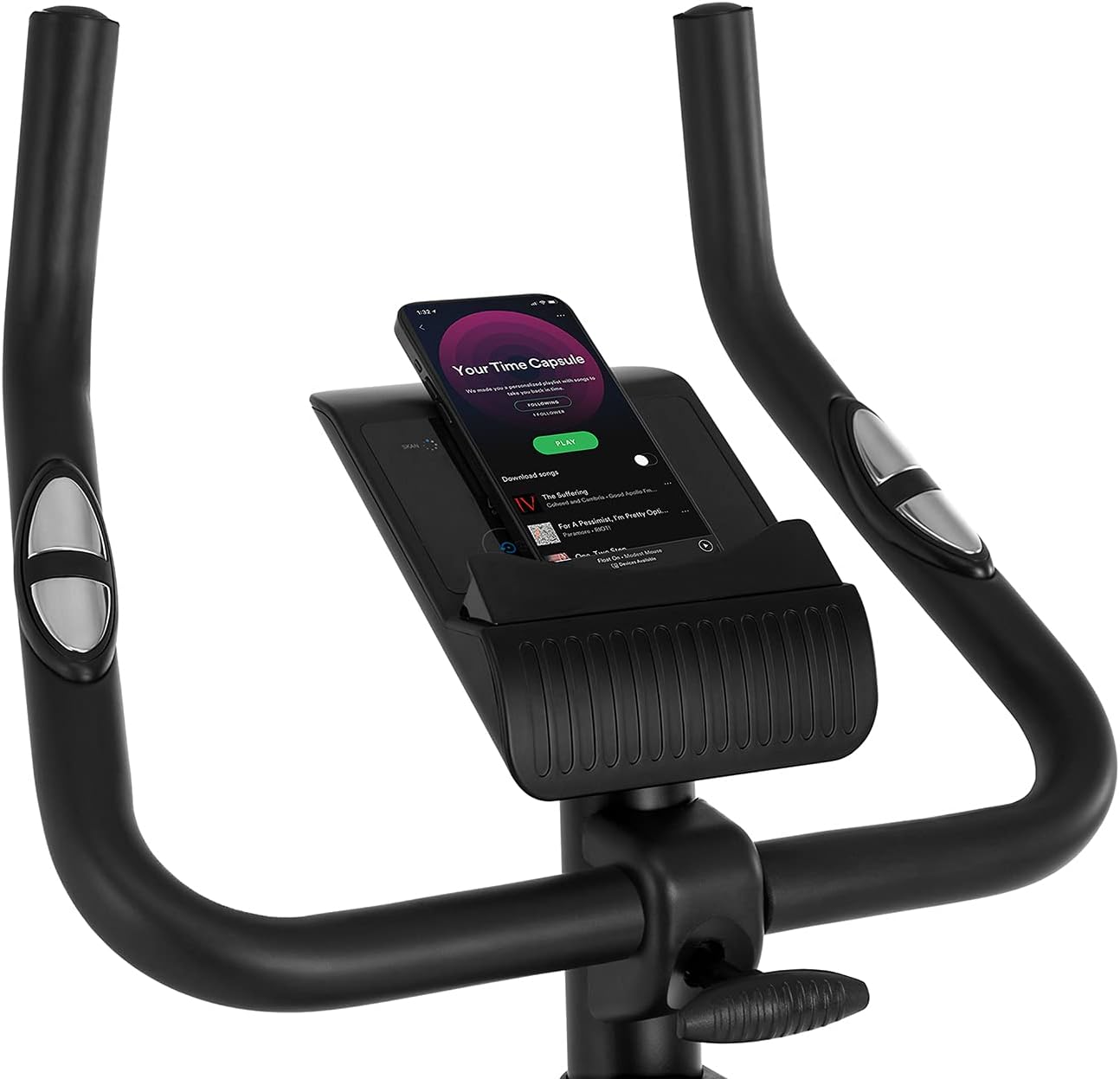
Figure 5.2: Demonstrating how to adjust the magnetic resistance using the tension control knob.
5.2 Saddle and Handlebar Adjustments
Proper adjustment of the saddle and handlebars ensures comfort and effective training.
- Висина на седлото: Loosen the adjustment knob on the seat post, raise or lower the saddle to your desired height (ensure a slight bend in your knee at the bottom of the pedal stroke), and tighten the knob securely.
- Saddle Horizontal Position: Loosen the knob beneath the saddle to slide it forward or backward for optimal positioning relative to the pedals. Tighten securely.
- Висина на рачката: Loosen the adjustment knob on the handlebar post, raise or lower the handlebars to a comfortable position, and tighten the knob securely.
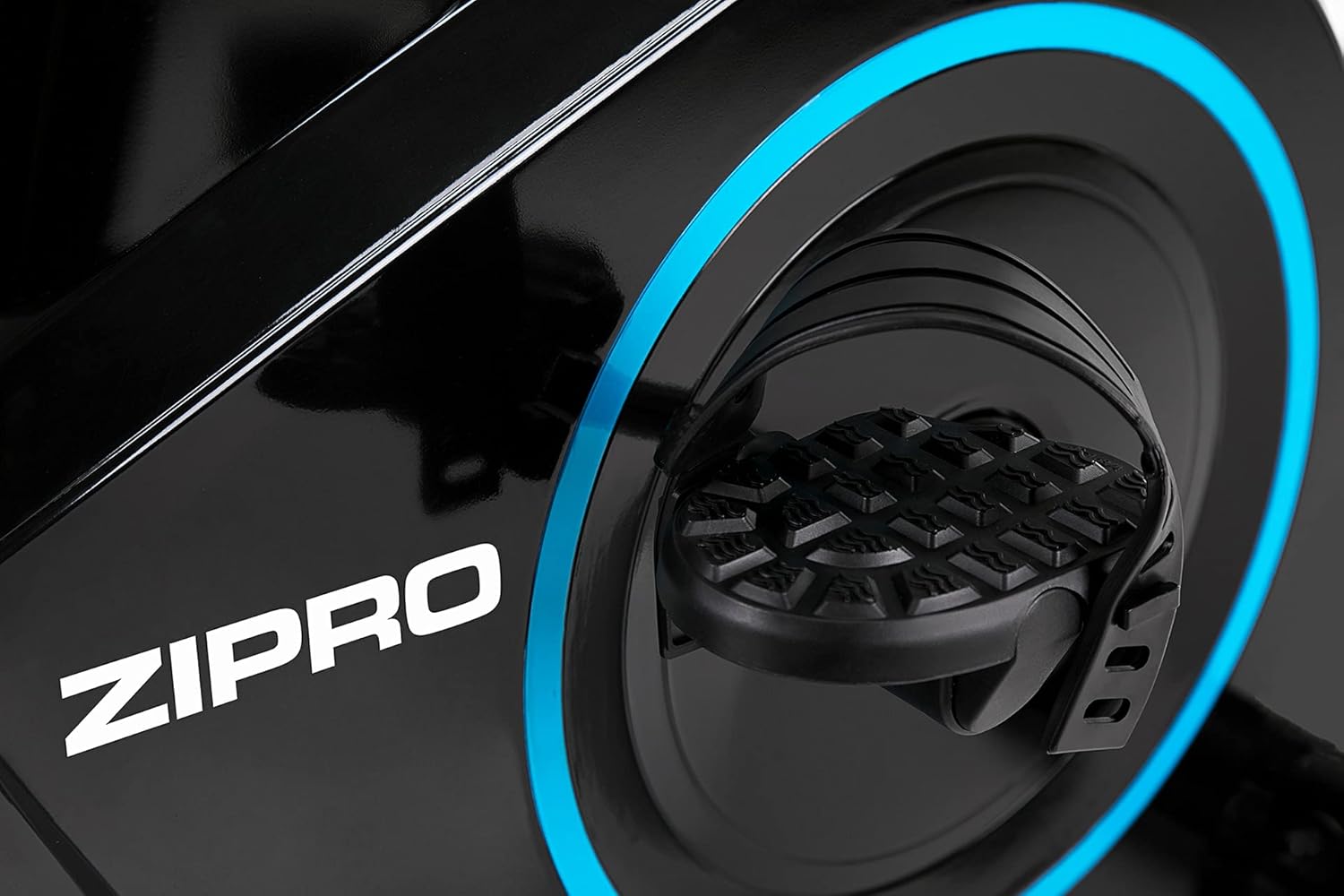
Figure 5.3: Adjusting the saddle's vertical position for user comfort.
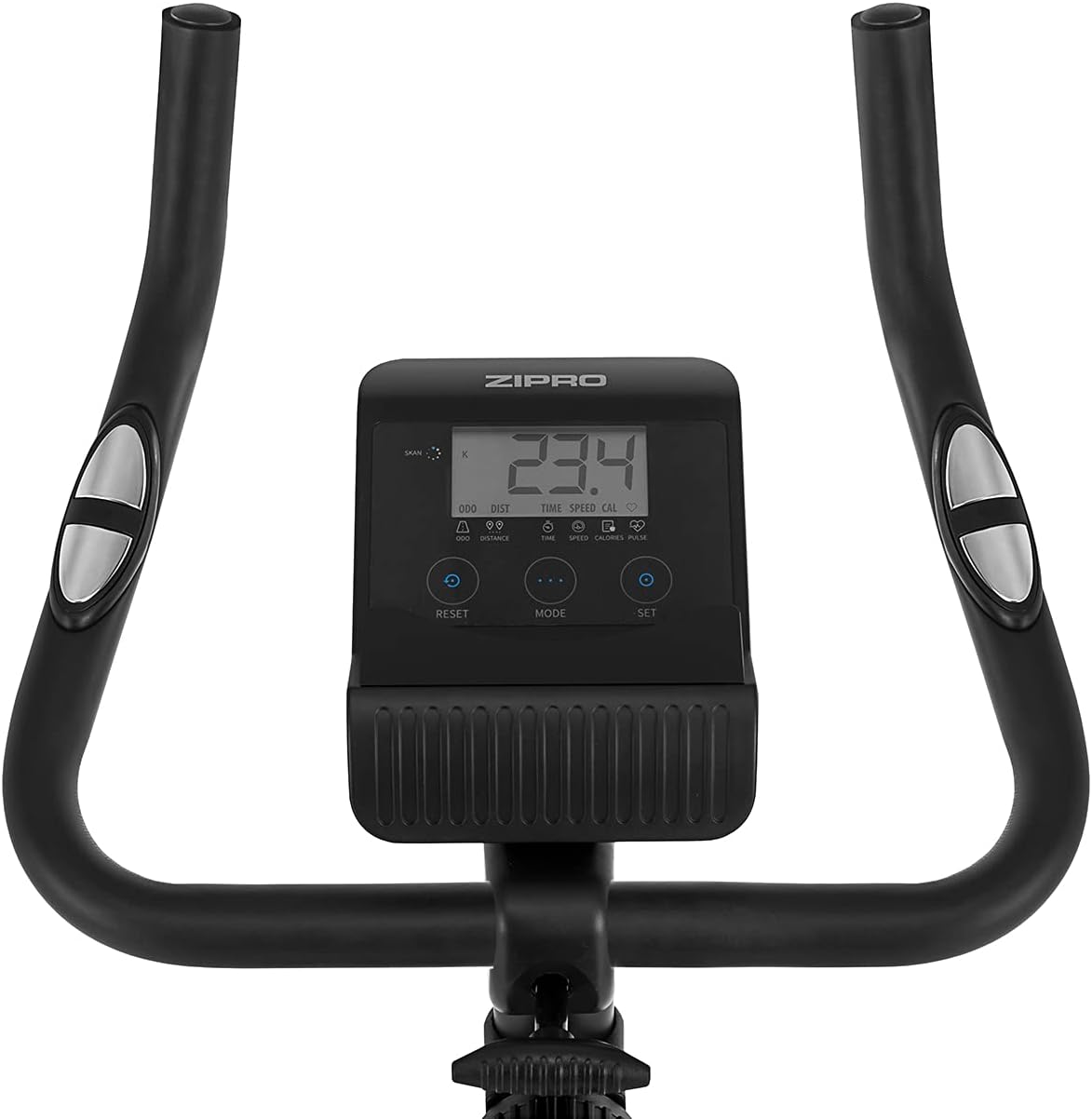
Figure 5.4: Adjusting the saddle's horizontal position for optimal riding posture.
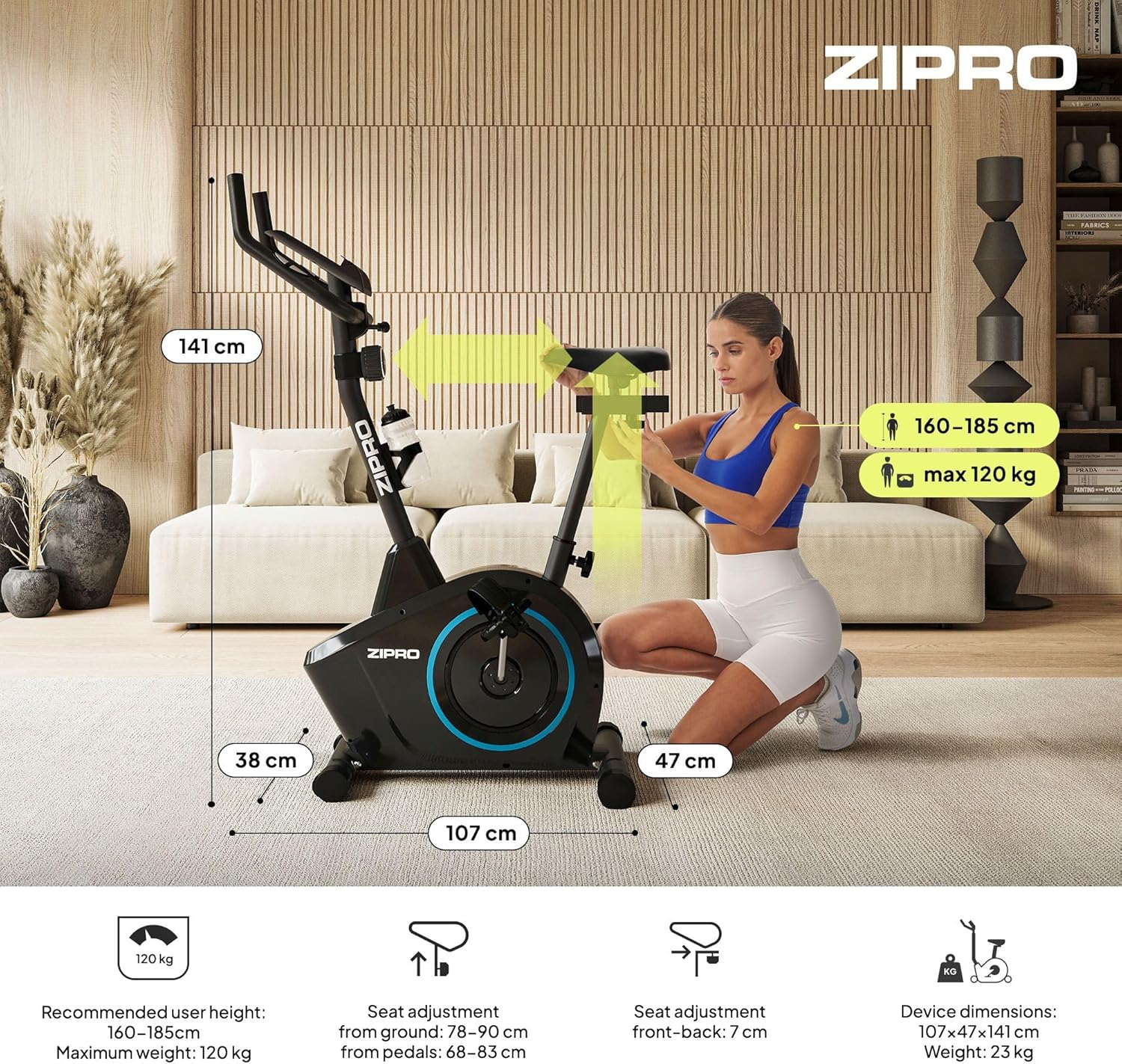
Figure 5.5: Adjusting the handlebar height to suit different user preferences and workout styles.
5.3 Computer Functions
The integrated computer tracks your workout data. It measures time, distance, speed, calories burned, and pulse (via sensors in the handlebar). The SCAN function cycles through all data alternately on the screen.
- Копче MODE: Press to select the display function (Time, Speed, Distance, Calories, Odometer, Pulse).
- Копче RESET: Press and hold to clear all current workout data (Time, Distance, Speed, Calories).
- Копче SET: Used to set target values for Time, Distance, or Calories.
- Сензори за пулс: Grip the metal plates on the handlebars to measure your heart rate.
- Mobile Device Shelf: A convenient shelf is provided above the computer for your smartphone or tablet.

Figure 5.6: The exercise computer display with MODE, RESET, and SET buttons.

Слика 5.7: Готовоview of the computer display and integrated pulse sensors.

Figure 5.8: The integrated shelf designed to hold a mobile device like a tablet during workouts.
6. Одржување
Редовното одржување обезбедува долготрајност и безбедно работење на вашиот велосипед за вежбање.
- Чистење: Избришете го велосипедот со рекламаamp крпа по секоја употреба за отстранување на пот и прашина. Не користете абразивни средства за чистење.
- Проверете ги врските: Периодично проверувајте ги сите завртки, навртки и шрафови за да се осигурате дека се затегнати. Затегнете ги доколку е потребно.
- Подмачкување: The magnetic resistance system is generally maintenance-free. If you notice any squeaking from moving parts (e.g., pedal axles), apply a small amount of silicone-based lubricant.
- Складирање: When not in use, store the bike in a dry, cool place away from direct sunlight. The integrated transport wheels allow for easy movement.

Figure 6.1: The exercise bike features transport wheels for easy relocation after use.
7 Смена на проблеми
| Проблем | Можна причина | Решение |
|---|---|---|
| Computer display not working | Loose cable connection; Dead batteries | Check all cable connections to the computer; Replace batteries (if applicable). |
| Нема промена на отпорот | Кабелот за отпор е исклучен или оштетен | Check the resistance cable connection to the tension knob and the main unit. |
| Звук на чкрипење или шкрипење | Loose parts; Lack of lubrication | Check and tighten all bolts and nuts; Apply silicone lubricant to moving parts if necessary. |
| Нестабилен за време на употреба | Bike not on a level surface; Loose stabilizers | Ensure the bike is on a flat surface; Adjust leveling caps on stabilizers; Tighten stabilizer bolts. |
8. Спецификации
| Карактеристика | Спецификација |
|---|---|
| Модел | 979536 |
| Димензии (Д x Ш x В) | 73 x 48 x 137 cm |
| Тежина на производот | 23 кг |
| Максимална тежина на корисникот | 120 кг |
| Систем на отпор | Magnetic, 8-level manual adjustment |
| Погонски систем | Појас |
| Компјутерски функции | Time, Distance, Speed, Calories, Pulse (Heart Rate) |
| Тип на материјал | Пластика, метал |
| Power Source (Computer) | Напојува со батерија |
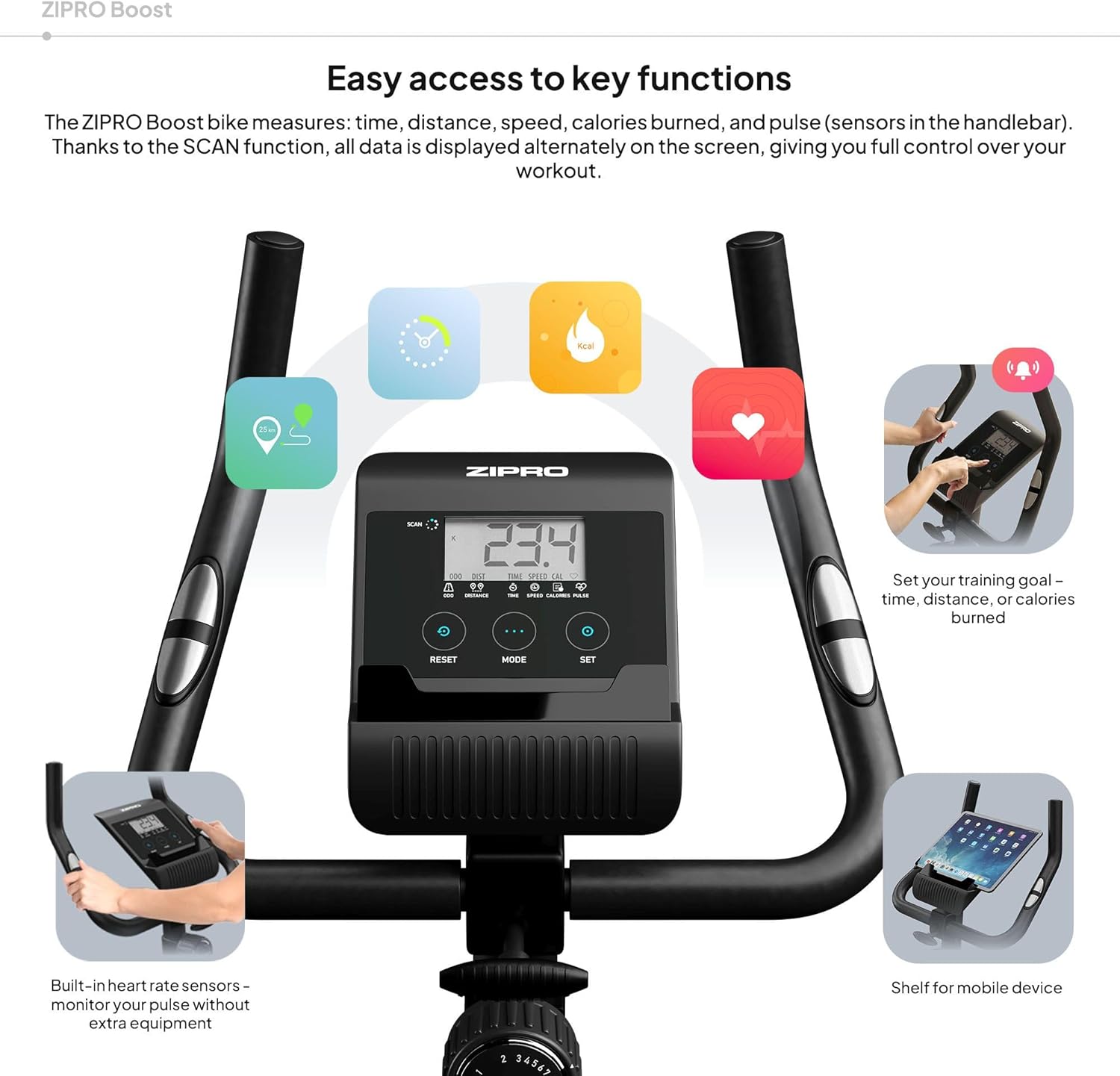
Figure 8.1: Key dimensions and user specifications for the exercise bike.
9. Гаранција и поддршка
Your ZIPRO Boost Exercise Bike comes with a standard manufacturer's warranty. Please refer to the warranty card included in your package for specific terms and conditions. For technical support, spare parts, or any inquiries not covered in this manual, please contact ZIPRO customer service through their official webлокацијата или продавачот на мало каде што сте го купиле производот.


