Вовед
Thank you for choosing the Edifier TWS1 True Wireless Stereo Earbuds. This manual provides essential information for the proper use and maintenance of your device. The TWS1 earbuds offer a wire-free audio experience with dynamic stereo sound. They feature an impressive 32-hour total playtime with the charging case and are designed with an IPX5 rating for splash and sweat resistance, making them suitable for various activities.
Please read this manual thoroughly before operating the earbuds to ensure optimal performance and longevity.
Содржина на пакетот
Проверете дали сите артикли наведени подолу се вклучени во вашиот пакет:
- Edifier TWS1 True Wireless Stereo Earbuds (Left and Right)
- Случај за полнење
- USB кабел за полнење
- Повеќе големини на врвови за уши (мали, средни, големи)
- Упатство за употреба
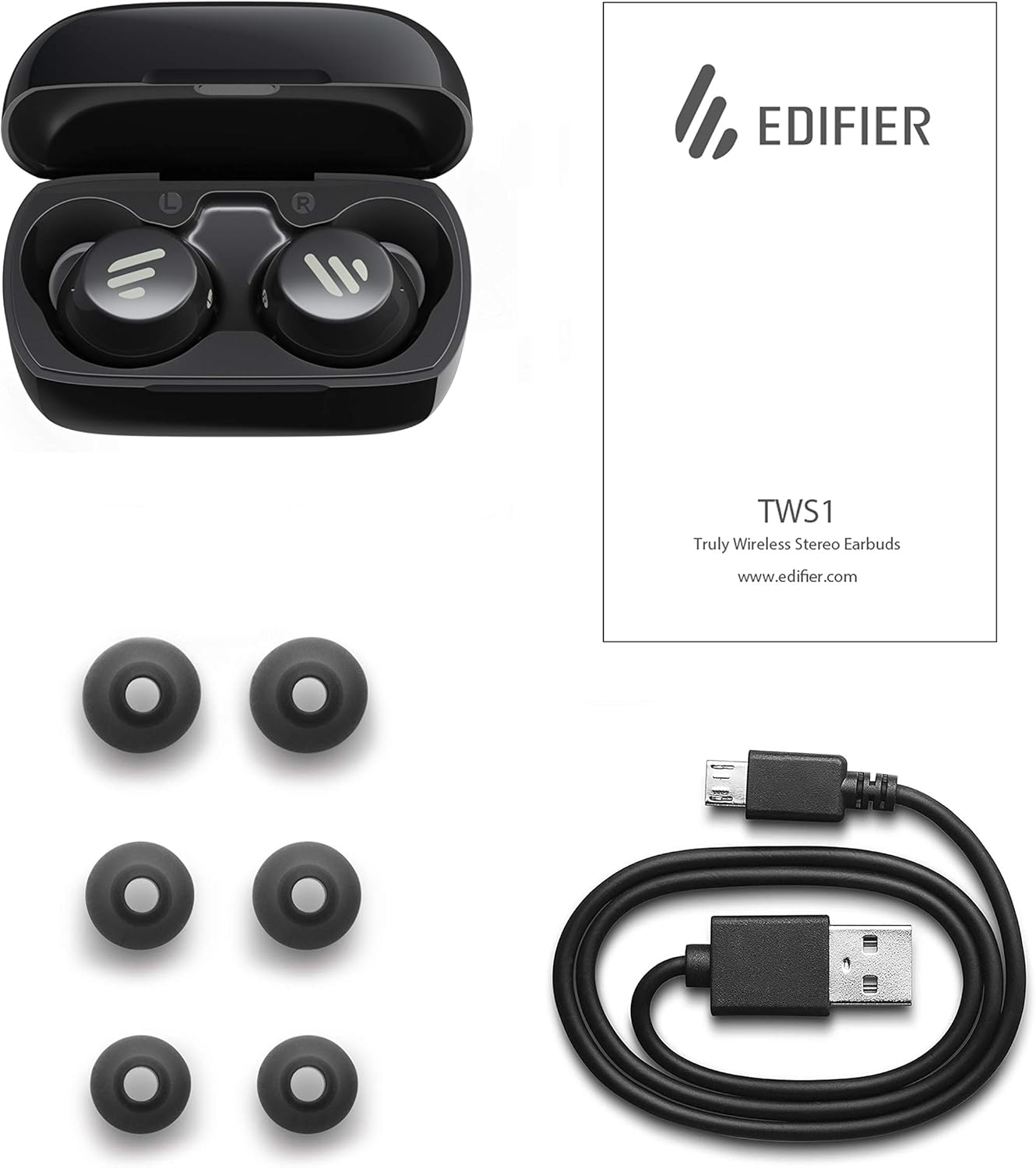
Image: The Edifier TWS1 earbuds, charging case, USB charging cable, and various sizes of ear tips are displayed alongside the user manual, illustrating the complete package contents.
Поставување
1. Полнење на слушалките и футролата
Before first use, fully charge the earbuds and the charging case. Place the earbuds into the charging case. Connect the USB charging cable to the charging port on the case and a power source. The indicator light on the case will show charging status. Once fully charged, the indicator will change or turn off.
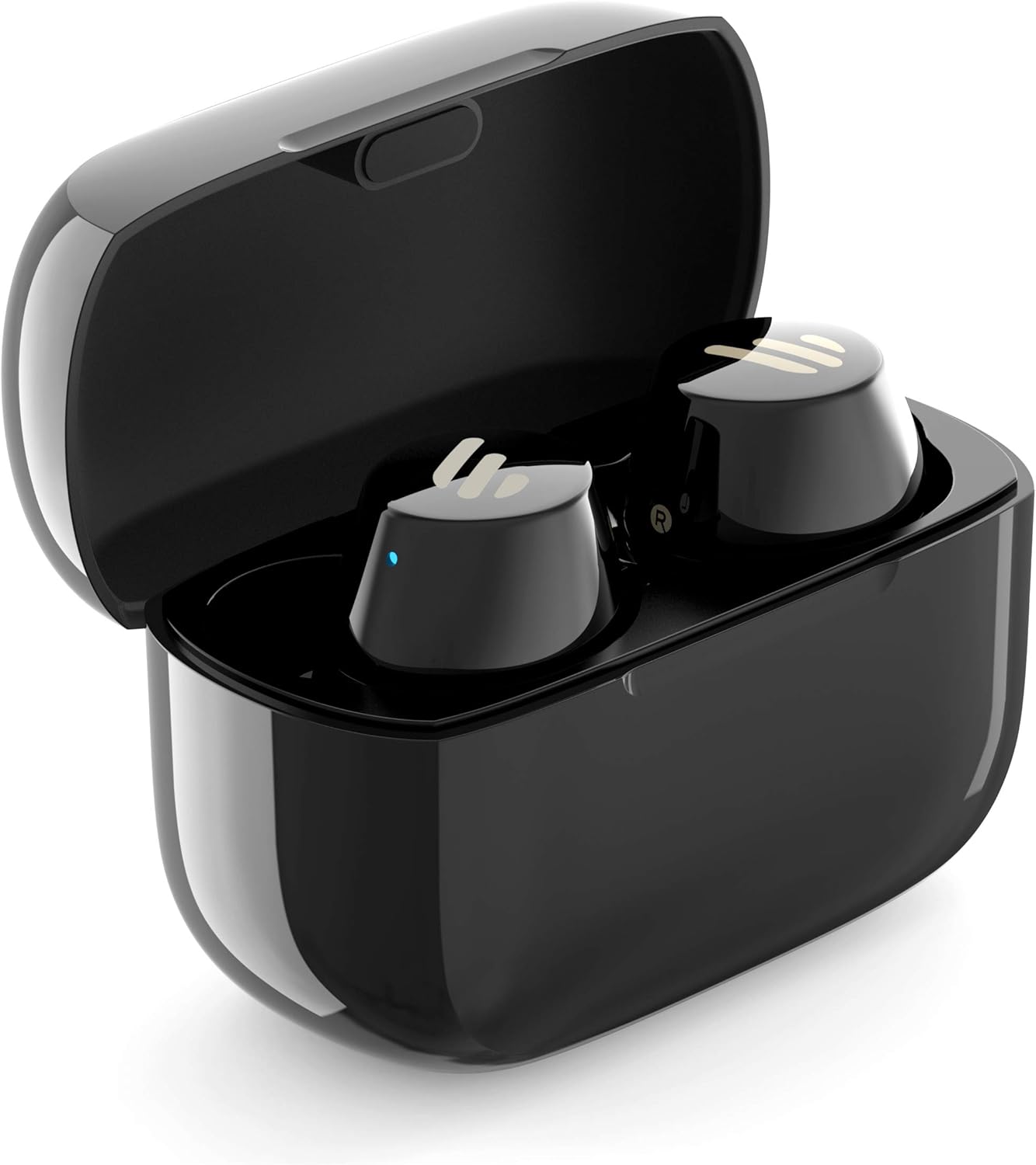
Image: The Edifier TWS1 earbuds are shown nestled within their open charging case, with a blue indicator light visible, signifying charging or power status.
2. Спарување со уред
- Осигурете се дека слушалките се наполнети.
- Open the charging case. The earbuds will automatically enter pairing mode, and the indicator light on one earbud will flash rapidly.
- На вашиот уред (паметен телефон, таблет, лаптоп), овозможете Bluetooth и пребарувајте нови уреди.
- Select "EDIFIER TWS1" from the list of available devices.
- Once connected, the indicator light on the earbuds will stop flashing.
3. Поставување на слушалките
Choose the ear tips that provide the most comfortable and secure fit for your ears. Insert the earbuds into your ear canals and gently twist them until they feel snug and stable. A proper fit is crucial for optimal sound quality and noise isolation.
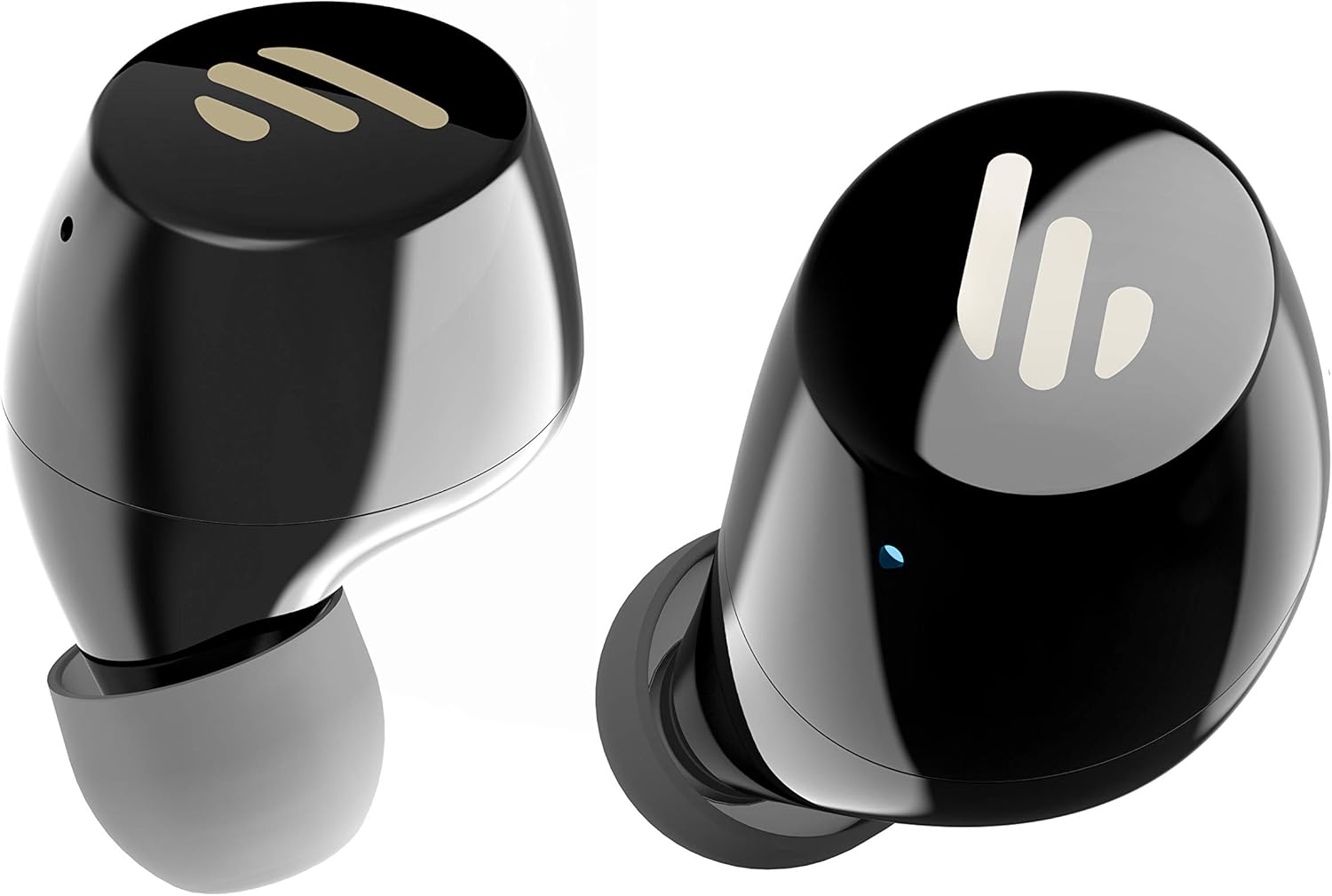
Слика: Детална view of the Edifier TWS1 earbuds, highlighting their ergonomic shape and the silicone ear tips designed for a comfortable and secure in-ear fit.
Упатства за работа
The Edifier TWS1 earbuds feature touch controls for easy operation.
- Вклучување: Слушалките се вклучуваат автоматски кога ќе се извадат од кутијата за полнење.
- Исклучено: Вратете ги слушалките во кутијата за полнење за автоматско исклучување.
- Пушти/Пауза: Double-tap the touch panel on either earbud.
- Следна песна: Triple-tap the touch panel on the right earbud.
- Претходна песна: Triple-tap the touch panel on the left earbud.
- Одговори/заврши повик: Double-tap the touch panel on either earbud.
- Одбијте го повикот: Притиснете и задржете го допирниот панел на која било од слушалките 2 секунди.
- Активирајте го гласовниот асистент: Press and hold the touch panel on the left earbud for 2 seconds.
Одржување
- Чистење: Редовно чистете ги слушалките и кутијата за полнење со мека, сува крпа. Не користете абразивни средства за чистење или растворувачи.
- Отпорност на вода: The earbuds are IPX5 rated, meaning they are resistant to splashes and sweat. Do not submerge them in water or expose them to heavy rain. Ensure the charging port is dry before charging.
- Складирање: Кога не ги користите, чувајте ги слушалките во нивната кутија за полнење за да ги заштитите и да ги држите наполнети. Чувајте ги на ладно и суво место, подалеку од екстремни температури.
- Нега на батеријата: За да го зачувате траењето на батеријата, избегнувајте често целосно празнење на слушалките и кутијата за полнење. Полнете ги редовно, дури и ако не се во постојана употреба.
Решавање проблеми
If you encounter issues with your Edifier TWS1 earbuds, please refer to the following common solutions:
| Проблем | Решение |
|---|---|
| Слушалките не се вклучуваат. | Ensure the earbuds and charging case are fully charged. Place earbuds in the case and close it, then open to power on. |
| Не може да се спари со уредот. | Make sure Bluetooth is enabled on your device. Ensure earbuds are in pairing mode (flashing indicator). Try forgetting the device in your Bluetooth settings and re-pairing. |
| Работи само една слушалка. | Place both earbuds back into the charging case, close the lid, and then open it again. This should re-sync them. If the issue persists, try resetting the earbuds. |
| Нема звук или има ниска јачина на звук. | Check the volume level on both your device and the earbuds. Ensure earbuds are properly seated in your ears. Try cleaning the ear tips and speaker mesh. |
| Проблеми со полнењето. | Ensure the charging cable is securely connected. Try a different USB port or power adapter. Clean the charging contacts on the earbuds and inside the case. |
Фабрички ресетирање
If problems persist, a factory reset may resolve them:
- Ставете ги двете слушалки во кутијата за полнење.
- Press and hold the touch panel on both earbuds simultaneously for approximately 8 seconds until the indicator lights flash rapidly, then release.
- Remove the earbuds from the case and attempt to re-pair them with your device.
Спецификации
| Карактеристика | Детал |
|---|---|
| Име на брендот | Уредувач |
| Име на моделот | TWS1 BK |
| Број на модел на ставка | TWS1_BK |
| Боја | Црното |
| Материјали | Пластика |
| Технологија за поврзување | Безжичен |
| Технологија на безжична комуникација | Bluetooth |
| Форма фактор за слушалки | Во уво |
| Поставување на увото | Во уво |
| Џек за слушалки | Не Џек |
| Контролен метод | Допрете |
| Ниво на отпорност на вода | Отпорен на вода (IPX5) |
| Компатибилни уреди | Паметни телефони, таблети, лаптопи, десктоп компјутери |
| Специфична употреба на производот | Комуникација |
| Димензии на производот | 2.32 x 1.72 x 2.04 cm; 130 грама |
| Вклучени компоненти | TWS1 Earbuds |
| Опис на возрасниот опсег | Возрасен |
Гаранција и поддршка
Edifier products are designed and manufactured to the highest quality standards. For information regarding warranty coverage, please refer to the warranty card included with your product or visit the official Edifier website. For technical support or further assistance, please contact Edifier customer service through their official channels.


