1. Вовед
This manual provides detailed instructions for the ipega PG-9162 Mini Wireless Game Controller. This controller is designed for use with the Nintendo Switch console, offering both wireless and wired connectivity options. It features a compact design, six-axis gyroscope, dual motor vibration, and a TURBO function to enhance your gaming experience.

Слика 1.1: напред view of the ipega PG-9162 Mini Wireless Game Controller.
2. Карактеристики на производот
- Компатибилност: Designed for the Nintendo Switch host, supporting both wireless and wired connections to the Switch dock.
- Ергономски дизајн: Small and exquisite handle for comfortable grip during extended gaming sessions.
- Жироскоп со шест оски: Built-in six-axis gyro chip for precise motion control and fine-tuning assistance in games.
- Двојна вибрација на моторот: Integrated dual motors provide immersive feedback based on in-game actions.
- Функција ТУРБО: Supports continuous TURBO function for rapid button presses.
- Долг век на батеријата: Built-in 380mAh battery capacity provides over 8 hours of continuous play.

Слика 2.1: Готовоview of key features including vibration, gyroscope, and TURBO function.
3. Содржина на пакетот
- ipega PG-9162 мини безжичен контролер за игри
- USB кабел за полнење (тип-C)
- Упатство за употреба

Image 3.1: Retail packaging of the ipega PG-9162 controller.
4. Производот завршиview
The ipega PG-9162 controller features standard gamepad buttons and joysticks, designed for intuitive control. Familiarize yourself with the layout:

Слика 4.1: Горе view of the controller highlighting its button layout.
- Лев аналоген стап: За движење и контрола на камерата.
- D-Pad: Насочен влез.
- Копче за почеток: Returns to the Switch home menu.
- Копче за слика од екранот: Снима слики од екранот.
- Десен аналоген стап: За контрола на камерата или специфични дејства во играта.
- Копчиња за акција (A, B, X, Y): За акции во играта.
- Shoulder Buttons (L, R) & Triggers (ZL, ZR): За различни функции во играта.
- Копчиња плус (+) и минус (-): For menu navigation and options.
- LED индикатори: Прикажи статус на конекција и ниво на батерија.
5. Поставување и поврзување
5.1 Wireless Connection to Nintendo Switch
- Осигурајте се дека вашата конзола Nintendo Switch е вклучена и ажурирана со најновиот системски софтвер.
- Од HOME менито, изберете „Контролери“ > „Промена на зафат/редослед“.
- On the ipega PG-9162 controller, press and hold the Копче за почеток и Копче Y simultaneously for a few seconds until the LED indicators start flashing rapidly. This indicates pairing mode.
- The Switch console will detect the controller. Once detected, the LED indicators on the controller will become solid, indicating a successful connection.
- You can now use the controller wirelessly with your Nintendo Switch.
5.2 Wired Connection to Nintendo Switch Dock
- Place your Nintendo Switch console into its dock.
- Connect one end of the USB charging cable to the ipega PG-9162 controller and the other end to an available USB port on the Nintendo Switch dock.
- The controller will automatically connect to the Switch console via the wired connection.
- Ensure that "Pro Controller Wired Communication" is enabled in the Switch System Settings (System Settings > Controllers and Sensors > Pro Controller Wired Communication).
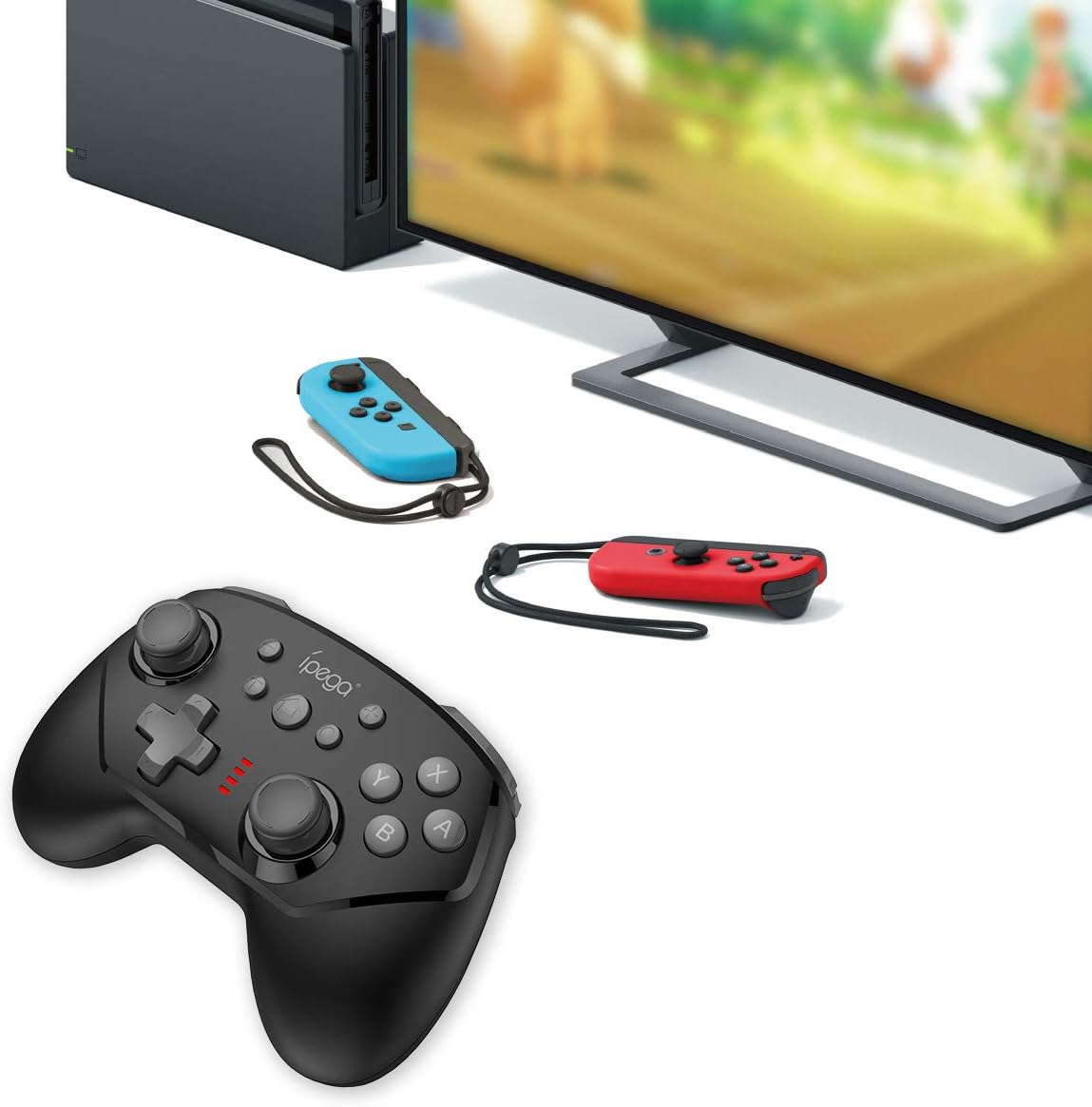
Image 5.1: The controller connected to a Nintendo Switch dock, demonstrating wired play.
6. Упатства за работа
6.1 TURBO Функција
The TURBO function allows for rapid, continuous pressing of a button without repeatedly pressing it manually.
- За поставување на ТУРБО: Press and hold the desired action button (e.g., A, B, X, Y, L, R, ZL, ZR), then press the TURBO копче once. The button will now continuously register presses as long as you hold it down.
- За бришење на ТУРБО: Repeat the process: press and hold the button with TURBO enabled, then press the TURBO копче again. The TURBO function for that specific button will be deactivated.
6.2 Six-axis Gyroscope
The built-in six-axis gyroscope provides motion control capabilities, allowing for precise aiming and in-game interactions by tilting and moving the controller.
- Ensure the game you are playing supports gyroscope controls.
- Calibrate the gyroscope if you experience drift or inaccurate motion sensing. Refer to your Nintendo Switch system settings for calibration options.

Image 6.1: Illustration of the six-axis gyroscope in action, enhancing aiming precision.
6.3 Функција за вибрации
The dual motor vibration provides tactile feedback, immersing you further into the game by reacting to in-game events like collisions, explosions, or character actions.
- Vibration intensity is typically controlled by the game itself.
- If vibration is not working, check the in-game settings or Nintendo Switch system settings to ensure it is enabled.

Image 6.2: Visual representation of the built-in dual motor vibration feature.
7. Полнење на контролерот
The ipega PG-9162 controller has a built-in rechargeable battery. When the battery is low, the LED indicators will flash slowly.
- Connect the provided USB charging cable to the Type-C port on the controller.
- Connect the other end of the USB cable to a USB power source (e.g., Nintendo Switch dock, computer USB port, or a USB wall adapter).
- The LED indicators will show charging status. Once fully charged, the indicators will typically turn off or show a solid light.
- A full charge provides over 8 hours of gameplay.
8. Одржување
- Чувајте го контролерот сув и подалеку од влага.
- Избегнувајте изложување на контролерот на екстремни температури.
- Чистете го контролерот со мека, сува крпа. Не користете груби хемикалии или абразивни средства за чистење.
- Чувајте го контролерот на безбедно место кога не е во употреба за да спречите оштетување.
9 Смена на проблеми
9.1 Контролерот не се поврзува
- Осигурајте се дека контролерот е доволно наполнет.
- Verify the Nintendo Switch console is updated to the latest system software.
- Повторете го процесот на спарување (дел 5.1).
- If using wired connection, ensure "Pro Controller Wired Communication" is enabled in Switch settings.
- Try restarting both the controller and the Nintendo Switch console.
9.2 Доцнење на влезот или прекини
- Осигурајте се дека нема силни електромагнетни пречки во близина.
- Move closer to the Nintendo Switch console.
- Disconnect other wireless devices that might be causing interference.
9.3 Копчињата не реагираат
- Проверете дали контролорот е правилно поврзан.
- Test the buttons in the Switch's controller test menu (System Settings > Controllers and Sensors > Test Input Devices).
- Исчистете ги околу копчињата за да се осигурате дека остатоците не ги попречуваат.
10. Спецификации
| Бренд | ipega |
| Број на модел | PG-9162 |
| Поврзување | Wireless (Bluetooth), Wired (USB) |
| Капацитет на батеријата | 380 mAh |
| Траење на батеријата | >8 часа (приближно) |
| Посебни карактеристики | Six-axis Gyroscope, Dual Motor Vibration, TURBO Function |
| Компатибилност | Nintendo Switch |
| Димензии | 17.53 x 13.72 x 6.6 см (приближно) |
| Тежина | 295 g (приближно) |
11. Гаранција и поддршка
This product comes with a standard manufacturer's warranty. For specific warranty terms, please refer to the documentation included with your purchase or contact the retailer. For technical support or further assistance, please visit the official ipega webсајт или контактирајте со нивниот оддел за услуги на клиентите.
Производител: ipega
Прво достапен датум: 2 август 2019 година


