1. Вовед
This manual provides detailed instructions for the setup, operation, and maintenance of your WiMiUS P21 Full HD 1080P LED Projector. Please read this manual thoroughly before using the projector to ensure proper function and longevity of the device.

Слика: напред view of the WiMiUS P21 Projector, showing the lens and control panel.
2. Содржина на пакетот
Проверете дали сите артикли наведени подолу се вклучени во вашиот пакет. Доколку некои артикли недостасуваат или се оштетени, ве молиме контактирајте ја службата за корисници.
- WiMiUS P21 Projector
- Далечински управувач
- Кабел за напојување
- HDMI кабел
- VGA кабел
- AV кабел
- Покривка за објектив
- Упатство за употреба (овој документ)

Image: The WiMiUS P21 Projector displayed with its remote control, power cable, HDMI cable, VGA cable, AV cable, and user manual.
3. Карактеристики на производот
The WiMiUS P21 Projector offers advanced features for an enhanced viewискуство:
- High Brightness and Contrast: 6500 Lumens brightness and an 8000:1 contrast ratio for clear and vivid images.
- Матична резолуција од 1080P: Delivers a native resolution of 1920x1080 pixels, supporting 1080P at 60Hz and 4K input for detailed visuals.
- Flexible Projection Size: Adjustable projection size from 50 to 300 inches with a projection distance of 1.5 to 6.5 meters.
- Функција за дигитален зум: Allows image size reduction from 100% to 75% via remote control without moving the projector.
- Интегриран аудио: Dual built-in 5W stereo speakers provide clear sound.
- Широка поврзаност: Equipped with 2 HDMI ports, 2 USB ports, 1 VGA port, and 1 AV port for connecting various devices.
- Долго Лamp Животот: ЛЕР лamp designed for up to 100,000 hours of operation.

Image: Visual comparison illustrating the difference between 6500 lumens with 8000:1 contrast and lower specifications, highlighting improved clarity and color saturation.
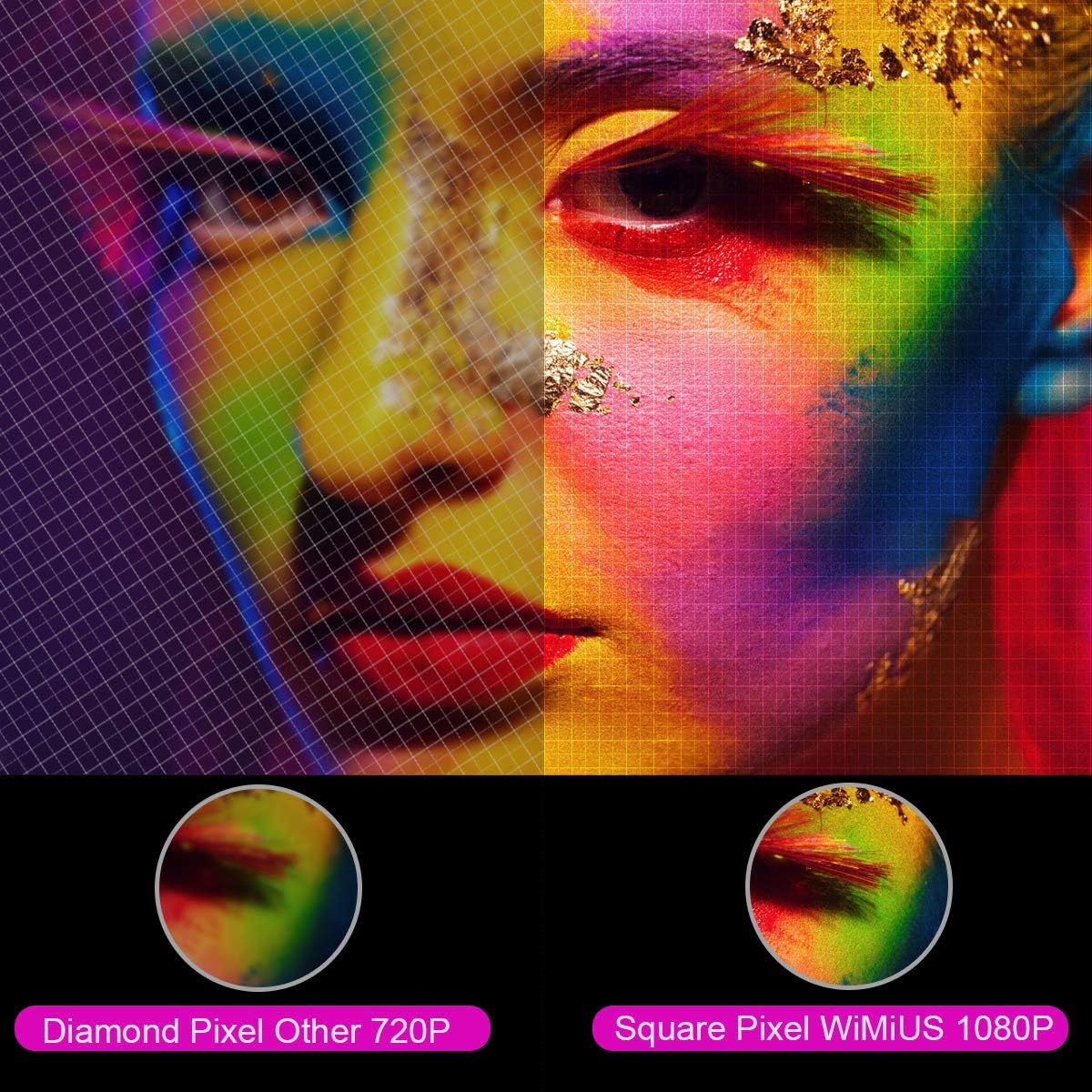
Слика: Зголемена view comparing the pixel structure of a 720P projector (diamond pixel) versus the WiMiUS 1080P projector (square pixel), demonstrating higher resolution.

Image: Diagram showing the projector with sound waves emanating from it, indicating the presence of built-in dual 5W speakers.
4. Поставување
4.1 Поставување
Place the projector on a stable, flat surface or mount it to a ceiling. Ensure there is adequate ventilation around the unit. The optimum projection distance is approximately 3 meters (9.8 feet) for a balanced image size and clarity.

Image: A diagram illustrating various projection sizes (50-300 inches) and corresponding projection distances (1.5m to 6.5m), with an optimal distance of 3m highlighted.
4.2 Поврзување за напојување
- Поврзете го кабелот за напојување со влезот за напојување на проекторот.
- Приклучете го другиот крај на кабелот за напојување во штекер.
- Притиснете го копчето за вклучување на проекторот или далечинскиот управувач за да го вклучите уредот.
4.3 Поврзување на надворешни уреди
The P21 projector supports multiple input sources. Refer to the diagram below for port locations.

Image: A detailed diagram highlighting the various connection ports on the projector, including HDMI (x2), USB (x2), AV, Audio Out, Y/Pb/Pr, and PC-RGB (VGA).
- HDMI: Connect devices like laptops, Blu-ray players, gaming consoles (PS3, PS4, Xbox), Chromecast, or Fire TV Stick using an HDMI cable.
- USB: Вметнете USB-уред за репродукција на медиуми fileи директно.
- VGA (PC-RGB): Connect to a computer using a VGA cable.
- АВ: Користете го испорачаниот AV кабел за поврзување на постари уреди.
- Аудио излез: Connect external speakers or headphones if desired.
Note: If connecting a device and experiencing no sound, ensure that Dolby Digital output is turned off on the connected device, as the projector may not support it directly.
5. Упатства за работа
5.1 Вклучување/исклучување
Притиснете го копчето за вклучување на проекторот или на далечинскиот управувач за да го вклучите или исклучите уредот.
5.2 Избор на извор
Use the "Source" button on the remote control or projector panel to select the desired input source (HDMI1, HDMI2, USB1, USB2, VGA, AV).
5.3 Фокус и корекција на трапезоидот
- Фокус: Rotate the focus ring near the lens until the image is clear.
- Корекција на клучниот камен: Adjust the keystone ring or use the menu settings for vertical ±15° keystone correction to correct distorted images.
5.4 Функција за зумирање
The digital zoom function allows you to adjust the image size without moving the projector. Use the zoom controls on the remote control to reduce the image size from 100% down to 75%.

Image: A visual representation of the zoom function, showing a projected image shrinking from 100% to 75% on a screen, controlled by the projector.
5.5 Поставки на менито
Press the "Menu" button on the remote to access settings for picture mode, sound mode, aspect ratio (4:3/16:9), and other advanced options.
6. Одржување
6.1 Чистење на објективот
Use a soft, lint-free cloth specifically designed for optical lenses to gently clean the projector lens. Avoid using abrasive cleaners or excessive force.
6.2 Чистење на филтерот за воздух
Regularly check and clean the air filter to prevent dust buildup, which can affect performance and lamp life. Refer to the projector's exterior for the air filter location and cleaning instructions.
6.3 лamp Животот
LED lamp in your WiMiUS P21 projector has an estimated lifespan of up to 100,000 hours. No user replacement is typically required during the product's operational life. If the lamp stops working, please contact customer support.
7 Смена на проблеми
| Проблем | Можна причина | Решение |
|---|---|---|
| Нема прикажана слика | Кабелот за напојување е исклучен, неточен влезен извор, капачето на објективот е поставено. | Check power connection, select correct input source, remove lens cap. |
| Сликата е матна | Focus not adjusted, projector too close/far from screen. | Adjust the focus ring, ensure optimal projection distance. |
| Сликата е искривена (трапезоидна форма) | Проекторот не е нормален на екранот. | Adjust keystone correction. |
| Нема звук од проекторот | Volume too low, incorrect audio settings, Dolby Digital enabled on source device. | Increase volume, check audio settings, turn off Dolby Digital on the connected device. |
| Далечинскиот управувач не работи | Batteries depleted, obstruction between remote and projector. | Replace batteries, ensure clear line of sight to IR receiver. |
8. Спецификации
| Карактеристика | Детал |
|---|---|
| Бренд | WiMiUS |
| Модел | P21 |
| Осветленост | 6500 лумени |
| Сооднос на контраст | 8000:1 |
| Мајчин резолуција | 1920 x 1080 (Full HD) |
| Поддршка за максимална резолуција | 4K Ultra HD |
| Технологија на прикажување | LED |
| ЛЕР Л.amp Животот | 100,000 часа |
| Големина на проекција | 50-300 инчи |
| Растојание на проекција | 1.5 - 6.5 метри |
| Функција за зумирање | 100% - 75% (Reduced) |
| Сооднос на аспект | 4:3 / 16:9 |
| Корекција на клучеви | Вертикална ±15° |
| Звучници | Dual built-in stereo (2 x 5W) |
| Поврзување | 2x HDMI, 2x USB, 1x VGA, 1x AV, Audio Out |
| Ниво на бучава | 30 децибели |
| Потрошувачка на енергија | 140 вати |
| Димензии на производот | 32 x 24 x 11 cm |
| Тежина | 2.5 кг |
9. Гаранција и поддршка
The WiMiUS P21 HD Projector comes with a lifetime warranty. If the LED lamp stops functioning or any other issues arise with the projector, please contact WiMiUS customer support for assistance or replacement. A repair center is available in the USA for service needs.
For further support, please refer to the official WiMiUS webсајт или контактирајте со нивниот оддел за услуги на клиентите.


