Вовед
Welcome to your new TERIOS Mobile Game Controller. This manual provides detailed instructions for setup, operation, and maintenance to ensure optimal performance and an enhanced gaming experience across various platforms including Android smartphones, Windows PCs, and PlayStation 3 consoles. Please read this manual thoroughly before using the device.
Клучни карактеристики
- Innovative Gaming: Designed to enrich your mobile gaming experience with precision and responsiveness.
- Широка компатибилност: Connects via Bluetooth 4.0 to Android smartphones, and is compatible with Windows PC and PlayStation 3. Supports popular games like PUBG, Call of Duty, and Mobile Legends.
- Gaming Joysticks: Features dual analog sticks for comprehensive and precise control.
- Ергономски дизајн: Comfortable grip with an integrated smartphone holder for extended gaming sessions.
- Турбо функција: Allows for rapid, continuous input with a single button press.
- Responsive Active Buttons: Includes 2 quick access buttons on the back and numerous action buttons for enhanced accuracy.
- Долг век на батеријата: Up to 12 hours of continuous play on a single charge.
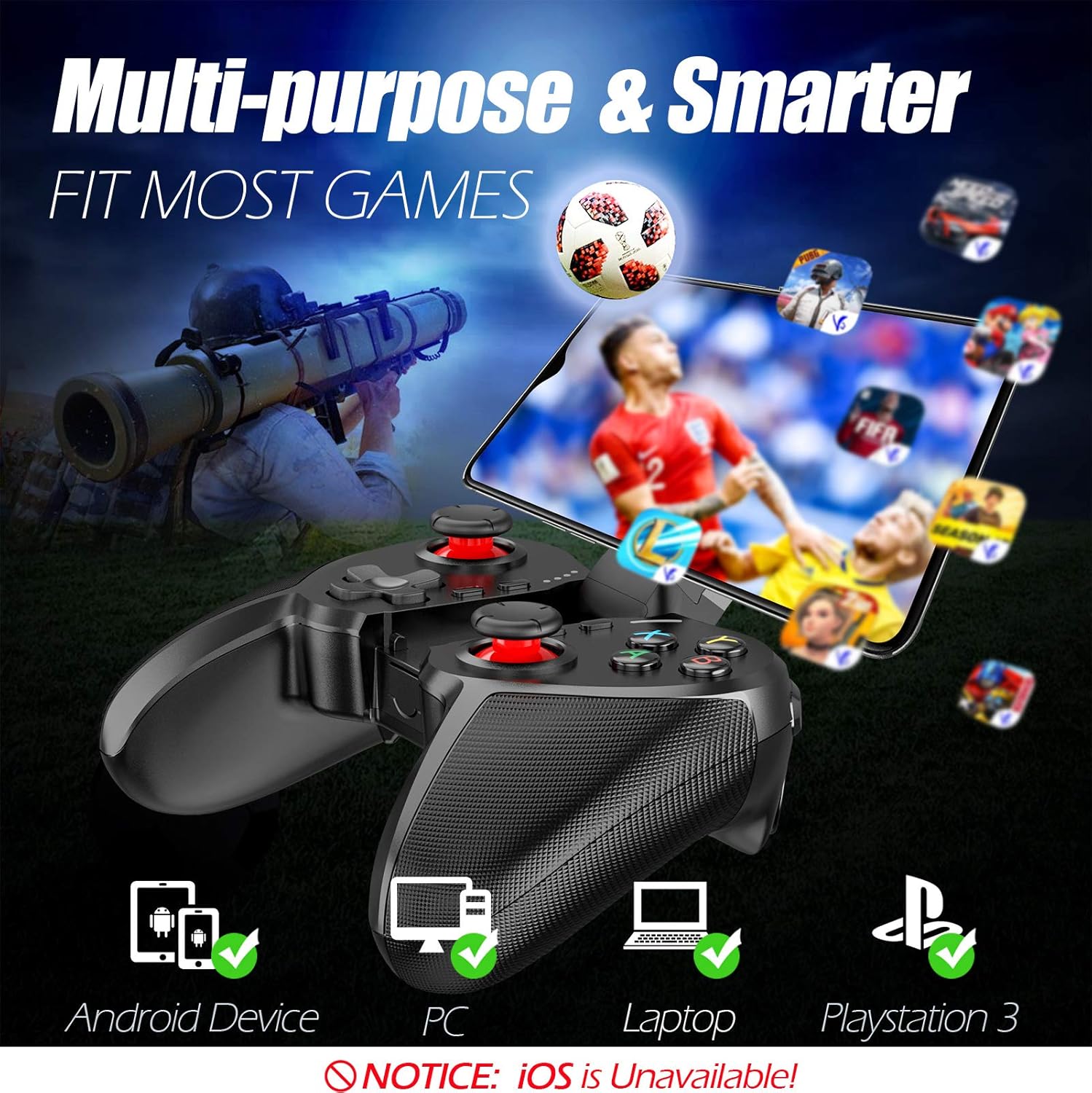
Figure 1: The TERIOS controller is compatible with Android devices, PCs, Laptops, and PlayStation 3.

Figure 2: Detail of the controller's built-in smartphone bracket, accurate buttons, and comfortable soft rubber grips.
Поставување и поврзување
1. Полнење на контролерот
Before first use, fully charge the controller. Connect the provided Micro USB cable to the controller's charging port and the other end to a USB power source (e.g., computer USB port, USB wall adapter). The indicator lights will show charging status and turn off when fully charged.

Figure 3: The controller features a 400mAh battery, providing 12-14 hours of playtime with a 2-3 hour charging time.
2. Вклучување/исклучување
- За вклучување: Притиснете и задржете го ДОМА button for 2 seconds. The indicator lights will flash.
- За исклучување: Притиснете и задржете го ДОМА button for 5 seconds until the indicator lights turn off. The controller will automatically power off after 5 minutes of inactivity.
3. Bluetooth Pairing (Android Smartphones / PS3)
- Осигурајте се дека контролерот е исклучен од струја.
- On your Android smartphone or PS3, enable Bluetooth.
- Притиснете и задржете го ДОМА button on the controller until the indicator lights flash rapidly, indicating pairing mode.
- On your device, search for new Bluetooth devices. Select "TERIOS Gamepad" or similar from the list.
- Откако ќе се поврзе, индикаторското светло ќе свети постојано.
4. Поврзување со компјутер
For PC connection, the controller typically uses a USB dongle (often included). Insert the USB dongle into an available USB port on your PC. The controller should automatically connect. If not, press the ДОМА button to initiate connection.
5. Initial Setup and App (V3 App)
For optimal customization and compatibility with certain mobile games, it is recommended to download the V3 app from the Google Play Store. This app allows you to map virtual keys on your screen to the physical buttons of the controller.
- Download the "V3" app from the Google Play Store.
- Connect the TERIOS gamepad to your smartphone via Bluetooth.
- Open the V3 app and follow the on-screen instructions to customize key mappings for your desired games.

Figure 4: The V3 app allows for easy customization of virtual keys to match controller buttons, creating more combinations.
Упатства за работа
1. Распоред и функции на копчињата

Figure 5: The TERIOS Mobile Game Controller with a smartphone securely mounted in its integrated holder.
- Лев аналоген стап: Примарна контрола на движењето.
- Десен аналоген стап: Контрола на камерата или секундарно движење.
- D-Pad (насочна подлога): Precise directional input.
- Копчиња ABXY: Стандардни копчиња за акција (A, B, X, Y).
- L1/L2, R1/R2 Buttons: Копчиња за рамо и копчиња за активирање за разни дејства во играта.
- Избери копче: Typically used for menu navigation or specific game functions.
- Копче СТАРТ: Типично се користи за паузирање игри или пристап до менија.
- Копче HOME: Powers on/off, enters pairing mode, and returns to home screen on some devices.
- TURBO копче: Activates the turbo function for other buttons.
- Копче CLEAR: Deactivates the turbo function.

Figure 6: The dual analog sticks are designed for precise control and execution in games.
2. Турбо функција
The Turbo function allows a button to be pressed repeatedly as long as you hold it down, which is useful for rapid-fire actions in games.
- Активирање: Притиснете и задржете го ТУРБО button, then press the desired action button (e.g., A, B, X, Y, L1, R1). Release both buttons. Now, holding down the action button will activate turbo fire.
- За деактивирање: Притиснете и задржете го ЈАСНО button, then press the action button for which turbo was activated. Release both buttons.

Figure 7: The dedicated Turbo button enables rapid-fire functionality with one click.
3. Smartphone Holder Usage
The integrated smartphone holder can accommodate most smartphone sizes. Gently extend the holder and place your smartphone securely within the clamps. Ensure the phone is centered for balance.
Одржување
- Чистење: Користете мека, сува крпа за чистење на контролерот. Не користете абразивни средства за чистење или растворувачи.
- Складирање: Чувајте го контролерот на ладно и суво место, подалеку од директна сончева светлина и екстремни температури.
- Нега на батеријата: За да го продолжите животниот век на батеријата, избегнувајте често целосно празнење на контролерот. Полнете го редовно, дури и ако не го користите подолг период.
Решавање проблеми
| Прашање | Можна причина | Решение |
|---|---|---|
| Контролерот не се поврзува преку Bluetooth. | Controller not in pairing mode; device Bluetooth off; interference. | Ensure controller is in pairing mode (rapid flashing lights). Check device Bluetooth settings. Move closer to the device. Try restarting both controller and device. |
| Копчињата не реагираат или доцнат. | Low battery; software glitch; interference. | Charge the controller fully. Restart the controller. Ensure no other strong wireless signals are nearby. For mobile games, check V3 app settings. |
| Контролерот често се исклучува. | Слаба батерија; предалеку од уредот; пречки. | Charge the controller. Stay within the recommended Bluetooth range. Minimize wireless interference. |
| Турбо функцијата не работи. | Incorrect activation sequence; button not supported. | Ensure you press and hold TURBO, then press the desired action button, then release both. Some games or buttons may not fully support turbo. |
Спецификации на производот
| Карактеристика | Детал |
|---|---|
| Бренд | ТЕРИОС |
| Модел | Т-12 |
| Технологија за поврзување | Bluetooth 4.0 |
| Компатибилни уреди | Android Smartphones, Windows PC, PlayStation 3 |
| Извор на енергија | Напојувана со батерии (литиум полимер) |
| Капацитет на батеријата | 400mAh (approx. 1.48 Watt Hours) |
| Време на играње | До 12-14 часа |
| Време на полнење | 2-3 часа |
| Број на копчиња | 16 (including ABXY, D-pad, analog sticks, L/R triggers/bumpers, Select, Start, Home, Turbo, Clear) |
| Посебни карактеристики | Turbo Function, Dual Analog Sticks, In-built Smartphone Holder, Responsive Action Buttons |
| Димензии (пакет) | 17 x 12.4 x 7.7 cm |
| Тежина (пакет) | 310 гр |
Информации за гаранција и поддршка
The TERIOS Mobile Game Controller is designed for durability and performance. For any product-related inquiries, technical support, or warranty claims, please refer to the contact information provided with your purchase or visit the official TERIOS support webстраница. Ве молиме зачувајте го доказот за купување за целите на гаранцијата.