Вовед
This manual provides detailed instructions for the setup, operation, maintenance, and troubleshooting of your Bushnell 119938m Low Glow Trail Camera. This camera is designed for reliable outdoor surveillance, capturing high-quality images and videos of wildlife or property. It features 24-megapixel resolution, low-glow infrared LEDs for discreet night vision, and adjustable trigger intervals to suit various monitoring needs.
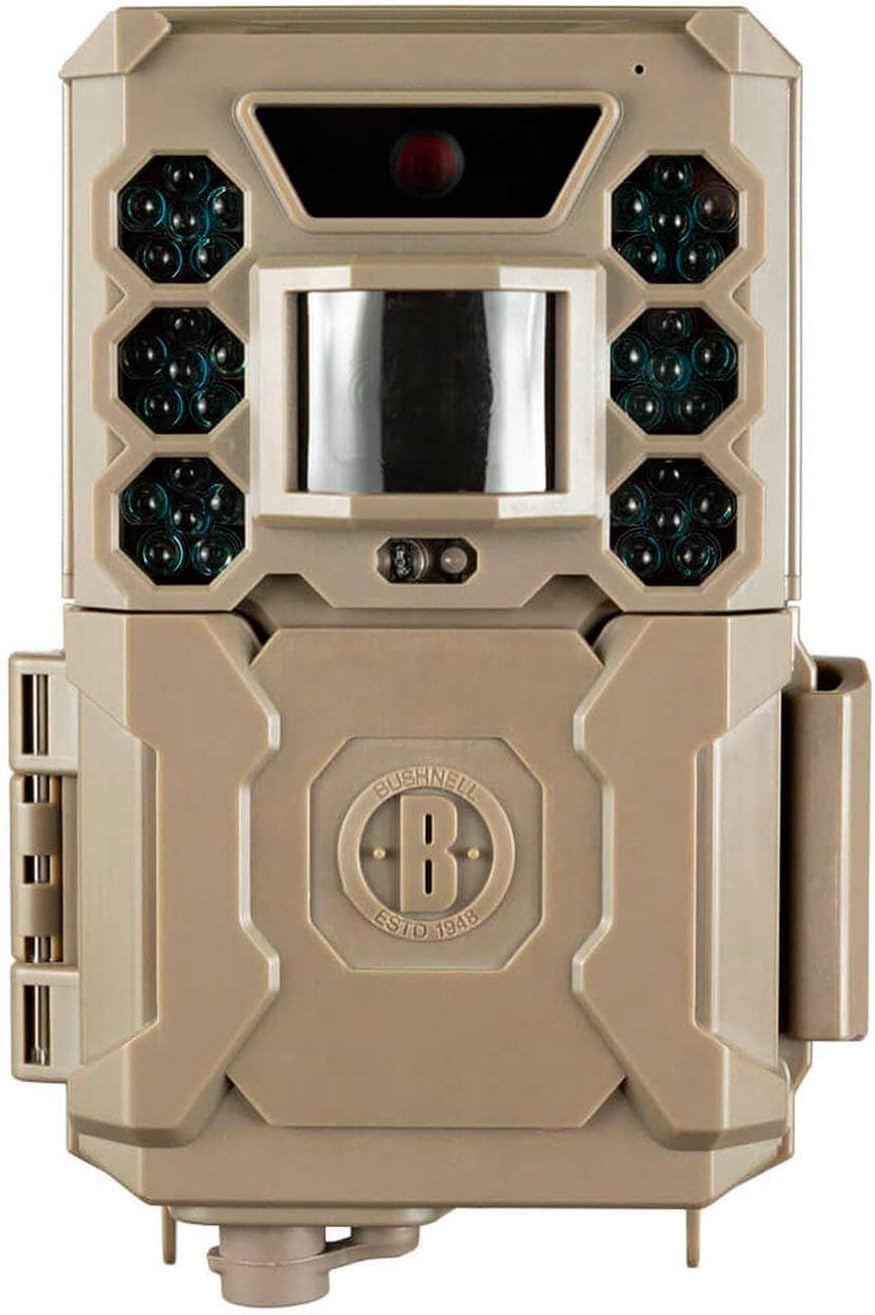
Слика: напред view of the Bushnell 119938m Low Glow Trail Camera, showing the lens, PIR sensor, and infrared LEDs.
Поставување
1. Инсталација на батерија
- Пронајдете ја преградата за батерии на камерата.
- Open the compartment. Note that the battery housing may be delicate; exercise caution during opening and closing.
- Insert 6 AA batteries, ensuring correct polarity (+/-) as indicated inside the compartment. Batteries are not included with the camera.
- Безбедно затворете ја преградата за батерии.
2. Инсталација на SD-картичка
- Locate the SD card slot, typically found near the battery compartment or on the side of the camera.
- Вметнете компатибилна SD картичка (до 32GB, не е вклучена) во слотот додека не кликне на своето место. Уверете се дека картичката е вметната во правилна ориентација.
3. Монтирање на камерата
- Identify a suitable location for camera placement, considering the desired monitoring area and potential obstructions.
- Use the provided mounting strap to secure the camera to a tree or post. Thread the strap through the camera's mounting points and tighten it firmly.
- Adjust the camera's angle to ensure optimal coverage of the target area.
Упатства за работа
1. Вклучување/исклучување
- To power on the camera, slide the power switch to the 'ON' position.
- За да го исклучите, поместете го прекинувачот во положба „ИСКЛУЧЕНО“.
2. Навигација низ менито и поставки
The camera features an easy-to-navigate menu system. Use the directional buttons (Up, Down, Left, Right) and the 'OK' button to browse and select options on the display.
- Избор на режим: Choose between 'Photo' for still images, 'Video' for video clips, or 'Hybrid' for both.
- Фото поставки: Adjust image resolution (default 24MP), photo burst (1-3 images per trigger).
- Поставки за видео: Set video length (5-60 seconds) and resolution (1080p).
- Интервал на активирање: Configure the delay between triggers, ranging from one second to 60 minutes.
- Чувствителност: Adjust the PIR sensor sensitivity to prevent false triggers or missed events.
- Време и датум: Set the current time and date for accurate timestampинг на заробени медиуми.
- Automatic Day/Night Sensor: The camera automatically adjusts for optimal image capture in varying light conditions.
3. Преземање медиуми
- На view captured images and videos, power off the camera and remove the SD card.
- Insert the SD card into a computer or compatible device to access the files.
Одржување
1. Чистење
- Нежно избришете го објективот на камерата и прозорецот на PIR сензорот со мека крпа што не остава влакненца за да отстраните нечистотија или дамки.
- Clean the camera casing со рекламаamp крпа по потреба. Избегнувајте употреба на груби хемикалии или абразивни материјали.
2. Управување со батерии
- Regularly check battery levels, especially before extended deployment.
- Replace all batteries simultaneously with fresh, high-quality AA batteries to ensure consistent performance.
- Remove batteries if the camera will be stored for a prolonged period to prevent leakage.
3. Складирање
- Чувајте го фотоапаратот на ладно и суво место, подалеку од директна сончева светлина и екстремни температури.
- Пред складирање, проверете дали камерата е чиста и сува.
Решавање проблеми
- Камерата не се вклучува:
- Ensure batteries are correctly installed with proper polarity and are fully charged. Check that the power switch is in the 'ON' position.
- Лош квалитет на сликата или видеото:
- Clean the camera lens and ensure it is free from dirt or condensation. Verify that the camera settings (resolution, mode) are appropriate for the lighting conditions. Ensure the camera is within optimal range (up to 5 meters).
- False triggers or excessive recordings:
- Adjust the PIR sensor sensitivity to a lower setting. Reposition the camera to avoid areas with moving branches, tall grass, or direct sunlight that can cause false detections.
- Нема снимени слики или видеа:
- Check if the SD card is properly inserted and has sufficient free space. Ensure the camera is in the correct operating mode (Photo or Video). Verify that the trigger interval is not set too long.
- Sound issues in videos:
- Some users have reported sound issues. Ensure the microphone port is clear of obstructions. If issues persist, contact customer support.
- Battery housing is fragile:
- Exercise extreme care when opening and closing the battery compartment to prevent damage to the plastic housing.
Спецификации
| Име на моделот | 119938м |
| Број на модел на ставка | BN119936M |
| Бренд | Бушнел |
| Резолуција | 24 мегапиксели |
| Резолуција за снимање видео | 1080 стр |
| Стапка на слики | 30 кадри во секунда |
| Големина на приказ | 3.9 сантиметри |
| Димензии на производот (Д x Ш x В) | 6.5 x 10.5 x 15 cm |
| Тежина на ставката | 309 гр |
| Потребни се батерии | 6 AA батерии (не се вклучени) |
| Материјал | Пластика |
| Боја | Sand Brown |
| Опсег | 5 метри |
| Ватtage | 1 вати |
| Voltage | 12 волти |
Информации за гаранцијата
Bushnell products are manufactured to high standards and are backed by a manufacturer's warranty. For specific details regarding the warranty period and coverage for your Bushnell 119938m Low Glow Trail Camera, please refer to the warranty card included with your product or visit the official Bushnell webсајт.
Поддршка за корисници
If you encounter any issues not covered in this manual or require further assistance, please contact Bushnell customer support. Contact information, including phone numbers and email addresses, can typically be found on the official Bushnell webлокацијата или во пакувањето на производот.


