1. Вовед
The Roccat Vulcan 122 is a high-performance mechanical gaming keyboard designed for precision and durability. It features Roccat's unique Titan switches, advanced AIMO RGB lighting, and a robust aluminum construction. This manual provides detailed instructions for setting up, operating, maintaining, and troubleshooting your keyboard.

Image: The Roccat Vulcan 122 keyboard shown with a Roccat mouse and headset, demonstrating its vivid, dynamic lighting synergy with AIMO.
Клучни карактеристики:
- Unique design with lowered keycaps and reduced reaction time.
- RGB lighting with configurable LED effects and adjustable AIMO effects.
- High-quality and resistant design with robust materials and an anodized aluminum surface.
- Advanced anti-ghosting with N-Key Rollover (NKRO).
- Programmable macro keys and ROCCAT Easy-Shift[+].
2. Поставување
2.1 Поврзување на тастатурата
To connect your Roccat Vulcan 122 keyboard:
- Unpack the keyboard and its accessories.
- Plug the USB connector from the keyboard into an available USB port on your computer.
- Оперативниот систем автоматски ќе ги открие и инсталира потребните драјвери.
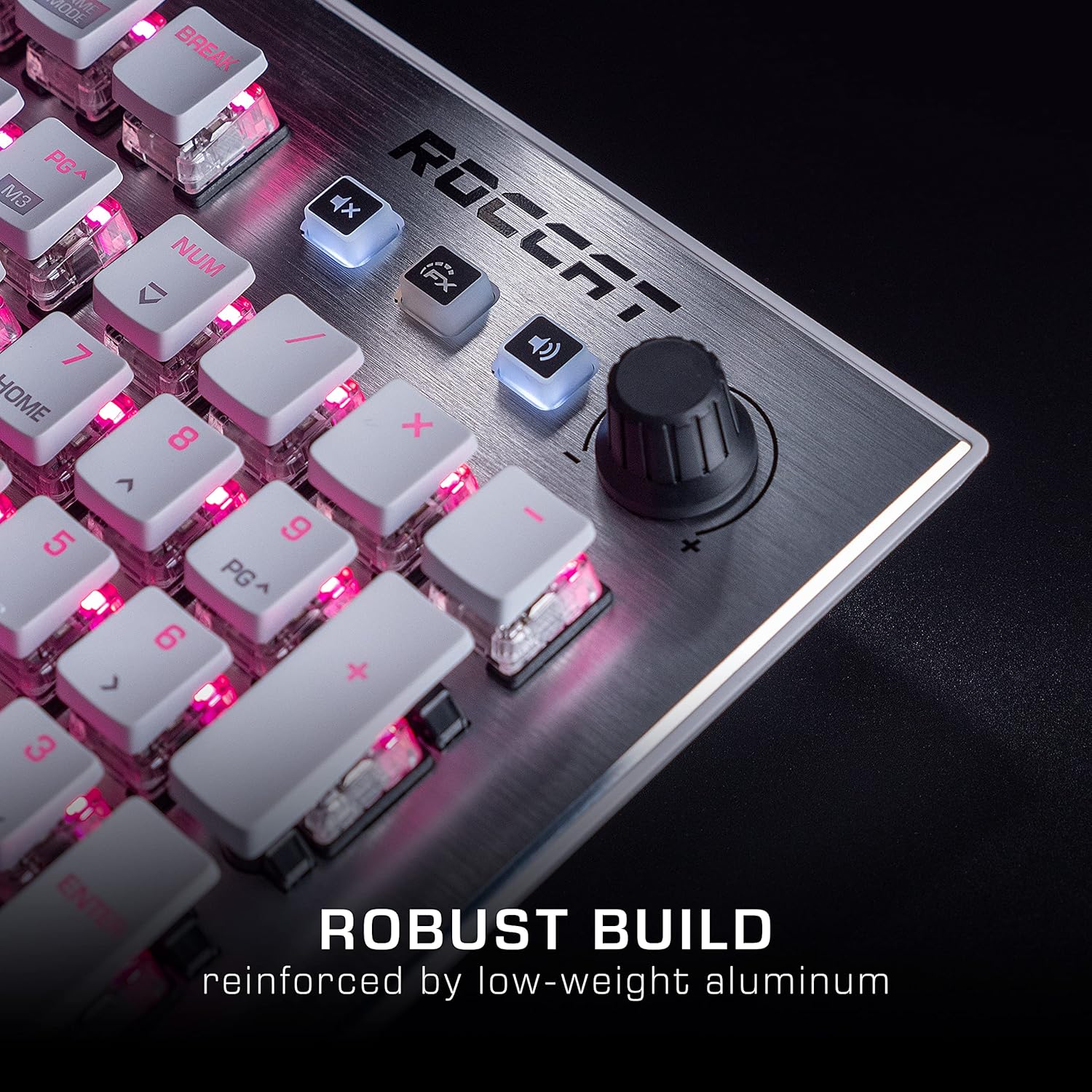
Image: The Roccat Vulcan 122 keyboard shown with its detachable wrist rest, ready for connection.
2.2 Инсталација на софтвер (ROCCAT Swarm)
For full functionality and customization, install the ROCCAT Swarm software:
- Посетете го официјалниот ROCCAT webсајт (www.roccat.com) and navigate to the support section.
- Download the latest version of the ROCCAT Swarm software for your operating system.
- Стартувајте го инсталаторот и следете ги упатствата на екранот.
- After installation, launch ROCCAT Swarm to configure your keyboard settings, lighting, and macros.
3. Ракување со тастатурата
3.1 Standard Key Functions
The Vulcan 122 functions as a standard QWERTY keyboard. All alphanumeric keys, function keys (F1-F12), navigation keys, and the numeric keypad operate as expected.
3.2 Медиумски контроли
The keyboard features dedicated media controls for convenient audio management.
- Копче за јачина на звук: Located in the upper right corner, rotate to adjust system volume.
- Нечујно копче: Притиснете за да го исклучите/вклучите звукот на звукот.
- Копче FX: Cycles through lighting effects or other programmable functions.

Слика: Крупен план view of the mixer-style media controls on the Roccat Vulcan 122, including the volume knob and dedicated function keys.
3.3 RGB Lighting Customization (AIMO)
The Vulcan 122 features advanced RGB lighting with Roccat's AIMO intelligent lighting system. Use the ROCCAT Swarm software to:
- Изберете од различни однапред поставени ефекти на осветлување.
- Customize individual key illumination.
- Прилагодете ја осветленоста и брзината на ефектите.
- Synchronize lighting with other AIMO-compatible devices.
3.4 Programmable Macro Keys and Easy-Shift[+]
The keyboard includes programmable macro keys and the Easy-Shift[+] function, allowing you to assign secondary functions to keys.
- Use the ROCCAT Swarm software to record and assign macros to designated keys.
- Easy-Shift[+] allows you to double the number of assignable functions by holding down the Easy-Shift[+] key (usually Caps Lock by default, configurable in Swarm) and pressing another key.
3.5 Anti-Ghosting with NKRO
The Vulcan 122 features advanced anti-ghosting technology with N-Key Rollover (NKRO), ensuring that every key press is registered accurately, even when multiple keys are pressed simultaneously.

Image: A hand demonstrating typing on the Roccat Vulcan 122 keyboard, emphasizing the ergonomic design of the keys for comfortable use.
4. Одржување
4.1 Чистење на тастатурата
To ensure the longevity and optimal performance of your Vulcan 122 keyboard, regular cleaning is recommended.
- Исклучете ја тастатурата од компјутерот пред чистење.
- Користете мека крпа без влакненца малку гampened with water or a mild cleaning solution to wipe the keycaps and surface. Avoid harsh chemicals.
- For dust and debris between keys, use compressed air. The raised keycap design makes cleaning easier.
- Проверете дали тастатурата е целосно сува пред повторно да ја поврзете.

Image: A close-up of the Roccat Vulcan 122 keyboard keys, illustrating their design which facilitates easy cleaning and resistance to dust and liquids.
5 Смена на проблеми
If you encounter issues with your Roccat Vulcan 122 keyboard, refer to the following common problems and solutions:
- Тастатурата не реагира:
- Осигурајте се дека USB кабелот е безбедно поврзан и со тастатурата и со компјутерот.
- Обидете се да ја поврзете тастатурата во друг USB порт.
- Рестартирајте го компјутерот.
- Check if the keyboard is disabled in your operating system's device manager.
- RGB осветлувањето не работи или е неправилно:
- Ensure the ROCCAT Swarm software is installed and up to date.
- Проверете ги поставките за осветлување во софтверот Swarm.
- Perform a firmware update for the keyboard via Swarm.
- Клучевите не се регистрираат или се појавуваат како „ghost“:
- Clean the affected keys as described in the Maintenance section.
- Ensure the keyboard's firmware is up to date.
- Тестирајте ја тастатурата на друг компјутер за да исклучите проблеми специфични за системот.
- ROCCAT Swarm software not detecting keyboard:
- Осигурајте се дека тастатурата е правилно поврзана.
- Restart the Swarm software and your computer.
- Повторно инсталирајте го софтверот ROCCAT Swarm.
- Проверете за било каков конфликтен софтвер или драјвери.
6. Спецификации
| Карактеристика | Детал |
|---|---|
| Бренд | ROCCAT |
| Име на моделот | Вулкан 122 |
| Број на модел | ROC-12-940-BN |
| Опис на тастатурата | Механички |
| Тип на прекинувач | Тактилни |
| Материјал | Алуминиум |
| Посебни карактеристики | Задно осветлување |
| Компатибилни уреди | Laptop (PC) |
| Поддршка за оперативен систем | Windows 10, Windows 7, Windows 8 |
| Димензии на производот | 46.2 x 23.5 x 3.2 cm |
| Тежина на ставката | 1.15 кг |

Слика: Експлодира view diagram illustrating the components of a Roccat Titan Tactile mechanical switch, highlighting its design for swift and precise response.
7. Гаранција и поддршка
7.1 Информации за гаранцијата
Your Roccat Vulcan 122 keyboard is covered by a manufacturer's warranty. The specific terms and duration of the warranty may vary by region and retailer. Please retain your proof of purchase for warranty claims. For detailed warranty information, refer to the warranty card included with your product or visit the official ROCCAT webсајт.
7.2 Техничка поддршка
For technical assistance, driver updates, or further inquiries, please visit the official ROCCAT support page:
You can find FAQs, troubleshooting guides, and contact information for customer service on their webсајт.