1. Вовед
Thank you for choosing the BYTECH Ergonomic Headphone (Model: CLAUEB121WT). This manual provides essential information for the proper setup, operation, and maintenance of your new headphone. Please read it thoroughly before use.
This headphone features a convenient single-earbud design, which enhances safety by allowing environmental awareness, making it ideal for activities such as running, biking, or driving. Its ergonomic design ensures a comfortable fit, and the inline button control provides easy access to call and audio functions.
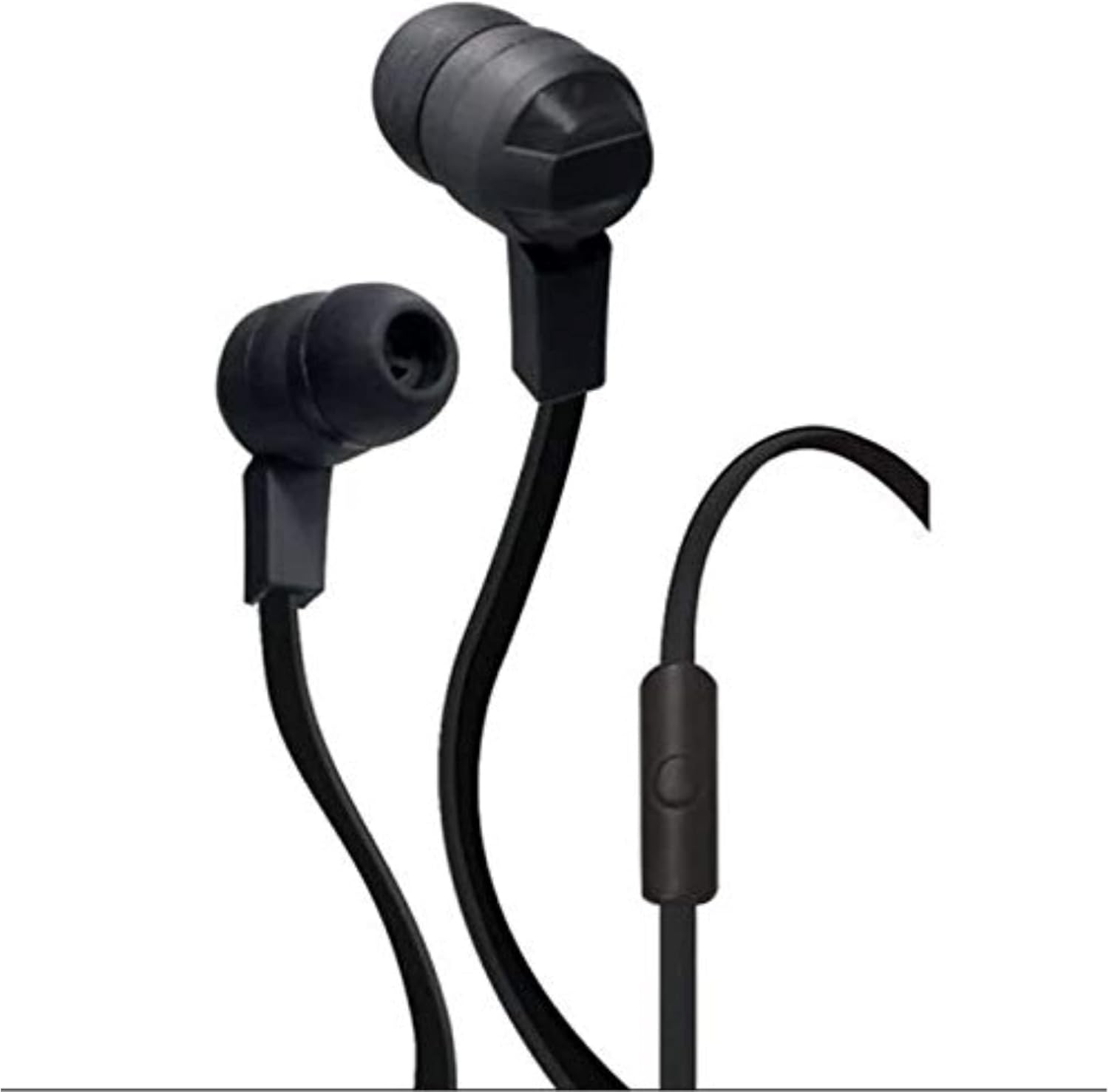
Figure 1: BYTECH Ergonomic Headphone. This image displays the black, wired single-earbud headphone with its inline control button and tangle-free ribbon cable.
2. Поставување
2.1 Распакување и компоненти
Внимателно извадете ги сите предмети од пакувањето. Проверете дали се присутни следниве компоненти:
- BYTECH Ergonomic Headphone (CLAUEB121WT)
- Small, Medium, and Large Ear-cups (pre-installed or in separate bag)
2.2 Connecting the Headphone
The BYTECH Ergonomic Headphone uses a standard 3.5 mm audio jack for wired connectivity.
- Identify the 3.5 mm audio jack on your audio device (smartphone, tablet, laptop, etc.).
- Insert the 3.5 mm plug of the headphone firmly into the audio jack of your device until it clicks into place.
- Adjust the ear-cup size for a comfortable and secure fit. The headphone comes with small, medium, and large ear-cups to ensure optimal comfort.
3. Упатства за работа
3.1 Репродукција на аудио
Once connected to your audio device, the headphone will play audio from your device. Use your device's volume controls to adjust the sound level.
3.2 Inline Button Control
The headphone features a handy inline button control for convenient operation without needing to access your device directly.
- Единечен печат: Пушти/паузирај репродукција на аудио.
- Single Press (during call): Одговорете на дојдовен повик или завршете активен повик.
- Двоен притисок: Skip to the next track (functionality may vary by device).
- Тројно притиснете: Go back to the previous track (functionality may vary by device).
- Притиснете и задржете: Activate voice assistant (e.g., Siri, Google Assistant) or reject an incoming call (functionality may vary by device).
4. Одржување и грижа
Proper care will extend the life of your BYTECH Ergonomic Headphone.
- Чистење: The sweat-proof, tangle-free ribbon cable design is easy to clean. Use a soft, dry cloth to wipe down the headphone and cable. For stubborn dirt, a slightly damp cloth can be used, but ensure no moisture enters the earbud or 3.5mm jack.
- Складирање: When not in use, store the headphone in a clean, dry place away from extreme temperatures and direct sunlight. Avoid tangling the cable.
- Влага: While sweat-proof, avoid submerging the headphone in water or exposing it to heavy rain.
- Ракување: Do not pull on the cable to disconnect the headphone from your device. Always grasp the 3.5 mm plug.
5 Смена на проблеми
If you experience issues with your headphone, please refer to the following common problems and solutions:
| Проблем | Можна причина | Решение |
|---|---|---|
| Нема звук или низок волумен |
|
|
| Микрофонот не работи |
|
|
| Inline button not responding |
|
|
Ако проблемот продолжи откако ќе ги испробате овие решенија, контактирајте ја корисничката поддршка.
6. Спецификации
| Карактеристика | Детал |
|---|---|
| Име на моделот | CLAUEB121WT |
| Технологија за поврзување | Жичен |
| Џек за слушалки | 3.5 мм Jackек |
| Вклучени компоненти | Earbud Stereo Headphone w/Mic |
| Материјал | Пластика, гума |
| Карактеристика на кабел | Бесплатно заплеткување |
| Тежина на ставката | 0.35 фунти (приближно 158.76 г) |
| Димензии на производот | 2.54 x 2.54 x 2.54 cm |
| Бренд | Bytech |
| Боја | Црното |
| Поставување на увото | Во уво |
| Форма фактор | На уво |
| Контрола на бучава | Никој |
| ASIN | B07YV6B5MG |
| Датум прв на располагање | 8 октомври 2019 година |
7. Гаранција и поддршка
7.1 Гаранција за производот
Specific warranty information for the BYTECH Ergonomic Headphone (CLAUEB121WT) is typically provided by the manufacturer or seller at the time of purchase. Please refer to your purchase documentation or the manufacturer's official webстраница за детални услови за гаранција.
7.2 Поддршка за корисници
For technical assistance, troubleshooting beyond this manual, or warranty claims, please contact Bytech customer support through their official website or the retailer from whom you purchased the product. Have your model number (CLAUEB121WT) and purchase details ready when contacting support.


