Вовед
Welcome to the world of smart lighting with your new Feit Electric Smart Wi-Fi LED Bulbs. These bulbs offer advanced features including RGB color changing, tunable white light, dimming capabilities, and seamless control via the Feit Electric app, Alexa, or Google Assistant. This manual will guide you through the setup process and help you maximize your smart lighting experience.
Производот завршиview
Клучни карактеристики
- Овозможено Wi-Fi: Control your bulbs from anywhere using the Feit Electric app (2.4 GHz Wi-Fi network required).
- Гласовна контрола: Compatible with Alexa and Google Home Assistant for hands-free operation.
- Color Changing & Tunable White: Choose from millions of colors and adjust white light from soft white to daylight.
- Затемнувач: Adjust brightness levels to suit any mood or activity.
- Scheduling & Grouping: Set routines, create groups for multiple bulbs, and customize scenes.
- Енергетски ефикасен: 9W LED (60W equivalent) with a long lifespan of 25,000 hours.
Содржина на пакетот
- Feit Electric Smart Wi-Fi LED Bulbs (3-pack)
- Упатство за употреба

Image: The Feit Electric Smart Wi-Fi LED Bulb 3-pack, showing the product packaging and an illuminated bulb demonstrating its color-changing capabilities.
Важни безбедносни информации
Please read and understand all safety instructions before installing or using your Feit Electric Smart Wi-Fi LED Bulbs. Failure to do so may result in fire, electric shock, or other hazards.
- Ризик од електричен удар: Do not use with wet hands or in wet locations.
- Само за внатрешна употреба: Овие светилки се дизајнирани за внатрешна употреба на суви простории.
- Не е за излези во итни случаи: Не е наменет за употреба со приклучоци за излез за итни случаи или светла за итни случаи.
- Компатибилност со затемнувач: Not for use with standard dimmers. Dimmable only via the Feit Electric app or compatible voice assistants.
- Работна температура: Осигурајте се дека работната средина е во рамките на наведениот температурен опсег.
- Исклучување пред инсталацијата: Always turn off the power to the fixture before installing or removing the bulb.
- Правилно отстранување: Фрлете ги светилките според локалните прописи.
Инсталација и поставување
Чекор 1: Физичка инсталација
- Ensure the power to the light fixture is turned ИСКЛУЧЕНО at the switch before installation.
- Carefully screw the Feit Electric Smart Wi-Fi LED Bulb into a standard E26 medium base socket.
- Свртете го напојувањето ON at the switch. The bulb should blink rapidly, indicating it is in pairing mode. If it does not blink, turn the bulb off for 1 second and on for 2 seconds, repeating this 3 times.
Step 2: Download the Feit Electric App
Download the Feit Electric app on your smartphone or tablet. Пребарај за "Feit Electric" in the Apple App Store or Google Play Store, or scan the QR code on the product packaging.
Следете ги упатствата во апликацијата за да креирате сметка или да се најавите.
Чекор 3: Поврзете се на Wi-Fi
- Open the Feit Electric app and tap the + icon in the top right corner to add a device.
- Select "Lighting" and then "Light Source (Wi-Fi)".
- Confirm that your bulb is blinking rapidly. If not, reset it by turning it off for 1 second and on for 2 seconds, repeating 3 times.
- Внесете го името и лозинката за вашата Wi-Fi мрежа од 2.4 GHz. Note: The bulbs only support 2.4 GHz Wi-Fi networks.
- The app will begin pairing with your bulb. Once connected, you can rename your bulb for easier control.
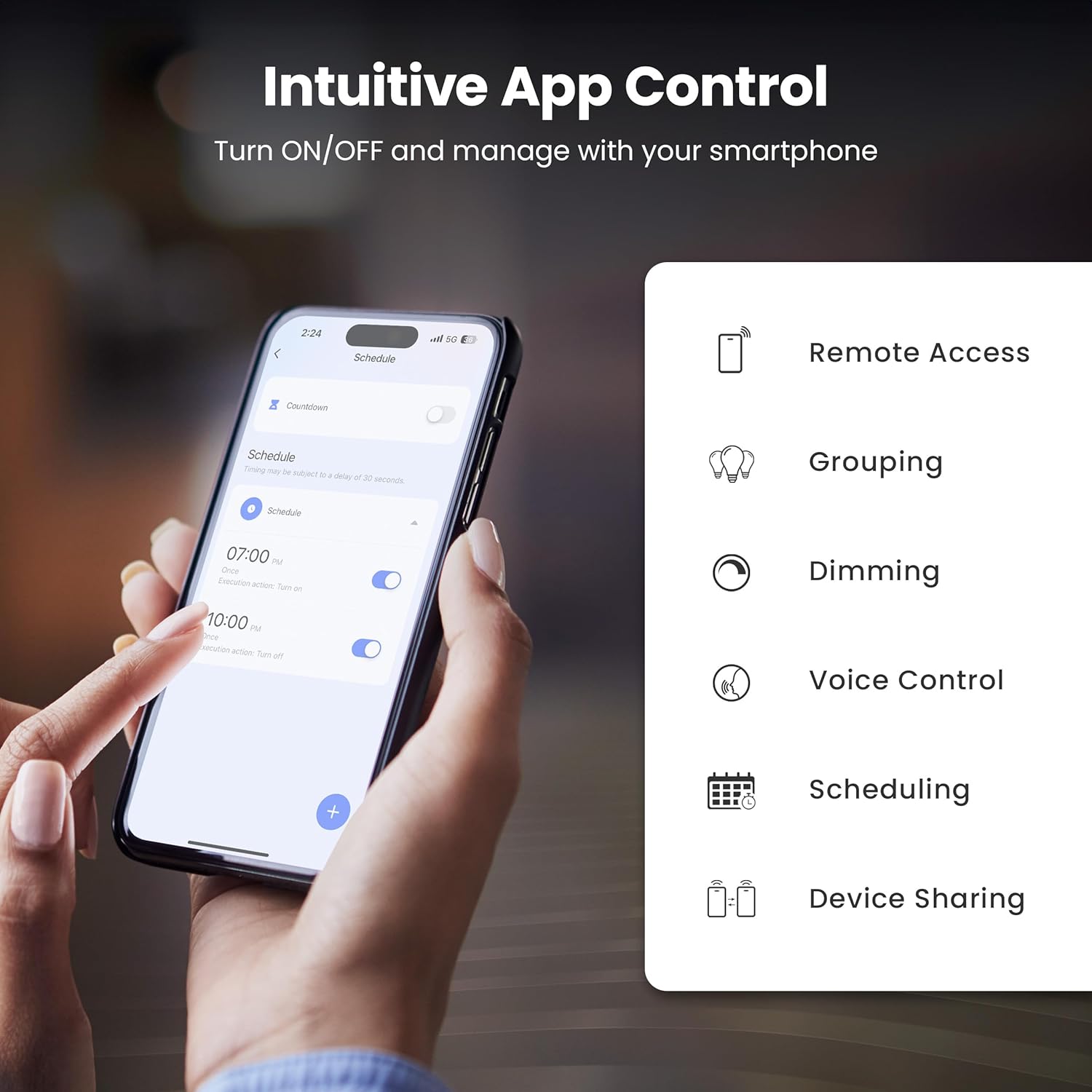
Image: A smartphone screen showing the Feit Electric app interface, demonstrating scheduling features for smart bulbs.

Image: A smartphone screen showing the Feit Electric app with a color wheel, allowing users to select from millions of colors for their smart bulb.
Operating Your Smart Bulb
Basic Controls (App)
- Вклучено/исклучено: Допрете ја иконата со сијалица во апликацијата за да ја вклучите или исклучите.
- Спалување: Use the brightness slider in the app to adjust the light intensity from 1% to 100%.
Color Changing and Tunable White
- Избор на боја: In the app, navigate to the color section to choose from a spectrum of millions of colors.
- Прилагодливо бело: Adjust the white light temperature from warm soft white (2700K) to cool daylight (6500K) to suit your preference.

Image: A smartphone displaying the Feit Electric app with options for dimming and scheduling, positioned next to a wall-mounted lamp.

Image: A room interior bathed in a vibrant blue light from a smart bulb, demonstrating the color-changing capability.
Гласовна контрола
Integrate your Feit Electric Smart Bulbs with Amazon Alexa or Google Assistant for convenient voice control.
- Ensure your smart bulb is connected to the Feit Electric app.
- Open the Alexa or Google Home app and enable the "Feit Electric" skill/service.
- Поврзете ја вашата сметка на Feit Electric кога ќе биде побарано.
- Откријте уреди. Откако ќе ги откриете, можете да користите гласовни команди како што се:
- „Алекса, вклучи го светлото во дневната соба.“
- „Еј Гугл, намали ја светлината во спалната соба на 50%.“
- "Alexa, change the kitchen light to blue."

Image: An Amazon Echo Dot device alongside logos for Feit Electric and Google Home, illustrating compatibility with voice assistants.
Scheduling and Grouping
- Распореди: Set specific times for your lights to turn on/off, dim, or change color. Access this feature in the Feit Electric app's "Schedule" section.
- Групи: Combine multiple bulbs into a single group (e.g., "Living Room Lights") to control them simultaneously. This is managed in the app's "Groups" section.
- Сцени: Create custom lighting presets for different activities or moods (e.g., "Movie Night," "Reading").

Image: A smartphone screen showing the Feit Electric app's scheduling interface, allowing users to set automated routines for their smart lights.

Image: The Feit Electric app interface demonstrating how multiple smart bulbs can be grouped and controlled by specific areas or rooms, such as the Kitchen, Dining Room, and Living Room.
Нега и одржување
- Чистење: Пред чистење, проверете дали сијалицата е исклучена и изладена. Избришете со мека, сува крпа. Не користете течни или абразивни средства за чистење.
- Замена: These LED bulbs have a long lifespan. When replacement is necessary, ensure power is off before unscrewing the old bulb and installing a new one.
- Складирање: If storing bulbs, keep them in a cool, dry place away from direct sunlight and extreme temperatures.
Решавање проблеми
| Проблем | Решение |
|---|---|
| Bulb not connecting to Wi-Fi. |
|
| Bulb frequently disconnects from Wi-Fi. |
|
| Гласовната контрола не работи. |
|
| Bulb is unresponsive in the app. |
|
Технички спецификации
| Спецификација | Вредност |
|---|---|
| Број на модел | OM60/RGBW/CA/AG/3 |
| Тип на светлина | LED |
| Ватtage | 9 вати (еквивалентно на 60W) |
| Осветленост | 800 лумени |
| Температура на боја | 2700K - 6500K (Tunable White) + RGB Color Changing |
| Големина на обликот на сијалицата | A19 |
| Основа за сијалица | E26 Средно |
| Voltage | 120 волти |
| Контролен метод | App, Voice (2.4 GHz Wi-Fi) |
| Просечен живот | 25,000 часа |
| Внатрешна/надворешна употреба | Затворен |
| Димензии на производот | 2.4"Ш x 4.3"В |

Image: A visual representation of the bulb's specifications, including physical dimensions and electrical characteristics.
Гаранција и поддршка за корисници
Информации за гаранцијата
This Feit Electric Smart Wi-Fi LED Bulb comes with a one-year warranty. For warranty claims or assistance, please contact Feit Electric customer service.
Поддршка за корисници
За 24/7 корисничка поддршка, посетете го центарот за помош на Feit Electric или контактирајте ги директно:
- Webсајт: help.feit.com
- Е-пошта: info@feit.com
- Бесплатен телефон: 1-866-326-БУЛБ

Image: Feit Electric customer support information, including a QR code and website link for 24/7 assistance.


