1. Вовед
This manual provides essential information for the safe and effective operation of your SHARP FPK50UW Plasmacluster Air Purifier. This air purifier is designed to improve indoor air quality through a triple filtration system and Plasmacluster Ion Technology, covering areas up to 1,253 sq. ft. (based on 1 air change per hour).
Ве молиме внимателно прочитајте го ова упатство пред да го користите апаратот и зачувајте го за во иднина.
2. Важни безбедносни инструкции
- Always unplug the air purifier before cleaning, performing maintenance, or when not in use.
- Do not operate the unit with a damaged cord or plug. If the cord or plug is damaged, contact customer support for assistance.
- Не ги блокирајте влезовите или излезите за воздух. Обезбедете доволно простор околу уредот за правилен проток на воздух.
- Keep the unit away from water or other liquids. Do not use in wet environments such as bathrooms.
- Овој апарат не е наменет за употреба од лица (вклучувајќи деца) со намалени физички, сетилни или ментални способности или недостаток на искуство и знаење, освен ако не им се дадени надзор или инструкции во врска со употребата на апаратот од лице одговорно за нивната безбедност. .
- Use only genuine SHARP replacement filters.
3. Компоненти на производот
Familiarize yourself with the main parts of your SHARP FPK50UW Air Purifier.
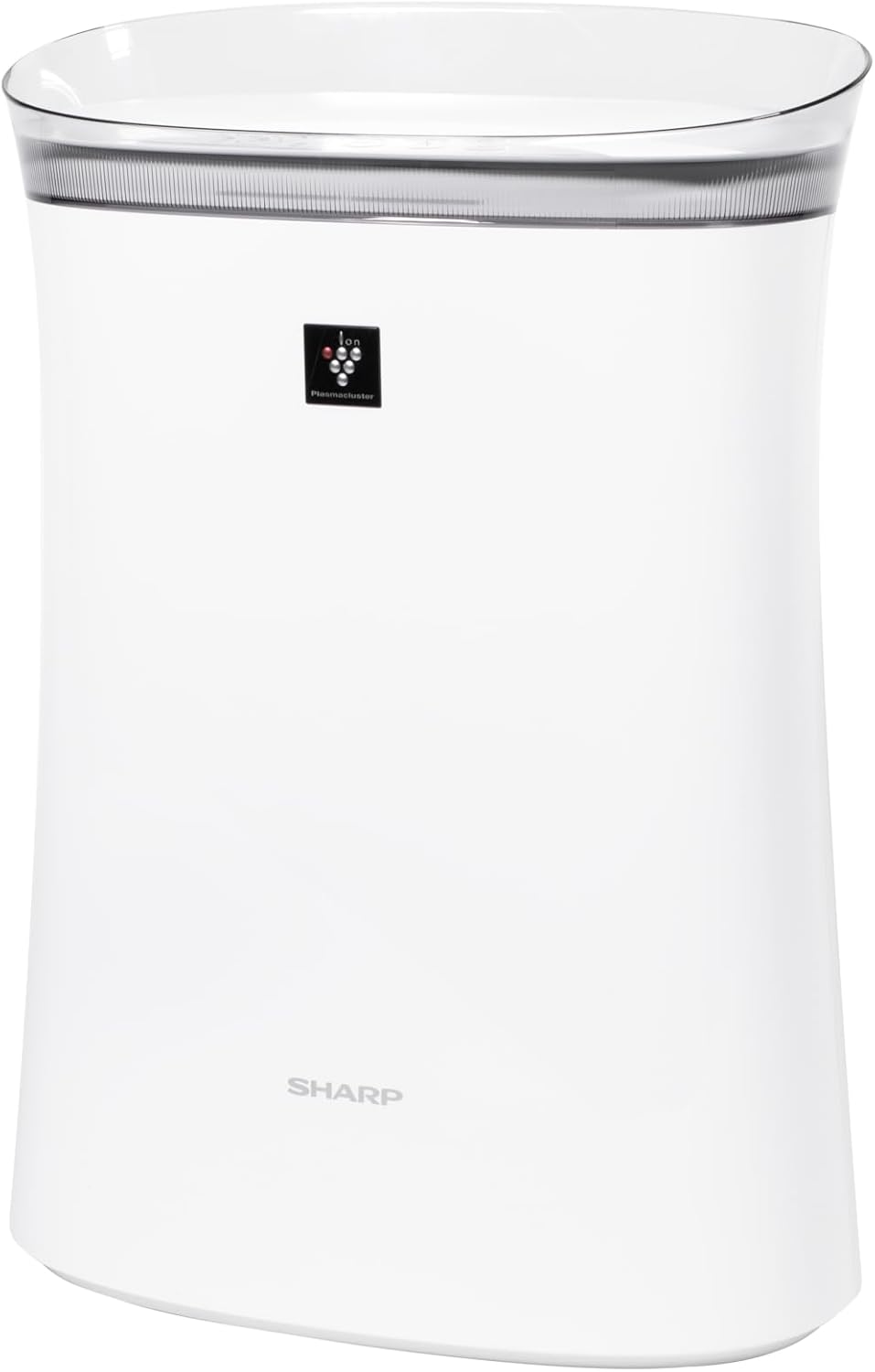
Слика 3.1: Предна страна view of the SHARP FPK50UW Air Purifier. This image displays the sleek, white design of the unit with the SHARP logo and Plasmacluster indicator on the front panel.

Слика 3.2: Назад view of the SHARP FPK50UW Air Purifier. The rear panel features the air intake grille and the power cord.

Слика 3.3: Control Panel. This image shows the touch-sensitive buttons for power, fan speed, Plasmacluster, Express Clean, and timer functions.
Список на компоненти:
- Главна единица
- Washable Microscreen Pre-filter (installed)
- Activated Carbon Deodorizing Filter (installed)
- Вистински HEPA филтер (инсталиран)
- Кабел за напојување (прикачен)
4. Поставување и инсталација на филтер
Before operating your air purifier, ensure all filters are properly installed and packaging removed.
Почетни чекори за поставување:
- Отпакувајте ја единицата: Внимателно извадете го прочистувачот на воздух од неговото пакување.
- Remove Back Panel: Gently pull the back panel of the unit to detach it.
- Отстранете ги филтрите: Take out the pre-filter, activated carbon filter, and True HEPA filter.
- Remove Plastic Packaging: Remove all plastic bags and protective wrapping from the activated carbon filter and True HEPA filter. The pre-filter does not have plastic wrapping.
- Повторно инсталирајте ги филтрите: Insert the True HEPA filter first, followed by the activated carbon filter, and then the pre-filter. Ensure they are oriented correctly as indicated on the filters or unit.
- Reattach Back Panel: Securely reattach the back panel.
- Поставување: Place the air purifier on a firm, level surface, ensuring at least 8 inches of clearance from walls or furniture for optimal airflow.
- Приклучи се: Поврзете го кабелот за напојување со стандарден електричен штекер.

Слика 4.1: Заден дел view with the back panel removed, revealing the pre-filter and main filters inside the unit.

Слика 4.2: The True HEPA filter and Activated Carbon filter are shown removed from the air purifier, with the internal fan visible.
5. Операција
The control panel allows you to manage the air purifier's functions.
Функции на контролниот панел:
- ON/OFF Button (Power): Притиснете за да го вклучите или исклучите уредот.
- Копче за брзина на вентилаторот: Cycles through fan speeds: Max, Med, and Sleep.
- Plasmacluster ON/OFF Button: Activates or deactivates the Plasmacluster Ion Technology.
- Express Clean Button: Initiates a 60-minute high-speed cleaning cycle before returning to the previous setting.
- Копче за тајмер: Sets the operating timer for 2, 4, or 8 hours. The unit will automatically turn off after the selected time.
- Light ON/OFF (Press 3 sec.): Press and hold the Timer button for 3 seconds to turn the display lights on or off.
- Filter Reset (Press 3 sec.): After replacing filters, press and hold the Plasmacluster button for 3 seconds to reset the filter indicator.
6. Одржување
Редовното одржување обезбедува оптимални перформанси и го продолжува животниот век на вашиот прочистувач на воздух.
Одржување на филтерот:
- Предфилтер: The washable microscreen pre-filter should be cleaned regularly (e.g., monthly) by vacuuming or rinsing with water. Ensure it is completely dry before reinstalling.
- Activated Carbon Deodorizing Filter & True HEPA Filter: These filters are designed for long life, lasting up to 2 years depending on the environment and usage. Replace them when the filter indicator light illuminates or when you notice a decrease in performance or increased odors. These filters are not washable.
Чистење на единицата:
- Надворешност: Wipe the exterior of the unit with a soft, dry cloth. For stubborn stains, use a damp крпата со благ детергент, а потоа избришете ја на суво.
- Air Outlets/Inlets: Periodically vacuum or wipe the air outlets and inlets to remove dust accumulation.
7 Смена на проблеми
Доколку наидете на проблеми со вашиот прочистувач на воздух, погледнете ја следната табела за вообичаени проблеми и решенија.
| Проблем | Можна причина | Решение |
|---|---|---|
| Уредот не се вклучува | Кабелот за напојување не е вклучен; Напојувањето е исклученоtage; Неисправност на уредот | Ensure power cord is securely plugged in; Check household circuit breaker; Contact customer support if issue persists. |
| Слаб проток на воздух | Филтрите се валкани или затнати; Влезовите/излезите за воздух се блокирани | Clean or replace filters; Ensure no obstructions around the unit. |
| Необичен мирис | Activated carbon filter needs replacement; New unit odor | Replace activated carbon filter; New unit odor typically dissipates within a few days of use. |
| Plasmacluster indicator not lit | Plasmacluster function is off; Ion generator needs cleaning | Press the Plasmacluster button to activate; Refer to maintenance section for ion generator cleaning (if applicable to model). |
If the problem persists after attempting these solutions, please contact SHARP customer support.
8. Спецификации
| Карактеристика | Детал |
|---|---|
| Број на модел | FPK50UW |
| Бренд | Остро |
| Димензии на производот | 8.2" Д x 15.1" Ш x 21.3" В |
| Покриеност на подна површина | Up to 1,253 sq. ft. (1 air change/hr); 259 sq. ft. (4.8 air changes/hr) |
| Ниво на бучава | 22 dB (Sleep mode) |
| Тип на контролер | Контрола на копче |
| Ватtage | 50 вати |
| Тежина на ставката | 11 фунти |
| Систем за филтрирање | Washable Pre-filter, Activated Carbon Filter, True HEPA Filter |
| Посебни карактеристики | Plasmacluster Ion Technology, Express Clean Mode, Timer Function |
| Сертификати | ENERGY STAR Rated, AHAM Verifide Tested, CARB Certified |
| UPC | 074000663794 |
9. Гаранција и корисничка поддршка
Your SHARP FPK50UW Air Purifier comes with a 1-годишна ограничена гаранција за делови и работна сила.
For warranty claims, technical assistance, or to purchase replacement filters, please contact SHARP customer support:
- Webсајт: Посетете го официјалниот SHARP webстраница за ресурси за поддршка и информации за контакт.
- Телефон: Refer to your product registration card or the SHARP website for the appropriate customer service number.
Please have your model number (FPK50UW) and proof of purchase ready when contacting support.


