1. Вовед
This manual provides detailed instructions for the installation, operation, and maintenance of your Tonton 3MP Ultra HD Wireless Security Camera System with 8-Channel NVR Recorder. This system is designed for reliable surveillance, offering high-definition video recording and remote access capabilities.
The Tonton NVR supports up to 16 channels and is compatible with 4K, 8MP, 5MP, 4MP, 3MP, 2MP, and 1080P IP cameras. It features H.265 & H.264 compression technology, VGA & HDMI output (up to 4K), and supports various recording modes including full-time, scheduled, and motion detection. Remote viewing is available via a free app on smartphones, as well as software or web browsers on Mac and PC.
2. Содржина на пакетот
Ве молиме проверете дали сите артикли наведени подолу се вклучени во вашиот пакет:
- 1 x Tonton 8-Channel NVR Recorder (1TB Hard Drive Pre-installed)
- 1 x USB глушец
- 1 x Power Supply for NVR
- 1 x Упатство за употреба (овој документ)
Note: Security cameras are sold separately or as part of a complete kit. This NVR is designed to work with Tonton wireless IP cameras.
3. Поставување на системот
3.1 Почетна NVR конекција
- Поврзете го NVR: Plug the provided power supply into the NVR's DC12V port and then into a power outlet.
- Поврзување на дисплеј: Поврзете монитор со NVR преку HDMI или VGA порт.
- Поврзете го глувчето: Вклучете го USB-глушецoт во еден од USB-портите на NVR-от.
- Network Connection (Optional for initial setup, required for remote viewинг): Connect an Ethernet cable from the NVR's NET port to your router for internet access.

Figure 3.1: Rear panel of the NVR with connection ports.
3.2 Camera Pairing (Plug and Play)
The Tonton wireless security camera system is designed for true plug-and-play operation. Cameras automatically connect to the NVR's dedicated WiFi network.
- Вклучување на камери: Connect each wireless camera to its respective power adapter and plug it into a power outlet.
- Автоматско поврзување: The cameras will automatically search for and connect to the NVR's internal WiFi network. Live video feeds should appear on your connected monitor within minutes.
- Функција на безжичен повторувач: Cameras can act as repeaters, extending the wireless range. They connect to the NVR's WiFi, not your home WiFi.

Figure 3.2: Wireless solution range and connectivity diagram.
3.3 Далечински управувач ViewПоставување
На view your camera feeds remotely, you need to connect the NVR to the internet and configure the mobile application or PC software.
- Интернет конекција за NVR: Ensure the NVR is connected to your router via an Ethernet cable.
- Преземи апликација: Download the free Tonton security app from your smartphone's app store (iOS or Android).
- Додај уред: Open the app, create an account, and follow the on-screen instructions to add your NVR. This typically involves scanning a QR code displayed on the NVR's monitor interface.
- PC/Mac Software: For desktop viewing, install the dedicated software from the Tonton support webсајт.
4. Упатства за работа
4.1 Режими на снимање
The NVR comes with a pre-installed 1TB hard drive for automatic recording. You can configure the recording mode via the NVR's on-screen menu:
- Full-time Recording: Continuous recording 24/7.
- Schedule Time Recording: Поставете специфични времиња за снимање.
- Снимање на откривање на движење: Recording starts only when motion is detected.
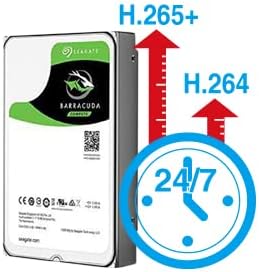
Figure 4.1: H.265+ compression for efficient storage.
4.2 Motion Detection and Email Alerts
The NVR supports motion detection and can send email alerts when motion is detected.
- Configure Motion Detection: Access the NVR's menu to define motion detection zones and sensitivity for each camera.
- Set Up Email Alerts: In the NVR's network settings, configure your email server details to enable email notifications. Any detected motion will trigger an email alert to your specified address.
4.3 Репродукција и резервна копија
Можете повторноview снимен footage directly from the NVR or remotely via the app/software.
- Локална репродукција: Use the NVR's interface to search for recordings by time or event.
- Далечинска репродукција: Access recorded videos through the mobile app or PC software.
- USB резервна копија: Connect a USB flash drive to the NVR's USB port to back up important video files.
5. Одржување
Редовното одржување обезбедува оптимални перформанси и долготрајност на вашиот безбедносен систем.
- Чиста опрема: Periodically wipe the NVR and camera lenses with a soft, dry cloth. Avoid abrasive cleaners.
- Ажурирања на фирмверот: Check the Tonton official website for any available firmware updates for your NVR and cameras. Follow instructions carefully for updates.
- Управување со хард диск: The 1TB HDD will overwrite older footage when full. Regularly back up critical recordings.
- Проверка на напојувањето: Ensure all power adapters are securely connected and free from damage.
6 Смена на проблеми
Овој дел се однесува на вообичаени проблеми со кои може да се соочите.
- Нема видео приказ:
- Check NVR power connection.
- Verify monitor connection (HDMI/VGA) and input source.
- Ensure cameras are powered on.
- Cameras Not Connecting:
- Ensure cameras are within range of the NVR's wireless signal.
- Check camera power.
- If using an extension antenna, ensure it is properly installed.

Figure 6.1: Wireless extension antenna setup.
- Далечински Viewing Not Working:
- Confirm NVR is connected to the internet via Ethernet.
- Проверете ја интернет-врската на вашиот рутер.
- Ensure the app/software is updated and the NVR is correctly added.
- Нема снимање:
- Verify the 1TB hard drive is detected and functioning.
- Check recording schedule and motion detection settings.
If issues persist, please contact Tonton technical support.
7. Спецификации
| Бренд | Тонтон |
| Модел | 8CH NVR Recorder (B082HC5GPC) |
| Технологија за поврзување | HDMI, USB, VGA, Wireless |
| Резолуција за снимање видео | Supports up to 4K 8MP/5MP/4MP/3MP/2MP 1080p |
| Специјална карактеристика | Безжичен |
| Број на канали | 8 (NVR supports up to 16 channels) |
| Капацитет за складирање на меморија | 1TB HDD (претходно инсталиран) |
| Боја | Црното |
| Извор на енергија | Електричен со кабел |
| Компатибилни уреди | Cameras, Desktop, Smartphones, Tablets |
| Технологија на слаба осветленост | Ноќна визија |
| Вкупно USB порти | 2 |
| Видео влез | HDMI, USB, VGA |
| Производител | Безбедност во Тонтон |
| UPC | 740385275593 |
| ASIN | B082HC5GPC |
| Датум прв на располагање | 8 декември 2019 година |
8. Гаранција и поддршка
Your Tonton Security Camera System comes with a 1-годишна гаранција од датумот на купување.
For technical assistance, troubleshooting, or warranty claims, please contact Tonton Technical Support. Refer to the contact information provided on the Tonton official webстраницата или вашата документација за купување.


