1. Вовед
The MEDION P85295 Internet Radio 2.1 offers a versatile audio experience, combining traditional radio reception with modern streaming capabilities. This device allows you to access over 25,000 internet radio stations and numerous podcasts worldwide, along with DAB+ digital radio and FM radio. It features Wi-Fi connectivity, a 3.2-inch TFT color display, and a 2.1 sound system with an integrated subwoofer for enhanced audio quality. This manual provides detailed instructions for setting up, operating, and maintaining your MEDION P85295 Internet Radio.
2. Информации за безбедност
Внимателно прочитајте ги сите безбедносни упатства пред да го користите уредот. Зачувајте го ова упатство за во иднина.
- Напојување: Користете го само испорачаниот адаптер за напојување. Осигурајте се дека јачината на звукотtage одговара на барањата наведени на уредот.
- Вентилација: Do not block any ventilation openings. Place the device on a stable, flat surface with adequate space around it for proper airflow.
- Вода и влага: Не го изложувајте уредот на дожд, влага или течности што капат/прскаат. Не ставајте предмети полни со течности, како што се вазни, врз уредот.
- Извори на топлина: Држете го уредот подалеку од извори на топлина како што се радијатори, грејни тела, шпорети или други апарати што произведуваат топлина.
- Чистење: Исклучете го од струја пред чистење. Користете мека, сува крпа. Не користете течни или аеросолни средства за чистење.
- Сервисирање: Не обидувајте се сами да го сервисирате овој производ. Пренесете ги сите сервиси на квалификуван сервисен персонал.
3. Содржина на пакетот
Проверете дали сите артикли се присутни во пакувањето:
- MEDION P85295 Internet Radio (MD 88295)
- Далечински управувач со батерија
- Адаптер за напојување
- Упатство за употреба
- Гарантна картичка
4. Производот завршиview
The MEDION P85295 features a user-friendly design with intuitive controls and a clear display.
4.1 Front Panel and Display
The front panel includes a 3.2-inch TFT color display, two rotary knobs for power/volume and navigation/selection, and several control buttons for various functions.

Слика: Предна страна view of the MEDION P85295 Internet Radio, highlighting the central 3.2-inch TFT color display. The display shows icons for various streaming services like Amazon Music, Spotify, Deezer, and an 'Internet Radio' icon. Two large rotary knobs are visible on either side of the display, along with several smaller buttons below, including MUTE, MODE, FAV, USB, Headphone, INFO, MENU, and Back.
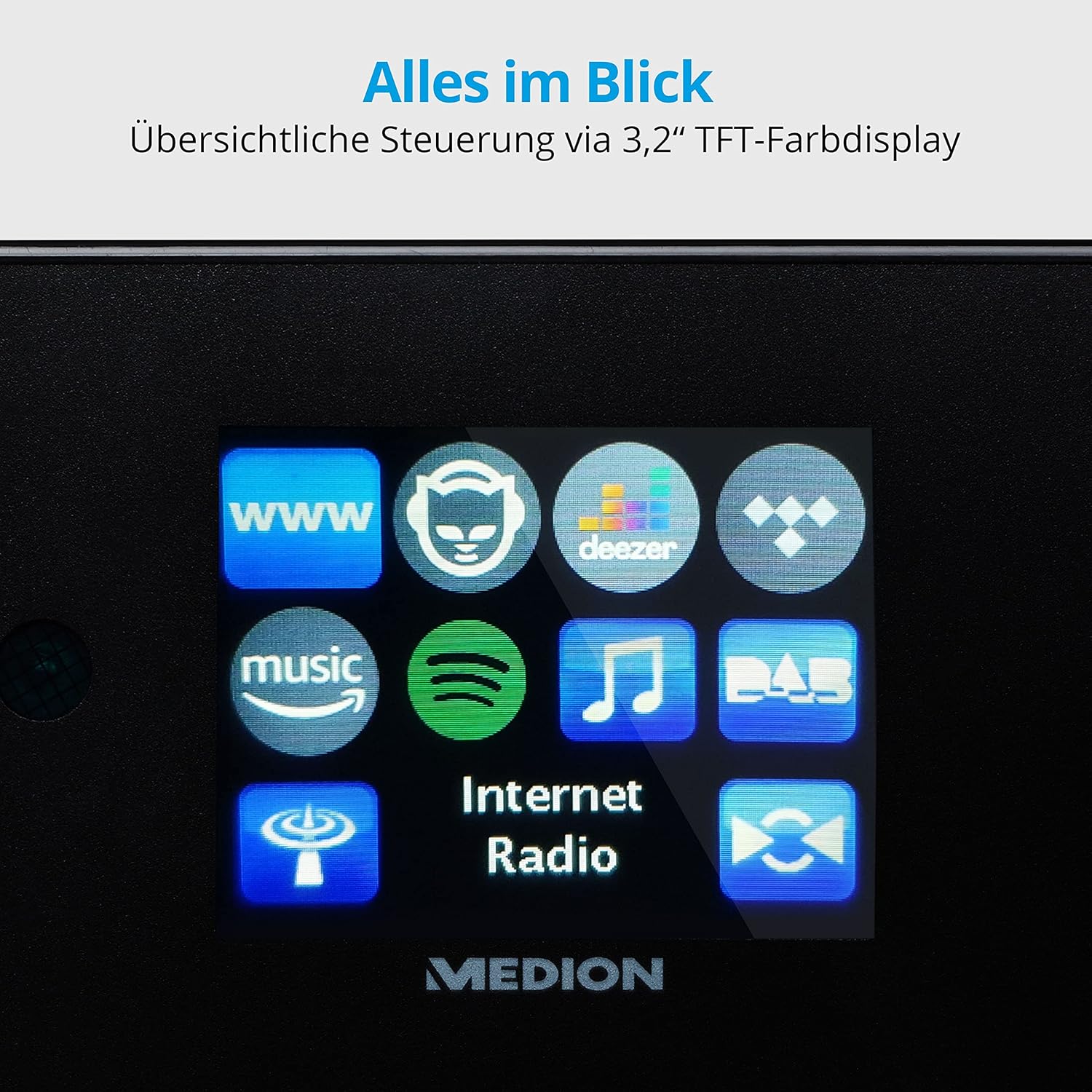
Слика: Крупен кадар view of the 3.2-inch TFT color display of the MEDION P85295 Internet Radio. The screen clearly shows various application icons, including WWW, a cat-like icon, Deezer, a music note, Amazon Music, Spotify, DAB, and Internet Radio, indicating the device's diverse functionalities.
4.2 Заден панел и приклучоци
The rear panel provides various input and output ports for external devices and network connectivity.
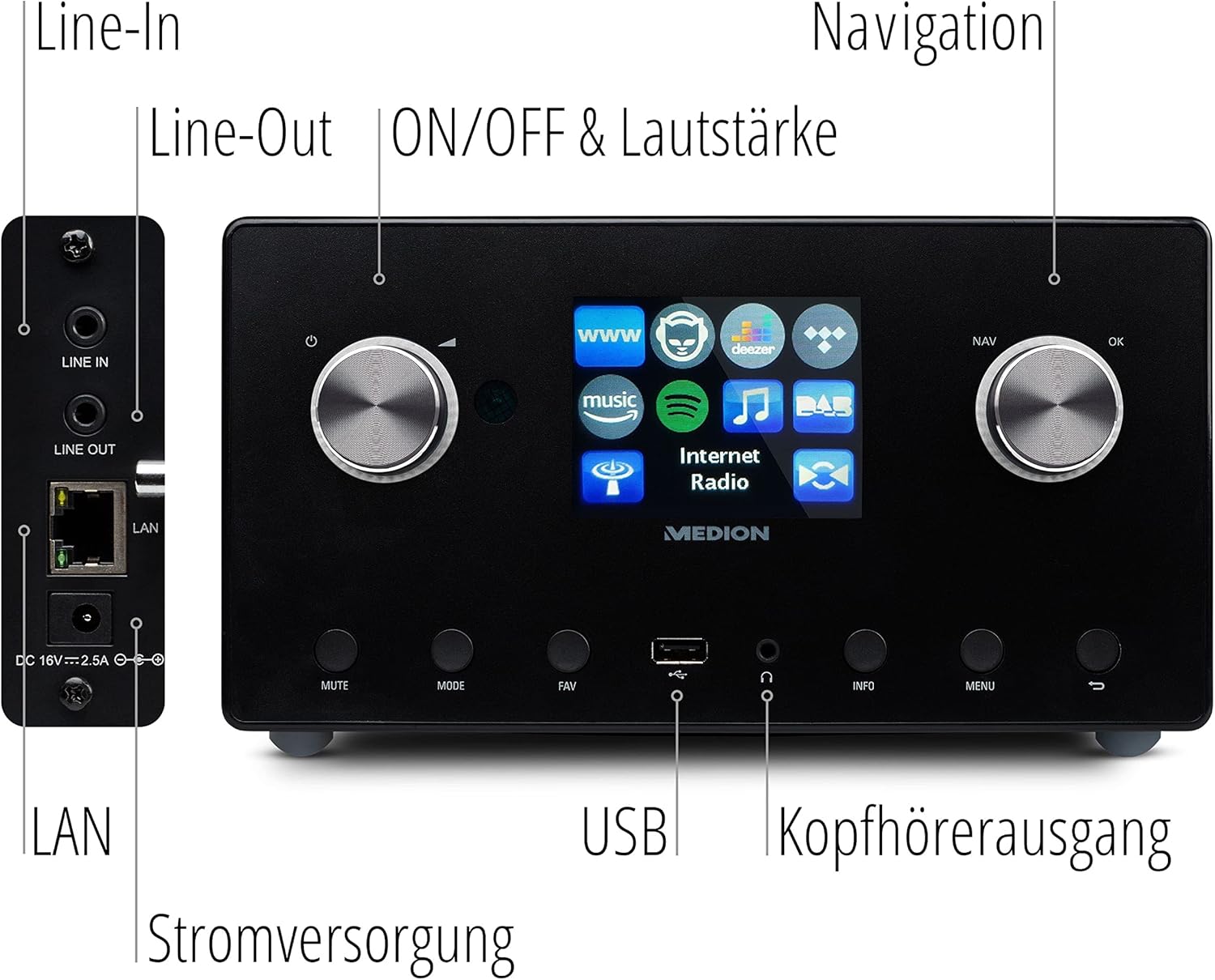
Слика: Детален view of the rear panel of the MEDION P85295 Internet Radio, with various ports clearly labeled. From top to bottom on the left side, there are Line-In and Line-Out jacks, followed by a LAN port and the DC 18V power input. On the front panel, below the display, a USB port and a headphone output are also indicated.
- Ред во: Поврзете надворешни аудио извори.
- Ред: Поврзете се со надворешен ampлафијатор или стерео систем.
- LAN: За жична мрежна конекција.
- DC 18V Влез за напојување: За поврзување на адаптерот за напојување.
- USB порта: For playing media from USB storage devices.
- Излез за слушалки: За приватно слушање.
5. Поставување
5.1 Поврзување за напојување
- Connect the power adapter to the DC 18V input on the rear of the radio.
- Приклучете го адаптерот за напојување во ѕиден штекер.
5.2 Волшебник за почетно поставување
Upon first power-on, the device will guide you through an initial setup wizard:
- Избор на јазик: Use the navigation knob to select your preferred language and press OK.
- Време и датум: Set the current time and date. The device can synchronize this via the internet.
- Мрежна конфигурација:
- Wi-Fi конекција: Select 'Wireless Network' and choose your Wi-Fi network from the list. Enter the password using the on-screen keyboard and confirm.
- LAN врска: If using a wired connection, connect an Ethernet cable to the LAN port on the rear of the device. The radio will automatically detect the connection.
6. Работење
6.1 Основни контроли
- Power/Volume Knob (Left): Turn to adjust volume. Press to power on/off or mute.
- Navigation/OK Knob (Right): Turn to navigate menus. Press to confirm selection.
- Копче MODE: Switch between different operating modes (Internet Radio, DAB+, FM, USB, Line In).
- Копче FAV: Пристап до или зачувај ги омилените станици.
- Копче MENU: Пристапете до главното мени за поставки и опции.
- Копче ИНФО: Прикажува информации за моменталната станица или песна.
6.2 Радио режими
The MEDION P85295 supports multiple radio reception types:
- Интернет радио: Access over 25,000 stations and podcasts globally via Wi-Fi or LAN. Use the navigation knob to browse by genre, location, or search for specific stations.
- DAB+ дигитално радио: Enjoy high-quality digital radio broadcasts. The radio will automatically scan for available DAB+ stations.
- ФМ радио: Tune into traditional FM broadcasts. Automatic and manual station search with automatic station storage is available.
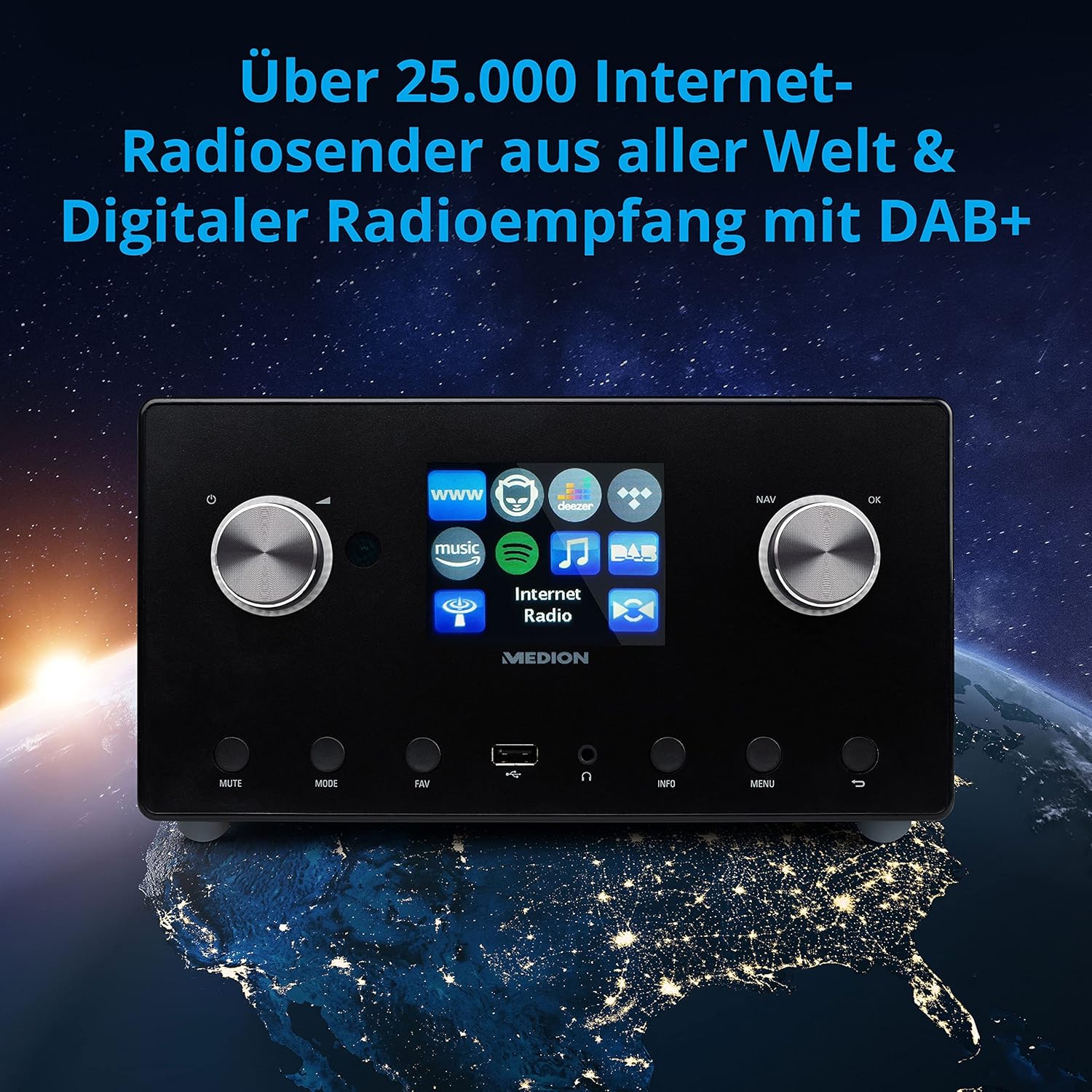
Слика: The MEDION P85295 Internet Radio positioned on a stylized globe, emphasizing its capability to receive over 25,000 internet radio stations worldwide and digital radio reception with DAB+.
6.3 Услуги за стриминг
The device supports various streaming services:
- Spotify Connect: Stream music directly from your Spotify account using the Spotify app on your smartphone or tablet.
- Amazon Music, Napster, Tidal, Deezer: Access these services directly from the radio's interface. A subscription may be required for some services.
6.4 Репродукција на медиуми
- USB: Connect a USB storage device to the front USB port to play MP3 files.
- DLNA: Stream music from compatible devices on your home network (e.g., PC, NAS) using DLNA. Control is convenient via the MEDION LifeStream 2 App (Android or iOS).
6.5 Аудио карактеристики
The MEDION P85295 features a 2.1 sound system for rich audio:
- Излезна моќност: 2 x 7.5 W + 1 x 15 W RMS.
- Интегриран сабвуфер: Provides powerful bass.

Слика: A diagram showing the MEDION P85295 Internet Radio with sound waves emanating from its sides and bottom, illustrating its 2.1 sound system and the additional subwoofer for powerful sound.
7. Функции за аларм, одложување и спиење
The radio includes convenient time-based functions:
- Функција за аларм: Set two individually adjustable alarm times.
- Функција за одложување: Temporarily pause the alarm.
- Функција за спиење: Set a timer for the radio to automatically turn off.
These functions can often be configured via the device's menu or a dedicated button on the remote control.
8. Одржување
Соодветната грижа гарантира долготрајност на вашиот уред:
- Чистење: Wipe the exterior with a soft, dry, lint-free cloth. Do not use abrasive cleaners, waxes, or solvents.
- Прашина: Regularly dust the device, especially around ventilation openings, to prevent overheating.
- Складирање: Доколку го складирате уредот подолго време, исклучете го од струја и чувајте го на ладно и суво место.
9 Смена на проблеми
Доколку наидете на проблеми, погледнете ги следните вообичаени проблеми и решенија:
| Проблем | Можна причина | Решение |
|---|---|---|
| Нема моќ | Адаптерот за напојување не е поврзан или штекерот е неисправен. | Проверете ги приклучоците за напојување. Обидете се со друг штекер. |
| Нема звук | Јачината на звукот е прениска, исклучена или е избран неправилен извор. | Increase volume, check mute status, ensure correct input mode (e.g., Internet Radio, FM). |
| Не може да се поврзе на Wi-Fi | Неточна лозинка, слаб сигнал или проблем со рутерот. | Verify Wi-Fi password. Move radio closer to router. Restart router. |
| Internet radio buffering/disconnecting | Slow internet connection or network interference. | Check internet speed. Reduce network traffic. Try a wired LAN connection if possible. |
| DAB+/FM reception poor | Слаб сигнал или позиција на антената. | Adjust the antenna. Perform a new station scan. |
Доколку проблемот продолжи, контактирајте ја поддршката за корисници.
10. Спецификации
- Бренд: МЕДИОН
- Број на модел: P85295
- Боја: Антрацит
- Прикажи: 3.2-инчен TFT екран во боја
- Технологија за поврзување: Wi-Fi, USB, LAN
- Поддржани радио бендови: FM, DAB+, Интернет радио
- Посебни карактеристики: DAB+, Auxiliary Input, USB, Spotify Connect, Amazon Music, DLNA, Alarm, Snooze, Sleep Function
- Звучен систем: 2.1 (2 x 7.5 W + 1 x 15 W RMS with integrated subwoofer)
- Компатибилни уреди: Слушалки
- Извор на енергија: Electric Cable (DC 18V)
- Димензии на производот: 24 cm (Д) x 13.5 cm (Ш) x 19 cm (В)
- Вклучени компоненти: Internet Radio P85295 (MD 88295), Remote Control with Battery, Power Adapter, User Manual, Warranty Card
- Батерии: Потребни се 2 AAA батерии (за далечинско управување)

Слика: The MEDION P85295 Internet Radio shown with its physical dimensions: 24 cm in length, 13.5 cm in width, and 19 cm in height, providing a clear understanding of its size.
11. Гаранција и поддршка
Your MEDION P85295 Internet Radio comes with a manufacturer's warranty. Please refer to the included warranty card for specific terms and conditions.
For technical support, troubleshooting assistance, or warranty claims, please contact MEDION customer service. Contact information can typically be found on the MEDION official webна локацијата или на гарантната картичка што е испорачана со вашиот производ.
Онлајн ресурси: Посетете го официјалниот MEDION website for updated drivers, firmware, and additional support documentation.


