1. Вовед
Thank you for choosing the FeinTech LED Desk Lamp LTL00600. This high-quality desk lamp is designed to provide optimal lighting for your workspace while offering convenient features such as a USB charging port, adjustable brightness, and customizable color temperature. Please read this manual thoroughly before use to ensure proper operation and to maximize the lifespan of your product.
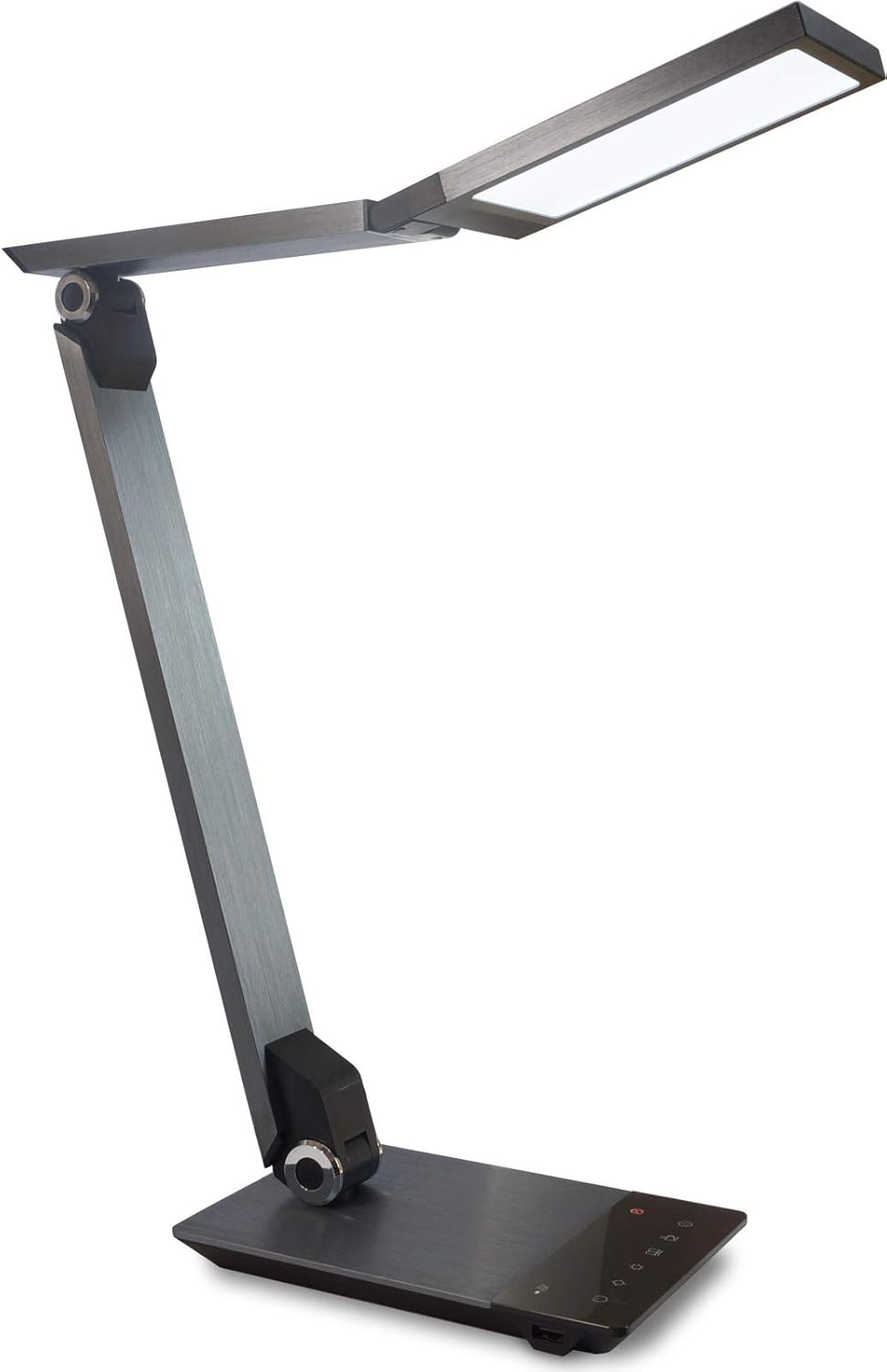
Image 1.1: FeinTech LED Desk Lamp LTL00600. This image displays the lamp во исправена положба, покажетеasing its brushed aluminum finish and sleek design.
2. Инструкции за безбедност
За да спречите оштетување или повреда, почитувајте ги следниве безбедносни мерки на претпазливост:
- Осигурајте се дека адаптерот за напојување е поврзан со соодветен штекер.
- Не го изложувајте лamp to water or excessive humidity.
- Избегнувајте расклопување или модифицирање на lamp. Repairs should only be performed by qualified personnel.
- Чувајте го лamp подалеку од извори на топлина и директна сончева светлина.
- Исчистете го лamp само со мека, сува крпа. Не користете абразивни средства за чистење или растворувачи.
- Не гледајте директно во LED изворот на светлина подолг временски период.
3. Содржина на пакетот
Проверете дали сите артикли се присутни во пакетот:
- FeinTech LED Desk Lamp (Model: LTL00600)
- Адаптер за напојување (12V/2A)
4. Производот завршиview
Familiarize yourself with the components of your FeinTech LED Desk Lamp:
- Lamp Раководител: Содржи LED извор на светлина.
- Прилагодливи краци: Multiple joints for flexible positioning.
- База: Обезбедува стабилност и ги содржи контролната табла и USB-портата.
- Контролен панел: Touch-sensitive buttons for power, brightness, color temperature, and timer.
- USB порта за полнење: Located on the side of the base for device charging.

Слика 4.1: Од горе надолу view на лamp's base and control panel. This image highlights the touch-sensitive buttons for various functions.

Слика 4.2: Страна view на лamp's base, showing the integrated USB charging port. This port allows for convenient charging of compatible devices.
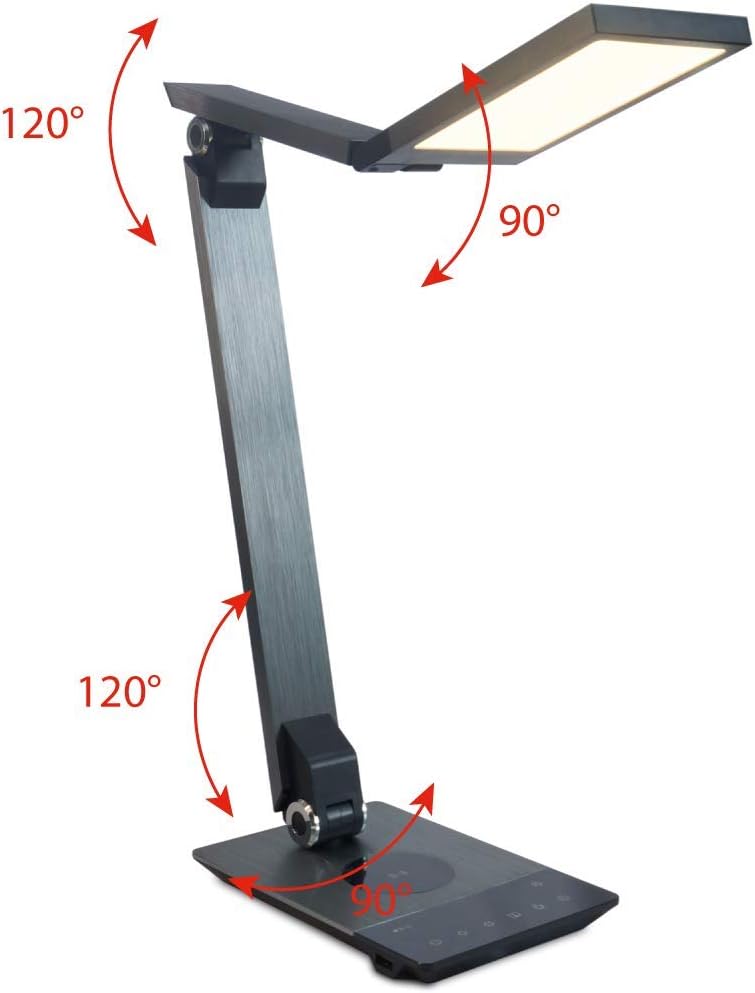
Image 4.3: Diagram illustrating the articulation angles of the lamp's joints. The lamp head can rotate 90 degrees, the upper arm 120 degrees, and the lower arm 120 degrees, allowing for flexible positioning.
5. Поставување
Следете ги овие чекори за првично поставување:
- Отпакувај: Внимателно отстранете ги сите компоненти од пакувањето.
- Поставување: Ставете го lamp base on a stable, flat surface. Ensure there is enough space for the lamp to be adjusted without obstruction.
- Поврзете напојување: Insert the power adapter cable into the DC input port on the back of the lamp base. Plug the power adapter into a standard electrical outlet.
6. Упатства за работа
The FeinTech LED Desk Lamp features intuitive touch controls on its base.
6.1 Вклучување/исклучување
- Допрете го Копче за напојување on the control panel (refer to Image 4.1) to turn the lamp вклучено или исклучено.
6.2 Прилагодување на осветленоста (Затемнување)
- Со лamp on, touch and hold the Осветленост горе or Осветленост надолу buttons (refer to Image 4.1) to steplessly adjust the light intensity.
- Л.amp base will vibrate slightly when the minimum or maximum brightness level is reached.
6.3 Прилагодување на температурата на бојата
- Со лamp on, touch and hold the Color Temperature Up or Color Temperature Down buttons (refer to Image 4.1) to steplessly adjust the light color from warm white (2700K) to cool white (6500K).
- Л.amp base will vibrate slightly when the minimum or maximum color temperature is reached.
6.4 Favorite Settings
- Л.amp allows you to store and recall 3 favorite light settings (brightness and color temperature).
- To save a setting: Adjust the brightness and color temperature to your desired level. Then, touch and hold one of the Омилени копчиња (refer to Image 4.1) until the lamp flashes briefly, indicating the setting is saved.
- To recall a setting: Simply touch the corresponding Омилено копче.
- The last used brightness and color temperature settings are automatically saved even after the lamp е исклучен.
6.5 Функција за полнење USB
- Connect your smartphone or other compatible device to the USB charging port on the side of the lamp base (refer to Image 4.2) using a suitable USB cable.
- The intelligent USB port delivers up to 2.4A for fast charging.
- An LED indicator will signal ongoing and completed charging status.
6.6 Функција на тајмер
- Допрете го Копче за тајмер (refer to Image 4.1) to activate the timer function.
- The first touch activates a 3-minute timer.
- A second touch activates a 1-hour timer.
- Л.amp will automatically turn off after the selected time period.
7. Одржување
За одржување на вашата лamp's appearance and functionality:
- Секогаш исклучувајте го lamp од напојувањето пред чистење.
- Избришете го lamp со мека, сува крпа без влакненца.
- Do not use liquid or aerosol cleaners, as they may damage the finish or internal components.
- Avoid scratching the brushed aluminum surface.
8 Смена на проблеми
Доколку се соочите со проблеми со вашиот лamp, погледнете ги следните вообичаени проблеми и решенија:
| Проблем | Можна причина | Решение |
|---|---|---|
| Lamp не се вклучува. | Нема напојување. | Check if the power adapter is securely connected to the lamp и електричниот штекер. Тестирајте го штекерот со друг уред. |
| USB полнењето не работи. | Уредот не е компатибилен или кабелот е неисправен. | Ensure your device is compatible with USB charging. Try a different USB cable. Verify the lamp е вклучено. |
| Контролите на допир не реагираат. | Привремен софтверски проблем или проблем со напојувањето. | Disconnect the power adapter for 30 seconds, then reconnect it. Ensure your fingers are clean and dry when operating the touch controls. |
9. Спецификации
| Број на модел | LTL00600 |
| Димензии (Д x Ш x В) | 36 x 13.5 x 44 см (приближно 14.2 x 5.3 x 17.3 инчи) |
| Тежина | 1.84 кг (приближно 4.06 фунти) |
| Материјал | Брусен алуминиум |
| Извор на светлина | LED |
| Max. Light Output | 500 lumens (1000 lux at 40 cm distance) |
| Температура на боја (CCT) | 2700 K (Warm White) to 6500 K (Cool White) |
| Power Consumption (Lamp само) | Макс. 10 В |
| Power Consumption (Lamp & Charging) | Макс. 22 В |
| USB излез | До 2.4 А |
| Влез волуменtage (адаптер) | 12 V / 2 А |
| Тип на прекинувач | Допрете |

Image 9.1: Diagram showing the dimensions of the FeinTech LED Desk LampНа Лamp measures approximately 36 cm in length, 13.5 cm in width, and 44 cm in height.
10. Гаранција и поддршка
FeinTech products are designed for reliability and performance. For warranty information or technical support, please refer to the warranty card included with your purchase or visit the official FeinTech webстраница. Ве молиме задржете го доказот за купување за гаранциски барања.


