1. Вовед
Ви благодарам за купувањетоasing the LG 43LM5600PTC Full HD Smart LED TV. This manual provides detailed instructions to help you set up, operate, and maintain your television. Please read this manual thoroughly before using the product and keep it for future reference.
The LG 43LM5600PTC is a 43-inch Full HD (1920x1080) Smart LED TV, featuring WebOS for smart functionality, AI ThinQ for voice control, and various connectivity options. It offers a vibrant viewing experience with a 50 Hz refresh rate and powerful 20 Watts audio output.

The LG 43LM5600PTC TV displayed on a modern media console, showcasing its sleek design in a home environment.
2. Што има во кутијата
Upon unpacking your LG 43LM5600PTC TV, please ensure all the following components are present:
- 1 LED телевизор
- 1 Поставка за маса
- 1 Упатство за употреба (овој документ)
- 1 Гарантна картичка
- Далечински управувач 1
- 2 AAA батерии (за далечинско управување)
If any items are missing or damaged, please contact LG customer support immediately.
3. Поставување
3.1 Физичко поставување
Your LG TV can be set up on a table using the included stand or mounted on a wall. Ensure the TV is placed on a stable, level surface or securely mounted to a wall according to the wall mount instructions (sold separately).
Table Top Stand Installation
- Внимателно поставете го телевизорот со екранот надолу на мека, рамна површина за да спречите оштетување.
- Attach the table top stand to the designated slots on the bottom of the TV using the provided screws. Ensure the stand is firmly secured.
- Carefully lift the TV and place it on your desired table or cabinet.
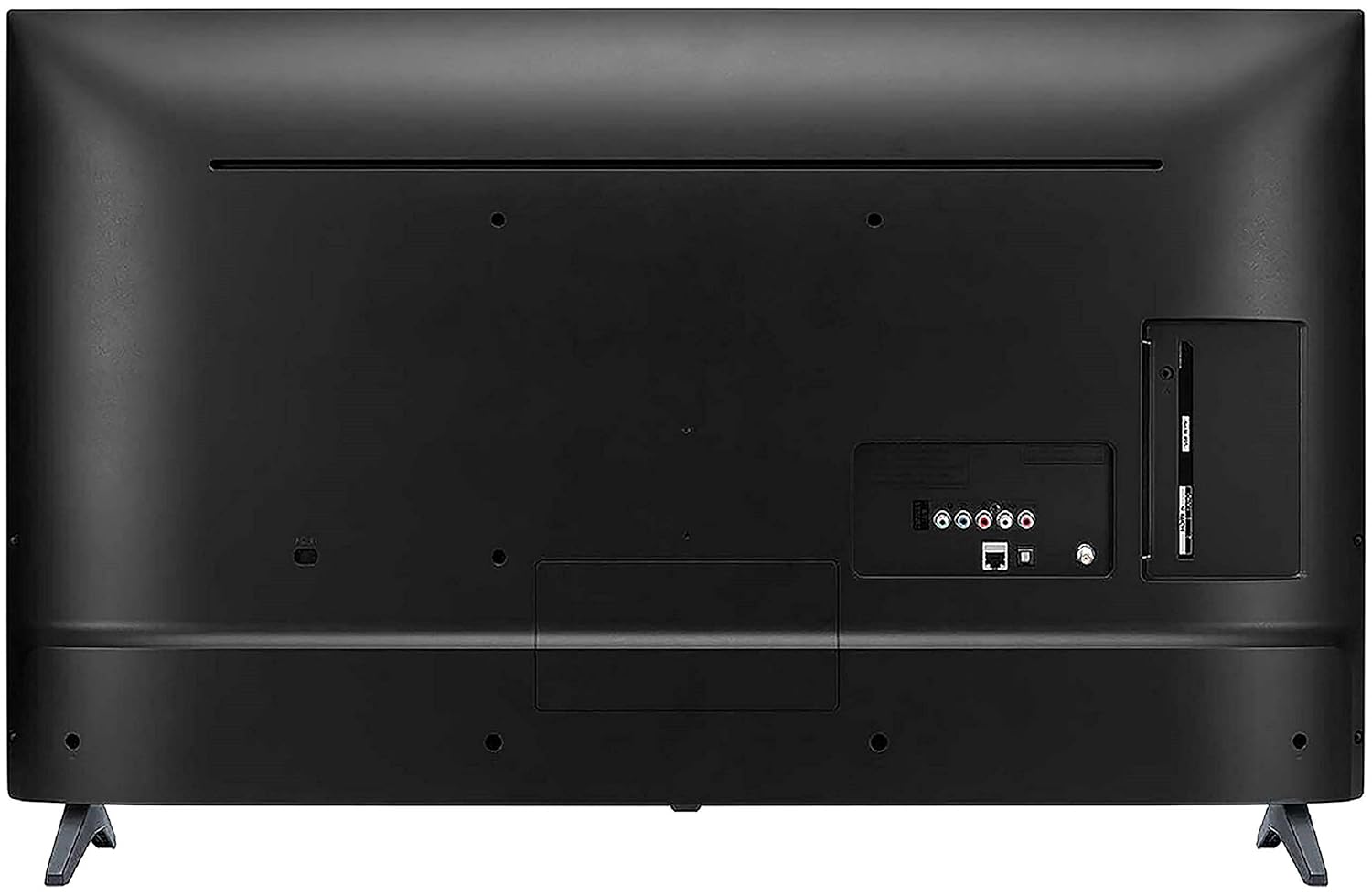
A view from the bottom of the LG TV, showing the stable base of the table-top stand.
Монтирање на ѕиден носач
For wall mounting, it is recommended to use a professional installation service. Refer to the wall mount kit's instructions for proper installation. Ensure adequate ventilation around the TV.
3.2 Поврзување на уреди
Connect your external devices such as set-top boxes, Blu-ray players, gaming consoles, or USB drives to the appropriate ports on the back of the TV.
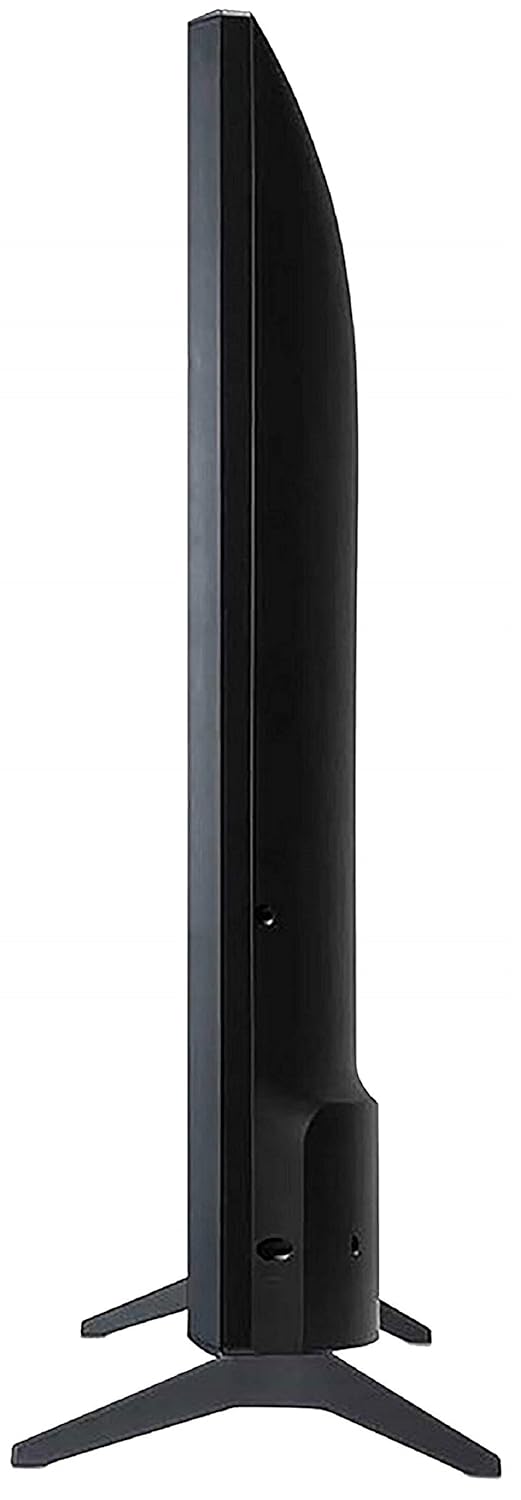
The back panel of the LG TV, detailing the arrangement of various input and output ports, including HDMI, USB, and antenna connections.
- HDMI порти: The TV features 2 HDMI ports for connecting high-definition devices. Use HDMI cables for optimal picture and sound quality.
- USB порта: A single USB port is available for connecting USB storage devices to play media files.
- Wi-Fi: Connect to your home network wirelessly for smart TV features and internet access.
3.3 Почетно вклучување
After connecting all necessary cables, plug the TV's power cord into an electrical outlet. Press the power button on the remote control or on the TV itself to turn it on. Follow the on-screen instructions for initial setup, including language selection, network connection, and channel scanning.
4. Ракување со вашиот телевизор
Далечински управувач 4.1
The included standard remote control allows you to navigate the TV's menus, change channels, adjust volume, and access smart features. Insert the two AAA batteries into the remote control, ensuring correct polarity.
4.2 Карактеристики на паметниот телевизор (WebОС)
Вашиот LG телевизор работи на WebOS operating system, providing a user-friendly interface for accessing a variety of smart features.
- AI ThinQ: Utilize voice control options for convenient operation and smart home integration.
- One-touch Access: Quickly access popular streaming services like Netflix and Amazon Prime Video with dedicated buttons on your remote.
- Miracast (Screen Sharing): Wirelessly mirror content from compatible smartphones or tablets to your TV screen.
- AI Launcher: Access your favorite apps and content quickly from the customizable launcher bar.
- Домашна контролна табла: Manage connected devices and smart home appliances directly from your TV.
- Content Store: Download and install additional applications and games from the LG Content Store.

Screenshot of the LG Home Dashboard, showing various connected devices and smart home controls.

The LG Content Store interface, displaying available apps and content for download.
4.3 Поставки за слика и звук
Access the TV's settings menu to customize picture and sound to your preference. Key display features include:
- Активен HDR: Enhances contrast and color for a more dynamic viewискуство.
- HDR Dynamic Tone Mapping: Optimizes HDR content scene by scene.
- Подобрувач на боја: Adjusts color saturation and hue for vivid images.
- DTS виртуелен: X: Provides an immersive, multi-dimensional audio experience.

Визуелен ексample of Active HDR technology, highlighting improved contrast and detail in bright and dark areas of the image.

A visual representation of the Color Enhancer feature, showing enhanced color vibrancy on the TV screen.

An image representing the DTS Virtual:X audio experience, suggesting immersive sound.
5. Одржување
Правилното одржување обезбедува долготрајност и оптимални перформанси на вашиот телевизор.
- Чистење на екранот: Нежно избришете го екранот со мека, сува крпа од микрофибер. За тврдокорни дамки, малку избришете гоampИстријте ја крпата со вода или со специјализирано средство за чистење екрани (не прскајте директно на екранот).
- Чистење на кабинетот: Користете мека, сува крпа за да го избришете куќиштето на телевизорот. Избегнувајте употреба на абразивни средства за чистење или растворувачи.
- Вентилација: Ensure the ventilation openings on the TV are not blocked. Do not place the TV in an enclosed space without adequate airflow.
- Кабел за напојување: Regularly check the power cord for any damage. If damaged, replace it immediately with an authorized LG part.
6 Смена на проблеми
If you encounter any issues with your TV, refer to the following common troubleshooting steps before contacting customer support.
- Без моќност: Проверете дали кабелот за напојување е безбедно вклучен и во телевизорот и во електричниот штекер. Проверете дали штекерот е функционален.
- Нема слика/звук: Verify that the correct input source is selected. Check all cable connections (HDMI, antenna, etc.) for looseness.
- Далечинскиот управувач не работи: Заменете ги батериите во далечинскиот управувач. Уверете се дека нема пречки помеѓу далечинскиот управувач и IR сензорот на телевизорот.
- Паметните функции не работат: Check your Wi-Fi connection. Restart your router and the TV.
- Проблеми со квалитетот на сликата: Прилагодете ги поставките за слика (осветленост, контраст, боја). Осигурајте се дека влезниот извор обезбедува сигнал со висок квалитет.
For more complex issues, consult the full user manual available on the LG webвеб-страница или контактирајте ја корисничката поддршка на LG.
7. Спецификации
Detailed technical specifications for the LG 43LM5600PTC TV:
| Карактеристика | Спецификација |
|---|---|
| Бренд | LG |
| Модел | 43LM5600PTC |
| Година на модел | 2019 |
| Големина на екранот | 43 инчи (108 см) |
| Технологија на прикажување | LED |
| Резолуција | Целосен HD (1920 x 1080 пиксели) |
| Стапка на освежување | 50 Hz |
| Оперативен систем | WebOS |
| Графички копроцесор | LG Graphic Processor |
| Капацитет за складирање на меморија | 4 GB |
| Големина на инсталирана RAM меморија | 1 GB |
| Технологија за поврзување | HDMI, USB, Wi-Fi |
| HDMI порти | 2 |
| USB порти | 1 |
| Режим за излез на звук | Стерео |
| Аудио Ватtage | 20 вати |
| Опкружувачки звук на звучникот | Моќен звук |
| Viewинголен агол | 178 степени |
| Димензии на производот (без држач) | 8.1 x 97.7 x 57.5 cm |
| Тежина на ставката | 8.3 кг |
| Извор на енергија | AC |
| Тип на далечински управувач | Standard Remote (IR, Bluetooth) |

Diagram illustrating the precise dimensions of the LG 43LM5600PTC TV, including width (97.7 cm), height (57.5 cm without stand, 61.5 cm with stand), and depth (8.08 cm without stand, 18.7 cm with stand).
8. Гаранција и поддршка
Your LG 43LM5600PTC TV comes with a 1-year LG India Comprehensive Warranty. An additional 1-year warranty is applicable on the panel/module. Please retain your purchase invoice to avail warranty services.
For installation, wall mounting, or product demonstration requests after delivery, please contact LG customer service. You can find contact details on the warranty card or LG's official webсајт.
This product is eligible for replacement within 10 days of delivery in case of any product defects, damage, or features not matching the description provided. Refer to the retailer's return policy for details.
9. Производот завршиview Видео
Watch this official product video for a quick overview of the LG 43LM5600PTC Full HD Smart LED TV's key features and benefits.
Ова видео нуди брз прегледview of the LG 43LM5600PTC TV's main features, including its Full HD resolution, connectivity options, powerful sound, smart capabilities like AI ThinQ and Miracast, and warranty information.