1. Производот завршиview
The EloPOS System is a versatile point-of-sale solution designed for commercial environments. It features a 15-inch 4:3 touchscreen display, an Intel 8th generation i3 processor, and an integrated expansion hub for connecting various peripherals. This system is built for durability and continuous public use, making it suitable for traditional POS and self-service applications.
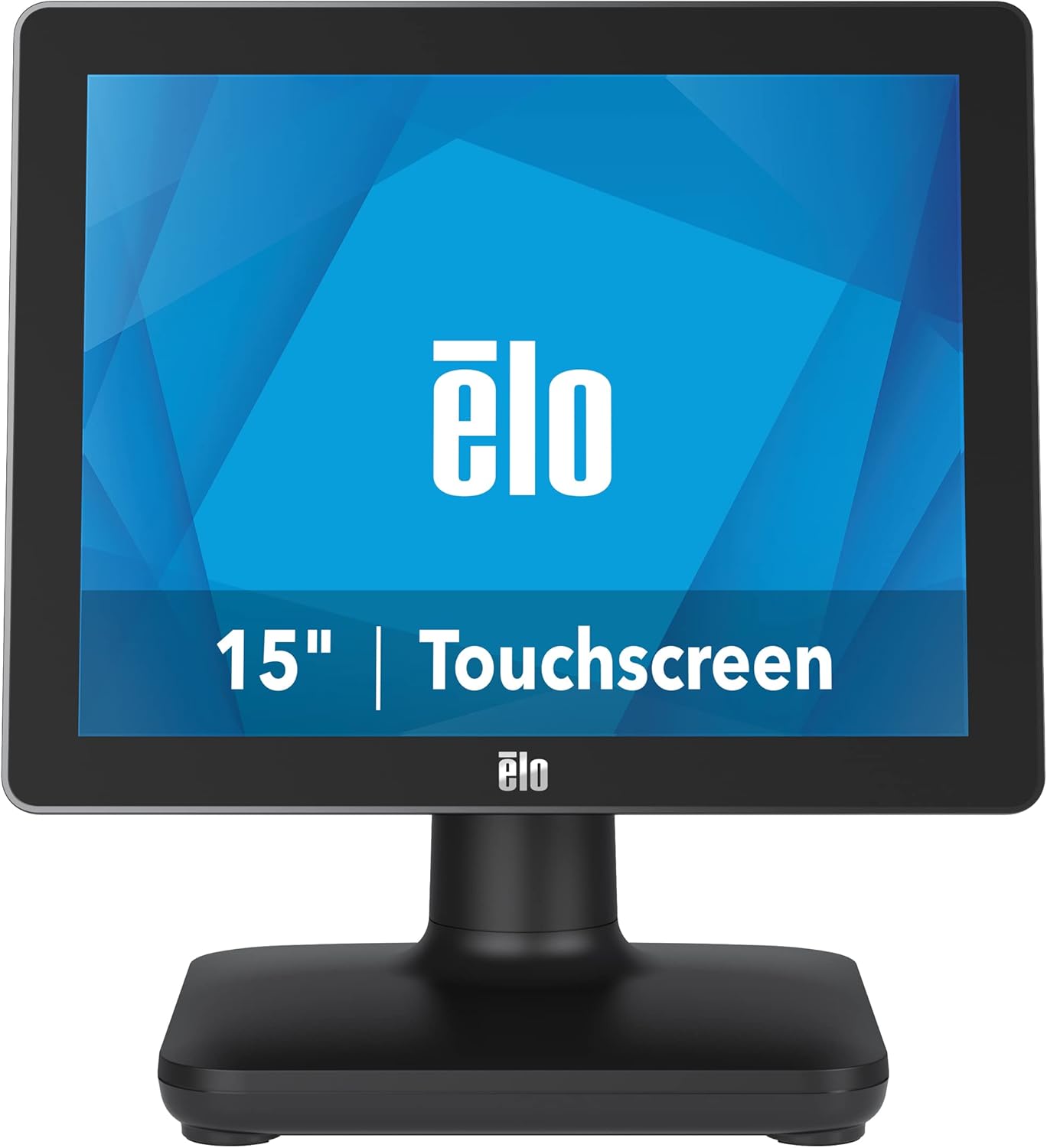
Слика 1: Предна страна view of the EloPOS System.
The system's robust design ensures reliability in demanding retail environments, providing a stable platform for your business operations.
2. Содржина на пакетот
Verify that all items listed below are included in your EloPOS system package:
- EloPOS System Unit
- NA Power Cord
- Кабел за напојување на ЕУ
- Power Adapter - 180W
- Cable RJ-45 to DB-9
- Cable Cover Locking Screw
- Водич за брза инсталација (QIG)
3. Клучни карактеристики
The EloPOS System is equipped with several features designed to enhance its functionality and durability:
- Integrated Expansion Hub: The included stand features an integrated expansion hub, allowing connection of various POS peripherals such as cash drawers, printers, barcode scanners, and payment devices.
- Оперативен систем Windows 10: Utilizes the reliable performance and security of Intel 8th Generation processors, integrated Trusted Platform Modules, Intel vPro, and the Windows 10 operating system.
- Трајност во комерцијална класа: Features a splash-proof housing and a rugged retail-hardened design, built to withstand adverse conditions common in commercial environments.
- USB-C поврзување: Enables easy connection of a 1302L customer-facing display, providing touch, data, and power through a single cable (second display sold separately).
- Elo Edge Connect: Allows seamless attachment of up to four peripherals (sold separately) to the edge of the touchscreen, including fingerprint scanners, EMV readers, barcode scanners, or MSRs.
4. Водич за поставување
4.1. Распакување и поставување
Carefully remove the EloPOS system and all components from the packaging. Place the unit on a stable, flat surface, ensuring adequate ventilation around the device.
4.2. Поврзување на енергија
- Connect the 180W power adapter to the power input port on the back of the EloPOS system.
- Connect the appropriate power cord (NA or EU) to the power adapter.
- Приклучете го кабелот за напојување во заземјен електричен штекер.
4.3. Поврзување периферни уреди
The EloPOS system features an integrated expansion hub for connecting various peripherals. Refer to the image below for port locations.

Слика 2: Заден дел view with connection hub.
- USB порти: Connect USB devices such as keyboards, mice, barcode scanners, or payment terminals to the available USB 2.0 or USB 3.0 ports.
- Етернет пристаниште: Поврзете етернет кабел за мрежно поврзување.
- Сериски порти: Use the RJ-45 to DB-9 cable for connecting serial devices if required.
- USB-C порта: For connecting compatible USB-C devices, including the Elo 1302L customer-facing display.
5. Операција
5.1. Вклучување/исклучување
To power on the system, press the power button, typically located on the side or back of the display unit. To power off, use the standard Windows shutdown procedure or press and hold the power button for a few seconds.
5.2. Користење на екранот на допир
The EloPOS system features a responsive touchscreen display. Use your finger or a compatible stylus for navigation and input. Ensure the screen is clean for optimal touch performance.
6. Одржување
Regular maintenance helps ensure the longevity and optimal performance of your EloPOS system:
- Чистење на екранот: Лесно користете мека крпа без влакненца dampсо неабразивен чистач за стакло без амонијак. Не прскајте средство за чистење директно врз екранот.
- Чистење на Casing: Избришете ја надворешната страна casing со мек, damp крпа. Избегнувајте груби хемикалии или абразивни материјали.
- Вентилација: Ensure that the ventilation openings on the system are not blocked to prevent overheating.
- Ажурирања на софтверот: Regularly check for and install operating system and driver updates to maintain system security and performance.
7 Смена на проблеми
This section provides solutions to common issues you might encounter with your EloPOS system.
| Проблем | Можна причина | Решение |
|---|---|---|
| Системот не се вклучува. | Power cord not connected, power adapter faulty, power outlet issue. | Check power cord connections. Ensure power adapter is securely plugged in. Test the power outlet with another device. |
| Екранот на допир не реагира. | Screen dirty, drivers not installed/corrupted, system frozen. | Clean the screen. Restart the system. Check device manager for touchscreen driver status. |
| Peripheral (e.g., printer) not detected. | Incorrect port, driver issue, peripheral not powered on. | Ensure peripheral is powered on and connected to the correct port. Install or update peripheral drivers. |
| System runs slowly. | Too many applications running, insufficient RAM, overheating. | Close unnecessary applications. Check system resources. Ensure proper ventilation. |
8. Технички спецификации
| Карактеристика | Спецификација |
|---|---|
| Големина на екранот на стоечкиот екран | 15 инчи |
| Резолуција на екранот | 1024x768 |
| Максимална резолуција на екранот | 1366x768 |
| Процесор | 3.1 GHz core_i3 (Intel 8th Generation) |
| RAM меморија | 4 GB DDR4 |
| Хард диск | 128 GB SSD |
| Графички копроцесор | Intel HD Graphics 520 |
| Оперативен систем | Windows 10 |
| Број на USB 2.0 порти | 2 |
| Број на USB 3.0 порти | 3 |
| Број на модел на ставка | Е931896 |
| Тежина на ставката | 11.6 фунти |
| Димензии на производот (ДxШxВ) | 8.71 x 14.16 x 13.37 инчи |
| Боја | Црното |
| Извор на енергија | AC |
| Voltage | 240 волти |
9. Информации за гаранцијата
The EloPOS System is backed by Elo's standard 3-year warranty. This warranty covers defects in materials and workmanship under normal use. For detailed terms and conditions, please refer to the official Elo warranty policy document or contact Elo customer support.
10. Поддршка и контакт
For further assistance, technical support, or service inquiries, please visit the official Elo website or contact their customer support. You can find more information and resources at the Продавница Ело на Амазон.


