1. Вовед
This manual provides essential information for the proper use and care of your Brinno Empower TLC2020 Time Lapse Camera and ATH1000 Waterproof Case. Please read these instructions carefully before operating the device to ensure optimal performance and longevity.
The Brinno TLC2020 is designed for capturing high-quality time-lapse, step video, and stop motion footage, particularly for long-term outdoor projects, thanks to its extended battery life and durable waterproof housing.
2. Производот завршиview
2.1. Содржина на пакетот
- Бринно TLC2020 Time Lapse камера
- Brinno ATH1000 Waterproof Case
- АА батерии (4x)
- Упатство за употреба (овој документ)
2.2. Клучни карактеристики
- Снимање со висока резолуција: 1080P HDR video recording.
- Широко поле на View: 118° lens for comprehensive scene capture.
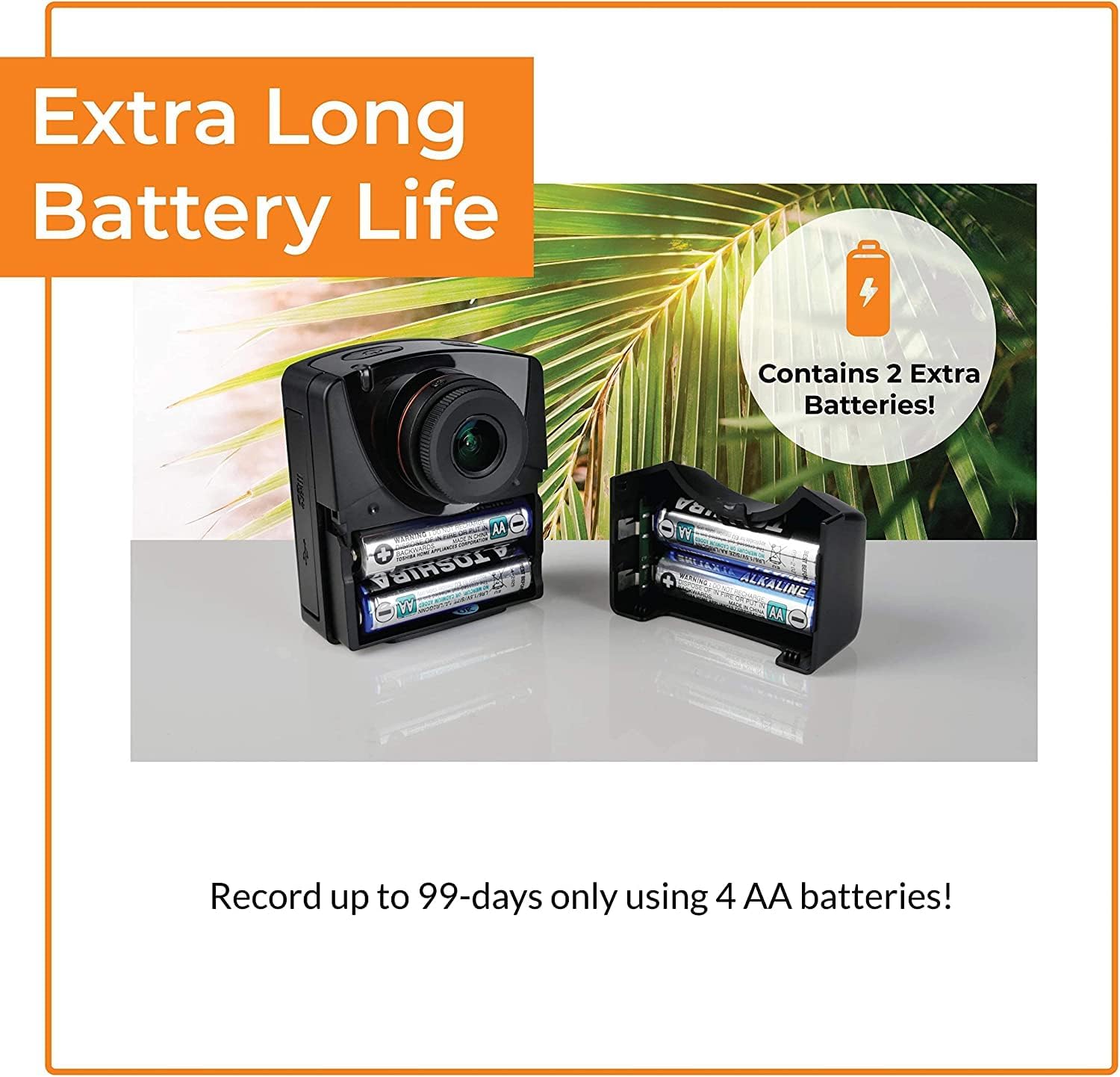
- Продолжен век на батеријата: Up to 99 days of recording with 4 AA batteries (5-minute interval).
- Разновидни режими на снимање: Time-lapse, Step Video, and Stop Motion.
- Издржлива заштита: ATH1000 Waterproof Case for outdoor use.
- Флексибилно закажување: Daily timer and scheduling features to conserve battery.
- Складирање: Поддржува микро SD картички до 128GB.
- Преносен дизајн: Compact and easy to deploy.
2.3. Camera and Case Components

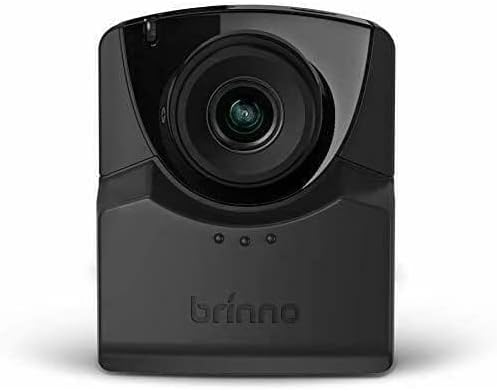
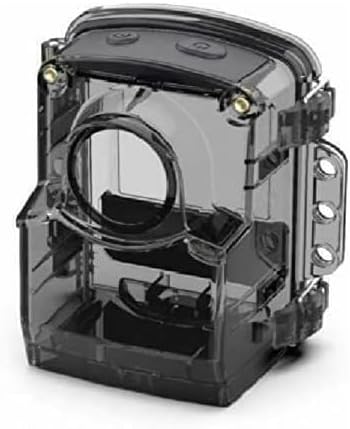
3. Поставување
3.1. Инсталација на батерија
- Open the battery compartment cover on the side of the TLC2020 camera.
- Вметнете четири (4) AA батерии, внимавајќи на правилниот поларитет (+/-).
- Добро затворете го капакот на преградата за батерии.

3.2. Инсталација на MicroSD картичка
- Locate the MicroSD card slot, typically near the battery compartment.
- Вметнете MicroSD картичка (поддржана е до 128 GB) во слотот додека не кликне на своето место.
- За да ја извадите, нежно притиснете ја картичката додека не испадне.

3.3. ATH1000 Waterproof Case Assembly
- Open the latches on the ATH1000 waterproof case.
- Carefully place the TLC2020 camera inside the case, ensuring it fits snugly.
- Close the latches firmly to seal the case. Verify the seal is complete before exposing to water.
3.4. Првично вклучување и поставки
Press the power button to turn on the camera. The 2-inch screen will display the menu. Use the navigation buttons to set the date, time, and desired capture mode. Refer to the on-screen prompts for guidance.
4. Упатства за работа
4.1. Capture Modes
The TLC2020 offers three distinct capture modes:
- Изминувањето на времето: Captures a sequence of photos at set intervals, automatically compiling them into a video. Ideal for monitoring construction projects, plant growth, or environmental changes.
- Step Video: Records short video clips at selected intervals. The camera combines these clips into a continuous video, suitable for dynamic storytelling or capturing movement.
- Stop Motion: Allows manual capture of multiple photos, one frame at a time. The camera then combines these into an animated video, perfect for creative projects.


4.2. Flexible Scheduling
Utilize the camera's daily timer and scheduling feature to select specific days and hours for recording. This extends battery life by preventing unnecessary recording during inactive periods.

4.3. Video Output and Sharing
Once recording is complete, the camera automatically processes the footage into an MP4 video file. Ова file is instantly available on the MicroSD card for transfer to a computer or other device for sharing.
5. Одржување
5.1. Нега на батерии
- Always use fresh, high-quality AA batteries.
- Отстранете ги батериите ако фотоапаратот нема да се користи подолг период за да спречите протекување.
- Monitor battery levels regularly, especially during long-term projects.
5.2. Waterproof Case and Lens Care
- Regularly inspect the ATH1000 case for cracks or damage to maintain its waterproof integrity.
- Clean the case and camera lens with a soft, lint-free cloth. For stubborn dirt, use a mild cleaning solution and ensure no residue remains.
- Avoid abrasive materials that could scratch the lens or case.
5.3. Складирање
Store the camera and case in a cool, dry place away from direct sunlight and extreme temperatures when not in use.
6 Смена на проблеми
6.1. Камерата не се вклучува
- Проверете дали батериите се правилно ставени и целосно наполнети.
- Try replacing with new batteries.
- Проверете дали копчето за вклучување е цврсто притиснато.
6.2. Кратко траење на батеријата
- Utilize the flexible scheduling feature to record only during necessary periods.
- Ensure you are using high-quality alkaline or rechargeable AA batteries.
- Extreme cold temperatures can reduce battery performance.
6.3. Condensation Inside Waterproof Case
- Condensation can occur with significant temperature changes and high humidity.
- Place desiccant packets (silica gel) inside the case with the camera to absorb moisture.
- Ensure the camera and case are completely dry before sealing for outdoor use.
6.4. Проблеми со снимањето
- Check if the MicroSD card is properly inserted and has sufficient free space.
- Ensure the MicroSD card is formatted correctly (FAT32 or exFAT).
- Verify that the recording schedule and interval settings are configured as desired.
7. Спецификации
| Карактеристика | Спецификација |
|---|---|
| Бренд | Брино |
| Број на модел | TLC2020 |
| Тежина на ставката | 1.34 фунти |
| Димензии на производот | 1.5 x 4.5 x 4.5 инчи |
| Батерии | Потребни се 4 АА батерии |
| Боја | Црното |
| Технологија на фотосензор | CMOS |
| Резолуција за снимање видео | 1080 стр |
| Максимална фокусна должина | 19 милиметри |
| Максимална решетка | 2 f |
| Тип на флеш меморија | Micro SD (до 128 GB) |
| Формат за снимање видео | MP4 |
| Поддржан аудио формат | AAC |
| Големина на екранот | 2 инчи |
| Технологија за поврзување | USB |
8. Гаранција и поддршка
Brinno is committed to providing reliable products. For detailed warranty information, please refer to the official Brinno website or the warranty card included with your purchase. For technical support, product inquiries, or service, please visit the Brinno support page or contact their customer service directly.
You can find more information and support resources on the official Brinno webсајт: www.brinno.com


