1. Вовед
This manual provides instructions for the proper setup, operation, and maintenance of your IPD IPH-160 Monaural Wired Headset. The IPH-160 is designed for clear communication in various environments, featuring a noise-cancelling microphone and a 3.5mm jack for broad compatibility.
2. Содржина на пакетот
Ве молиме проверете дали сите артикли се присутни во вашиот пакет:
- IPD IPH-160 Monaural Headset
- Quick Disconnect (QD) to 3.5mm Jack Cable (4-pole)
- Ear Cushions (pre-installed or spare)
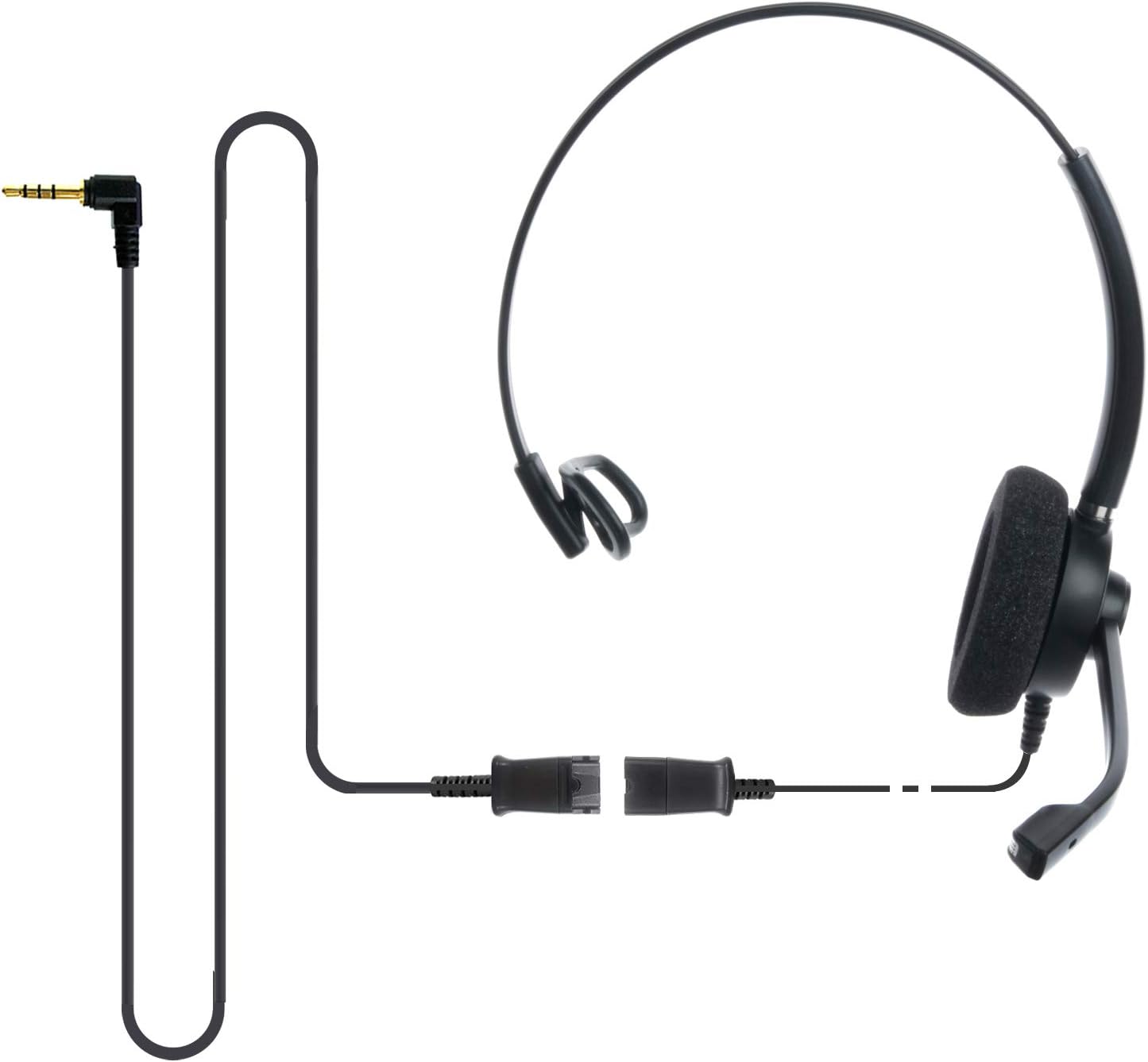
Image: The IPD IPH-160 headset with its detachable Quick Disconnect cable and 3.5mm jack connector.
3. Поставување
3.1 Поврзување на слушалките
- Connect the Quick Disconnect (QD) cable to the headset. Ensure a secure connection.
- Insert the 3.5mm jack of the cable into the corresponding port on your device (Android cell phone, laptop, tablet, Apple MacBook, or other smart device).

Слика: Крупен план view of the 3.5mm jack connector, illustrating its connection to a mobile device and laptop.
3.2 Компатибилност со уреди
The 3.5mm jack (4 poles) is compatible with a wide range of devices including:
- Android cell phones (e.g., Samsung, Huawei, HTC, ZTE)
- Лаптопи
- Таблети
- Apple MacBooks with a single 3.5mm headset port
Забелешка:
- iPhone 7/7S and later models may require an additional Lightning to 3.5mm adapter (not included).
- If your specific phone model is not listed or you encounter compatibility issues, please contact IPD support for assistance.

Image: The IPD headset shown with various connection options for desk phones, PCs/softphones, and mobile phones, highlighting the versatility of Quick Disconnect cables.
4. Ракување со слушалките
4.1 Wearing and Adjusting
The IPH-160 headset is designed for all-day comfort. Adjust the headband for a secure yet comfortable fit. The microphone boom is flexible; position it approximately 1-2 inches from your mouth for optimal voice pickup.
4.2 Микрофон за поништување шум
The headset features a passive noise-cancelling microphone to reduce background noise, ensuring clearer conversations. Proper microphone positioning is crucial for effective noise cancellation.

Image: A user wearing the headset, demonstrating the microphone's position and illustrating the effect of noise cancellation on audio waveforms.
4.3 Acoustic Shock Protection (ASP)
The headset incorporates an Acoustic Shock Protection (ASP) circuit on the speaker. This feature protects your hearing from sudden, unwanted loud noises by cutting sounds over 105dB and maintaining levels below 105dB.
4.4 Wideband Audio
The HD Wideband speaker delivers clear sound, enhancing the quality of your calls and audio monitoring.

Image: A close-up of the headset's ear cushion, visually representing the distinction between acoustic noise and clear sound for high-quality voice communication.
5. Одржување
5.1 Чистење
To maintain hygiene and performance, regularly clean the ear cushions and other surfaces of the headset with a soft, dry cloth. Avoid using harsh chemicals or abrasive materials.
5.2 Складирање
Кога не ги користите, чувајте ги слушалките на чисто и суво место, подалеку од директна сончева светлина и екстремни температури. Избегнувајте заплеткување на кабелот за да спречите оштетување.
6 Смена на проблеми
6.1 Нема звук или има ниска јачина на звук
- Осигурајте се дека 3.5 mm приклучокот е целосно вметнат во вашиот уред.
- Проверете ги поставките за јачина на звук на вашиот уред.
- Verify that the headset is selected as the audio output device in your computer's sound settings.
- Confirm the Quick Disconnect (QD) cable is securely connected to the headset.
6.2 Микрофонот не работи
- Осигурајте се дека микрофонскиот бум е правилно поставен близу до вашата уста.
- Check your device's microphone input settings and ensure the headset is selected as the input device.
- Test the headset with another compatible device to rule out a device-specific issue.
6.3 Проблеми со компатибилност
If you experience compatibility problems with your device, especially if it's not explicitly listed as compatible, please contact IPD customer support for guidance.
7. Спецификации
| Карактеристика | Спецификација |
|---|---|
| Име на моделот | IPH-160-35 |
| Технологија за поврзување | Жичен |
| Џек за слушалки | 3.5 mm Jack (4-pole) |
| Контрола на бучава | Пасивно поништување на шум |
| Фреквентен одговор | 10 KHz |
| Чувствителност | 58 dB |
| Импеданса | 150 оми |
| Тежина на ставката | 198 грама (7 унци) |
| Материјал | Пластика |
| Поставување на увото | Над уво |
| Специјална карактеристика | Поништување на бучава |
| Вклучени компоненти | Ушни перничиња |
8. Информации за гаранцијата
The IPD IPH-160 Headset comes with a 3 година гаранција од датумот на купување. Оваа гаранција ги покрива производствените дефекти при нормална употреба. Ве молиме задржете го доказот за купување за гаранциски барања.
9. Поддршка
For technical assistance, warranty claims, or any questions regarding your IPD IPH-160 Headset, please contact IPD customer support. You can find contact information on the official IPD webна лице место или преку вашиот продавач.
Посетете го IPD Store за повеќе информации и производи.


