1. Вовед
Thank you for choosing the HANMATEK S1 DM20 Digital Multimeter. This intelligent multimeter is designed for safe and accurate measurements of various electrical parameters. Please read this manual thoroughly before use to ensure proper operation and to prevent potential hazards.
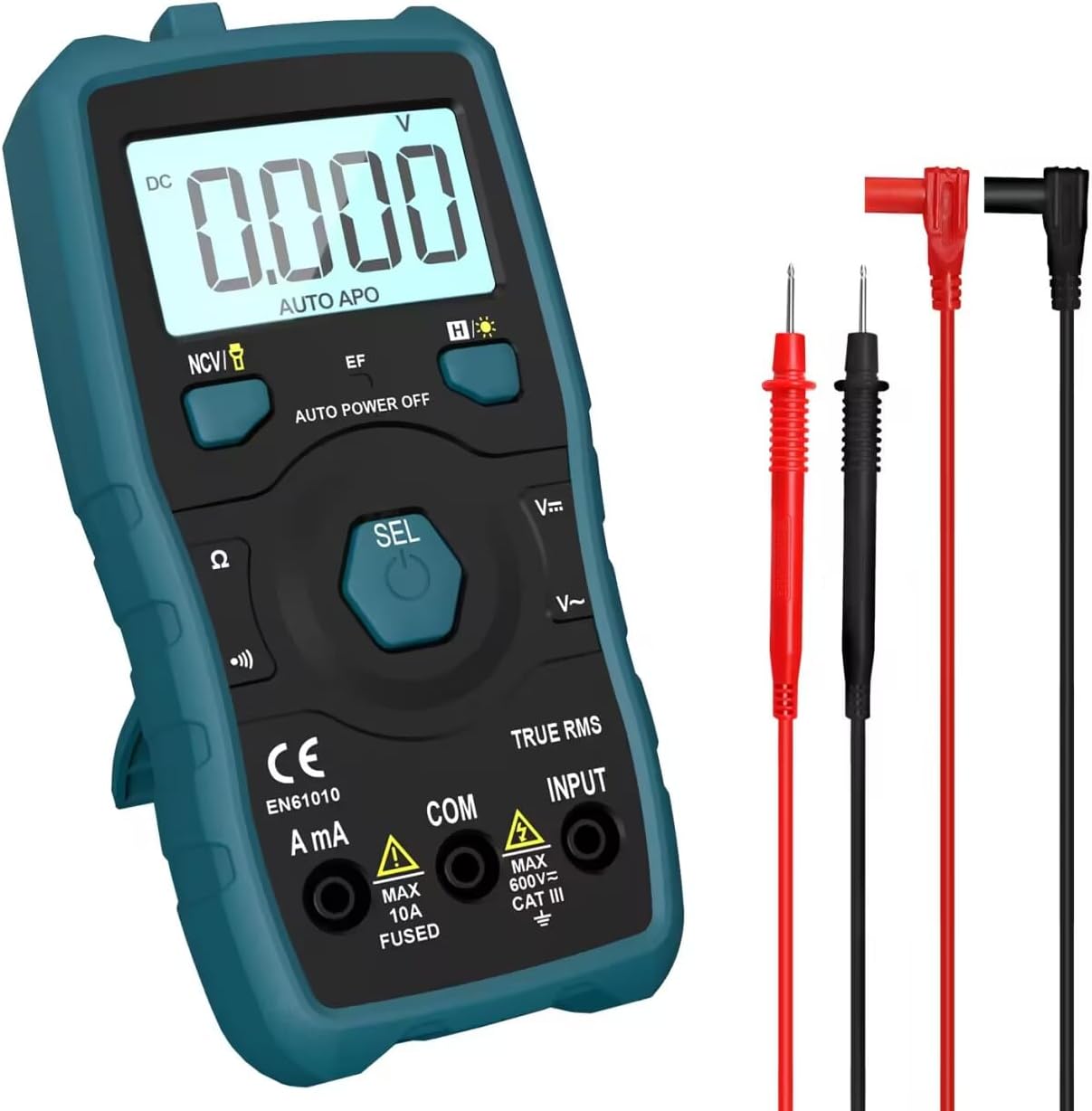
Image 1.1: HANMATEK S1 DM20 Digital Multimeter with included test leads.
2. Информации за безбедност
ПРЕДУПРЕДУВАЊЕ: Непочитувањето на овие безбедносни упатства може да резултира со електричен удар, пожар или телесна повреда.
- To prevent erroneous readings and avoid electric shock or personal injury, replace the battery as soon as the low battery voltagСе појавува симболот e.
- To prevent electric shock or personal injury, turn off the device and ensure test leads are disconnected from the circuit under test before opening the battery cover to replace the battery.
- Do not measure any AC or DC voltage exceeding 600V to prevent electric shock or damage to the instrument.
- Секогаш проверувајте го мултиметарот и мерните сонди за евентуални оштетувања пред употреба. Не го користете доколку се оштетени.
- Ensure your hands are dry when operating the multimeter.
- Не ракувајте со мултиметарот во експлозивен гас, пареа или прашливи средини.
3. Карактеристики и компоненти на производот
The HANMATEK S1 DM20 Digital Multimeter is equipped with several features for versatile measurements. Familiarize yourself with the components shown below.
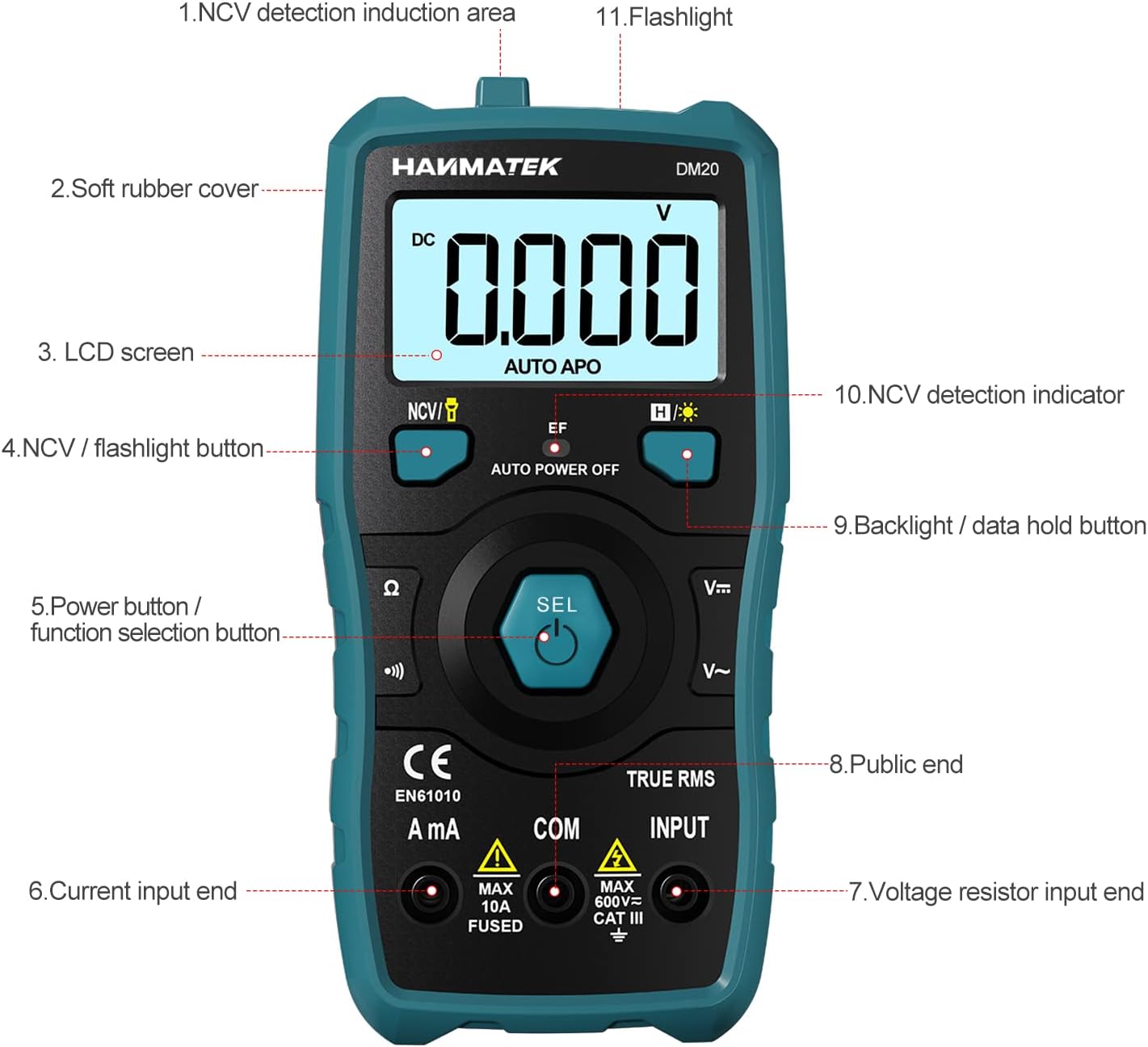
Слика 3.1: напред view of the multimeter with labeled components.
- NCV Detection Induction Area
- Soft Rubber Cover
- LCD екран
- NCV / Flashlight Button
- Power Button / Function Selection Button (SEL)
- Current Input End (A mA)
- Voltage Resistor Input End (INPUT)
- Public End (COM)
- Backlight / Data Hold Button
- NCV Detection Indicator
- Фенерче

Слика 3.2: Готовоview of multimeter functions including AC/DC Voltage, AC/DC Current, Resistance, Continuity, Backlight, Data Hold, NCV, Flashlight, and 6000 Count display.
4. Поставување
4.1 Содржина на пакетот
Пред да започнете, проверете дали сите елементи се присутни во пакувањето:
- HANMATEK S1 DM20 Digital Multimeter
- 3 x 1.5V AAA батерии
- Тест кабли (црвена и црна)
- Упатство за употреба

Image 4.1: Package contents including the multimeter, batteries, test leads, and manual.
4.2 Инсталација на батерија
The multimeter requires 3 x 1.5V AAA batteries. Follow these steps to install them:
- Осигурајте се дека мултиметарот е исклучен и дека тест каблите се исклучени.
- Пронајдете ја преградата за батерии на задната страна на мултиметарот.
- Користете шрафцигер за да го отворите капакот на батеријата.
- Вметнете ги 3-те AAA батерии, почитувајќи го точниот поларитет (+/-).
- Вратете го капакот на батеријата и прицврстете го со завртката.

Слика 4.2: Детално view of the multimeter's rear, showing the battery bay and stable holder.
5. Упатства за работа
The HANMATEK S1 DM20 features auto-ranging for most measurements, simplifying operation.
5.1 Вклучување/исклучување
- Притиснете го СЕЛ button to power on the multimeter.
- Мултиметарот автоматски ќе се исклучи по одреден период на неактивност за да се заштеди траење на батеријата.
- За рачно исклучување, притиснете и држете го СЕЛ копче.
5.2 Избор на функција
Мултиметарот автоматски го детектира типот на мерење (волуменtage, resistance, continuity) when test leads are connected. For specific functions or to switch between AC/DC, press the СЕЛ копчето накратко.
5.3 Основни мерења
Поврзете го црвениот тест кабел со ВЛЕЗ терминал и црниот тест водат до COM terminal for most measurements.
- Voltage (AC/DC): Connect test leads in parallel to the circuit or component. The multimeter will automatically detect AC or DC voltage.
- Current (AC/DC): Connect test leads in series with the circuit. Use the А mA terminal for current measurements. Ensure the circuit is de-energized before connecting.
- Отпор: Connect test leads across the component. Ensure the component is isolated from power.
- Континуитет: Connect test leads across the circuit. A buzzer will sound if continuity is detected.
- Диода: Connect test leads across the diode.
- Фреквенција: Connect test leads to the signal source.

Image 5.1: Demonstrations of NCV testing, resistance test, current measuring, voltage measuring, and on-off test.
5.4 Неконтактни томtage (NCV) Откривање
Функцијата NCV овозможува детекција на волумен на ACtagд без директен контакт.
- Притиснете го NCV / Flashlight копче за да го активирате NCV режимот.
- Place the NCV detection area (top of the multimeter) near the conductor.
- Ако AC voltage is detected, the NCV LED will flash, and the buzzer will sound. The LCD screen will display segments ('-' to '----') indicating signal strength.

Image 5.2: NCV function detecting voltage in a live line versus a null line.
5.5 Задно осветлување и задржување на податоци
- Задно осветлување: Притиснете го Backlight / Data Hold button briefly to turn the LCD backlight on/off.
- Задржување на податоци: Притиснете и задржете го Backlight / Data Hold копче за замрзнување на моменталното отчитување на екранот. Притиснете повторно за да го ослободите.
5.6 фенерче
- Притиснете и задржете го NCV / Flashlight button to turn the built-in flashlight on/off.
6. Одржување
- Чистење: Wipe the multimeter with a damp крпа и благ детергент. Не користете абразиви или растворувачи.
- Складирање: Store the multimeter in a dry, cool place away from direct sunlight. If storing for extended periods, remove the batteries to prevent leakage.
- Замена на батеријата: Replace batteries promptly when the low battery indicator appears to ensure accurate readings. Refer to Section 4.2 for instructions.
7 Смена на проблеми
- No Display/Power On: Check battery installation and ensure batteries are not depleted. Replace if necessary.
- Неточни читања: Ensure test leads are properly connected and not damaged. Verify the correct measurement function is selected (though auto-ranging handles most). Check battery level.
- No NCV Detection: Ensure NCV mode is activated. The detection area must be close to the AC voltagе извор.
- Auto Power Off Too Soon: This is a power-saving feature. The device will power off after a period of inactivity.
8. Спецификации
| Карактеристика | Спецификација |
|---|---|
| Број на модел | DM20 |
| Прикажи брои | 4000 |
| Оценка за безбедност | 600V CAT II, Pollution Degree 2, IEC61010 |
| Извор на енергија | 3 x 1.5V AAA батерии |
| Димензии | 147mm x 71mm x 45mm (7.1 x 4.5 x 14.7 cm) |
| Тежина | 220 гр |
| Посебни карактеристики | NCV, Auto-Ranging, Data Hold, Auto Power-Off, Backlight, Flashlight |
9. Гаранција и поддршка
The HANMATEK S1 DM20 Digital Multimeter comes with a 24-месечна гаранција од датумот на купување. Оваа гаранција ги покрива производствените дефекти при нормална употреба.
For technical support, warranty claims, or any inquiries, please contact HANMATEK customer service through their official channels or the retailer where the product was purchased. You can find more information on the HANMATEK Brand Store.