1. Производот завршиview
The TP-Link Archer TX50E is a high-performance AX3000 Wi-Fi 6 Bluetooth 5.3 PCIe Adapter designed for desktop PCs. It leverages the latest Wi-Fi 6 standard to deliver extreme speeds, ultra-low latency, and uninterrupted connectivity, making it suitable for demanding applications like immersive gaming and VR. The adapter features a customized heat sink and gold-plated contactors for enhanced stability and longevity.
Клучни карактеристики:
- Перформанси на Wi-Fi 6: Delivers speeds up to 2.4 Gbps (2402 Mbps on 5 GHz + 574 Mbps on 2.4 GHz) with 1024-QAM and 160 MHz bandwidth.
- Ултра ниска латентност: Revolutionary OFDMA and MU-MIMO technologies reduce lag for responsive gaming and VR experiences.
- Bluetooth 5.3: Achieves 2× faster speeds and 4× broader coverage than Bluetooth 4.2, enabling seamless connection with various peripherals.
- Широка покриеност: Equipped with two high-gain antennas to extend Wi-Fi range.
- Премиум градба: Features a customized heat sink for efficient thermal dissipation and gold-plated contactors for improved stability and oxidation resistance.
- Напредна безбедност: Supports WPA3, the latest network security standard, for enhanced network protection.
2. Содржина на пакетот
Проверете дали сите артикли се присутни во вашиот пакет:

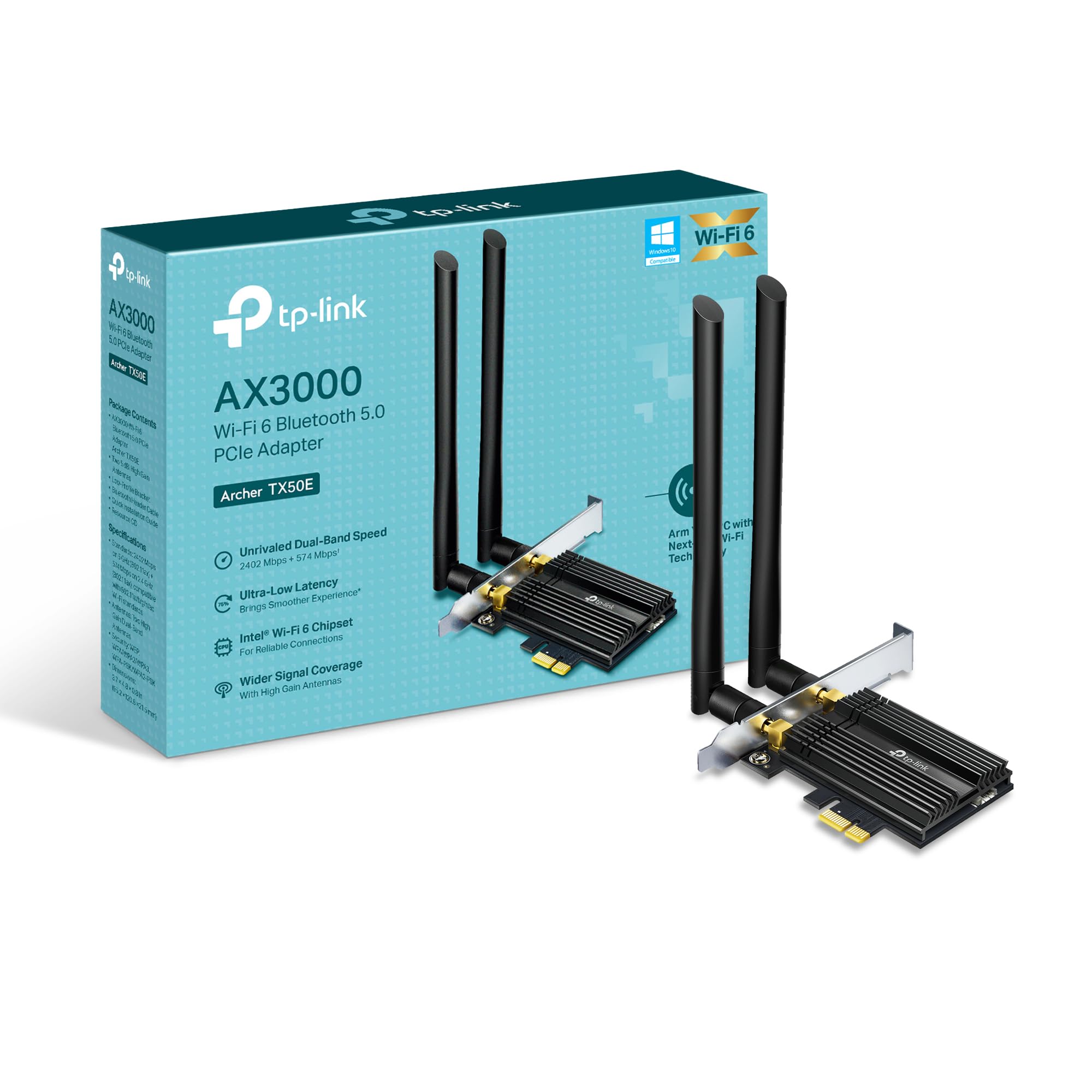
Image: TP-Link Archer TX50E retail box showing the adapter and included accessories.
- TP-Link Archer TX50E Wi-Fi 6 Bluetooth 5.3 PCIe Adapter
- Две антени со висок засилување
- Bluetooth USB кабел
- ЦД со ресурси
- Водич за брза инсталација
- Low-Profile Заграда
3. Инсталација на хардвер
Пред да започнете:
- Ensure your computer is powered off and unplugged from the power source.
- Ground yourself to discharge any static electricity before handling components.
- Refer to your computer's manual for specific instructions on opening the case.
Инсталација чекор-по-чекор:
Слика: напред view of the TP-Link Archer TX50E adapter with antennas.
- Исклучување и исклучување: Исклучете го компјутерот и исклучете го кабелот за напојување од ѕидниот штекер.
- Отворено куќиште за компјутер: Отстранете го страничниот панел од куќиштето на компјутерот за да пристапите до матичната плоча.
- Поврзете го Bluetooth USB кабелот: Connect the provided Bluetooth USB cable to the adapter's Bluetooth header.
- Лоцирајте слотови: Identify an available PCI Express X1 slot on your motherboard and an F_USB connector (usually labeled USB910 or similar).
- Вметнете го адаптерот: Carefully insert the Archer TX50E adapter into the chosen PCIe X1 slot. Ensure it is seated firmly.
- Поврзете USB кабел: Connect the other end of the Bluetooth USB cable to the F_USB connector on your motherboard. This connection is essential for Bluetooth functionality.
- Secure Adapter and Antennas: Secure the adapter with a screw to the computer case. Then, connect the two high-gain antennas to the adapter's connectors. Adjust their position for optimal signal reception.
- Затвори го куќиштето за компјутер: Заменете го страничниот панел на куќиштето на вашиот компјутер.
- Вклучување: Вратете го кабелот за напојување во ѕидниот штекер и вклучете го компјутерот.
Визуелно упатство за инсталација:
Video: A step-by-step guide demonstrating the physical installation of the TP-Link Archer TX50E PCIe adapter into a desktop computer.
4. Инсталација на драјвери
After hardware installation, you need to install the Wi-Fi and Bluetooth drivers for the adapter to function correctly. Забелешка: Do NOT run the Bluetooth and Wi-Fi driver installers at the same time.
Step-by-Step Driver Installation:
- Insert CD or Download Drivers: Insert the provided resource CD into your computer's CD/DVD drive. If your computer does not have a CD/DVD drive, download the latest drivers from the official TP-Link website (search for Archer TX50E).
- Run Autorun: Once the CD is inserted, an Autorun window should appear. Click to run `Autorun.exe`. If it doesn't appear, navigate to 'This PC' or 'My Computer', open your CD/DVD drive, and manually run `Autorun.exe`.
- Инсталирајте Wi-Fi драјвери: In the TP-Link driver installation utility, select the option to install the Wi-Fi drivers. Follow the on-screen instructions to complete the installation. You may need to restart your computer after this step.
- Инсталирајте Bluetooth драјвери: After the Wi-Fi drivers are installed and your computer has restarted (if prompted), run the `Autorun.exe` again or manually launch the Bluetooth driver installer. Follow the on-screen instructions to complete the Bluetooth driver installation. Another restart may be required.
For a visual guide on driver installation, please refer to the setup video provided in the Hardware Installation section.
5. Упатства за работа
Поврзување на Wi-Fi:
- After successful driver installation, click the Wi-Fi icon in your system tray (usually in the bottom-right corner of your screen).
- A list of available wireless networks will appear. Select your desired network.
- Кликнете на „Поврзи се“ и внесете го мрежниот безбедносен клуч (лозинка) доколку биде побарано.
- Your computer should now be connected to the Wi-Fi network.
Спарување на уреди со Bluetooth:
- Проверете дали вашиот Bluetooth уред е во режим на спарување (погледнете го упатството за вашиот уред).
- On your computer, go to 'Settings' > 'Devices' > 'Bluetooth & other devices'.
- Вклучете го Bluetooth ако веќе не е овозможен.
- Кликнете на „Додај Bluetooth или друг уред“ и изберете „Bluetooth“.
- Изберете го вашиот уред од листата и следете ги сите упатства на екранот за да го завршите процесот на спарување.
6 Смена на проблеми
If you encounter issues with your Archer TX50E adapter, try the following common troubleshooting steps:
- Нема Wi-Fi конекција:
- Проверете дали адаптерот е правилно поставен во PCIe слотот.
- Проверете дали антените се безбедно поврзани.
- Check Device Manager to ensure Wi-Fi drivers are installed and the device is recognized without errors.
- Try updating or reinstalling the Wi-Fi drivers.
- Рестартирајте го компјутерот и безжичниот рутер.
- Bluetooth не работи:
- Confirm the Bluetooth USB cable is properly connected to both the adapter and the motherboard's F_USB header.
- Check Device Manager to ensure Bluetooth drivers are installed and the device is recognized without errors.
- Verify that Bluetooth is enabled in your computer's settings.
- Try updating or reinstalling the Bluetooth drivers.
- Бавни брзини или прекината врска:
- Осигурајте се дека вашиот рутер поддржува Wi-Fi 6 (802.11ax) за оптимални перформанси.
- Adjust the position of the antennas for better signal reception.
- Move your computer closer to the router or reduce obstacles between them.
- Проверете дали има пречки од други електронски уреди.
- Ажурирајте го фирмверот на вашиот рутер.
If these steps do not resolve your issue, please contact TP-Link Technical Support.
7. Технички спецификации
| Карактеристика | Спецификација |
|---|---|
| Модел | Стрелец TX50E |
| Безжичен стандард | Wi-Fi 6 (802.11ax/ac/b/g/n) |
| Bluetooth верзија | Bluetooth 5.3 |
| Интерфејс | PCI Express |
| Стапка на пренос на податоци | До 2402 Mbps (5 GHz), 574 Mbps (2.4 GHz) |
| Поддршка за оперативен систем | Windows 11, 10 (64-bit) |
| Безбедност | WPA3 |
| Димензии (Д x Ш x В) | 9.53 x 12.09 x 2.16 cm |
| Тежина на ставката | 90.72 г (0.2 фунти) |
| Хардверски интерфејс | Bluetooth |
| Компатибилни уреди | Десктоп, лаптоп |
8. Гаранција и техничка поддршка
TP-Link offers a 2 година гаранција for this product. Additionally, free 24/7 техничка поддршка is available to assist you with any questions or issues you may encounter.
For further assistance, please visit the official TP-Link support webстраницата или директно контактирајте ја нивната служба за корисници.


