Вовед
This manual provides detailed instructions for the installation, operation, and maintenance of your BINIZE Double Din Car Stereo. Please read this manual thoroughly before using the product to ensure proper functionality and to prevent damage. Keep this manual for future reference.
Производот завршиview
The BINIZE Double Din Car Stereo is a 10.1-inch multimedia player running on an Android 13 system. It offers a range of features designed to enhance your in-car entertainment and navigation experience.
Клучни карактеристики:
- 10.1-inch capacitive touch screen with 1024x600 resolution.
- Android 13 Operating System with Quad-core Coretex-A7 processor (up to 1.3GHz).
- 2GB RAM + 32GB internal storage.
- Поддршка за безжичен CarPlay и Android Auto.
- Wired MirrorLink for Android and iOS devices.
- Вграден Bluetooth за повици без користење на рацете и аудио стриминг.
- Integrated GPS receiver for online and offline navigation.
- FM Radio tuner.
- Support for AUX, front, and rear camera inputs.
- Steering Wheel Control compatibility (manual learning required).
- Built-in Wi-Fi receiver and support for 4G communication (via external dongle, not included).
- Expandable options for OBD and tire pressure monitoring (accessories sold separately).

Figure 1: BINIZE Double Din Car Stereo Front View со истакнати клучни карактеристики.
Поставување и инсталација
Proper installation is crucial for the optimal performance of your car stereo. If you are unfamiliar with car audio wiring and installation, professional assistance is recommended.
Физички димензии:
The unit measures approximately 251mm (width) x 146mm (height) x 56mm (depth). Ensure your vehicle's dashboard opening is compatible with these dimensions.
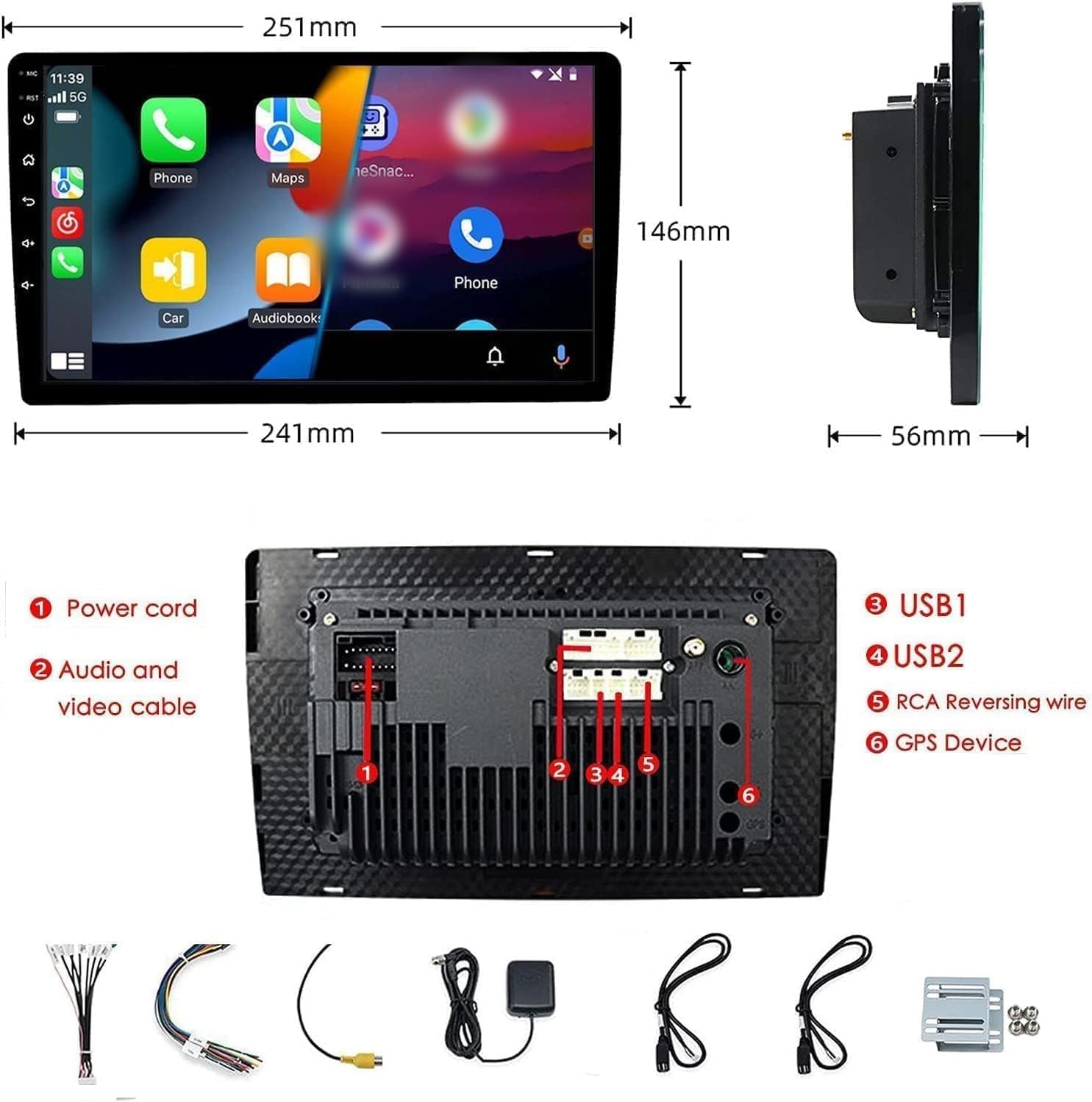
Figure 2: Unit dimensions and rear panel connection points.
Приклучоци за жици:
Refer to the included wiring diagram for specific connections. Key connections include:
- Кабел за напојување: Поврзете се со напојувањето на возилото (константно 12V, дополнителна 12V, заземјување).
- Audio and Video Cable: За надворешни аудио/видео уреди.
- USB порти (USB1, USB2): For media playback, phone charging, and wired CarPlay/Android Auto.
- RCA Reversing Wire: Connect to the backup camera trigger wire.
- GPS Device: Connect the external GPS antenna for navigation functionality.
- Steering Wheel Control Wires (Key/SW): For integrating with vehicle's steering wheel controls.
Осигурајте се дека сите приклучоци се безбедни и правилно изолирани за да спречите кратки споеви.
Упатства за работа
Вклучување/исклучување:
The unit will power on automatically when the vehicle's ignition is turned on. To manually power off or restart, use the power button on the front panel.
Операција со екран на допир:
Navigate the interface by tapping, swiping, and pinching on the 10.1-inch capacitive touch screen, similar to a smartphone or tablet.
ФМ радио:
Access the FM Radio application from the main menu. You can scan for stations, save presets, and adjust volume. The unit supports standard FM frequencies.

Слика 3: Интерфејс за FM радио.
Спарување на Bluetooth:
- Проверете дали Bluetooth е овозможен на вашиот мобилен телефон.
- На стерео уредот во автомобилот, отворете ја апликацијата Bluetooth.
- Пребарај за available devices on your phone and select "BINIZE" or a similar device name.
- Потврдете го кодот за спарување на двата уреди доколку се побара.
- Откако ќе се спари, можете да воспоставувате повици без користење на рацете и да стримувате аудио.
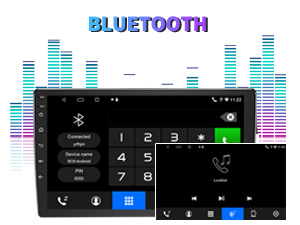
Figure 4: Bluetooth pairing screen.
Контрола на воланот:
To use your vehicle's steering wheel controls, manual learning is required. Access the Steering Wheel Control settings in the system menu and follow the on-screen instructions to map your vehicle's buttons to the stereo functions.
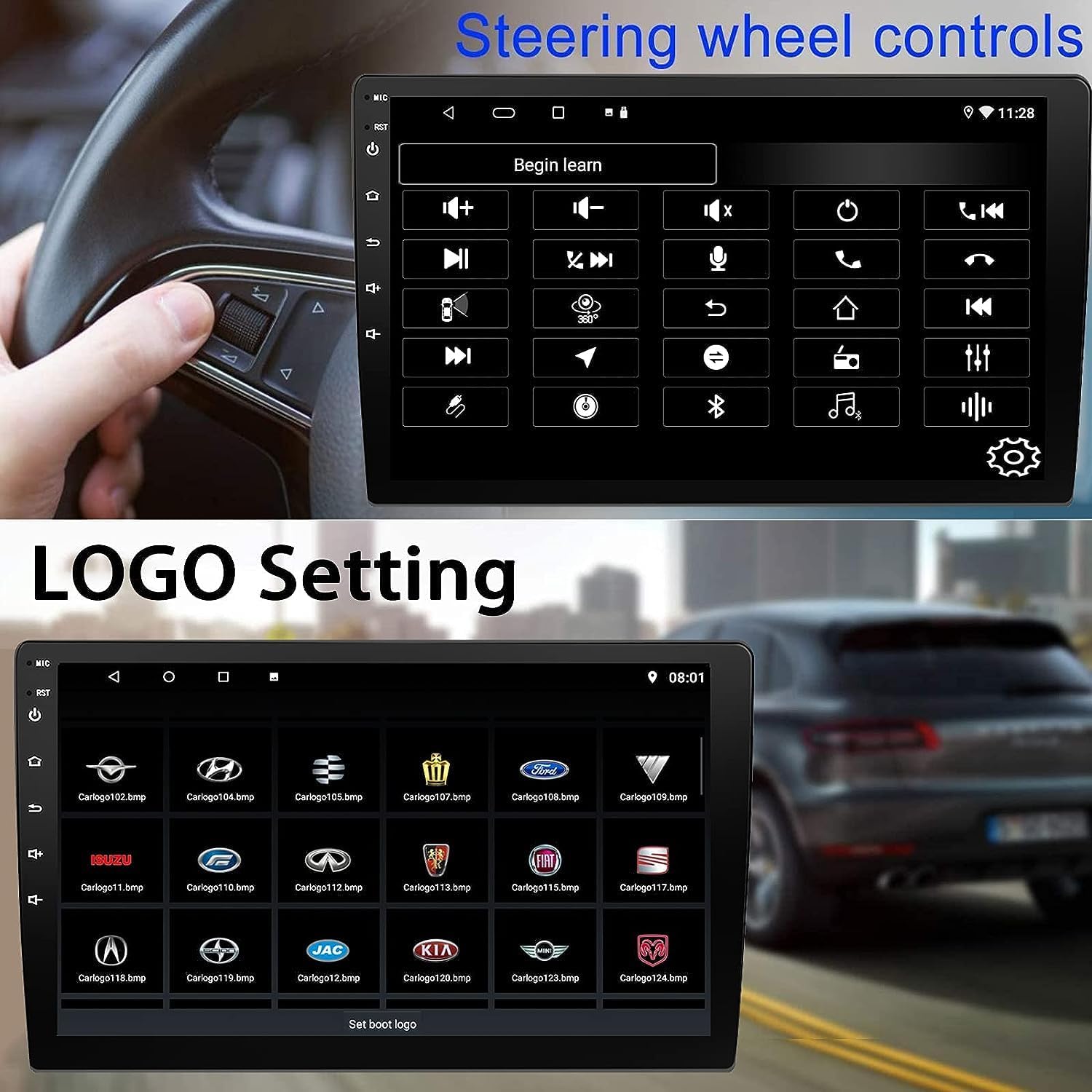
Figure 5: Steering Wheel Control setup screen.
Connectivity: CarPlay, Android Auto, and MirrorLink
Безжичен CarPlay:
Connect your iPhone wirelessly to access CarPlay features such as navigation, music, messages, and calls directly on the stereo display. Ensure Wi-Fi and Bluetooth are enabled on your iPhone.
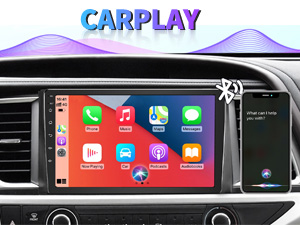
Figure 6: Wireless CarPlay interface.
Безжичен Android Auto:
Connect your Android phone wirelessly to use Android Auto for navigation, communication, and entertainment apps. Ensure Wi-Fi and Bluetooth are enabled on your Android device.

Figure 7: Wireless Android Auto interface.
MirrorLink:
MirrorLink allows you to display your smartphone's screen directly onto the car stereo. This feature works with both Android and iOS devices via a wired connection. Note that CarPlay/Android Auto and MirrorLink cannot be used simultaneously.

Figure 8: MirrorLink feature displaying a phone screen on the stereo.
Навигација
The car stereo features an integrated GPS receiver, supporting both online and offline navigation. Connect to Wi-Fi or a mobile hotspot to use online navigation apps. For offline navigation, you may need to download map data.

Figure 9: GPS navigation map display.
Влез за камера
Резервна камера:
The unit supports backup camera input. When properly connected, the display will automatically switch to the rear view when the vehicle is put into reverse, providing parking assistance with guidelines.
Предна страна View Камера:
The stereo also supports front view camera input, allowing for enhanced visibility when maneuvering in tight spaces.

Figure 10: Backup camera and front view camera displays.
Одржување
To ensure the longevity and optimal performance of your BINIZE car stereo, follow these maintenance guidelines:
- Чистење на екранот: Користете мека крпа без влакненца за нежно да го избришете екранот на допир. За тврдокорни дамки, малку избришете гоampИзбришете ја крпата со вода или средство за чистење безбедно за екрани. Избегнувајте груби хемикалии или абразивни материјали.
- Општо чистење: Keep the unit and surrounding areas free from dust and debris. Use a soft brush or compressed air to clean vents and button areas.
- Ажурирања на софтверот: Периодично проверувајте за достапни ажурирања на софтверот преку системските поставки за да се осигурате дека ги имате најновите функции и подобрувања на перформансите.
- Избегнувајте екстремни температури: Не го изложувајте уредот на екстремна топлина или студ подолг период, бидејќи тоа може да влијае на неговите електронски компоненти.
Решавање проблеми
Доколку наидете на проблеми со стерео уредот во вашиот автомобил, погледнете ги следните вообичаени проблеми и решенија:
| Проблем | Можна причина | Решение |
|---|---|---|
| Уредот не се вклучува. | Неправилно поврзување на жици; Прегорен осигурувач; Проблем со напојувањето на возилото. | Check power connections and vehicle fuses. Ensure constant 12V and accessory 12V are correctly wired. |
| Нема звук. | Јачината на звукот е прениска; исклучениот звук е активиран; Проблем со поврзувањето на звучникот. | Increase volume. Check if mute is active. Verify speaker connections. |
| CarPlay/Android Auto не се поврзува безжично. | Bluetooth/Wi-Fi off on phone; Pairing issue; Software glitch. | Ensure phone's Bluetooth and Wi-Fi are on. Try re-pairing the device. Restart both phone and stereo. Some users reported needing to open phone's Bluetooth settings each time. |
| Screen too bright/dim at night. | Поставките за приказ не се оптимизирани. | Adjust brightness settings in the display menu. Consider using a screen dimming app if available. |
| Камерата за бек не се прикажува. | Camera not connected; RCA reversing wire not connected or faulty. | Check camera and RCA reversing wire connections. Ensure the camera is powered. |
Спецификации
| Карактеристика | Детал |
|---|---|
| Бренд | BINIZE |
| Број на модел | Binize |
| Оперативен систем | Андроид 13 |
| Големина на екранот | 10.1 инчи (26 см видлива дијагонала) |
| Резолуција | 1024x600 |
| Процесор | Quad-core Coretex-A7, 1.3GHz |
| Меморија (RAM) | 2 GB |
| Складирање (ROM) | 32 GB |
| Поврзување | Bluetooth, Wi-Fi, USB, Auxiliary |
| Посебни карактеристики | Wireless CarPlay, Wireless Android Auto, MirrorLink, GPS Navigation, Touchscreen, Built-In Bluetooth |
| Режим за излез на звук | Стерео (конфигурација на канали за опкружувачки звук 2.0) |
| Тежина на ставката | 2.94 фунти |
| Боја | Црното |
Гаранција и поддршка
Информации за гаранцијата:
The BINIZE Double Din Car Stereo comes with a 1-годишна бесплатна гаранција од датумот на купување. Оваа гаранција ги покрива производствените дефекти и неисправностите при нормална употреба. Ве молиме задржете го доказот за купување за гаранциски барања.
Техничка поддршка:
For any technical assistance, questions, or issues not covered in this manual, please contact our professional technical support team. You can reach us via Amazon email for 24/7 online technical support. Our team is available to assist with system upgrades and parts replacement.
We are committed to providing enthusiastic customer service and ensuring your satisfaction with the BINIZE product.


