1. Вовед
Thank you for choosing the Lepro Smart LED Strip Light. This manual provides essential information for the safe and efficient use of your new LED strip light. Please read these instructions carefully before installation and operation, and retain them for future reference.
2. Информации за безбедност
- Уверете се дека напојувањето е исклучено пред инсталацијата или одржувањето.
- Оперативниот волtage is 12V. Use only the provided power adapter.
- This product is IP65 waterproof, suitable for both indoor and outdoor use. However, the power adapter and controller are not waterproof and must be protected from moisture.
- Do not bend the LED strip sharply or apply excessive force, as this may damage the circuit.
- Да се чува подалеку од дофат на деца.
- The LED strip is designed with short-circuit protection for enhanced safety.
- Avoid direct eye exposure to the light source for prolonged periods.
3. Содржина на пакетот
Проверете дали сите компоненти се присутни во пакувањето:
- 5m RGB IP65 Waterproof LED Strip
- WiFi контролер
- Power Adapter (European Adapter 12V 1.5A)
- Далечински управувач
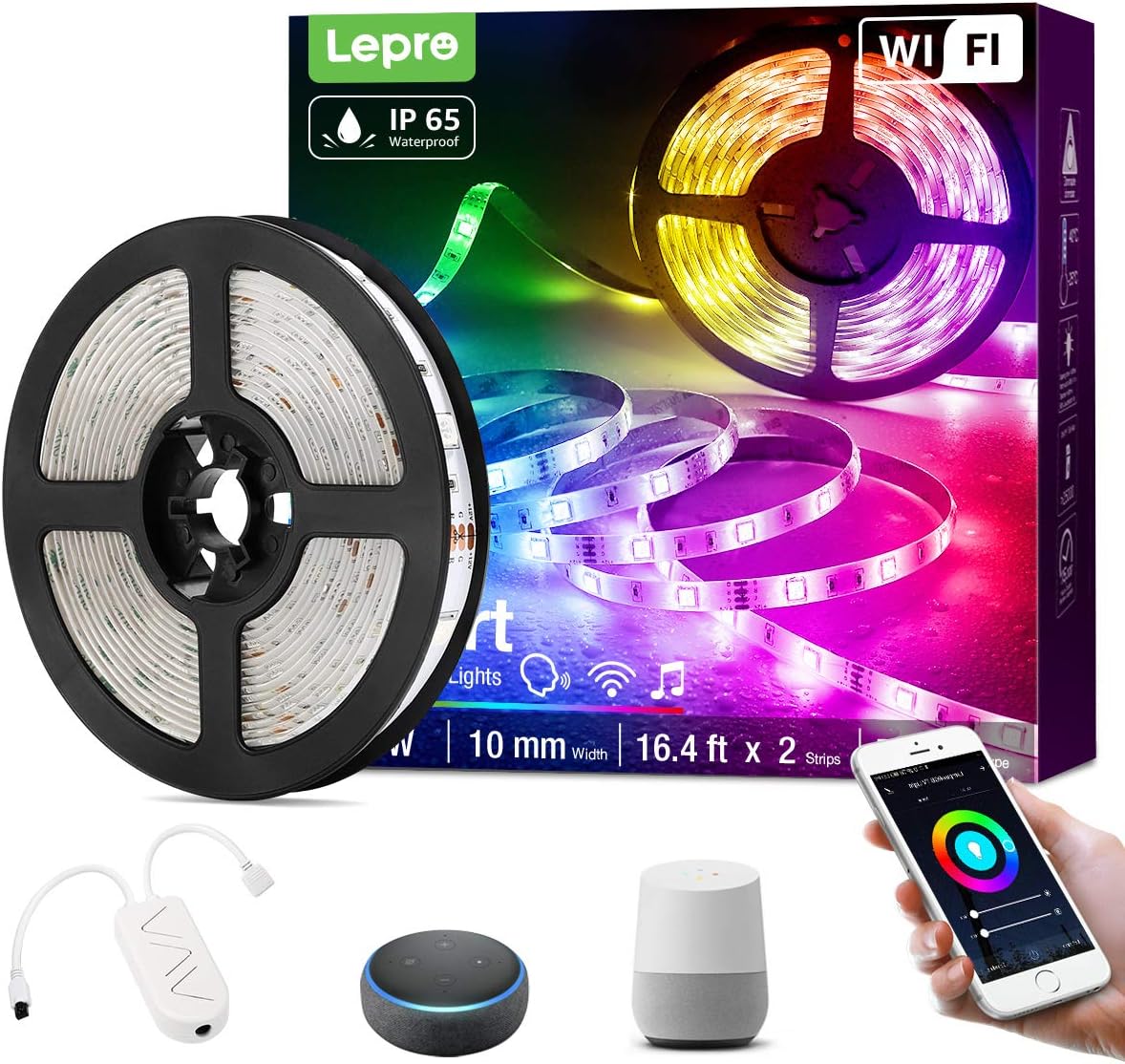
Слика 3.1: Во текот наview of the Lepro Smart LED Strip Light and its included components, such as the LED strip reel, WiFi controller, and power adapter.
4. Карактеристики на производот
- Паметна контрола: Connects via WiFi (2.4 GHz only) for stable control.
- Гласовна контрола: Compatible with Amazon Alexa and Google Assistant, no additional hub required.
- Функционалност на апликацијата: Features include countdown, automatic execution, timer function for preset scenarios, and various scene modes.
- Dimmable RGB: Offers a wide range of colors and adjustable brightness.
- IP65 водоотпорен: Designed for versatile indoor and outdoor decoration.
- Висока осветленост: Equipped with 30 LEDs per meter for enhanced illumination.
- Безбедно на допир: Operates at a low 12V, ensuring minimal heat and safety.

Слика 4.1: The IP65 waterproof LED strip installed in an outdoor setting, demonstrating its suitability for various environments.

Слика 4.2: Top image shows a hand safely holding the illuminated LED strip. Bottom image provides a close-up view of the IP65 waterproof coating on the LED strip.
5. Водич за инсталација
- Исчистете ја површината: Ensure the installation surface is clean, dry, and smooth.
- Мерење и сечење (опционално): If necessary, measure the desired length and cut the LED strip only at the designated cutting marks (usually indicated by a scissor icon or copper pads).
- Излупете и лепете: Remove the adhesive backing from the LED strip and firmly press it onto the desired surface.
- Поврзување на компоненти: Connect the LED strip to the WiFi controller, and then connect the controller to the power adapter.
- Приклучи се: Приклучете го адаптерот за напојување во стандарден штекер.
6. Упатства за работа
6.1 Basic Control with Controller Button
After plugging in the strip, you can use the physical button on the controller to:
- Вклучете/исклучете ги светлата.
- Cycle through different scene modes.
- Reset the device (usually by holding the button for several seconds).
6.2 Smart Control via Lepro LampUX App
For full functionality, download the "Lepro LampUX" app from your smartphone's app store.
- Преземи апликација: Пребарај за "Lepro LampUX" and install it.
- Регистрирај се/Најави се: Направете сметка или најавете се.
- Додај уред: Follow the in-app instructions to add your LED strip light. Ensure your phone is connected to a 2.4 GHz WiFi network during setup.
- Контрола: Once connected, you can control power, color, brightness, set timers, schedules, and customize scene modes directly from the app.

Слика 6.1: A smartphone screen showing the Lepro LampUX app interface, including a color wheel for light customization and options for smart control. The image also depicts a modern home with LED strip lighting.

Слика 6.2: A collage of smartphone screens illustrating various features of the Lepro LampUX app, such as timer settings, scheduling, color options, smart modes, scene modes, and DIY customization.
6.3 Гласовна контрола со Alexa/Google Assistant
To enable voice control, link your Lepro LampUX account with Amazon Alexa or Google Assistant:
- Open Smart Assistant App: Отворете ја апликацијата Amazon Alexa или Google Home на вашиот паметен телефон.
- Овозможи вештина/акција: Пребарај за the "LE Lampux" skill (for Alexa) or action (for Google Assistant) and enable it.
- Поврзување на сметка: Follow the prompts to link your Lepro LampUX account.
- Откријте уреди: Once linked, ask your smart assistant to discover new devices.
- Гласовни команди: You can now use voice commands such as "Alexa, turn on the bedroom light" or "Hey Google, change the strip light to purple."

Слика 6.3: A visual guide on a smartphone screen demonstrating the process of linking the Lepro LampUX app with Amazon Alexa, showing the steps to enable the skill and connect accounts.

Слика 6.4: A family enjoying LED strip lighting in their living room, with smart speakers visible, illustrating the convenience of voice control with commands like "Alexa, change the strip light to purple."
7. Одржување
- Чистење: Gently wipe the LED strip with a soft, dry cloth. Do not use abrasive cleaners or solvents.
- Инспекција: Периодично проверувајте ја лентата и врските за какви било знаци на оштетување или абење.
- Складирање: If storing the strip for an extended period, ensure it is clean, dry, and coiled loosely to prevent damage.
8 Смена на проблеми
| Проблем | Можна причина | Решение |
|---|---|---|
| LED лентата не свети. | Нема струја, лабава врска, неисправен адаптер. | Проверете го штекерот, проверете дали сите приклучоци се безбедни, обидете се со друг штекер. |
| Не може да се поврзе со WiFi. | Incorrect WiFi band (not 2.4 GHz), incorrect password, too far from router. | Ensure your router is broadcasting a 2.4 GHz signal. Verify WiFi password. Move the strip closer to the router. Reset the controller and try again. |
| Гласовната контрола не работи. | Skill/Action not enabled, account not linked, incorrect commands. | Check if the "LE Lampux" skill/action is enabled and your account is linked in the Alexa/Google Home app. Use precise commands. |
| Colors are inconsistent or incorrect. | Damaged section of the strip, connection issue. | Inspect the strip for physical damage. Ensure connections are firm. |
9. Спецификации
| Атрибут | Детал |
|---|---|
| Бренд | Лепро |
| Број на модел | PR904116-RGB-WP-EU |
| Димензии на производот | 16.5 x 16.5 x 6.5 см (спакувано) |
| Тежина на ставката | 320 грама |
| Должина | 5 метри |
| Боја | RGB |
| Водоотпорен рејтинг | IP65 (LED Strip only) |
| Voltage | 12 волти |
| Моќ | 24 вати |
| Тип на сијалица | LED |
| Поврзување | WiFi (само 2.4 GHz) |
| Компатибилност | Амазон Алекса, асистент на Google |
| Вклучени компоненти | LED Strip, WiFi Controller, Remote Control, Power Adapter |
10. Гаранција и поддршка
За информации за гаранцијата или техничка поддршка, ве молиме погледнете ја документацијата вклучена во вашата нарачка или посетете ја официјалната страница на Lepro. website. Contact details for customer service are typically available on the product packaging or the brand's online support page.