1. Вовед
This manual provides comprehensive instructions for setting up, operating, and maintaining your Microsoft Surface Go 2 tablet. The Surface Go 2 is a versatile 10.5-inch touch-screen device, powered by an Intel Pentium processor, 8GB of RAM, and a 128GB SSD, running Windows 10. It is designed for portability and efficiency, suitable for various tasks from productivity to entertainment.
2. Компоненти и порти
Familiarize yourself with the physical components and connection ports of your Surface Go 2.
2.1 Уредот завршиview
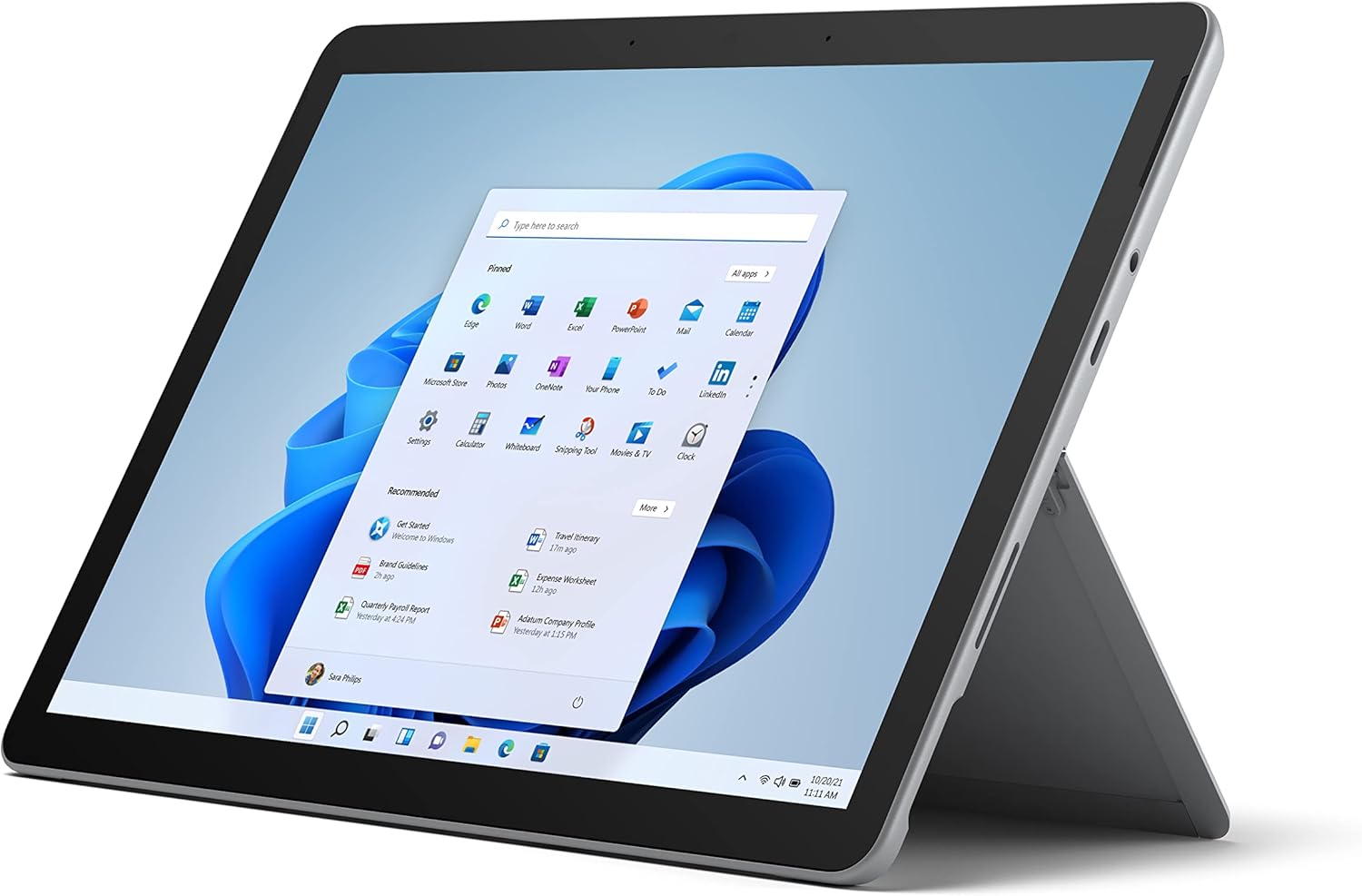
Figure 2.1: Microsoft Surface Go 2 tablet in landscape orientation, showcasing the Windows desktop interface.
2.2 Side Ports and Buttons
- Приклучок за USB Type-C: For data transfer, video output, and charging.
- Приклучок за слушалки од 3.5 мм: За поврзување на слушалки или надворешни аудио уреди.
- Површинска врска пристаниште: Magnetic port for charging and connecting to Surface Dock (sold separately).
- Читач на MicroSD картички: For expanding storage with a microSD card.
- Копчиња за јачина на звук: За прилагодување на јачината на звукот.
- Копче за вклучување: За вклучување/исклучување на уредот или ставање во режим на спиење.

Слика 2.2: Страничен професионалецfile of the Surface Go 2, illustrating the various ports and buttons along its edge.
2.3 Integrated Kickstand
The Surface Go 2 features an integrated kickstand on the back, allowing for multiple viewing angles. This enables comfortable use in various modes, such as tablet, laptop (with Type Cover), or studio mode.

Figure 2.3: The Surface Go 2 with its Type Cover keyboard attached and the kickstand deployed, demonstrating its laptop-like configuration.
3. Почетно поставување
Follow these steps to set up your Surface Go 2 for the first time.
3.1 Вклучување и основна конфигурација
- Наполнете го уредот: Connect the included power adapter to the Surface Connect port on your device and plug it into a power outlet.
- Вклучување: Press and hold the power button located on the top edge of the device until the Microsoft logo appears on the screen.
- Следете ги упатствата на екранот: The device will guide you through selecting your region, language, and connecting to a Wi-Fi network.
- Microsoft Account Setup: Sign in with an existing Microsoft account or create a new one. This is essential for accessing Microsoft services and applications.
- Поставки за приватност: Review and adjust your privacy settings as prompted.
- Windows Здраво: Set up facial recognition for faster and more secure sign-in (optional).
4. Упатства за работа
The Surface Go 2 offers flexible interaction methods.
4.1 Навигација на екран на допир
The 10.5-inch PixelSense display supports 10-point multi-touch. You can navigate Windows 10 using gestures similar to a smartphone or tablet:
- Допрете: Изберете ставки или отворете апликации.
- Повлечете: Скролувајте низ содржината или навигирајте помеѓу екраните.
- Штипнете за зумирање: Зголемете ја или намалете ја големината на содржината.
- Притиснете и задржете: Access context menus (right-click equivalent).
4.2 Using the Type Cover Keyboard (Sold Separately)
Attach the Type Cover keyboard to transform your Surface Go 2 into a laptop. The keyboard connects magnetically to the bottom edge of the tablet.
- Прилог: Align the Type Cover with the magnetic connector at the bottom of the Surface Go 2 until it snaps into place.
- Пишување: Use the physical keys for efficient text input.
- Подлога за следење: The integrated trackpad allows for precise cursor control and multi-touch gestures.

Figure 4.1: The Surface Go 2 tablet separated from its Type Cover keyboard, illustrating the modular design.
4.3 Using the Surface Pen (Sold Separately)
The Surface Pen (sold separately) enhances creativity and productivity, allowing for natural writing and drawing directly on the screen.

Figure 4.2: The Surface Go 2 tablet displayed with a compatible Surface Pen, highlighting its digital inking capabilities.
5. Одржување
Proper care ensures the longevity and performance of your Surface Go 2.
- Чистење на екранот: Користете мека крпа без влакненца малку гampсо вода или одобрено средство за чистење екрани. Избегнувајте груби хемикалии.
- Чистење на телото на уредот: Избришете ја надворешноста со мека, сува крпа.
- Ажурирања на софтверот: Редовно проверувајте и инсталирајте ажурирања на Windows за да обезбедите оптимални перформанси и безбедност. Одете на Поставки > Ажурирање и безбедност > Windows Update.
- Нега на батеријата: За да го максимизирате животниот век на батеријата, избегнувајте екстремни температури и обидете се да го одржувате полнењето на батеријата помеѓу 20% и 80% кога е можно.
- Управување со складирање: Периодично чисто привремено files and unnecessary data to free up storage space. Go to Поставки > Систем > Складирање.
6 Смена на проблеми
Вообичаени проблеми и нивни решенија.
- Уредот не се вклучува: Проверете дали уредот е наполнет. Поврзете го адаптерот за напојување и почекајте неколку минути пред повторно да се обидете да го вклучите.
- Екранот на допир не реагира: Restart the device. If the issue persists, check for pending Windows updates or consider a system restore.
- Проблеми со поврзувањето со Wi-Fi: Verify your Wi-Fi network is active. Restart your router and the Surface Go 2. Check Wi-Fi settings on the device.
- Бавни перформанси: Close unnecessary applications. Check for background processes consuming high resources (Task Manager). Ensure sufficient free storage space.
- Батеријата брзо се троши: Adjust screen brightness, disable unnecessary background apps, and ensure all software is up to date.
7. Спецификации
| Карактеристика | Детал |
|---|---|
| Приказ | 10.5" PixelSense 10-Point Touch Display |
| Резолуција | 1920 x 1280 (216 ppi) |
| Процесор | 1.6 GHz Intel Pentium 4425Y Dual-Core Processor |
| RAM меморија | 8 GB |
| Складирање | 128 GB SSD |
| Графика | Интегрирана Intel HD Graphics 615 |
| Безжичен | Wi-Fi 5 (802.11ac) | Bluetooth 4.1 |
| Камери | 8MP Rear Camera | 5MP Front Camera |
| Пристаништа | USB Type-C, 3.5 mm Headphone Jack, Surface Connect, MicroSD Card Reader |
| Траење на батеријата | До 9 часа (типична употреба) |
| Оперативен систем | Windows 10 |
| Тежина | 1.15 фунти (приближно) |
| Димензии | 6.8 x 9.64 x 0.32 инчи |
8. Гаранција и поддршка
This Microsoft Surface Go 2 is a renewed product. Renewed products are eligible for replacement or refund under the Amazon Renewed Guarantee if you are not satisfied with your purchase. For specific terms and conditions, please refer to the Amazon Renewed program details.
For further technical support or inquiries, please visit the official Microsoft Surface support webсајт или контактирајте со нивната служба за корисници.


