1. Вовед
Thank you for choosing the Aerocool Mirage 12 ARGB PC Fan. This manual provides detailed instructions for the installation, operation, and maintenance of your new fan. The Mirage 12 ARGB fan features an Infinity Mirror RGB design and is compatible with Addressable RGB motherboards for customizable lighting effects. Please read this manual thoroughly before installation and use to ensure proper functionality and safety.
2. Информации за безбедност
- Ensure your computer system is powered off and disconnected from the main power supply before installation.
- Ракувајте со компонентите внимателно за да избегнете оштетување.
- Do not attempt to modify the fan or its connectors.
- Да се чува подалеку од дофат на деца.
- Refer to your motherboard manual for specific ARGB header and fan header locations and voltagбарања.
3. Содржина на пакетот
The Aerocool Mirage 12 ARGB PC Fan package includes the following items:
- 1 x Aerocool Mirage 12 ARGB PC Fan (120mm)
- Завртки за монтирање
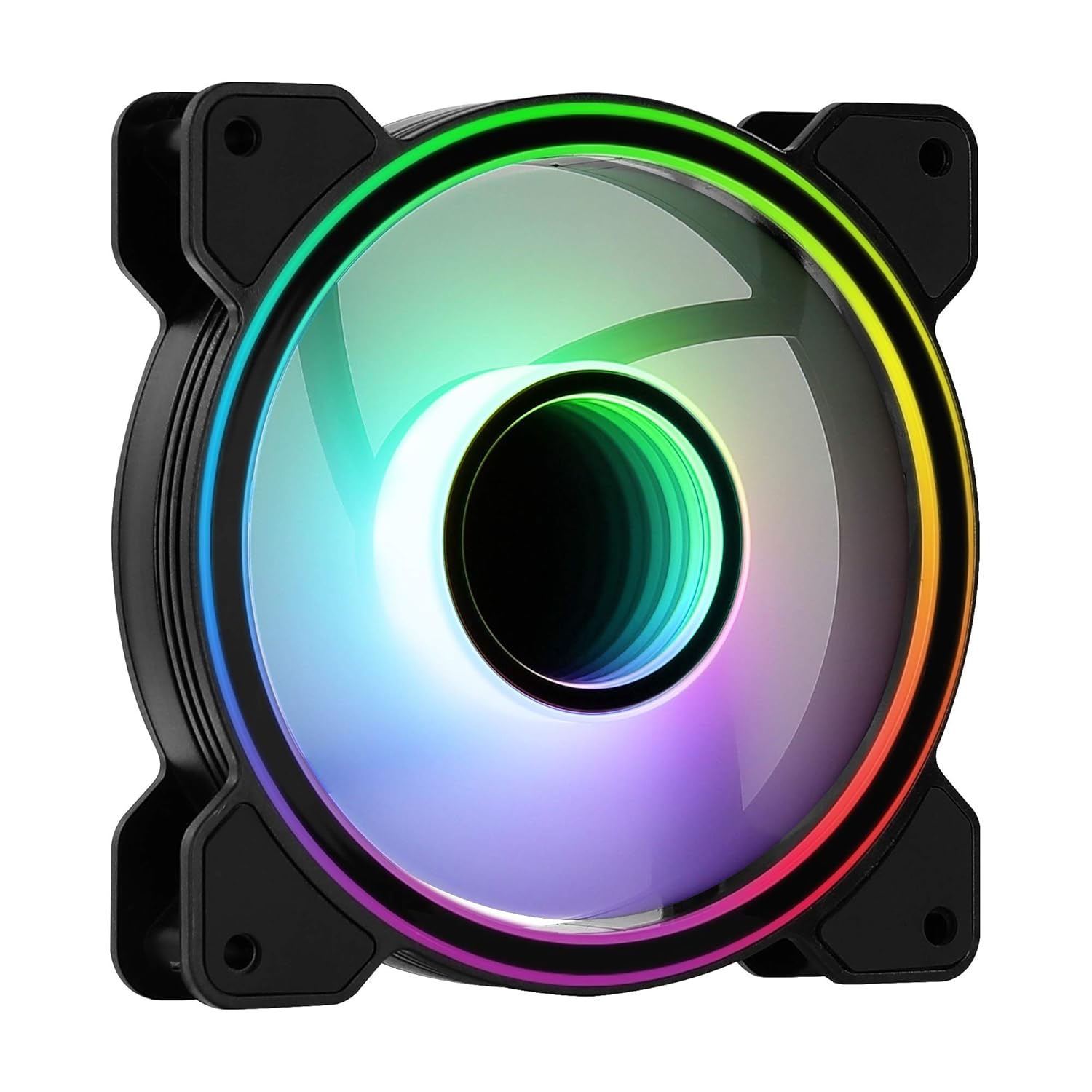
Слика 1: напред view of the Aerocool Mirage 12 ARGB PC Fan, showcasing its infinity mirror RGB lighting effect.
4. Водич за инсталација
4.1 Физичка инсталација
- Идентификувајте ја посакуваната локација за монтирање во куќиштето на вашиот компјутер (на пр., напред, назад, горе, долу).
- Position the fan in the chosen location, ensuring proper airflow direction (typically, the side with the frame supports and sticker is the exhaust side).
- Secure the fan to the case using the provided mounting screws. Do not overtighten.

Слика 2: Назад view of the Aerocool Mirage 12 ARGB PC Fan, illustrating the fan blade structure and motor hub.
4.2 Електрично поврзување
- Locate the 6-pin connector on the fan cable.
- Connect the 6-pin connector to a compatible Aerocool H66F RGB Control Hub (if available) or a similar Addressable RGB controller that supports 6-pin fan connections.
- If using an H66F RGB Control Hub, connect the hub to your motherboard's 4-pin PWM fan header for fan speed control and a 3-pin 5V Addressable RGB header for lighting control. Refer to the H66F hub manual for detailed instructions.
- Проверете дали сите врски се безбедни пред да го вклучите системот.

Слика 3: Крупен план view of the 6-pin connector, used for both power and ARGB signal transmission.
5. Операција
5.1 ARGB контрола на осветлување
The Aerocool Mirage 12 ARGB fan's lighting can be controlled via a compatible Addressable RGB motherboard or an external ARGB controller (e.g., Aerocool H66F RGB Control Hub).
- Софтвер за матична плоча: If connected to a 3-pin 5V ARGB header on your motherboard, use the motherboard's proprietary software (e.g., ASUS Aura Sync, MSI Mystic Light Sync, Gigabyte RGB Fusion) to customize lighting effects, colors, and patterns.
- Надворешен контролер: If connected to an external ARGB controller, refer to the controller's manual for instructions on how to adjust lighting settings.
5.2 Контрола на брзината на вентилаторот
The fan speed is controlled via the 6-pin connector, which typically interfaces with a PWM-compatible fan header on your motherboard (often through a control hub like the H66F). You can adjust fan speeds through your motherboard's BIOS/UEFI settings or dedicated fan control software.
- Ensure your motherboard's 4-pin fan header is PWM compatible for optimal speed control.
- Adjust fan curves in your motherboard's BIOS/UEFI or operating system software to balance cooling performance and noise levels.
6. Одржување
To ensure optimal performance and longevity of your Aerocool Mirage 12 ARGB PC Fan, periodic cleaning is recommended.
- Исклучено: Always power off your computer and disconnect it from the power supply before cleaning.
- Отстранување прашина: Use compressed air or a soft, dry cloth to gently remove dust accumulation from the fan blades and frame.
- Избегнувајте течности: Не користете течни средства за чистење и не го потопувајте вентилаторот во вода.
7 Смена на проблеми
| Проблем | Можна причина | Решение |
|---|---|---|
| Вентилаторот не се врти | Incorrect or loose power connection. Insufficient power. | Check the 6-pin connector and ensure it is securely connected to the control hub/motherboard. Verify power supply connections. |
| ARGB осветлувањето не работи | Incorrect or loose ARGB connection. Incompatible ARGB header. Software issue. | Ensure the 6-pin connector is properly seated. Verify that your motherboard's ARGB header is 3-pin 5V (not 4-pin 12V RGB). Check motherboard ARGB software settings. |
| Fan speed not controllable | Non-PWM fan header. Incorrect BIOS settings. | Confirm your motherboard's fan header is PWM compatible. Adjust fan control settings in your motherboard's BIOS/UEFI. |
8. Спецификации
| Карактеристика | Детал |
|---|---|
| Број на модел | MIRAGE12 |
| Димензии на производот | 4.72"Д x 4.72"Ш x 0.98"В (120мм x 120мм x 25мм) |
| Тип на конектор за напојување | 6-Пински |
| Voltage | 12 волти |
| Ватtage | 1.8 вати |
| Метод на ладење | Вентилатор |
| Компатибилни уреди | Десктоп |
| Ниво на бучава | 17.8 децибели |
| Материјал | Поликарбонат |
| Максимална брзина на ротација | 1300 вртежи во минута |
9. Гаранција и поддршка
За информации за гаранцијата и техничка поддршка, ве молиме погледнете го официјалниот AeroCool webлокација или контактирајте го вашиот локален продавач. Зачувајте го доказот за купување за гаранциски барања.
Официјален претставник на AeroCool Webсајт: www.aerocool.io


