1. Вовед
Ви благодариме што го избравте О.urlife Kids Camera OU-630. This digital camera is designed for children, offering 1080p Full HD video recording, 12MP photo resolution, and a unique 60x macro magnification function for exploring the micro-world. It features a 3.5-inch large screen, various creative filters, games, and music playback. Please read this manual carefully to ensure proper use and maintenance of your camera.
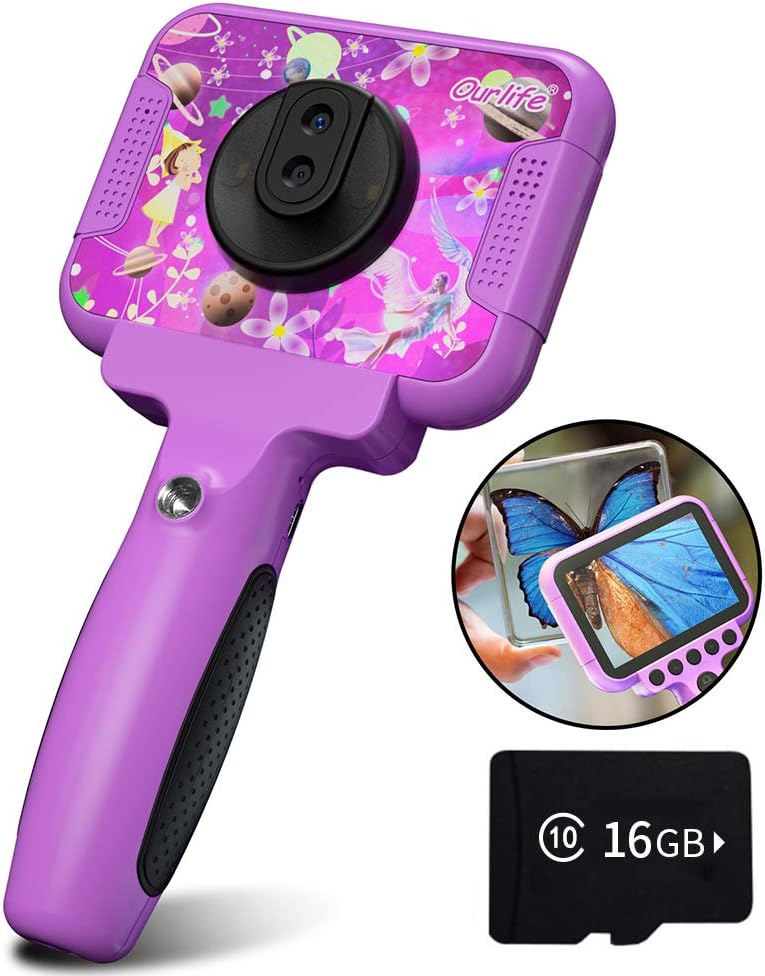
Image 1.1: The Ourlife Kids Camera OU-630, highlighting its design and macro capability.
2. Содржина на пакетот
Проверете го пакувањето за да се осигурате дека сите артикли се присутни:
- Kids Camera x 1
- 16GB TF Card x 1
- Base Bracket x 1
- USB кабел за полнење x 1
- Упатство за употреба x 1
- Neck Lanyard x 1
- Рачен ремен x 1

Image 2.1: Contents of the Ourlife Kids Camera OU-630 package.
3. Производот завршиview
Запознајте се со компонентите и контролите на фотоапаратот:
- Екран за прикажување: 3.5-inch color screen for viewпрегледување фотографии, видеа и навигација низ менијата.
- Главен објектив: For standard photography and video.
- Макро објектив: Dedicated lens for 60x magnification.
- Контролни копчиња: M (Menu), Up, OK, Down, Power, Shutter/LED.
- Рачка: Ergonomically designed for child-friendly grip.
- USB порта: За полнење и пренос на податоци.
- Слот за картичка TF: За вметнување на мемориска картичка.

Image 3.1: Key features and specifications of the Ourlife Kids Camera OU-630.
Табела со функции на копчиња
| Копче | Режим на камера | Режим на снимање | Музички режим | Режим на игра | Режим на репродукција |
|---|---|---|---|---|---|
| M | Назад во Мени | ||||
| ▲ | Change filters/Frames Long press: Zoom in | Change filters/Frames | Претходна песна | Движете се лево | Previous photo |
| OK | Long press: Open/Close LED light | OK | Choose music/story | OK | Репродукција / Пауза |
| ▼ | Change filters/Frames Long press: Zoom out | Change filters/Frames | Следна песна | Движете се десно | Следна фотографија |
| ⏻ | Switch to Splicing mode | Назад во Мени | NULL | NULL | Избриши |
| ◎ | Фотографирајте | Назад во Мени | NULL | NULL | NULL |
Image 3.2: Detailed functions of each button across different modes.
4. Поставување
4.1. Полнење на камерата
Before first use, fully charge the camera. Connect the included USB charging cable to the camera's USB port and to a compatible USB power source (e.g., computer, wall adapter). The charging indicator light will show the charging status. A full charge provides approximately 3 hours of use.
4.2. Вметнување на TF картичката
The camera requires a TF (MicroSD) card to store photos and videos. A 16GB TF card is included. Locate the TF card slot on the side of the camera. Gently insert the TF card with the metal contacts facing down until it clicks into place. To remove, push the card in again until it springs out.
5. Упатства за работа
5.1. Вклучување/исклучување
- За да го вклучите, притиснете и задржете го Power button (⏻) додека не се запали екранот.
- За да се исклучи, притиснете и задржете го Power button (⏻) додека не се исклучи екранот.
5.2. Навигација во менито
Користете го Горе (▲) и Долу (▼) buttons to navigate through menu options. Press the OK копче to confirm a selection. Press the Копче M (Мени). to return to the previous menu or the main menu.
5.3. Фотографирање
- Од главното мени, изберете го Икона за камера и притиснете OK.
- Кадрирај ја снимката користејќи го екранот.
- Притиснете го Shutter button (◎) да се фотографира.
- Користете го Горе (▲) и Долу (▼) buttons to change filters or frames. Long press Горе (▲) за да зумирате, долго притиснете Долу (▼) да одзумирате.
5.4. Снимање видеа
- Од главното мени, изберете го Видео икона и притиснете OK.
- Притиснете го Shutter button (◎) за да започнете со снимање.
- Притиснете го Shutter button (◎) повторно да престане да снима.
- Користете го Горе (▲) и Долу (▼) buttons to change filters or frames during recording.
5.5. Макро функција
The camera features a dedicated macro lens for 60x magnification, ideal for observing small objects. The optimal focal length for macro photography is 20-40mm.
- To switch between the main lens and macro lens, long press the Shutter button (◎).
- When in macro mode, position the camera close to the subject (20-40mm distance).
- Use the included base bracket for stability during macro shots to prevent hand shake.
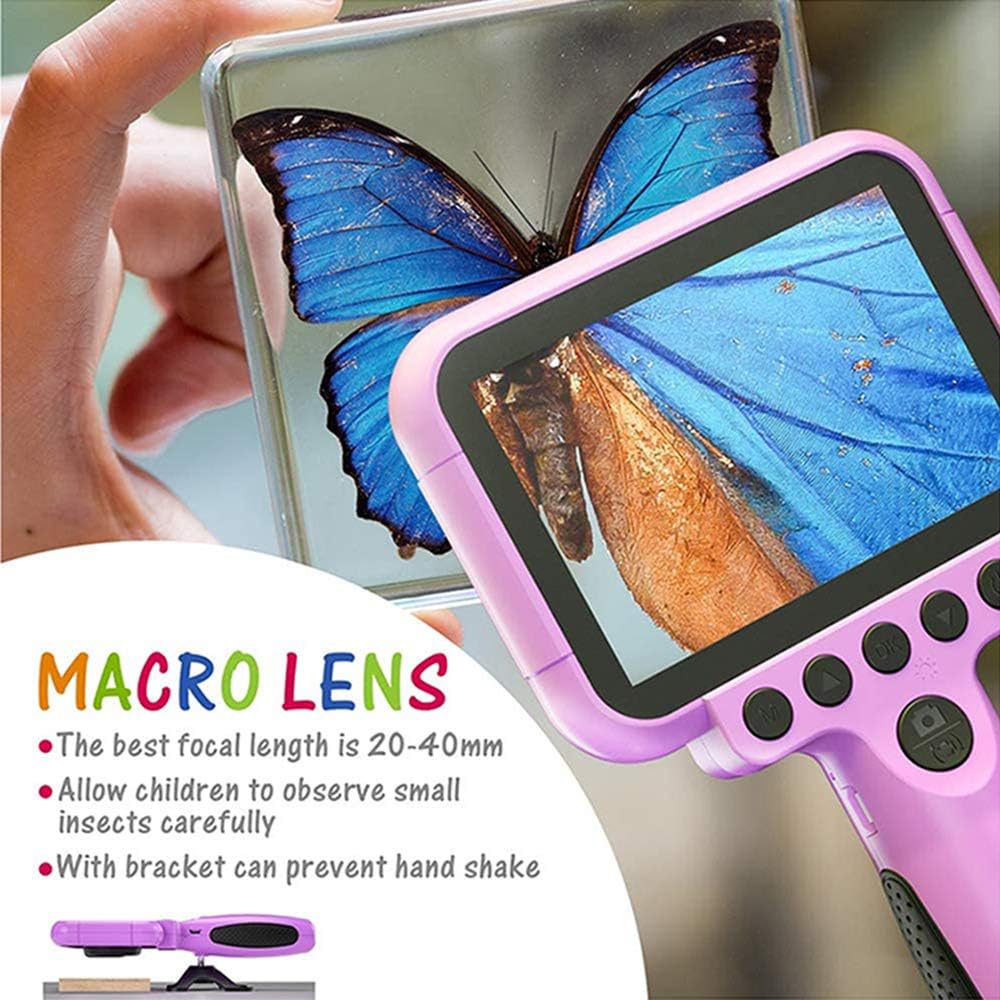
Image 5.1: Demonstrating the macro lens function for detailed observation.

Image 5.2: Switching between HD and Macro lenses.
5.6. Patchwork Mode (Splicing Mode)
This mode allows you to combine two separate photos into one. It includes various border patterns.
- In Camera Mode, press the Power button (⏻) to switch to Splicing (Patchwork) mode.
- Follow the on-screen prompts to take two photos that will be merged.
- Select from 9 available border patterns.

Image 5.3: Using the Patchwork Mode to combine images.
5.7. Режим на музика
The camera supports MP3 music playback. Store your favorite music files on the TF card. From the main menu, select the Музичка икона и притиснете OK. Користете го Горе (▲) и Долу (▼) buttons to select songs, and OK да се репродуцира/паузира.
5.8. Игри
The camera includes pre-installed games for entertainment. From the main menu, select the Game icon и притиснете OKКористете ги копчињата за навигација за да играте.
5.9. Режим на репродукција
На view your captured photos and videos, select the Photos/Video Playback icon од главното мени и притиснете OK. Користете го Горе (▲) и Долу (▼) buttons to browse, and OK to play videos or view photos. To delete a file, притиснете го Power button (⏻) додека viewвнесувајќи го.
5.10. Поставки
Access camera settings by selecting the Икона за поставки from the main menu. Here you can adjust various parameters such as date/time, language, resolution, and more.
6. Одржување
- Одржувајте ја камерата чиста со бришење со мека, сува крпа.
- Avoid exposing the camera to extreme temperatures, direct sunlight, or moisture.
- Не обидувајте се сами да ја расклопите или поправате камерата.
- Ensure the TF card is inserted correctly to prevent data loss.
- Charge the camera regularly to maintain battery health.
7 Смена на проблеми
- Камерата не се вклучува: Проверете дали батеријата е наполнета. Поврзете ја со извор на енергија и обидете се повторно.
- Не можам да снимам фотографии/видеа: Check if a TF card is inserted and if it has sufficient storage space.
- Лош квалитет на сликата: Ensure the lens is clean. Check lighting conditions. For macro shots, ensure correct focal distance (20-40mm).
- Камерата замрзнува: Притиснете и задржете го копчето за вклучување за да го наметнете рестартирањето.
- TF card error: Reinsert the TF card. If the issue persists, try formatting the card (this will erase all data) or use a different TF card.
8. Спецификации
| Карактеристика | Детал |
|---|---|
| Број на модел | ОУ-630 |
| Ефективна сепак резолуција | 12 MP |
| Видео резолуција | 1080 стр |
| Големина на екранот | 3.5 инчи |
| Стабилизација на слика | Дигитален |
| Тип на објектив | Macro (60x zoom) |
| Тип на батерија | 1 литиум полимер (вклучен) |
| Технологија за поврзување | USB |
| Поддржан тип на медиум | SD-картичка |
| Режими на снимање | Loop recording, Continuous shooting, Timed photo, Macro photography, Filter photos |
| Димензии на ставката (Д x Ш x В) | 3.94" Д x 7.28" Ш x 0.79" В |
9. Гаранција и поддршка
This Ourlife Kids Camera OU-630 comes with a 12-месечна гаранција from the date of purchase. This warranty covers manufacturing defects and workmanship. It does not cover damage caused by misuse, accidents, unauthorized repairs, or normal wear and tear.
For technical support, warranty claims, or any questions regarding your product, please contact Ourlife customer service. Refer to the contact information provided on the product packaging or the official Ourlако webсајт.


