Вовед
This manual provides comprehensive instructions for the beyerdynamic FOX Professional USB Studio Microphone and its accompanying Microphone Suspension Boom Scissor Arm. It covers essential information regarding product setup, operation, maintenance, and troubleshooting to ensure optimal performance and longevity of your equipment. Please read this manual thoroughly before using the product.
Информации за безбедност
Please observe the following safety instructions to prevent damage to the device, injury to yourself, or damage to other property:
- Do not expose the microphone to moisture, rain, or extreme temperatures.
- Избегнувајте испуштање на микрофонот или негово изложување на силни удари.
- Не обидувајте се да го расклопите или модифицирате микрофонот. За сите сервисирања обратете се на квалификуван персонал.
- Keep the microphone and boom arm away from strong magnetic fields.
- Ensure the boom arm is securely clamped to a stable surface to prevent accidental falls.
- Use only the specified power source (USB connection) for the microphone.
Содржина на пакетот
Проверете дали сите артикли наведени подолу се присутни во вашиот пакет:
- beyerdynamic FOX Professional USB Studio Microphone
- Microphone Suspension Boom Scissor Arm with 3/8-Inch-16 Threading (Black)
- USB кабел
- Desk Stand (for microphone)
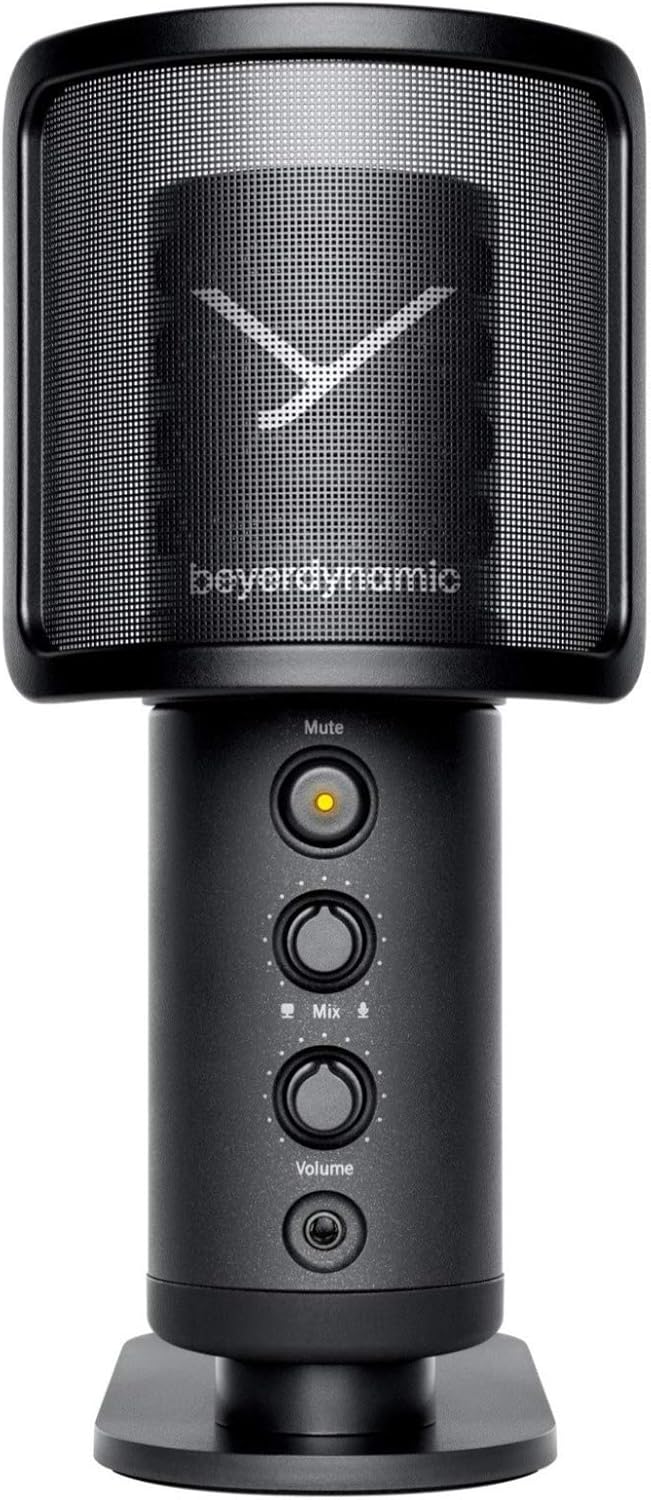
Image: The beyerdynamic FOX USB Studio Microphone and the included boom arm, showcasing the complete bundle.
Производот завршиview
Клучни карактеристики:
- Аудио со висока резолуција: 24-bit / 96 kHz studio-grade quality for professional recordings.
- Large Condenser Capsule: Ensures accurate signal conversion and low inherent noise.
- Кардиоиден поларен модел: Focuses on sound directly in front of the microphone, reducing unwanted background noise.
- Следење со нулта латентност: Integrated headphone output allows real-time monitoring of your audio.
- Нечујно копче: Instantly mutes the microphone for privacy or to prevent unwanted sounds from being recorded.
- Прекинувач за засилување: Adjustable gain for recording various sound sources, including loud instruments.
- USB поврзување: Simple plug-and-play connection to PC, Mac, or compatible smartphones/tablets.
Microphone Components:
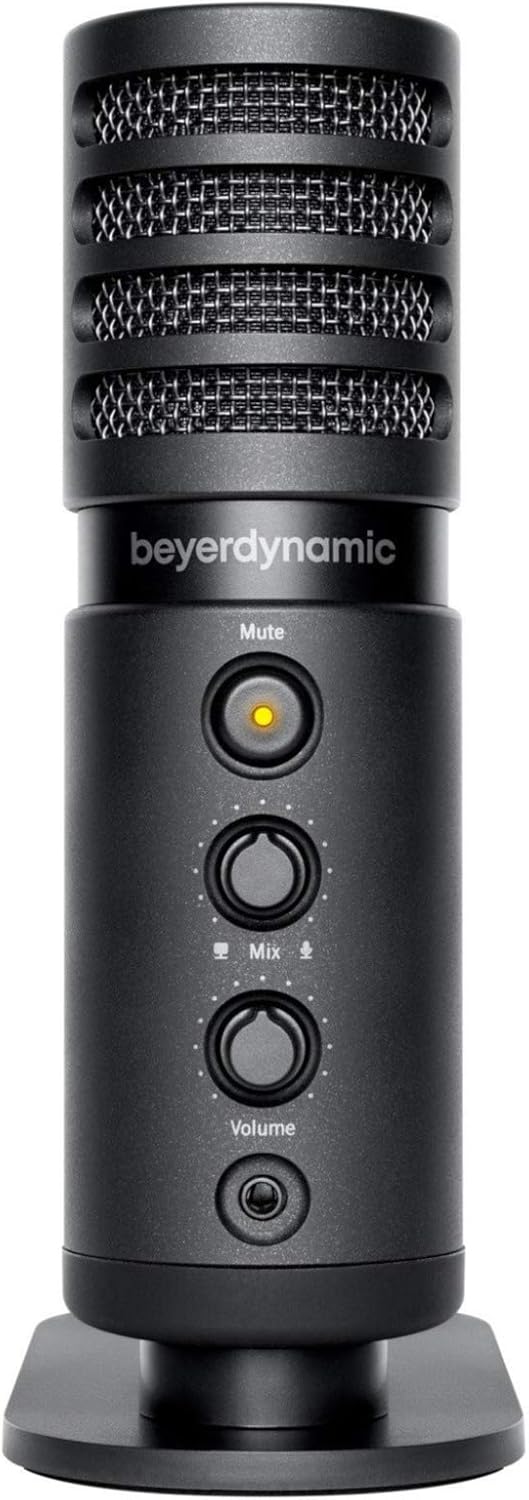
Слика: напред view of the beyerdynamic FOX microphone, highlighting the mute button, mix control, and volume knob.
- Решетка за микрофон: Protects the condenser capsule.
- Нечујно копче: Press to mute/unmute the microphone. An indicator light will show status.
- Контрола на мешање: Adjusts the balance between microphone input and computer playback in your headphones.
- Копче за јачина на звук: Controls the headphone output volume.
- Приклучок за слушалки (3.5 мм): For connecting monitoring headphones.
- USB-C порта: For connecting the microphone to your computer or mobile device.
- Монтирање со навој: For attaching to the desk stand or boom arm.
Поставување
1. Assembling the Boom Arm:
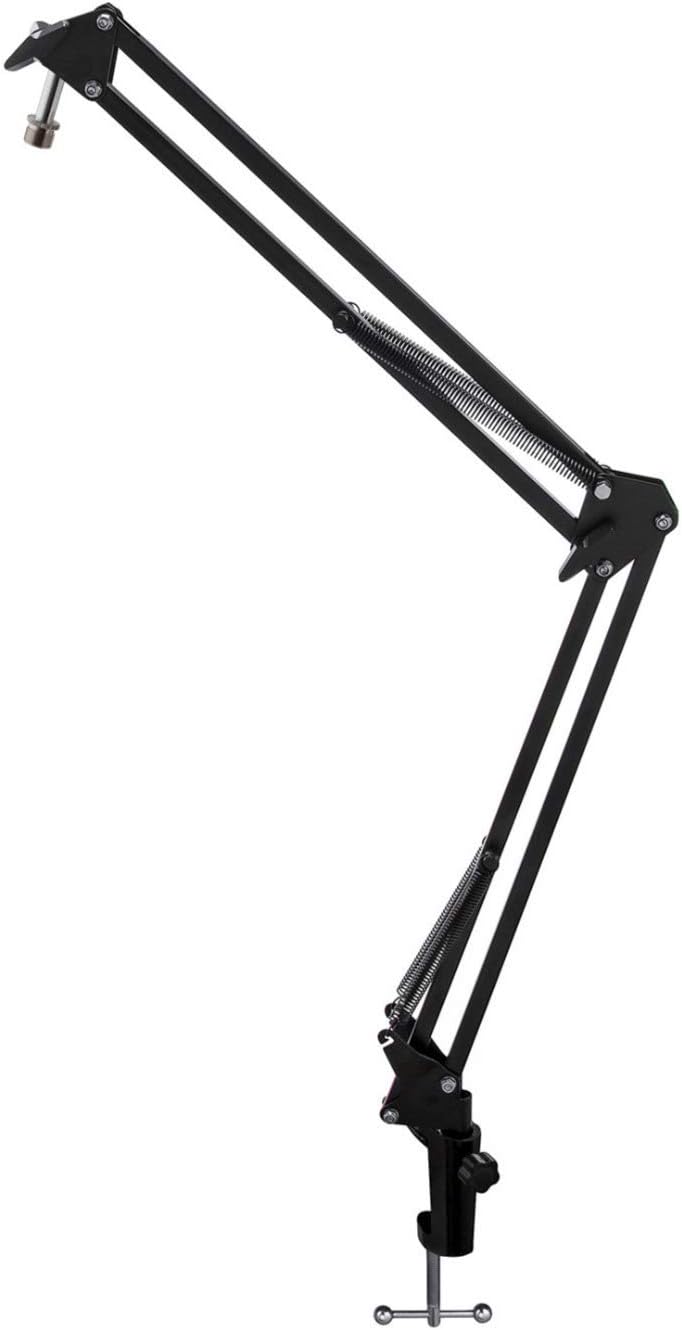
Image: The Microphone Suspension Boom Scissor Arm, showing its adjustable joints and desk clamp.
- Прикачи биро Clamp: Securely fasten the desk clamp to the edge of a sturdy desk or table. Ensure it is tight to prevent movement.
- Insert Boom Arm: Вметнете ја основата на рачката на стрелката во дупката на бирото clamp. Tighten the locking screw on the clamp to hold the arm in place.
- Прилагодете ја позицијата: Adjust the boom arm to your desired height and reach. The springs will help balance the microphone's weight.
2. Attaching the Microphone:
- To Boom Arm: Screw the beyerdynamic FOX microphone onto the 3/8-inch-16 threaded mount at the end of the boom arm. Ensure it is finger-tight.
- Using Desk Stand (Optional): If not using the boom arm, screw the microphone onto its included desk stand.
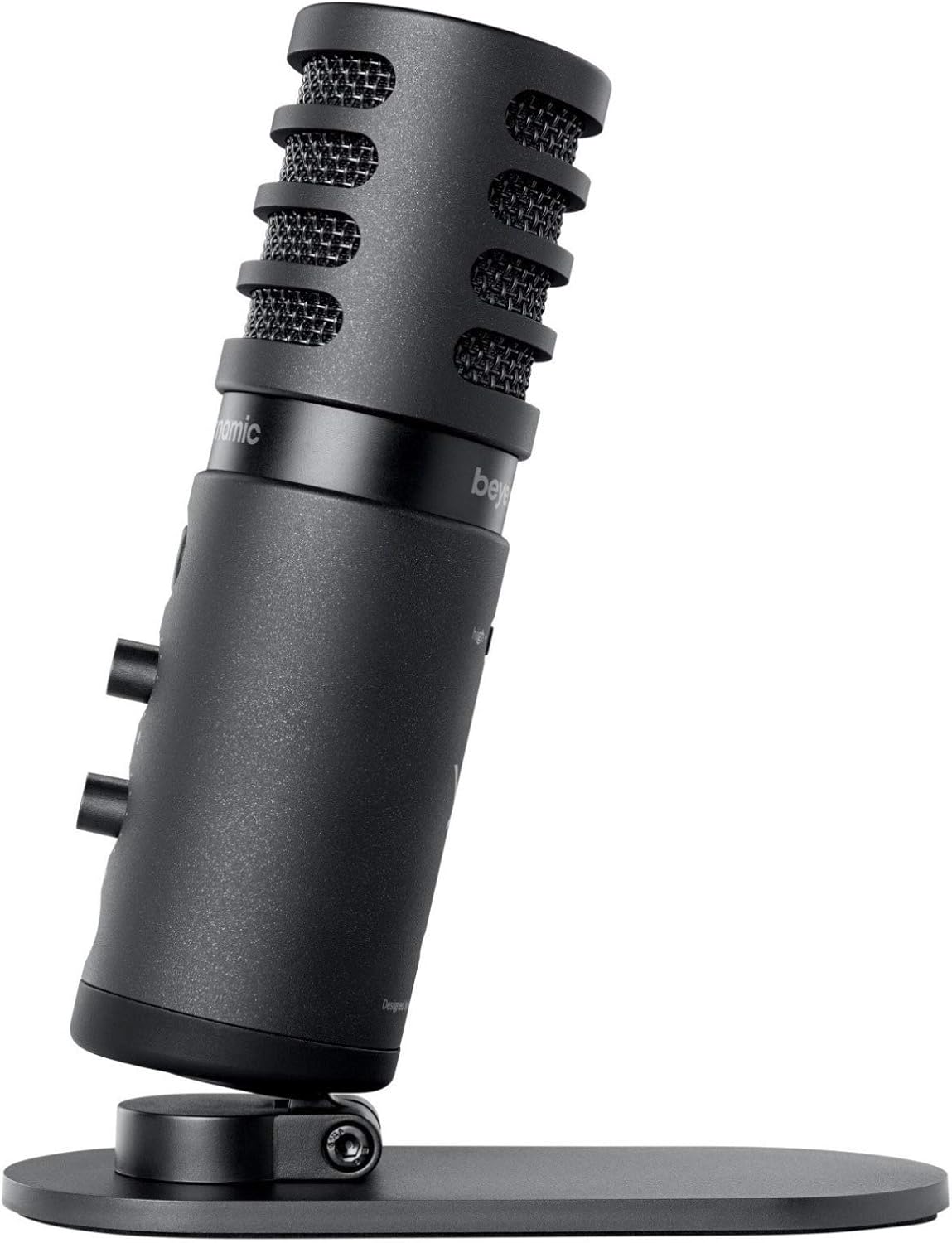
Image: The beyerdynamic FOX microphone mounted on its compact desk stand, ready for use.
3. Поврзување со вашиот уред:
- Connect the supplied USB cable to the USB-C port on the microphone.
- Connect the other end of the USB cable to an available USB port on your computer (PC/Mac) or compatible smartphone/tablet (adapter may be required for some mobile devices).
- Микрофонот е „plug-and-play“ и треба автоматски да биде препознаен од вашиот оперативен систем.
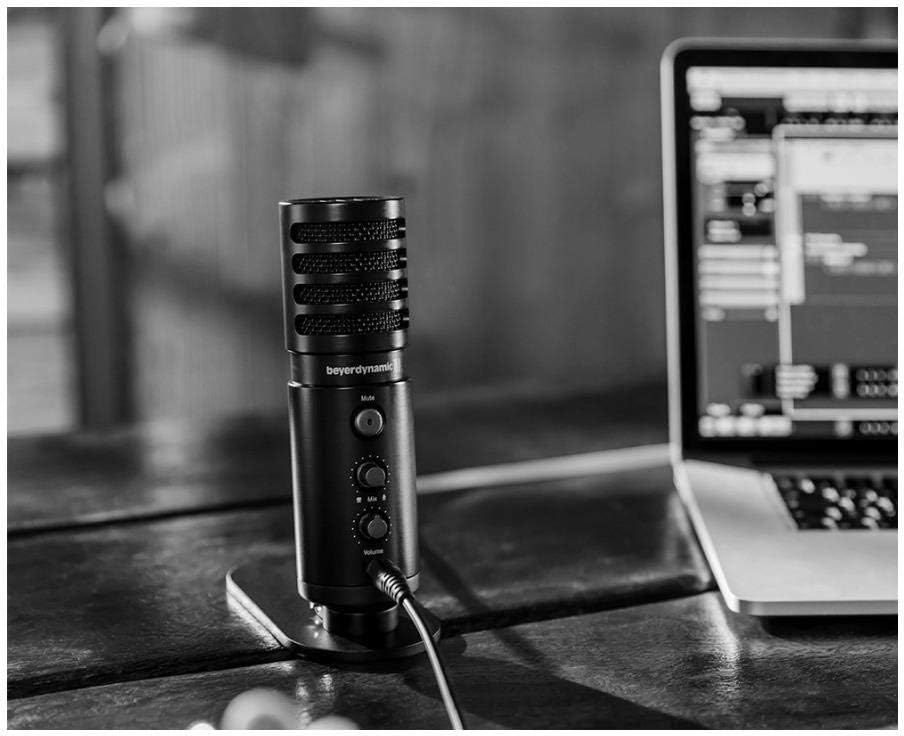
Image: The beyerdynamic FOX microphone in use, connected via USB to a laptop on a wooden desk.
Упатства за работа
1. System Recognition:
- Once connected, your operating system (Windows, macOS, Android, iOS) should automatically detect the beyerdynamic FOX as an audio input and output device.
- You may need to select "beyerdynamic FOX" as your default input/output device in your system's sound settings or within your recording software.
2. Using the Mute Button:
- Притиснете го Исклучи звук button on the front of the microphone to toggle between active and muted states.
- An indicator light will typically show the microphone's status (e.g., green for active, red/orange for muted).
3. Adjusting Gain (Input Level):
- The FOX microphone features a gain switch (often labeled "Gain" or represented by a symbol like a microphone with a "+" or "-").
- Use this switch to adjust the microphone's sensitivity. For quiet sources (e.g., soft vocals), use a higher gain setting. For loud sources (e.g., instruments, loud speaking), use a lower gain setting to prevent distortion.
- Monitor your recording software's input levels to ensure they are not peaking (clipping).
4. Zero-Latency Monitoring:
- Connect headphones to the 3.5mm headphone jack on the microphone.
- Користете го Волумен knob to adjust the headphone listening level.
- На Измешајте control allows you to blend the microphone's direct input with the audio playback from your computer. Turn towards the microphone icon to hear more of your live input, and towards the speaker icon to hear more of your computer's audio.
- This feature allows you to hear your voice or instrument in real-time without delay, which is crucial for accurate performance.
Одржување
- Чистење: Use a soft, dry cloth to clean the microphone's exterior. Do not use liquid cleaners or solvents.
- Складирање: Кога не е во употреба, чувајте го микрофонот на суво место без прашина.
- Бум рака: Periodically check the boom arm's clamps and joints for tightness. Lubricate moving parts if necessary with a small amount of silicone-based lubricant.
- Грижа за кабел: Avoid sharp bends or kinks in the USB cable. Store it neatly to prevent damage.
Решавање проблеми
| Проблем | Можна причина | Решение |
|---|---|---|
| Нема звук од микрофонот |
|
|
| Distorted or clipping sound |
|
|
| Нема звук во слушалките |
|
|
| Рачката на бумот е нестабилна |
|
|
Спецификации
| Карактеристика | Детал |
|---|---|
| Број на модел | FOXUSBMIC_K5 |
| Форма фактор на микрофон | Table Array (with included desk stand) |
| Технологија за поврзување | USB |
| Тип на конектор | USB |
| Поларен модел | Еднонасочно (кардиоидно) |
| Резолуција | 24-битна / 96 kHz |
| Сооднос на сигнал до бучава | 78 dB |
| Хардверска платформа | компјутер, паметен телефон |
| Компатибилни уреди | Headphone, Personal Computer, Smartphone |
| Извор на енергија | Електричен кабел (напојуван со USB) |
| Item Weight (Microphone) | 16 унци (1 фунта) |
| Димензии на производот | 16.2 x 8.3 x 6.8 inches (overall bundle dimensions) |
| Боја | Црното |
| UPC | 040962932483 |
Гаранција и поддршка
For warranty information and technical support, please refer to the official beyerdynamic webлокација или директно контактирајте ја нивната служба за корисници. Зачувајте го доказот за купување за гаранциски барања.
Службен Webсајт: www.beyerdynamic.com