1. Вовед
The Alfatron ALF CAM100 is an HD web camera designed for video conferencing, streaming, and other video communication needs. It provides 1080p video resolution for clear and sharp images. This manual provides instructions for setting up, operating, and maintaining your ALF CAM100 web камера.
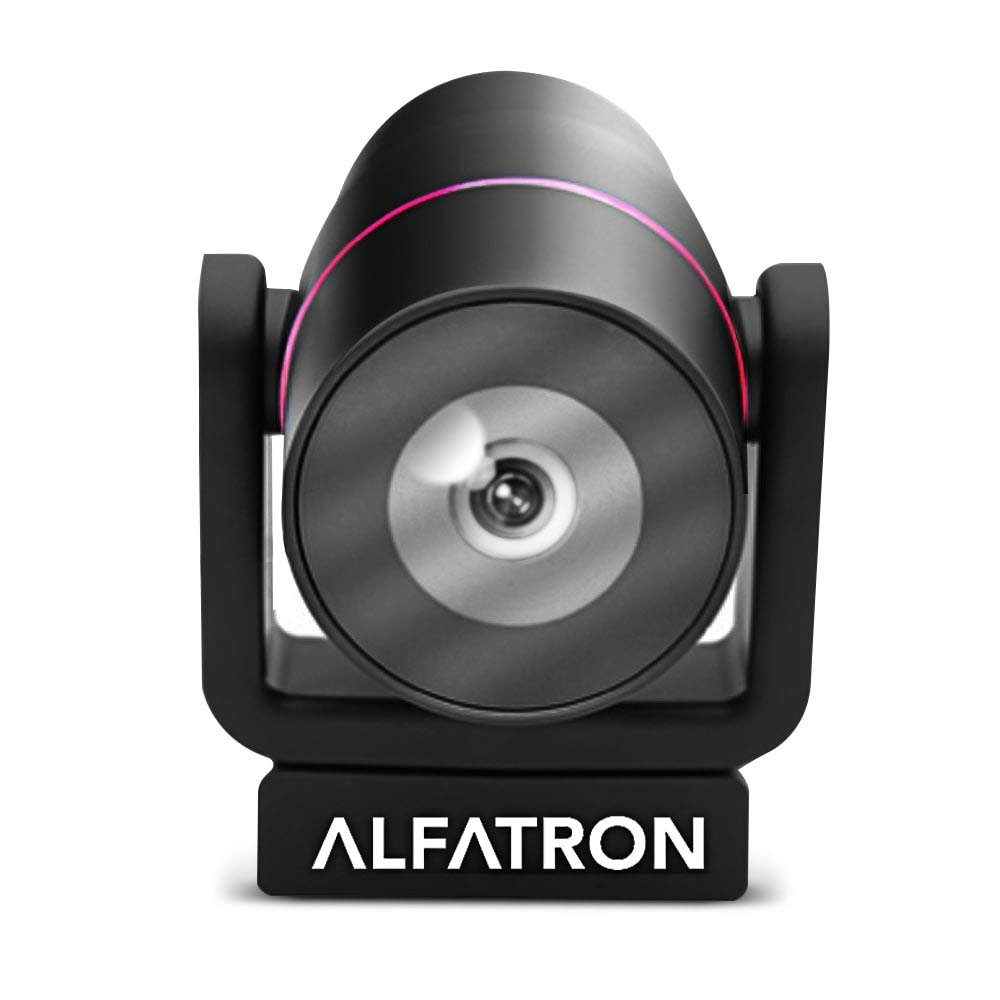
Image 1.1: The Alfatron ALF CAM100 HD Camera, highlighting its 1080p resolution, 120-degree wide shooting angle, and compatibility with video conferencing software like Skype and Zoom.
2. Што има во кутијата
Проверете дали сите артикли се присутни во пакувањето:
- Alfatron ALF CAM100 HD Web Камера
- USB кабел
3. Упатства за поставување
The ALF CAM100 web camera is designed for plug-and-play operation, requiring no additional driver installation for most operating systems.
- Поврзете го USB-кабелот: Plug the provided USB cable into the USB port on the ALF CAM100 camera.
- Поврзете се со компјутер: Insert the other end of the USB cable into an available USB 2.0 port on your computer.
- Системско препознавање: Your operating system (Windows, macOS, Linux) should automatically detect and install the necessary drivers for the camera. This process may take a few moments.
- Поставете ја камерата: Place the camera on a stable surface, monitor, or tripod. The adjustable lens allows for flexible positioning.
- Select Camera in Software: Open your preferred video conferencing or streaming application (e.g., Zoom, Skype, WeChat) and select "ALF CAM100" as your video input device in the application's settings.
4. Упатства за работа
4.1 Основно работење
Once connected and selected in your software, the ALF CAM100 will begin streaming video. Ensure adequate lighting for optimal video quality.
4.2 Smart Hanging Mode
The camera features an intelligent hanging mode. If the camera is mounted upside down, it will automatically detect the orientation and adjust the video image stream accordingly, ensuring the picture is always right-side up.

Image 4.1: The Alfatron ALF CAM100 camera mounted in a conference room setting, illustrating its use and the intelligent hanging mode feature that automatically adjusts image orientation.
4.3 Adjustable Lens
The ALF CAM100 is equipped with a mechanically adjustable lens. This allows for precise framing and angle adjustments to achieve the desired view for your video calls or recordings.
5. Карактеристики завршиview
- Видео со висока дефиниција: Streams in 1080p for clear and sharp video quality.
- Wide Range Shooting Angle: Features a 120-degree wide-angle lens to capture more of the environment.
- Универзална компатибилност: Works with popular video meeting software including Zoom, Skype, and WeChat.
- Plug and Play: Simple USB connection with no driver installation required for most systems.
- Smart Hanging Mode: Automatically adjusts video orientation if the camera is mounted upside down.
- Прилагодлив објектив: Mechanically adjustable lens for flexible framing and angle adjustments.
- Перформанси на слаба осветленост: Designed to perform well in low-light conditions.
6. Одржување
Proper maintenance ensures the longevity and optimal performance of your ALF CAM100 web камера.
- Чистење на објективот: Користете мека крпа без влакненца, специјално дизајнирана за оптички леќи, за нежно да го избришете објективот на камерата. Избегнувајте абразивни материјали или груби хемикалии.
- Чистење на телото: Избришете го телото на фотоапаратот со мека, сува крпа. Доколку е потребно, малкуamp Може да се користи крпа, но осигурајте се дека влага не влегува во фотоапаратот.
- Складирање: When not in use for extended periods, store the camera in a clean, dry place away from direct sunlight and extreme temperatures.
- Грижа за кабел: Избегнувајте прекумерно виткање или извиткување на USB кабелот за да спречите оштетување.
7 Смена на проблеми
If you encounter issues with your ALF CAM100 web camera, refer to the following common solutions:
- Камерата не е откриена:
- Проверете дали USB кабелот е безбедно поврзан и со камерата и со компјутерот.
- Try connecting the camera to a different USB port on your computer.
- Рестартирајте го компјутерот.
- Check your operating system's device manager (Windows) or system information (macOS) to see if the camera is listed.
- Нема видео излез:
- Verify that the ALF CAM100 is selected as the video input device in your video conferencing or streaming application's settings.
- Ensure no other application is currently using the camera, as some software may not allow simultaneous access.
- Check for any privacy settings on your operating system that might be blocking camera access for certain applications.
- Лош квалитет на видеото:
- Ensure adequate lighting in your environment. The camera performs best with sufficient illumination.
- Clean the camera lens using a soft, lint-free cloth.
- Check your internet connection speed if streaming, as low bandwidth can affect video quality.
- Confirm that your video application is set to use 1080p resolution if available.
8. Спецификации
| Карактеристика | Детал |
|---|---|
| Број на модел | ALFCAM100 |
| Димензии | 104mm x 139mm x 124mm / 7.48 x 6.1 x 5.12 inches |
| Нето Тежина | 500 g / 1.93 фунти |
| Боја | Црното |
| Интерфејс | USB 2.0 |
| Леќа | 1/2.8, fixed focus, 120-degree angle |
| Сензор | Full HD CMOS Sensor |
| Видео резолуција | 1920 x 1080 (1080 p) |
| Брзина на пренос на слика | До 30 FPS |
| Aperture Coefficient | F2.0 |
| Специјална карактеристика | Изведба на слаба осветленост |
Note: Dimensions and weight are provided in both metric and imperial units as found in product data.
9. Гаранција и поддршка
The Alfatron ALF CAM100 comes with a limited 7-year warranty.
For technical support or warranty claims, please refer to the official Alfatron webна локацијата или контактирајте го нивниот оддел за услуги на клиентите. Контакт информациите обично се достапни на пакувањето на производот или на пакувањето на производителот. webсајт.


