Вовед
This user manual provides comprehensive instructions for the setup, operation, maintenance, and troubleshooting of your Trust Ozaa Rechargeable Wireless Mouse. Please read this manual carefully before using the product to ensure optimal performance and longevity.

Image: The Trust Ozaa Rechargeable Wireless Mouse shown with its USB receiver and micro-USB charging cable. This image illustrates the main components included with the mouse.
Содржина на пакетот
Проверете дали сите артикли се присутни во пакувањето:
- Trust Ozaa Rechargeable Wireless Mouse
- USB ресивер
- Микро-USB кабел за полнење
- Упатства за употреба (овој прирачник)

Image: The retail packaging for the Trust Ozaa Rechargeable Wireless Mouse, highlighting its key features such as 10m wireless range, comfortable design, and silent click buttons.
Поставување
- Наполнете го глувчето: Before first use, connect the supplied micro-USB charging cable to the mouse's charging port and to a USB power source (e.g., computer USB port, USB wall adapter). The charging indicator light will illuminate. Allow the mouse to fully charge.
- Вметнете USB приемник: Locate the USB receiver, typically stored in a compartment on the underside of the mouse. Remove it and plug it into an available USB-A port on your computer (PC or Mac).
- Вклучување: Turn on the mouse using the on/off switch located on the underside.
- Автоматско поврзување: The mouse should automatically connect to your computer. No additional drivers are typically required for basic functionality (Plug and Play).

Image: A user operating the Trust Ozaa mouse wirelessly next to a laptop, demonstrating its plug-and-play functionality and 10-meter wireless range.
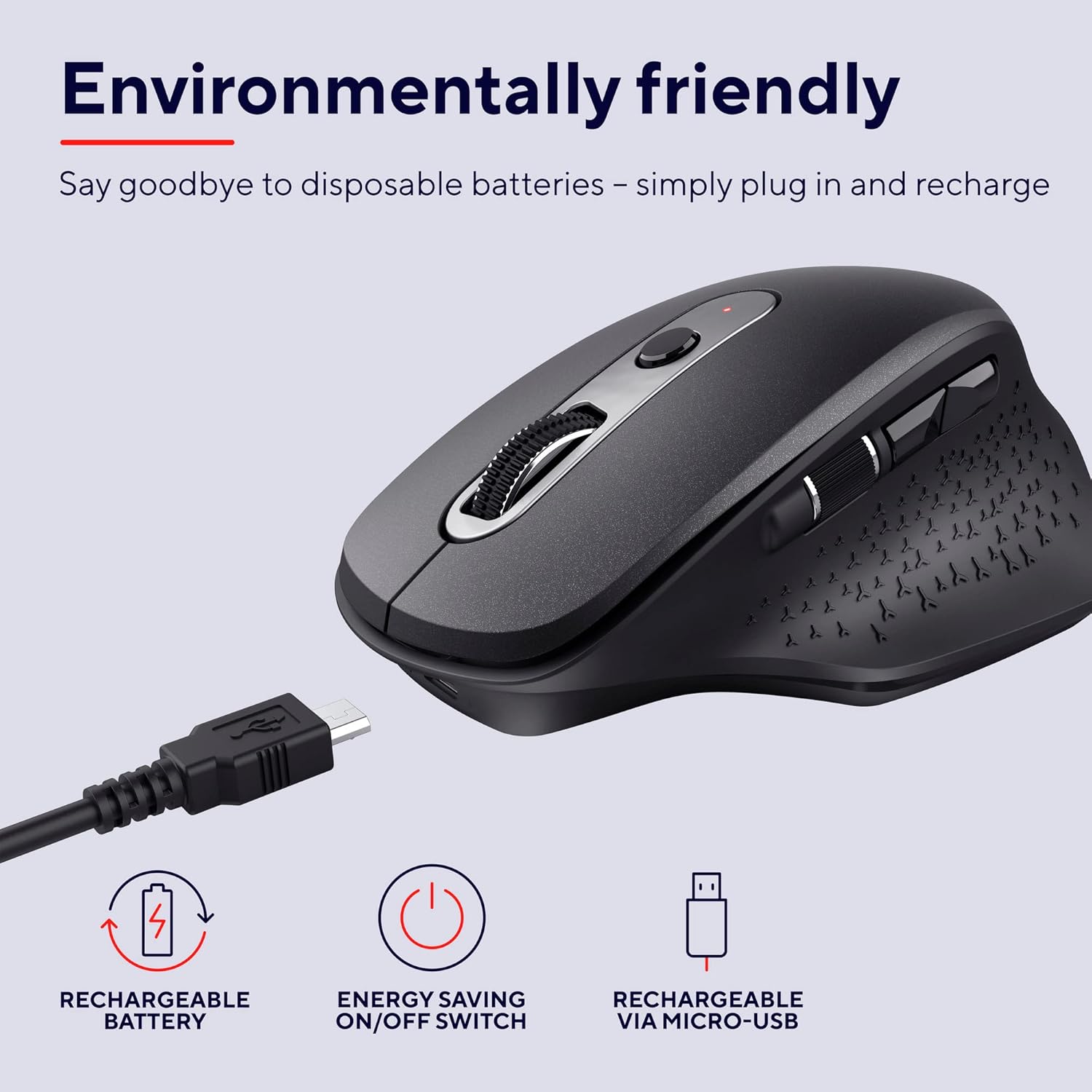
Image: The Trust Ozaa mouse being charged via its micro-USB cable, highlighting its rechargeable battery and energy-saving features.
Упатства за работа
Функции на копчињата
- Лево копче за кликнување: Standard primary click. Designed for silent operation.
- Десен клик на копче: Standard secondary click. Designed for silent operation.
- Тркало за скролување (средно копче): Скролувајте вертикално низ документите и web pages. Press down for middle-click functionality.
- Копче за прилагодување на DPI: Located behind the scroll wheel. Press to cycle through different cursor speeds (DPI settings: 800, 1200, 1600, 2400 DPI).
- Странично тркало за скролување: Located on the left side. Allows for horizontal scrolling.
- Копчиња за напред/назад: Located above the side scroll wheel. Used for navigating forward and backward in web прелистувачи или file истражувачи.

Слика: Надземна плоча view of the Trust Ozaa mouse, visually indicating the DPI adjustment, silent buttons, and convenient side scroll wheel.
Прилагодување на DPI
The mouse features an adjustable cursor speed (DPI) ranging from 800 to 2400 DPI. To change the DPI, press the dedicated DPI button located behind the main scroll wheel. Each press will cycle through the available settings, allowing you to select the sensitivity that best suits your task or preference.
Заштеда на енергија
To conserve battery life, the mouse is equipped with an on/off switch on its underside. It also features an automatic sleep mode that activates after a period of inactivity. To wake the mouse, simply move it or click any button.
Одржување
- Чистење: Користете мека, сува крпа за чистење на глувчето. За тврдокорна нечистотија, малкуamp Може да се користи крпа, но осигурајте се дека влагата не влегува во внатрешните компоненти. Не користете груби хемикалии или абразивни средства за чистење.
- Полнење: Recharge the mouse when the battery indicator light signals low power or when performance degrades. Use only the provided charging cable or a compatible micro-USB cable.
- Складирање: When not in use for extended periods, turn off the mouse to preserve battery life. Store it in a cool, dry place.
Решавање проблеми
| Проблем | Можна причина | Решение |
|---|---|---|
| Глувчето не реагира. |
|
|
| Движењето на курсорот е неправилно или скокотливо. |
|
|
| Buttons not working. |
|
|
Спецификации
| Бренд | Доверба |
| Број на модел | 23812 |
| Технологија за поврзување | Радиофреквенција (безжична) |
| Опсег | До 10 метри |
| Поставки за ДПИ | 800, 1200, 1600, 2400 DPI (Adjustable) |
| Број на копчиња | 6 (Left, Right, Scroll Wheel Click, DPI, Forward, Backward) + Side Scroll Wheel |
| Главни копчиња | Silent Left and Right Buttons |
| Извор на енергија | Rechargeable Battery (1 AAA battery included, contained in equipment) |
| Порта за полнење | Микро-USB |
| Димензии на производот (Д x Ш x В) | 7.7 x 11.8 x 4.6 cm |
| Тежина на ставката | 122 гр |
| Компатибилност на хардверска платформа | PC, Mac |
| Компатибилност на оперативниот систем | Chrome OS, Windows, Mac OS |
| Посебни карактеристики | Wireless, Rechargeable, Quiet, Ergonomic Design, Energy-saving On/Off Switch |
Гаранција и поддршка
За информации за гаранцијата и техничка поддршка, ве молиме погледнете го официјалниот Trust. webлокација или директно контактирајте ја нивната служба за корисници. Зачувајте го доказот за купување за гаранциски барања.
Службеник за доверба Webсајт: www.trust.com
Не беа достапни официјални видеа за производи од продавачот за вклучување во ова упатство.


