1. Вовед
This manual provides instructions for the ELECOM M-TM10BBBK/EC Bluetooth Silent Wireless Mouse. This compact and lightweight mouse is designed for portability and quiet operation, featuring a BlueLED sensor for versatile surface compatibility and a presentation mode for enhanced functionality. Please read this manual thoroughly before use to ensure proper operation and to maximize your experience with the product.

Image 1.1: The ELECOM M-TM10BBBK/EC Bluetooth Silent Wireless Mouse in black.
2. Клучни карактеристики
- Ултра тенок и пренослив дизајн: With a thickness of only 28mm, this mouse is designed for easy portability, fitting comfortably into bags and pockets.
- Silent Click Switches: Equipped with silent switches for both left and right buttons, eliminating distracting click noises, ideal for quiet environments.
- СиноЛЕД сензор: Features a high-performance BlueLED sensor that ensures accurate tracking on various surfaces, including those with minor irregularities or dust.
- 1600 Count Resolution: Provides a resolution of 1600 counts for smooth and precise cursor movement.
- 4-Button Design with Back Button: Includes a convenient 'Back' button, enhancing navigation during web прелистување и други задачи.
- Presentation Mode Functionality: Switch between normal mouse mode and a dedicated presentation mode for controlling slides (advance/return) and other presentation-specific actions.
- Прилагодливи копчиња: Utilize the free 'ELECOM Mouse Assistant' software to assign custom functions to buttons and customize presentation mode actions, including disabling scroll or cursor movement.
- Поврзување со Bluetooth 4.2: Complies with Bluetooth 4.2 standard, offering a reliable wireless connection up to approximately 10m on non-magnetic surfaces and 3m on magnetic surfaces.
- HOGP Compatibility: Connects directly to Bluetooth HOGP-compatible computers without the need for a separate receiver, ideal for devices with limited USB ports.
- Power Switch & Battery Indicator: Features a power switch on the bottom to prevent battery drain when not in use and a battery level indicator lamp to signal when replacement is needed.
- Симетричен дизајн: An ambidextrous design that is comfortable for both right-handed and left-handed users.
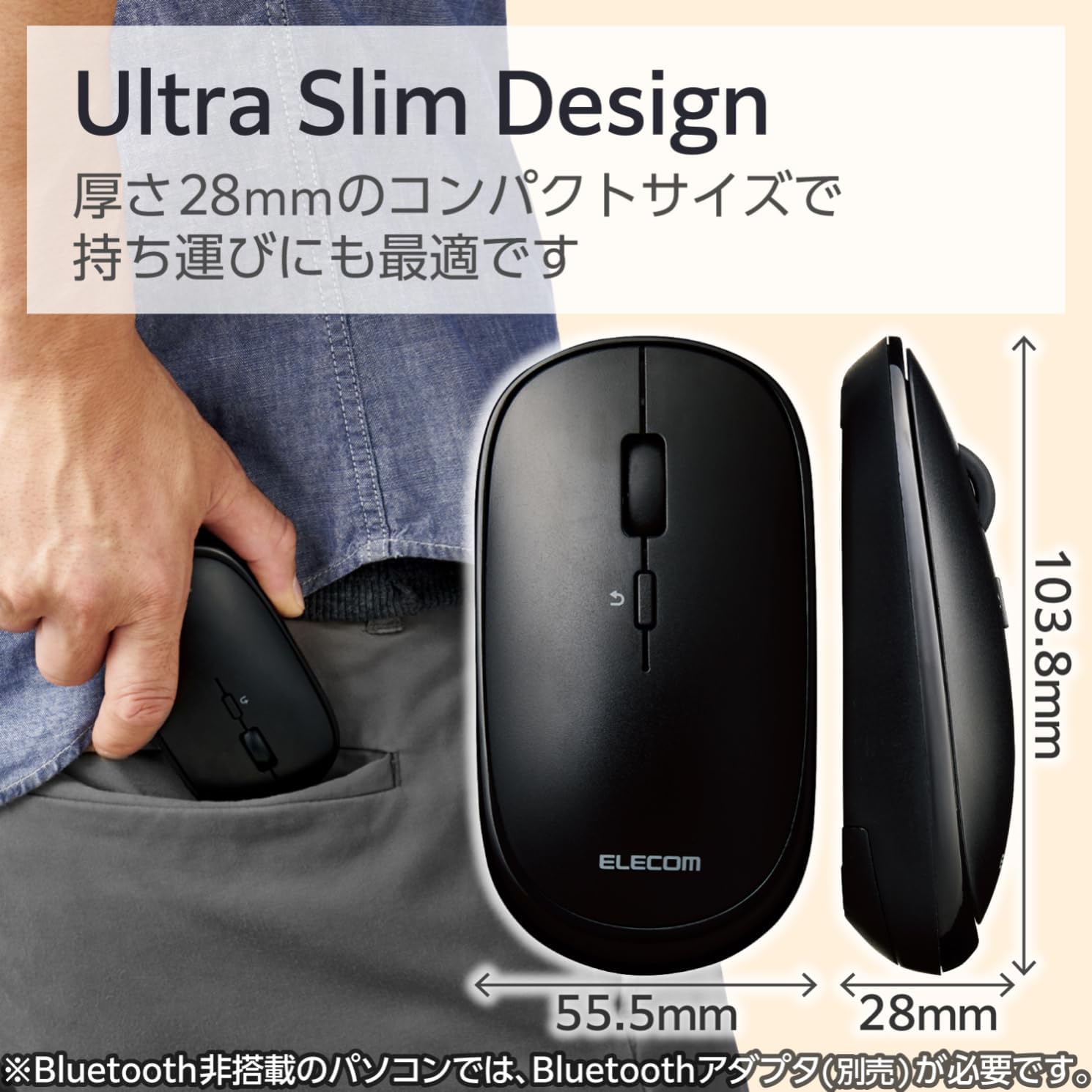
Image 2.1: The mouse features an ultra-slim design (28mm thick) for easy portability, shown here fitting into a pocket.
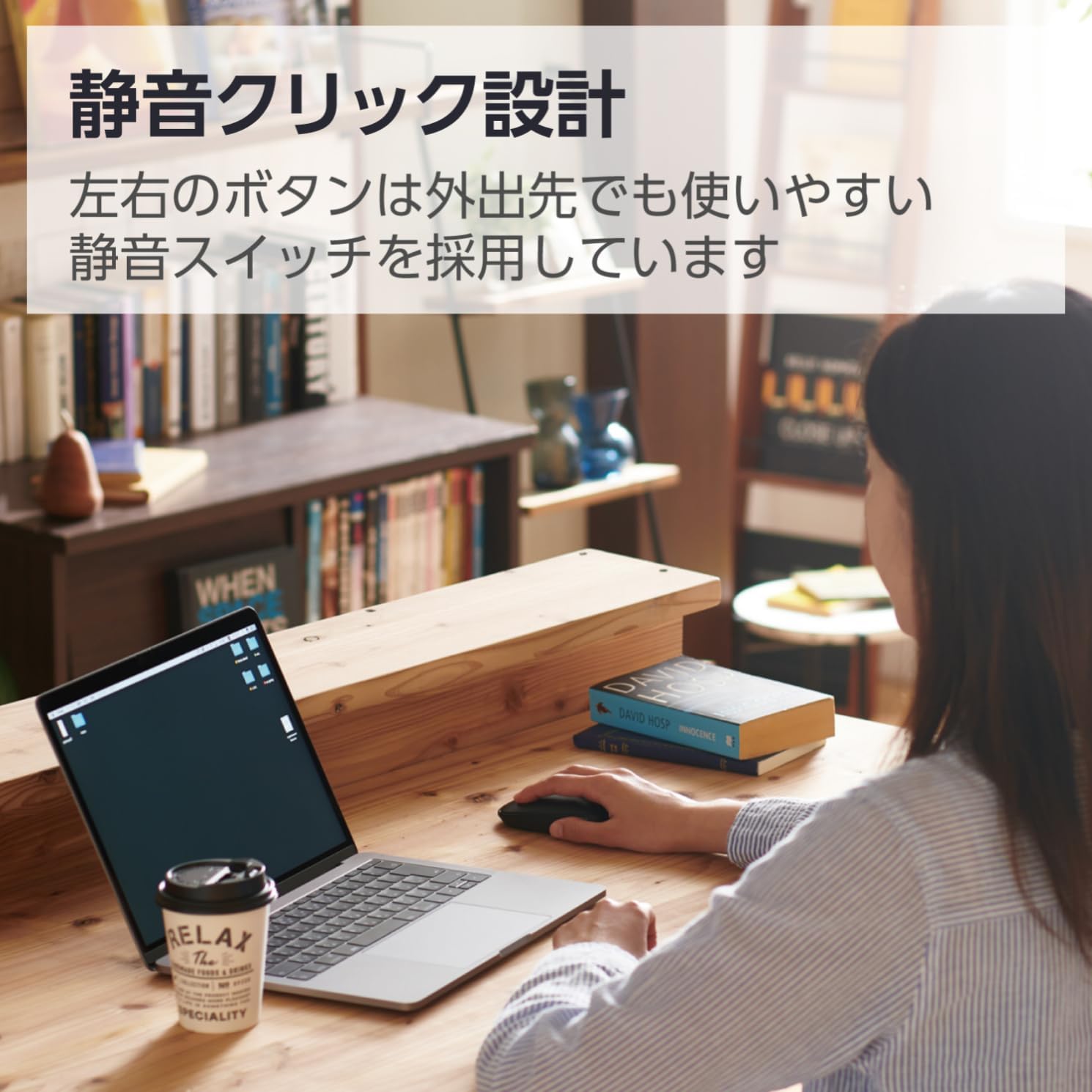
Image 2.2: The silent click design allows for quiet operation, suitable for various environments.
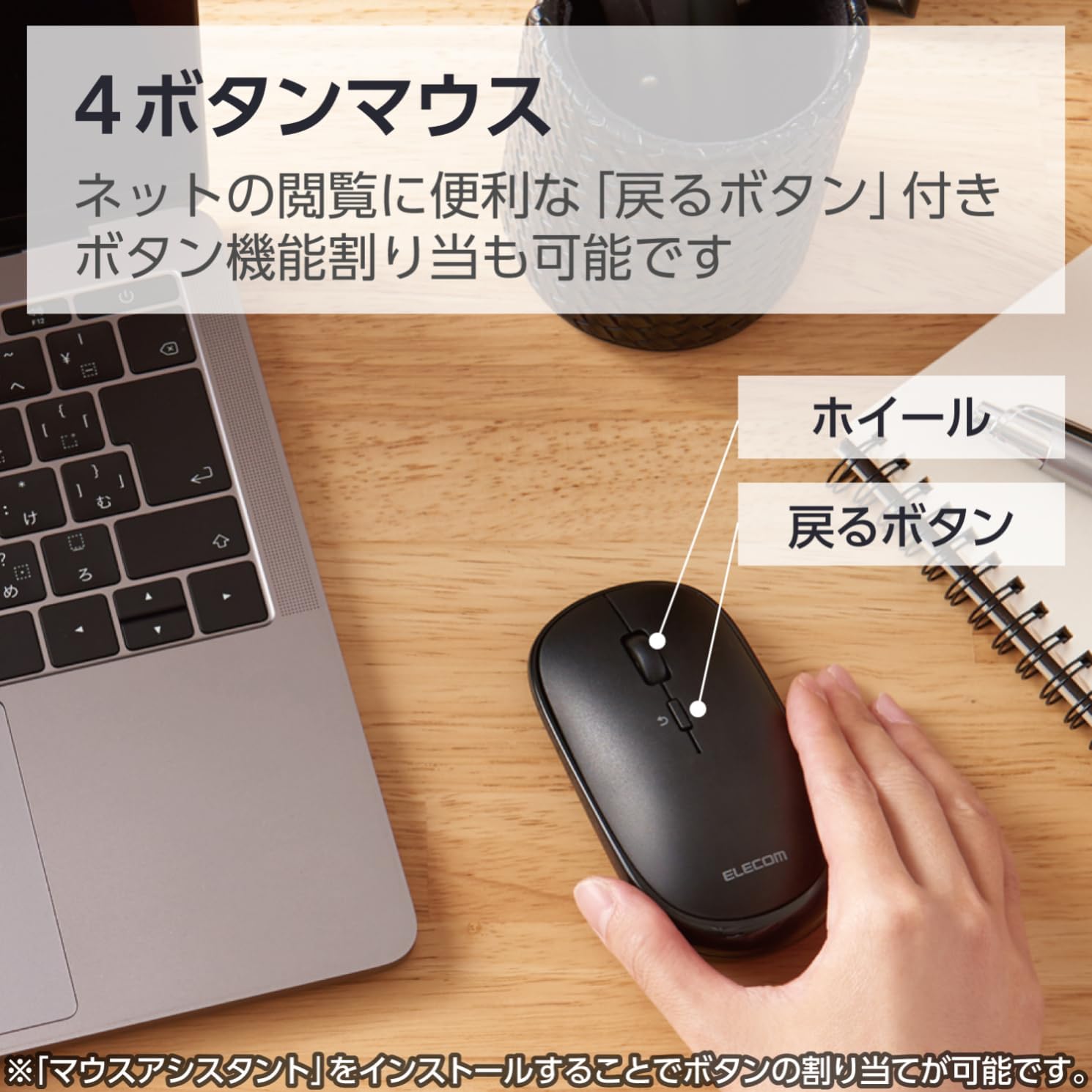
Image 2.3: Diagram illustrating the 4-button layout, including the scroll wheel and the 'Back' button.

Image 2.4: This mouse connects via Bluetooth, eliminating the need for a USB receiver.
3. Упатства за поставување
3.1. Инсталација на батерија
- Locate the battery cover on the bottom of the mouse.
- Отворете го капакот.
- Insert one AA battery (included) into the battery compartment, ensuring correct polarity (+/-).
- Добро затворете го капакот на батеријата.
3.2. Bluetooth спарување
This mouse connects via Bluetooth HOGP. Ensure your device supports Bluetooth HOGP. If not, a compatible Bluetooth adapter (e.g., ELECOM LBT-UAN05C2/N, sold separately) may be required.
- Turn on the mouse using the power switch located on the bottom. The battery indicator lamp will light up briefly.
- Press and hold the pairing button (usually located near the power switch or battery compartment) for a few seconds until the LED indicator on the mouse starts blinking, indicating it is in pairing mode.
- On your computer, tablet, or smartphone, navigate to the Bluetooth settings.
- Овозможете Bluetooth и пребарувајте нови уреди.
- Select "ELECOM M-TM10BB" or a similar name from the list of available devices.
- Follow any on-screen prompts to complete the pairing process. The LED indicator on the mouse will stop blinking and remain solid (or turn off) once successfully paired.

Image 3.1: Visual guide for Bluetooth connection steps, showing the mouse and a device.
4. Упатства за работа
4.1. Основни функции на глувчето
- Лев клик: Примарна селекција и активирање.
- Десен клик: Accesses context menus.
- Тркало за лизгање: Scrolls content vertically. Can also be pressed for middle-click functionality (customizable).
- Копче за назад: Се враќа назад web прелистувачи или file истражувачи.
4.2. Режим на презентација
The ELECOM M-TM10BBBK/EC mouse features a presentation mode, which can be activated and customized using the free 'ELECOM Mouse Assistant' software.
- Download and install the 'ELECOM Mouse Assistant' software from the official ELECOM webсајт.
- Launch the software and navigate to the settings for your mouse.
- Enable Presentation Mode. You can customize button functions for this mode, such as assigning slide advance/return to specific buttons or disabling scroll/cursor movement during presentations.
- Once configured, you can switch between normal mouse mode and presentation mode as needed.
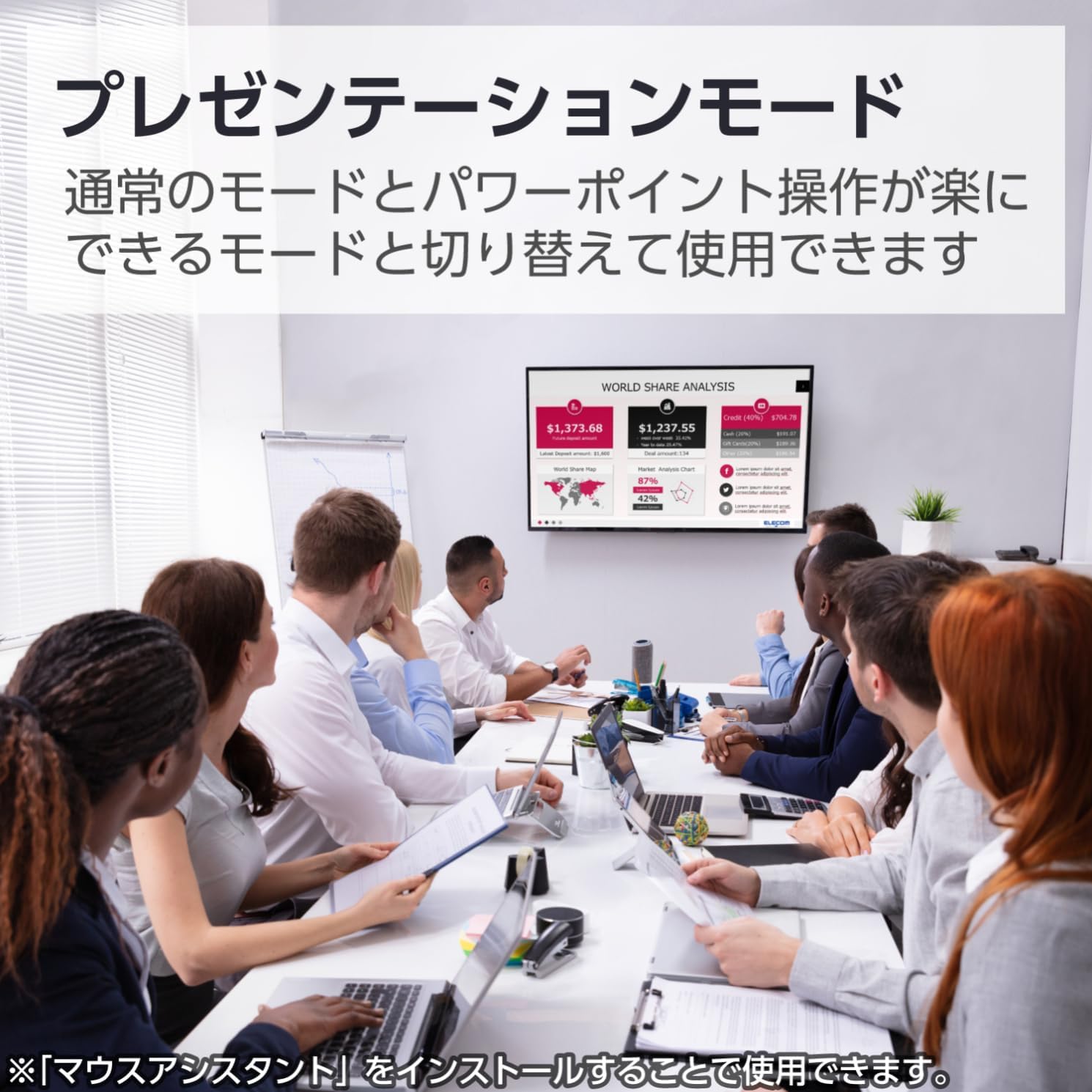
Image 4.1: The mouse being used in a presentation setting, demonstrating its presentation mode capabilities.
4.3. Компатибилност со повеќе оперативни системи
This mouse is compatible with a wide range of operating systems, including Windows, macOS, Android, iOS, iPadOS, and FireOS. This allows for seamless use across various devices such as laptops, tablets, and smartphones.

Image 4.2: The ELECOM mouse (shown in blue) connected to both a MacBook and an iPad, highlighting its multi-device compatibility.
5. Одржување
5.1. Чистење
- To clean the mouse, gently wipe the surface with a soft, dry cloth.
- За тврдокорна нечистотија, малку дampИзмијте ја крпата со вода или со благ, неабразивен чистач. Уверете се дека течноста не навлезе во глувчето.
- Do not use harsh chemicals, solvents, or abrasive materials, as these can damage the mouse's surface.
5.2. Замена на батеријата
When the battery indicator lamp signals low battery, or if the mouse performance degrades, replace the battery:
- Исклучете го глувчето користејќи го прекинувачот за вклучување.
- Отворете го капакот на батеријата на дното на глувчето.
- Отстранете ја старата AA батерија.
- Insert a new AA battery, observing correct polarity.
- Затворете го капакот на батеријата.
- Фрлете ги старите батерии според локалните прописи.
6 Смена на проблеми
| Проблем | Можна причина | Решение |
|---|---|---|
| Mouse does not respond. | Power is off, low battery, or not paired. | Ensure the power switch is ON. Replace the battery if low. Re-pair the mouse with your device. |
| Движењето на курсорот е неправилно или непрецизно. | Dirty sensor, unsuitable surface, or interference. | Clean the BlueLED sensor. Use on a clean, uniform surface. Move closer to the device or reduce other wireless interference. |
| Cannot pair the mouse. | Mouse not in pairing mode, Bluetooth off on device, or device not HOGP compatible. | Ensure the mouse LED is blinking (pairing mode). Turn on Bluetooth on your device. Check if your device supports Bluetooth HOGP; if not, use a compatible Bluetooth adapter. |
| Buttons do not function as expected in Presentation Mode. | 'ELECOM Mouse Assistant' software not installed or configured. | Install and configure the 'ELECOM Mouse Assistant' software. Ensure Presentation Mode is enabled and button assignments are correct. |
| Bluetooth врската е нестабилна. | Distance too far, obstacles, or interference. | Reduce the distance between the mouse and the device. Remove obstacles. Minimize other wireless device usage nearby. |
7. Спецификации
| Карактеристика | Детал |
|---|---|
| Број на модел | M-TM10BBBK/EC |
| Бренд | ЕЛЕКОМ |
| Боја | Црното |
| Поврзување | Bluetooth 4.2 (HOGP) |
| Технологија за откривање на движење | Optical (BlueLED) |
| Резолуција | 1600 брои |
| Копчиња | 4 (Left, Right, Scroll Wheel, Back) |
| Посебни карактеристики | Silent Click, Portable, Presentation Mode |
| Опсег | Approx. 10m (non-magnetic surfaces), Approx. 3m (magnetic surfaces) |
| Компатибилен ОС | Windows 11, 10, 8.1; Android 7-10; macOS Catalina (10.15); iOS/iPadOS 13.5 (Latest OS versions/service packs may be required) |
| Извор на енергија | 1 x AA батерија (вклучена) |
| Време на континуирана употреба | До 19 месеци (варира во зависност од употребата) |
| Димензии на производот | 10.38 x 5.55 x 2.8 cm |
| Тежина на ставката | 66 грама |
8. Гаранција и поддршка
8.1. Информации за гаранцијата
ELECOM products are manufactured with high-quality standards. For specific warranty terms and conditions, please refer to the warranty card included with your product or visit the official ELECOM webстраница. Зачувајте го доказот за купување за гаранциски побарувања.
8.2. Поддршка за корисници
If you encounter any issues not covered in the troubleshooting section or require further assistance, please contact ELECOM customer support. Contact details can typically be found on the official ELECOM webна локацијата или на пакувањето на производот.
- Официјален ЕЛЕКОМ Webсајт: https://www.elecom.co.jp/global/
- ELECOM Mouse Assistant Software: Available for free download from the official ELECOM webсајт.


