1. Вовед
Thank you for choosing the MageGee G6 Wired Gaming Mouse. This ergonomic USB optical mouse is designed to enhance your gaming and work experience with its high precision sensor, adjustable speed levels, and vibrant LED backlighting. Please read this manual thoroughly to ensure proper setup and optimal performance.
2. Поставување
2.1 Содржина на пакетот
- MageGee G6 Wired Gaming Mouse
- Упатство за употреба
2.2 Системски барања
- Operating System: Windows 10, Windows 8, Windows 7, Windows XP, WinME, Vista, Linux, etc.
- Достапна USB порта
2.3 Поврзување на глувчето
- Locate an available USB port on your computer (PC, Laptop, or Desktop).
- Plug the USB connector of the MageGee G6 mouse into the USB port.
- The mouse is plug-and-play; no additional drivers or software are required for basic functionality.
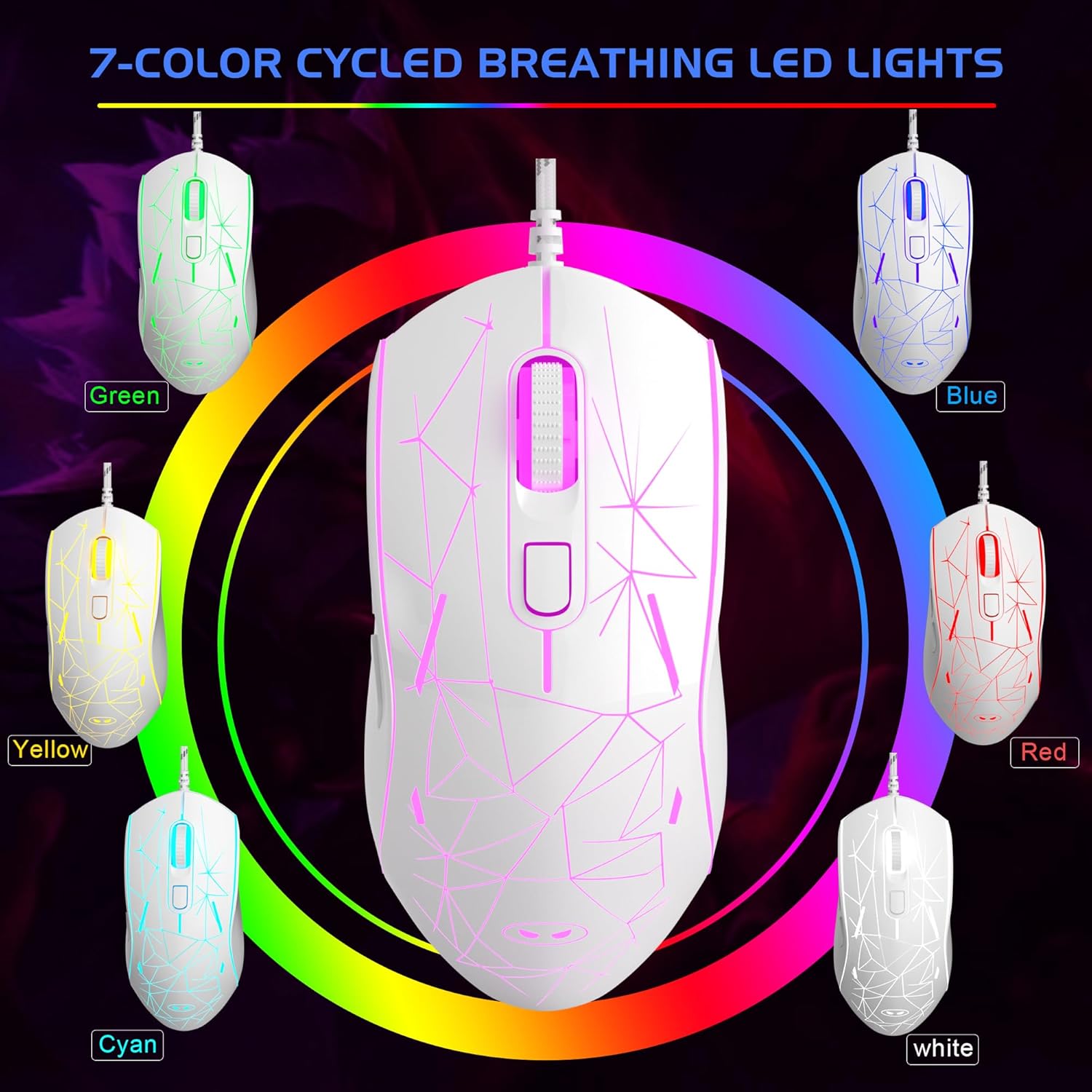
Image: The MageGee G6 Wired Gaming Mouse with its USB cable connected to a computer.
3. Упатства за работа
3.1 Функции на копчињата
The MageGee G6 offers 6 flexible buttons for versatile control:
- Лево копче: Стандардна функција за кликнување со левото копче.
- Десно копче: Стандардна функција за кликнување со десното копче.
- Тркало за лизгање: Scrolls up/down, and acts as a middle-click button.
- Speed Button (DPI Button): Adjusts the DPI (Dots Per Inch) sensitivity.
- Копче за напред: Навигира напред во web прелистувачи или апликации.
- Копче за назад: Навигира назад во web прелистувачи или апликации.
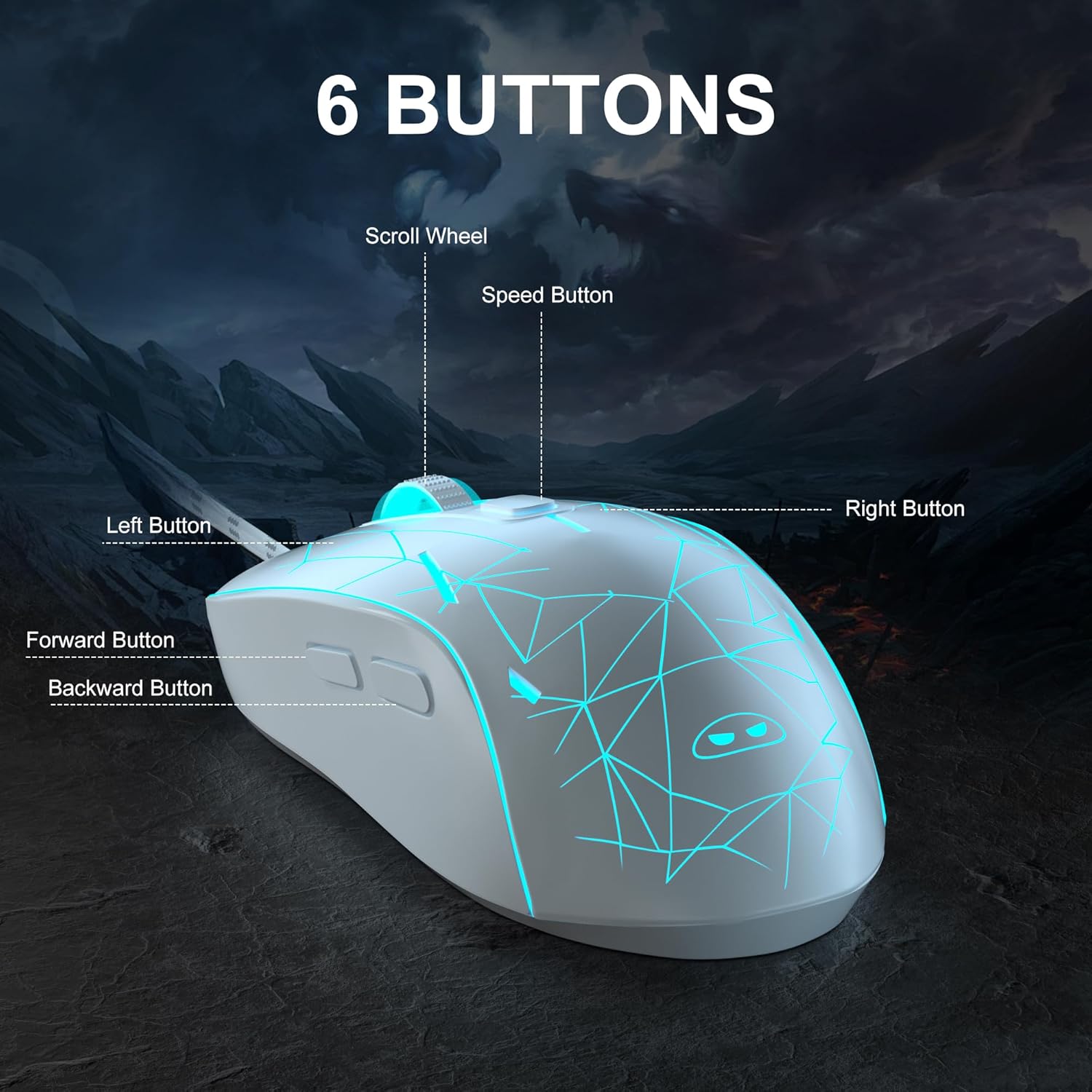
Слика: Детална view of the MageGee G6 mouse highlighting the Left, Right, Scroll Wheel, Speed, Forward, and Back buttons.
3.2 Adjusting DPI Speed Levels
The MageGee G6 offers 6 adjustable DPI speed levels for precise cursor control:
- 600 DPI
- 800 DPI
- 1200 DPI
- 1600 DPI
- 2400 DPI
- 3200 DPI
Притиснете го Копче за брзина (located below the scroll wheel) to cycle through the different DPI settings. Each press will change the sensitivity, allowing you to find the optimal speed for your tasks or games.
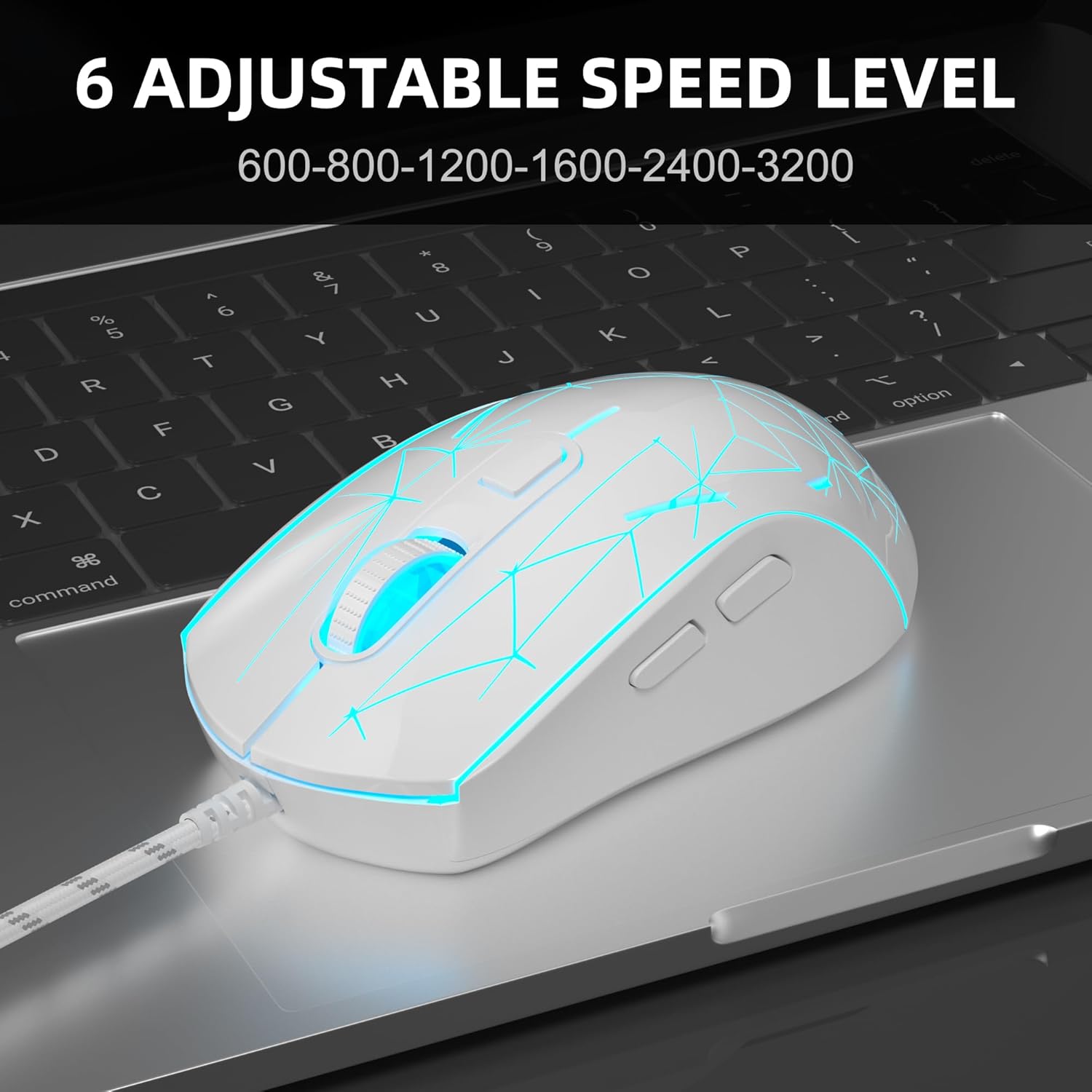
Image: The MageGee G6 mouse in use, demonstrating the adjustable DPI settings from 600 to 3200.
3.3 Контрола на LED позадинско осветлување
The MageGee G6 features 7-color breathing LED backlighting. You can control the lighting as follows:
- Промени боја: Притиснете го Копче за брзина и на Копче за напред simultaneously to cycle through and lock a specific color.
- Вклучување/исклучување на светлата: Притиснете и задржете го Копче за брзина for 3 seconds to toggle the LED lights on or off.
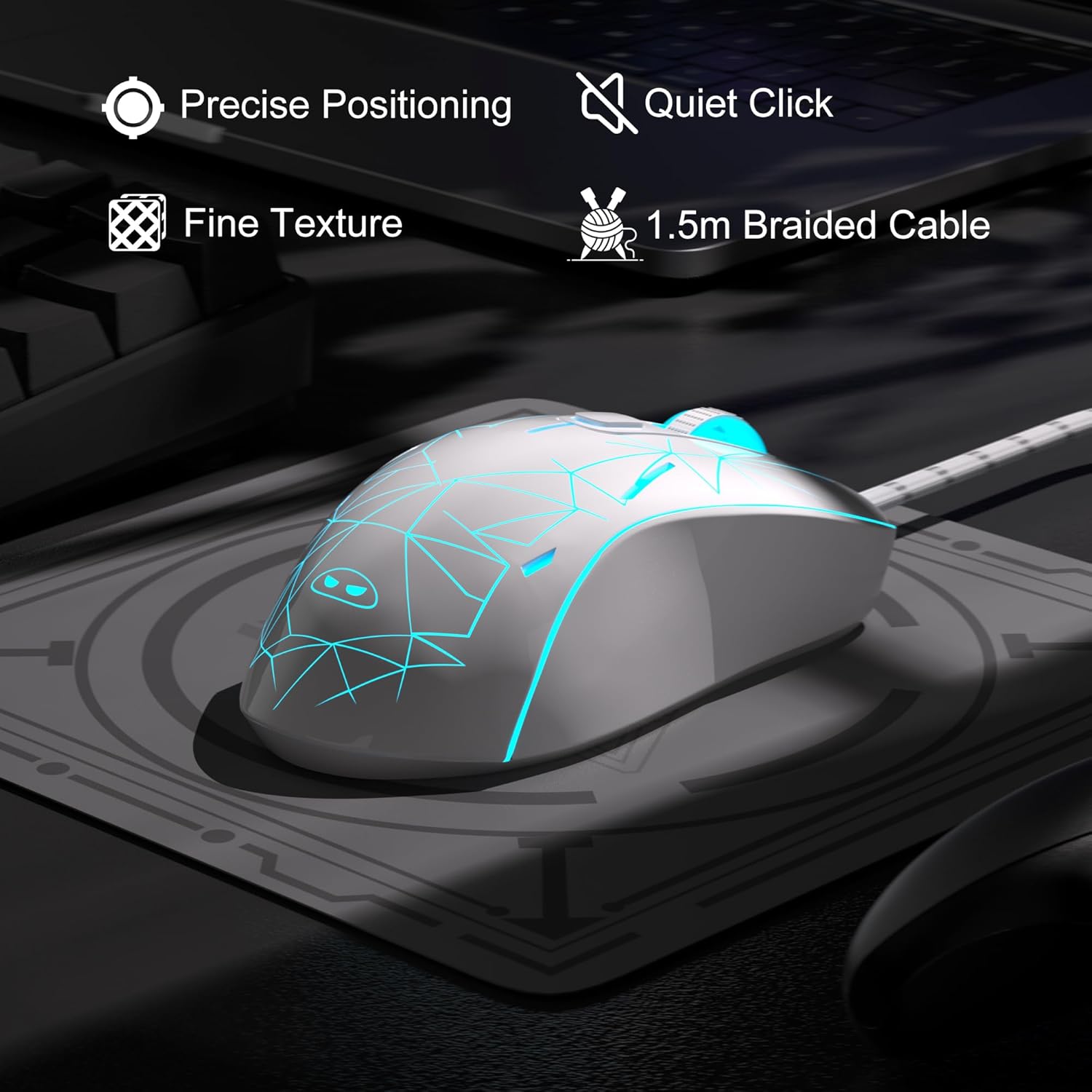
Image: The MageGee G6 mouse showcasing its 7-color breathing LED lights, including green, yellow, cyan, blue, red, and white.
4. Одржување
- Чистење: Користете мека, сува крпа за чистење на глувчето. Избегнувајте употреба на груби хемикалии или абразивни материјали.
- Грижа за кабел: Do not pull or twist the braided USB cable excessively to prevent damage.
- Складирање: Store the mouse in a dry place away from extreme temperatures.
5 Смена на проблеми
5.1 Глувчето не реагира
- Осигурајте се дека USB кабелот е безбедно приклучен во функционален USB порт на вашиот компјутер.
- Обидете се да го вклучите глувчето во друг USB порт.
- Рестартирајте го компјутерот.
5.2 LED светлата не работат
- Проверете дали глувчето е правилно поврзано со вашиот компјутер.
- Притиснете и задржете го Копче за брзина for 3 seconds to toggle the LED lights on or off.
5.3 Движењето на курсорот е неправилно
- Исчистете го оптичкиот сензор на дното на глувчето со мека крпа.
- Уверете се дека го користите глувчето на соодветна површина (на пр., подлога за глушец).
- Adjust the DPI sensitivity using the Копче за брзина.
6. Спецификации
| Карактеристика | Детал |
|---|---|
| Бренд | МејџГи |
| Модел | G6 |
| Технологија за поврзување | USB, жичен |
| Технологија за откривање на движење | Оптички |
| Нивоа на DPI | 600/800/1200/1600/2400/3200 (Adjustable) |
| Копчиња | 6 (Left, Right, Scroll Wheel, Speed, Forward, Back) |
| LED задно осветлување | 7 Colors Breathing LED (Blue, Red, Green, Purple, Cyan, Yellow, White) |
| Должина на кабелот | 1.5 meters (Durable Braided Cable) |
| Ергономија | Ergonomic Design with Comfortable Grip |
| Компатибилност | Windows 10, 8, 7, XP, WinME, Vista, Linux, PC, Laptop, Desktop |
| Тежина на ставката | 5.6 унци |
| Димензии на пакетот | 5.31 x 3.62 x 1.65 инчи |
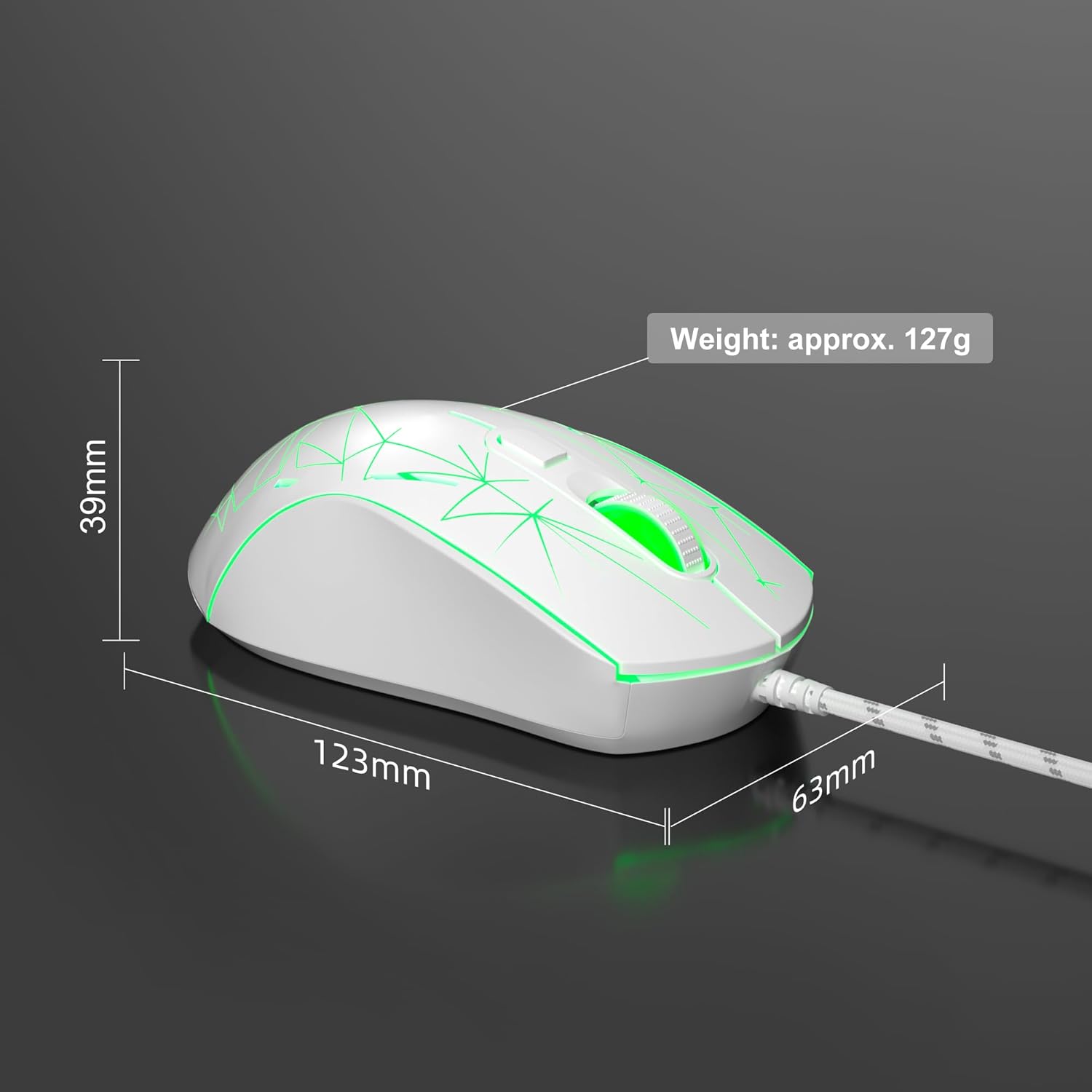
Image: Diagram illustrating the dimensions of the MageGee G6 Wired Gaming Mouse (123mm length, 63mm width, 39mm height, approx. 127g weight).
7. Гаранција и поддршка
For warranty information and customer support, please refer to the official MageGee webна локацијата или контактирајте го вашиот продавач. Зачувајте ја сметката за гаранциски барања.
MageGee is committed to technological and product innovation, providing quality computer peripherals. Our after-sales team is available to promptly respond and solve your problems.
Посетете го MageGee Store за повеќе производи и информации.


