1. Вовед
This manual provides essential information for the safe and efficient operation of your iFFALCON 32F2A 32-inch HD Ready Android Smart LED TV. Please read these instructions thoroughly before using the television and retain them for future reference.
The iFFALCON 32F2A is an 80 cm (32 inches) HD Ready Android Smart LED TV designed to offer a comprehensive entertainment experience. It features a 720p resolution display, integrated Android operating system, and smart functionalities like Google Assistant and Chromecast built-in.
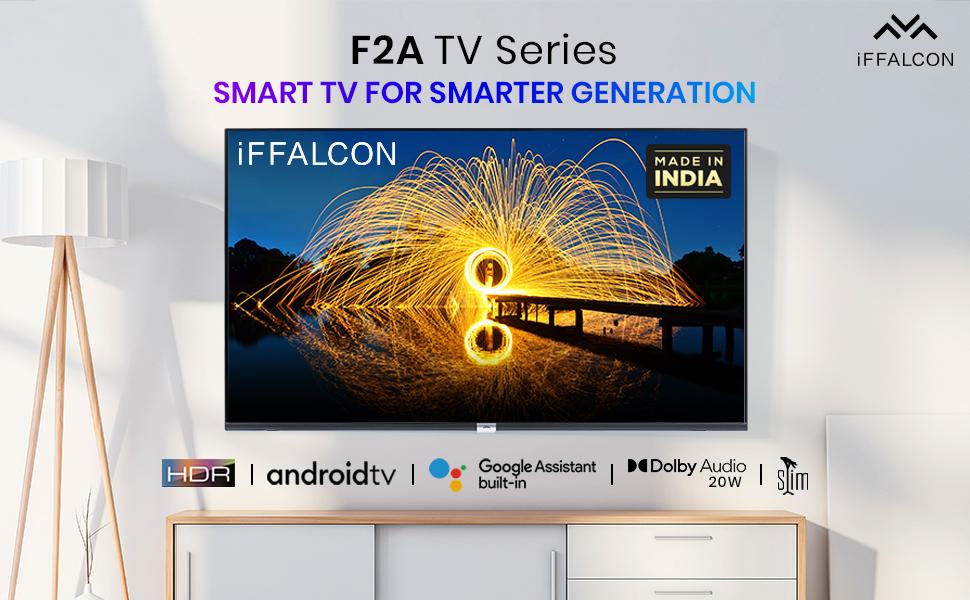
Слика 1.1: напред view of the iFFALCON 32F2A Smart LED TV displaying the Android TV interface, alongside icons representing key features such as HDR, Android TV, Google Assistant, Micro Dimming, IPQ Engine, Chromecast built-in, AI, and Dolby Audio with 20W speakers.
2. Што има во кутијата
Verify that all components are present and undamaged upon unpacking your new television.
- 1 x iFFALCON 32F2A LED телевизор
- 1 x Поставка за маса
- 1 x Упатство за употреба
- 1 x Гарантна картичка
- 1 x далечински управувач
- 2 x AAA батерии (за далечинско управување)
3. Поставување
3.1 Отпакување и поставување
Carefully remove the TV from its packaging. It is recommended to have two people for this process. Place the TV on a stable, flat surface or mount it securely on a wall.
3.2 Прикачување на држачот за маса
- Поставете го телевизорот со екранот надолу на мека, чиста површина за да спречите гребнатини.
- Порамнете ги основите на држачот со соодветните слотови на дното од телевизорот.
- Прицврстете ги основите на држачите со приложените завртки. Уверете се дека се цврсто затегнати.
3.3 Монтирање на ѕид (опционално)
If you choose to wall mount your TV, please note that the wall mount bracket is not included and must be purchased separately. Follow the instructions provided with your wall mount kit and ensure professional installation for safety.
3.4 Поврзување на надворешни уреди
Your iFFALCON 32F2A TV offers various connectivity options:
- HDMI порти: Поврзете Blu-ray плеери, играчки конзоли или сет-топ боксови.
- USB порта: Поврзете USB уреди за складирање за репродукција на медиуми.
- Етернет пристаниште: За жична интернет конекција.
- Jackек за слушалки: За приватно слушање.
3.5 Поврзување за напојување
Connect the power cord to the TV's power input and then to a suitable AC power outlet (240 Volts, 50 Watts). Ensure the power cable is securely connected.
3.6 Почетно вклучување и волшебник за поставување
After connecting power, press the power button on the TV or remote control. The TV will guide you through the initial setup wizard, including language selection, network connection (Wi-Fi or Ethernet), Google account sign-in, and channel scanning.

Image 3.1: A diagram illustrating the physical dimensions of the iFFALCON 32F2A TV, including screen size (32 inches / 79.97 cm diagonal), width (73.20 cm / 29 inch), height (48.20 cm / 19 inch), and depth (17.30 cm / 6.9 inch).
4. Упатства за работа
Далечински управувач 4.1
The provided remote control allows you to navigate the TV's interface and access various functions. Insert the two AAA batteries (included) into the remote control, ensuring correct polarity.
- Копче за вклучување: Го вклучува или исклучува телевизорот.
- Копчиња за навигација: Use the directional pad and OK button to move through menus.
- Волумен +/-: Го прилагодува нивото на јачина на звук.
- Канал +/-: Менува ТВ канали.
- Копче за почеток: Се враќа на почетниот екран на Android TV.
- Копче за назад: Се враќа на претходниот екран.
- Копче за Google Assistant: Ја активира гласовната контрола.
- Копче Netflix: Директен пристап до Netflix.
- Копче за видео на Amazon Prime: Direct access to Amazon Prime Video.
- Zee5 Button: Direct access to Zee5.
- TCL Channel Button: Direct access to TCL channel.

Image 4.1: The smart remote control for the iFFALCON TV, highlighting the Google Assistant button and a dedicated hotkey for Netflix for quick access.
4.2 Андроид ТВ интерфејс
Your TV runs on Android 9, providing access to a wide range of apps and services. The home screen displays recommended content, installed applications, and input sources.
- Апликации: Access pre-installed applications like Netflix, YouTube, Prime Video, Disney+Hotstar, Sun NXT, and Zee5. Download more from the Google Play Store.
- Влезови: Switch between HDMI inputs, USB, and other connected devices.
- Поставки: Customize TV settings such as picture, sound, network, and system preferences.

Image 4.2: The iFFALCON Smart LED TV showcasing its Android TV home screen, featuring prominent app icons for Netflix, YouTube, Prime Video, and other streaming services.

Image 4.3: The iFFALCON Smart LED TV interface, illustrating the availability of popular streaming platforms such as YouTube, Prime Video, Disney+ Hotstar, SonyLIV, Zee5, ALTBalaji, Voot Select, and Eros Now.
4.3 „Помошник на Google“
The built-in Google Assistant allows you to control your TV and smart home devices using voice commands. Press the Google Assistant button on your remote and speak into the microphone.
- Search Content: Say "Play a cartoon movie" or "Пребарај за action films."
- Control TV: Say "Turn up the volume" or "Switch to HDMI 1."
- Get Information: Ask "What's the weather today?" or "How long is Moonlight?"
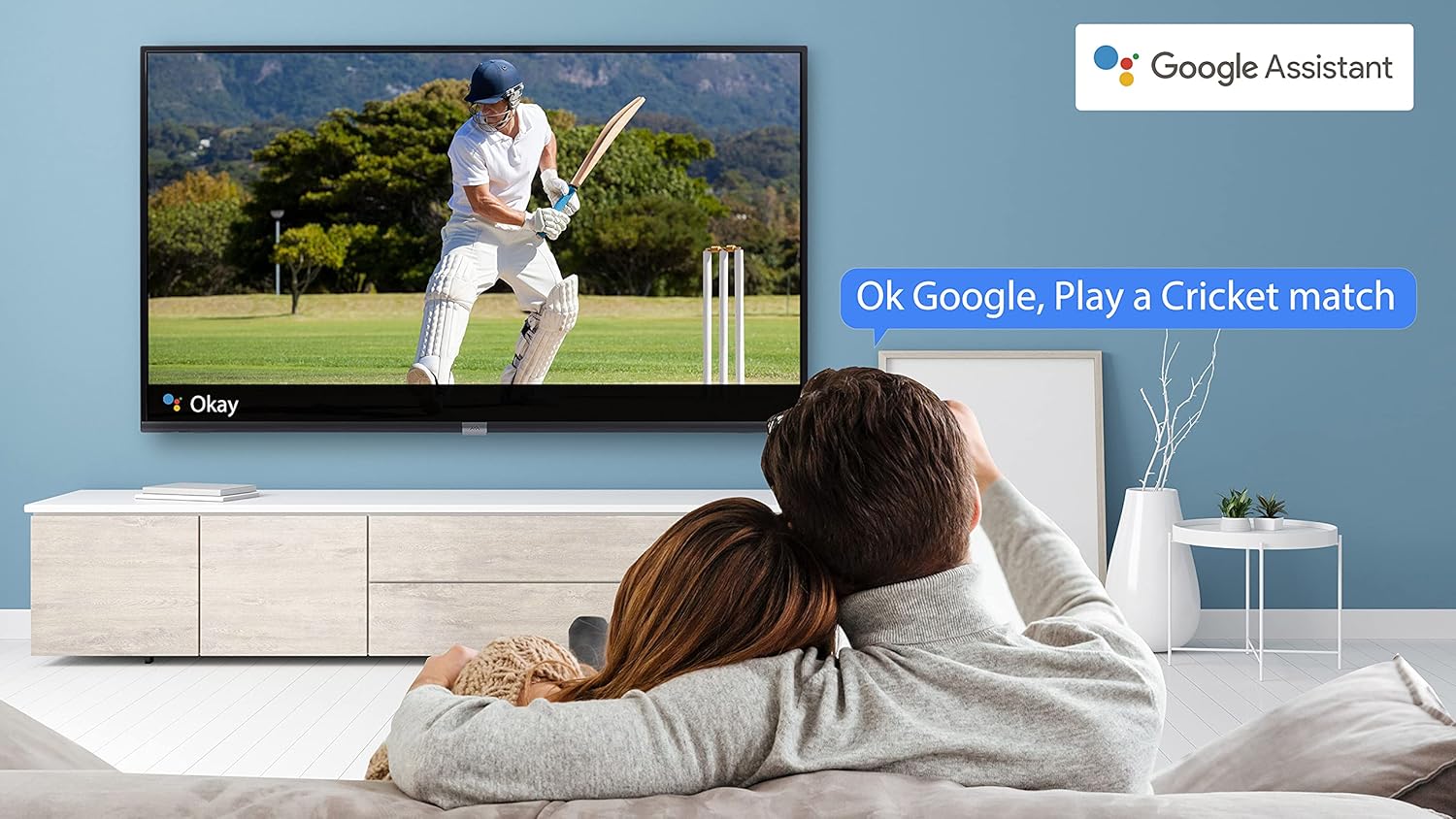
Image 4.4: A couple watching a cricket match on the iFFALCON TV, with a Google Assistant prompt bubble showing "Ok Google, Play a Cricket match," demonstrating voice control functionality.
Image 4.5: The Google Assistant logo, indicating the TV's integrated voice control capabilities.
4.4 Вграден Chromecast
Use Chromecast built-in to cast content from your compatible smartphone, tablet, or computer directly to your TV screen. Ensure your device and TV are connected to the same Wi-Fi network.

Image 4.6: A smartphone displaying a car image, with a casting icon indicating that the content is being mirrored to a larger TV screen, demonstrating the Chromecast built-in feature.
5. Клучни карактеристики
5.1 HDR (висок динамички опсег)
HDR technology enhances contrast, color accuracy, and brightness, delivering a more lifelike and immersive viewing experience with greater detail in both dark and bright scenes.

Image 5.1: A split-screen comparison showing the visual difference between an image without HDR 10 (left, darker, less vibrant) and with HDR 10 (right, brighter, more detailed, and richer colors).
5.2 Микро затемнување
Micro Dimming analyzes the TV content in hundreds of separate zones to adjust brightness and darkness independently. This results in improved contrast and picture quality, especially in scenes with mixed light levels.

Image 5.2: A split-screen comparison demonstrating the effect of Micro Dimming, with the 'Without Micro Dimming' side appearing less vibrant and the 'With Micro Dimming' side showing enhanced contrast and color saturation in a city night scene.
5.3 IPQ Engine
The IPQ Engine (Image Quality Processing Engine) optimizes picture quality by intelligently adjusting brightness, color range, and contrast, ensuring a more vivid and accurate display.

Image 5.3: A visual representation of the IPQ Engine, highlighting its 'High Brightness Precision Control Technology' and 'Intelligent Color Range Control Technology' for optimized picture quality.
5.4 Dolby аудио
Experience rich, clear, and powerful sound with Dolby Audio. This technology enhances the audio output, providing an immersive listening experience for movies, music, and games.

Image 5.4: The Dolby Audio logo, signifying enhanced sound quality and an immersive audio experience.
5.5 Smart Volume
Smart Volume automatically adjusts the sound level to prevent sudden changes in volume, such as during commercials or when switching channels, ensuring a consistent listening experience.

Image 5.5: An illustration of the Smart Volume feature, showing how it maintains consistent audio levels across different content types, represented by varying sound wave patterns.
5.6 Спортски режим
Sports Mode optimizes picture and sound settings for sports content, enhancing motion clarity and audio to provide a more engaging viewing experience for live sports.

Image 5.6: A split-screen comparison of a cricket player, showing the 'Without Sports Mode' side with standard clarity and the 'With Sports Mode' side with enhanced motion and detail, indicated by a playback bar.
5.7 Тенок дизајн
The iFFALCON 32F2A features a slim design, allowing it to blend seamlessly into various living spaces and offering a modern aesthetic.

Image 5.7: An illustration emphasizing the slim profile of the iFFALCON TV, with a hand demonstrating its thinness.
6. Одржување
6.1 Чистење на екранот
Нежно избришете го екранот со мека крпа што не остава влакненца. За тврдокорни дамки, лесно избришете гоampИзмијте ја крпата со вода или со специјализирано средство за чистење екрани. Избегнувајте употреба на груби хемикалии или абразивни материјали.
6.2 Чистење на кабинетот
Избришете го куќиштето на телевизорот со мека, сува крпа. Не користете течни средства за чистење директно на куќиштето.
6.3 Грижа за кабелот за напојување
Редовно проверувајте го кабелот за напојување за евентуални оштетувања. Не ставајте тешки предмети врз кабелот и не го изложувајте на прекумерна топлина.
7 Смена на проблеми
Доколку наидете на проблеми со вашиот телевизор, погледнете ги следните вообичаени проблеми и решенија:
| Проблем | Можна причина | Решение |
|---|---|---|
| Нема моќ | Кабелот за напојување е исклучен, проблем со штекерот | Ensure power cord is securely plugged in. Check if the power outlet is working. |
| Нема слика, но звукот е присутен | Неточен влезен извор, неисправен кабел | Проверете дали е избран точниот влезен извор. Проверете ги поврзувањата на HDMI/AV кабелот. |
| Нема звук, но сликата е присутна | Volume muted or too low, audio settings issue | Increase volume. Check audio output settings in the TV menu. |
| Далечинскиот управувач не работи | Dead batteries, obstruction, remote out of range | Replace batteries. Remove obstructions between remote and TV. Ensure remote is within operating range. |
| Не може да се поврзе на Wi-Fi | Incorrect password, router issue, TV too far from router | Re-enter Wi-Fi password. Restart router. Move TV closer to router or use Ethernet. |
Ако проблемот продолжи откако ќе ги испробате овие решенија, контактирајте ја корисничката поддршка.
8. Спецификации
Детални технички спецификации за iFFALCON 32F2A Smart LED телевизорот:
| Карактеристика | Спецификација |
|---|---|
| Бренд | iFFALCON |
| Име на моделот | 32F2A |
| Големина на екранот | 32 инчи (80 см) |
| Технологија на прикажување | LED панел, A+ класа |
| Резолуција | HD Ready (1366 x 768 пиксели) |
| Стапка на освежување | 60 Hz |
| Viewинголен агол | 178 степени |
| Сооднос на сликата | 16:9 |
| Сооднос на контраст на слика | 3000:1 |
| Оперативен систем | Андроид |
| Големина на инсталирана RAM меморија | 1 GB |
| Дигитален капацитет за складирање | 8 GB |
| Графички копроцесор | Мали470x2 |
| Аудио Ватtage | 16 вати |
| Опкружувачки звук на звучникот | Dolby Audio |
| Технологија за поврзување | Wi-Fi, етернет, HDMI, USB |
| Вкупно USB порти | 1 |
| Извор на енергија | AC |
| Voltage | 240 волти |
| Ватtage | 50 вати |
| Димензии на производот | 48.2 x 73.2 x 18.3 cm |
| Тежина на ставката | 3.9 кг |
9. Гаранција и поддршка
Your iFFALCON 32F2A TV comes with a warranty. Please refer to the included Warranty Card for detailed terms and conditions, including the warranty period and coverage.
For technical assistance, service requests, or further inquiries, please visit the official iFFALCON support website or contact their customer service helpline. Contact information can typically be found on the Warranty Card or the manufacturer's official webсајт.


