Вовед
This manual provides comprehensive instructions for the safe and efficient use of your SUNMI M2 MAX Industrial Tablet, model TF700. Please read this manual thoroughly before operating the device and retain it for future reference.

Слика 1: Предна страна view of the SUNMI M2 MAX Industrial Tablet, showing its display with various application icons.
Поставување
1. Откачување и првична проверка
Внимателно отстранете ги сите компоненти од пакувањето. Проверете дали сите предмети наведени подолу се присутни и неоштетени:
- SUNMI M2 MAX Industrial Tablet (TF700)
- Адаптер за напојување
- Кабел за USB Type-C
- Hand Strap (optional, if included with your model)
2. Полнење на уредот
Before first use, fully charge the tablet. Connect the USB Type-C cable to the tablet's charging port and the other end to the power adapter. Plug the power adapter into a wall outlet. The charging indicator will illuminate.
The tablet is equipped with an 8360mAh non-removable lithium polymer battery. A full charge can provide over 12 hours of continuous operation.
3. Installing SIM Card and MicroSD Card (Optional)
The device supports MicroSIM or NanoSIM cards (Config 1) and an eSIM (Config 2). It also supports MicroSD cards up to 128GB for expanded storage.
- Пронајдете го слотот за SIM/MicroSD картичка од страната на таблетот.
- Use the provided SIM ejector tool (if applicable) or a small paperclip to open the tray.
- Carefully place the SIM card(s) and/or MicroSD card into the tray according to the diagram on the tray.
- Нежно турнете ја фиоката назад во отворот додека не кликне на своето место.

Слика 2: Заден дел view of the SUNMI M2 MAX, highlighting the camera, pogo pin charging interface, and the location of the SIM/MicroSD card slot.
4. Attaching the Hand Strap (Optional)
If your model includes a hand strap, attach it to the designated points on the back of the tablet for secure handling during mobile operations.
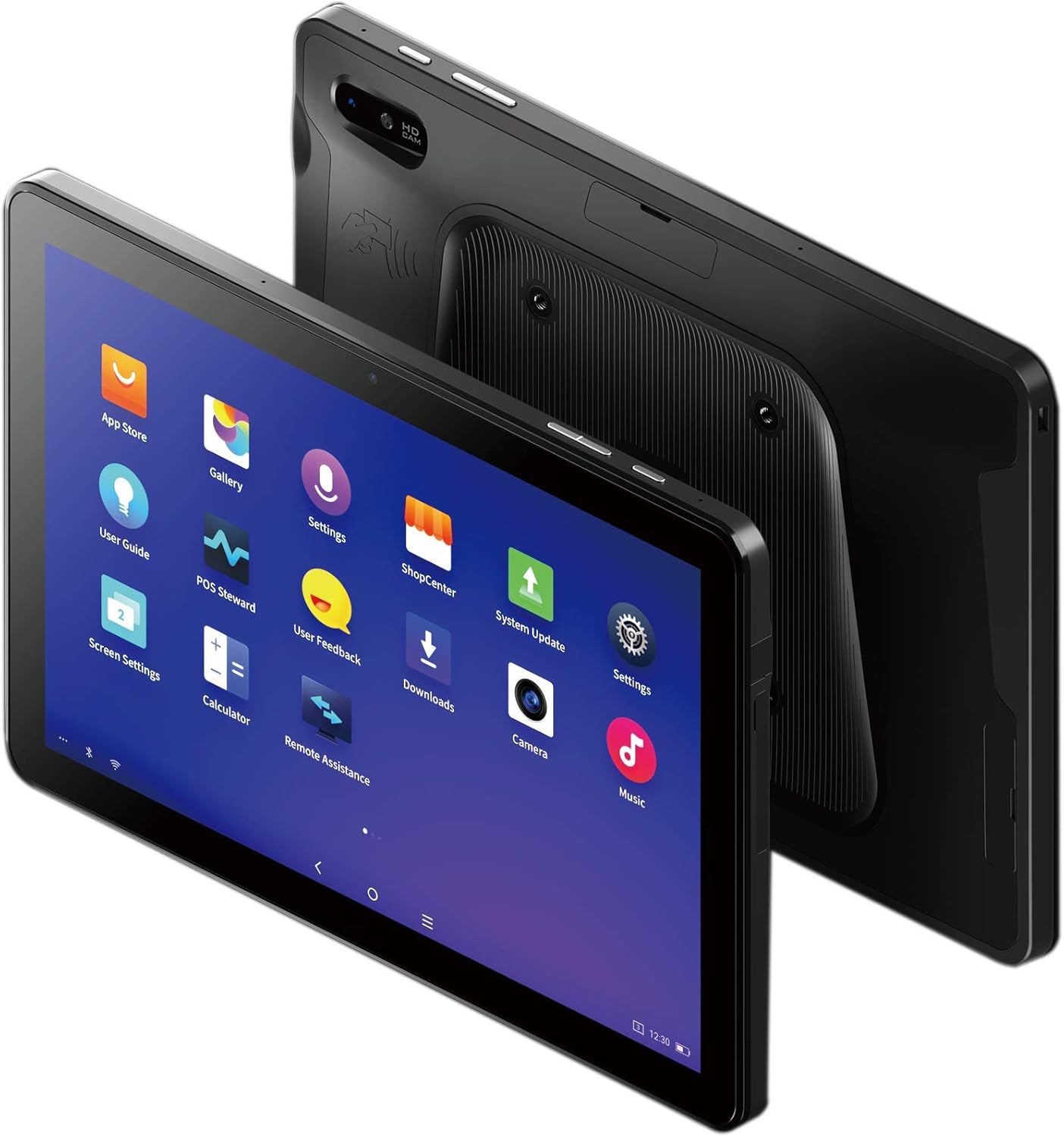
Figure 3: The SUNMI M2 MAX Industrial Tablet being held with an optional hand strap, demonstrating enhanced portability and secure grip.
Ракување со Уредот
1. Вклучување/исклучување
- Вклучување: Press and hold the Power button (located on the side) until the SUNMI logo appears on the screen.
- Исклучено: Притиснете го и задржете го копчето за вклучување додека не се појави мени за исклучување. Изберете „Исклучи“ и потврдете.
- Рестартирајте: Од менито за исклучување, изберете „Рестартирај“ за да го рестартирате уредот.
2. Основна навигација
The SUNMI M2 MAX runs on the Android operating system. Navigation is primarily touch-based:
- Допрете: За да изберете ставка или да отворите апликација.
- Повлечете: За да скролувате низ листи или да се префрлате помеѓу екрани.
- Штипнете за зумирање: За зумирање или одзумирање на слики или web страници.
- Копче за почеток: Се враќа на почетниот екран.
- Копче за назад: Се враќа на претходниот екран.
- Копче за неодамнешни апликации: Ги прикажува неодамна користените апликации.
3. Поврзување со мрежи
The tablet supports Wi-Fi (2.4GHz/5GHz, 802.11 a/b/g/n/ac) and cellular networks (2G, 3G, 4G).
- Wi-Fi: Одете на Поставки > Мрежа и интернет > Wi-FiВклучете Wi-Fi, изберете ја саканата мрежа и внесете ја лозинката доколку е потребно.
- Мобилни податоци: Ensure a valid SIM card is inserted. Go to Поставки > Мрежа и интернет > Мобилна мрежа to enable mobile data and configure APN settings if necessary.
- Bluetooth: Одете на Поставки > Поврзани уреди > Bluetooth to pair with Bluetooth devices (supports Bluetooth 5.0).
4. Using NFC
The SUNMI M2 MAX is equipped with NFC (Near Field Communication) for contactless transactions and data exchange. To use NFC, ensure it is enabled in settings and hold the tablet near a compatible NFC reader or device.
5. Работа со камера
The tablet features a 13 MP rear camera with flash and autofocus, and a 5 MP front camera. Open the "Camera" application to capture photos or record videos.
Одржување
1. Чистење на уредот
Користете мека крпа без влакненца малку гampened with water or a screen cleaner to wipe the display and exterior. Avoid using harsh chemicals, abrasive cleaners, or excessive moisture.
2. Нега на батерии
- Avoid exposing the tablet to extreme temperatures (below -20°C or above 70°C).
- Не дозволувајте батеријата целосно да се празни често.
- Use only the original or certified compatible power adapter and cable.
3. Софтверски ажурирања
Редовно проверувајте и инсталирајте системски ажурирања за да обезбедите оптимални перформанси и безбедност. Одете на Поставки > Систем > Ажурирање на системот.
4. Заштита на животната средина
The SUNMI M2 MAX is designed with IP68 protection and a 1m drop specification, making it suitable for demanding environments. However, avoid intentional drops or prolonged submersion in water.
Решавање проблеми
| Проблем | Можна причина | Решение |
|---|---|---|
| Уредот не се вклучува. | Слаба батерија; пад на софтверот. | Полнете го уредот најмалку 30 минути. Притиснете го и задржете го копчето за вклучување 10-15 секунди за да го рестартирате. |
| Не може да се поврзе на Wi-Fi. | Incorrect password; Wi-Fi disabled; router issue. | Verify password. Ensure Wi-Fi is enabled in settings. Restart router. Forget and reconnect to the network. |
| Екранот на допир не реагира. | Привремен софтверски дефект. | Force restart the device by holding the Power button. |
| Applications crashing. | Insufficient RAM; app bug. | Close background apps. Clear app cache/data (Settings > Apps). Update the app. |
Спецификации
The following table outlines the key technical specifications of the SUNMI M2 MAX Industrial Tablet (Model: TF700).

Figure 4: Comprehensive technical specifications for the SUNMI M2 MAX Industrial Tablet.
- Модел: TF700
- Оперативен систем: Android 9.0 (SUNMI OS)
- Процесор: Kryo-260, Octa-core 2.2GHz (Qualcomm)
- Меморија: 3GB RAM + 32GB ROM (eMMC)
- Прикажи: 10.1-inch FHD, 1920x1200, Capacitive multitouch, Corning Gorilla Glass 3
- Камери: Front: 5MP FF; Rear: 13MP AF + Flashlight, supports 1D/2D barcode recognition
- NFC: Type-A&B card, Mifare card, Felica card, ISO/IEC 14443 and ISO/IEC 15693 compliant
- Speaker/MIC: 1W Speaker, 2x MIC
- Слот за PSAM картичка: 1x PSAM
- Слот за SIM картичка: 1x MicroSD (TF), 1x MicroSIM or 1x NanoSIM (TF700 Config 1), eSIM (TF700 Config 2)
- Мрежа: 2G & 3G & 4G
- Wi-Fi: 2.4GHz/5GHz, 802.11 a/b/g/n/ac
- Bluetooth: Supports Bluetooth 2.1/3.0/4.2/5.0 (BLE)
- GPS: Supports AGPS, GPS, GLONASS, Beidou (Config 2)
- Сензор: Gravity sensor, light sensor, compass, Hall
- Копчиња: 1x Power (lock screen), 2x Volume (+/-)
- Пристаништа: 1x Type-C (supports OTG), 1x Audio Jack, 1x MicroSD (up to 128GB expansion)
- Батерија: Non-removable Lithium Polymer battery, 8360mAh
- Адаптер за напојување: Input: AC 100-240V, Output: DC 5V/2A
- Димензии (ДxШxВ): 249.8 x 160 x 9.9 mm (0.39 x 6.3 x 9.84 инчи)
- Вкупна тежина: 673 g (1.48 фунти)
- Заштита: IP68, 1m drop spec
- Работна температура: -20°C до 55°C
- Температура на складирање: -40°C до 70°C
Гаранција и поддршка
For warranty information and technical support, please refer to the documentation provided with your purchase or visit the official SUNMI webстраница. Зачувајте го доказот за купување за гаранциски побарувања.
SUNMI Official Webсајт: www.sunmi.com


