Вовед
The SP CONNECT Moto Mount LT is a versatile and secure handlebar mounting solution designed for motorcycles. It allows you to attach your SP CONNECT compatible phone case to your motorcycle's handlebars, providing easy access to your device for navigation, communication, or tracking during rides. This manual provides detailed instructions for installation, operation, and maintenance to ensure optimal performance and safety.
Содржина на пакетот
Please verify that all components are present before proceeding with installation. The package typically includes:
- SP CONNECT Moto Mount LT
- Installation Hardware (e.g., screws, spacers, Allen key)
Клучни карактеристики
- Прилагодлив: Allows for precise positioning of your device.
- Лесни: Designed to add minimal weight to your motorcycle.
- Rotatable: Enables switching between portrait and landscape orientations.
- Безбедно монтирање: Provides a stable and reliable hold for your smartphone.
Водич за инсталација
Follow these steps carefully to install your SP CONNECT Moto Mount LT. Ensure your motorcycle is stable and turned off before beginning.
Чекор 1: Идентификувајте ја локацијата за монтирање
Choose a suitable section on your motorcycle's handlebar for mounting. Ensure it does not obstruct controls or gauges.

Image: The SP Moto Mount LT securely attached to the handlebar of a motorcycle, positioned centrally for optimal viewинг.
Step 2: Attach the Clamp
Отворете го clamp section of the Moto Mount LT. Position it around the chosen handlebar section.

Слика: Детална view of the SP Moto Mount LT, highlighting the handlebar clamp and the integrated phone mounting interface.
Step 3: Secure the Clamp
Insert the provided screw(s) and tighten them using the appropriate tool (e.g., Allen key) until the mount is firmly secured to the handlebar. Do not overtighten.

Слика: Страничен професионалецfile of the SP Moto Mount LT, illustrating how the clamp mechanism secures the mount to a cylindrical bar.
Step 4: Adjust Angle and Orientation
The mount features an adjustable arm and a rotatable head. Loosen the adjustment screw(s) to set the desired angle and orientation (portrait or landscape) for your phone. Retighten the screw(s) once adjusted.

Image: A smartphone securely mounted on a motorcycle handlebar using the SP Moto Mount LT, displaying a navigation application.
Упатства за работа
Прикачување на вашиот телефон
Ensure your smartphone is equipped with an SP CONNECT compatible phone case. Align the phone case with the mounting head of the Moto Mount LT.

Image: A hand positioning a smartphone, encased in an SP CONNECT compatible cover, above the Moto Mount LT on a motorcycle handlebar, ready for attachment.
Place the phone case onto the mount and rotate it 90 degrees clockwise until it locks securely into place. You should feel and hear a distinct click.
Одвојување на вашиот телефон
To remove your phone, press the release lever (if applicable, or rotate 90 degrees counter-clockwise) and rotate the phone 90 degrees counter-clockwise. Lift the phone off the mount.
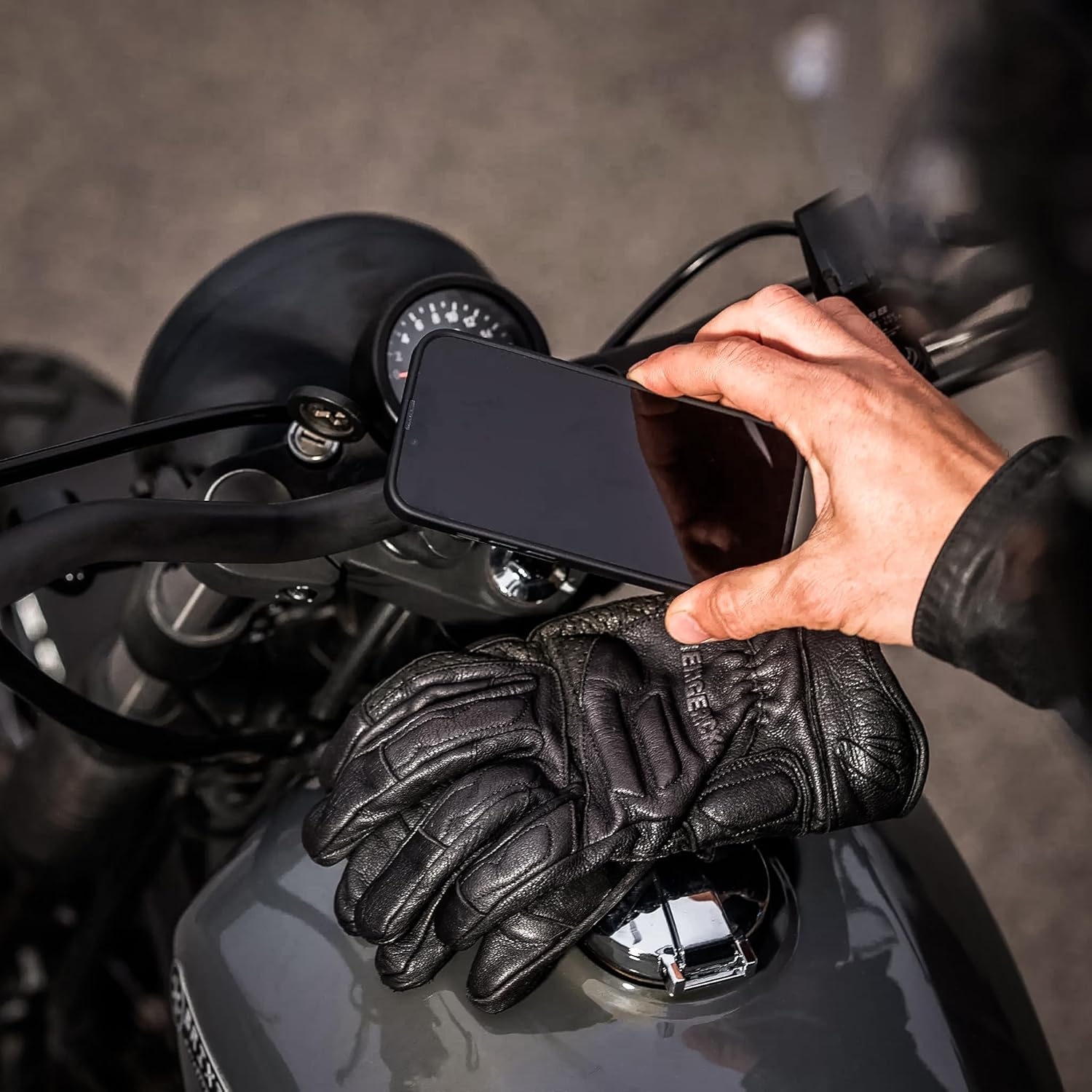
Image: A hand, wearing a leather glove, in the process of detaching a smartphone from the SP Moto Mount LT, demonstrating the removal action.
Одржување
- Regularly check all screws and fasteners for tightness, especially after long rides or off-road use.
- Clean the mount with a damp крпа. Избегнувајте груби хемикалии или абразивни средства за чистење.
- Inspect the mounting mechanism for any signs of wear or damage. Replace the mount if any critical components are compromised.
Решавање проблеми
Phone not locking securely:
Ensure the SP CONNECT phone case is correctly aligned with the mount. Check for any debris obstructing the locking mechanism.
Монтирањето се чувствува лабаво:
Повторно затегнете го клинот на кормилотоamp screws. Ensure the mount is installed on a section of the handlebar with the correct diameter.
Прекумерна вибрација:
While the mount is designed to minimize vibration, some motorcycles may experience more. Ensure all connections are tight. Consider using an SP CONNECT Anti Vibration Module (sold separately) if vibrations persist and affect phone functionality.
Спецификации
| Карактеристика | Детал |
|---|---|
| Модел | Moto Mount LT |
| Број на модел на ставка | 53128 |
| Димензии | 3.54 x 2.95 x 1.18 инчи |
| Тежина | 3.17 унци |
| Посебни карактеристики | Adjustable, Lightweight, Rotatable |
Гаранција и поддршка
For warranty information, product support, or to purchase additional accessories, please visit the official SP CONNECT webсајт или контактирајте со нивната служба за корисници.
Можете исто така да ја посетите SP CONNECT Store on Amazon за повеќе информации.


