1. Вовед и повеќеview
The Tera Mini 1D 2D QR Wireless Barcode Scanner is a compact, robust, and versatile device designed for efficient barcode data collection. Its IP66 waterproof and dustproof rating ensures durability in various environments. With multiple connection options and support for a wide range of barcode types, this scanner is suitable for diverse applications.

Figure 1.1: Tera Mini 1100D Barcode Scanner and accessories.
2. Содржина на пакетот
Ве молиме проверете дали сите артикли се присутни во пакетот:
- Баркод скенер x1
- USB кабел x1
- Dongle x1
- User Manual x1 (this document)
3. Карактеристики и компоненти на производот
The Tera Mini 1100D is designed with user convenience and durability in mind. Key components and features include:
-
Silicone Button: Provides a soft and smooth scanning experience.
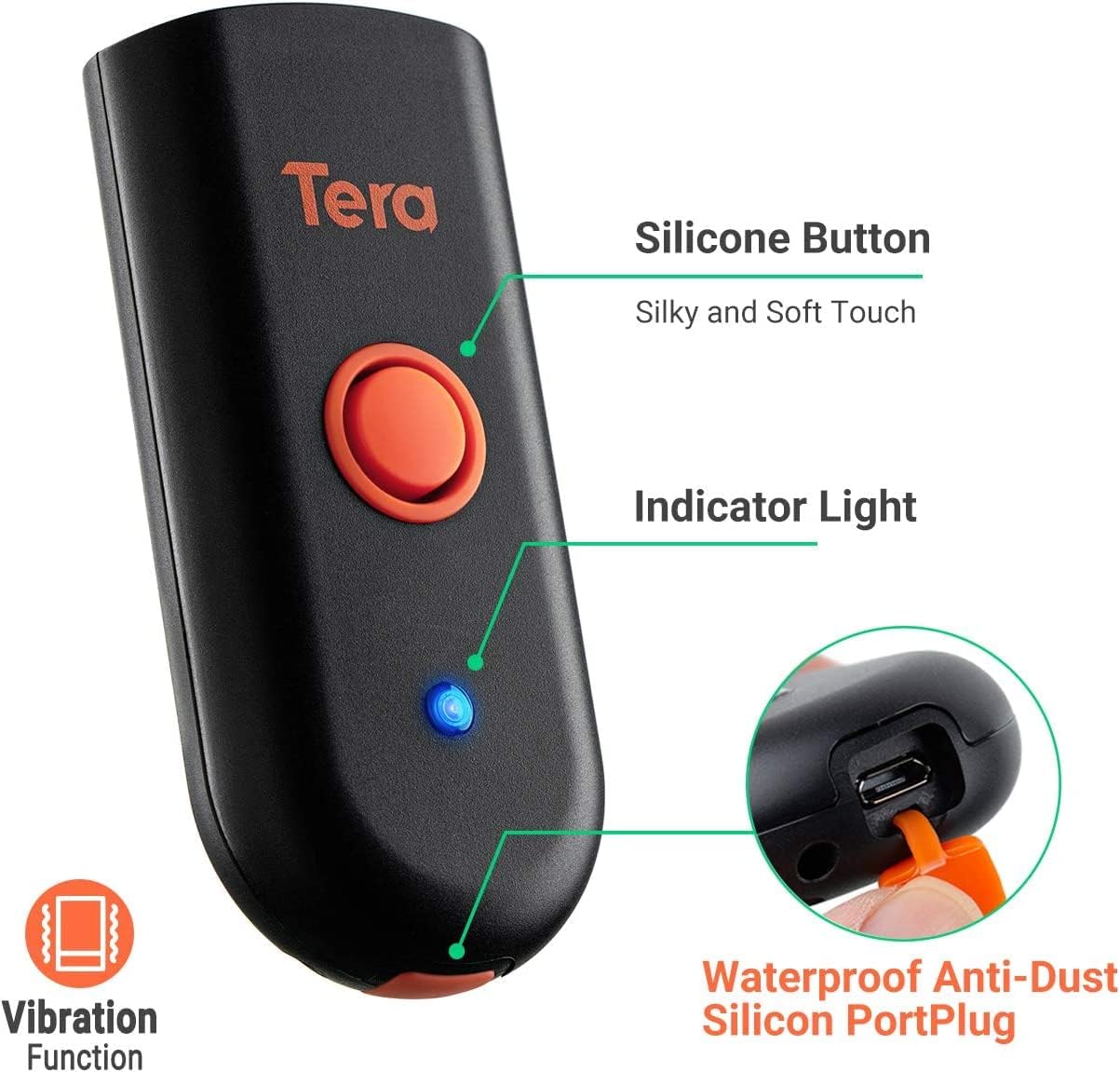
Figure 3.1: Scanner components including the silicone button and port plug.
- Индикаторско светло: Provides visual feedback on scanner status.
-
Waterproof Anti-Dust Silicone Port Plug: Ensures better performance in various working conditions by protecting the charging port.

Figure 3.2: Detail of the waterproof silicone port plug.
-
Предупредување за вибрации: Provides tactile feedback when a barcode is detected, useful for quiet environments.
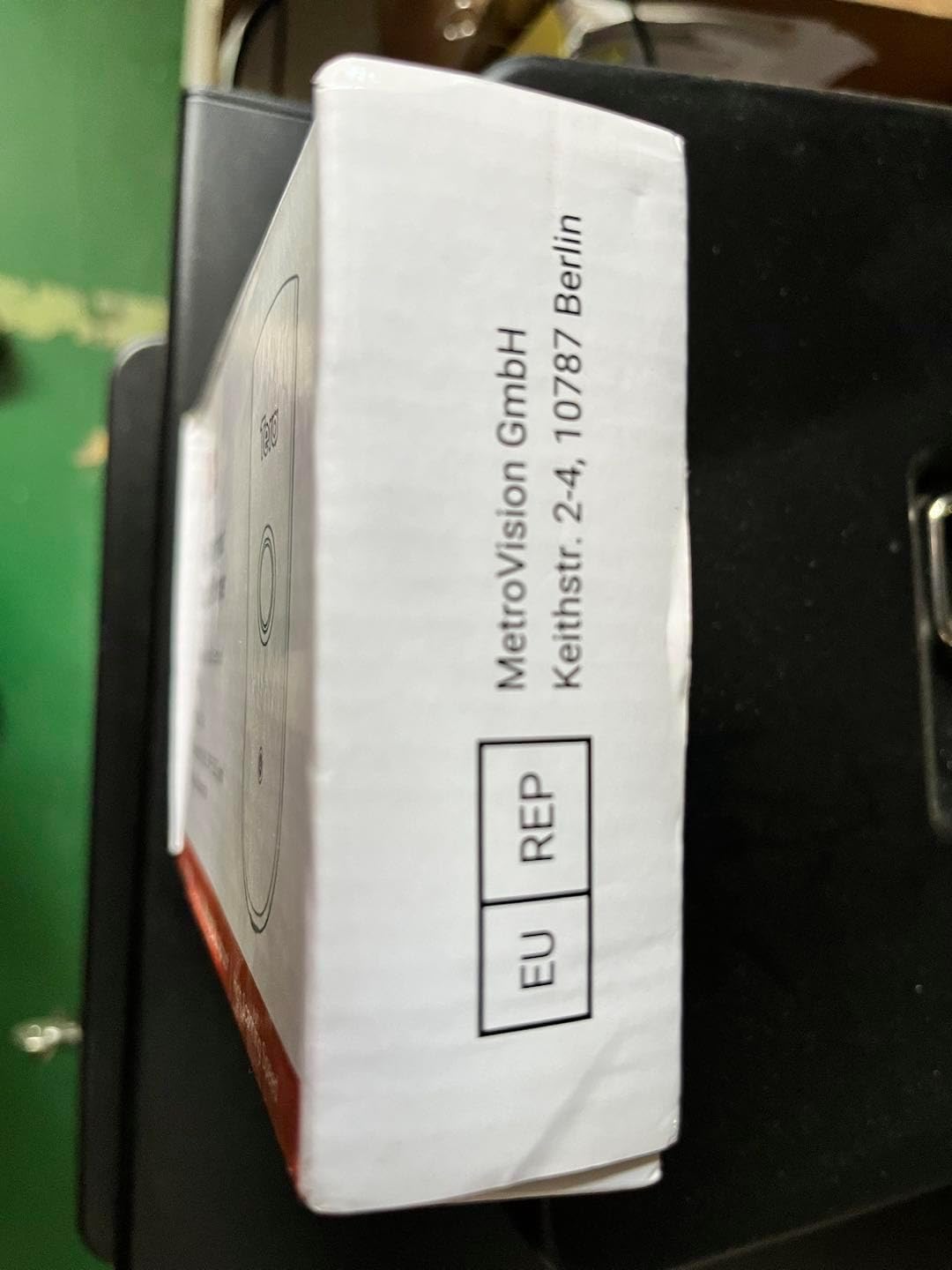
Figure 3.3: Vibration alert functionality.
-
Компактен и лесен дизајн: Easily fits into a pocket for portability.

Figure 3.4: Scanner dimensions and portability.
4. Поставување
The Tera Mini 1100D offers three connection methods:
-
Bluetooth конекција:
To connect via Bluetooth, ensure your device's Bluetooth is enabled. Scan the Bluetooth pairing barcode (usually found in the full user manual or quick start guide) with the scanner. The scanner will then appear in your device's Bluetooth settings for pairing.
-
Безжична врска од 2.4 GHz:
Insert the provided 2.4G USB dongle into a USB port on your computer. The scanner will automatically connect to the dongle. This mode offers a transmission distance of up to 656ft in barrier-free environments and 98ft with obstacles.
-
USB жична врска:
Connect the scanner directly to your computer using the provided USB cable. The scanner will function as a wired device and also charge simultaneously.

Figure 4.1: Three-in-one connection modes.
5. Работни режими
The scanner supports different operating and data upload modes to suit various workflows:
-
Режими на прикачување податоци:
- Режим на инстант прикачување: Barcodes are uploaded directly to your connected device immediately after scanning.
- Режим на складирање: Scan and store up to 10,000 barcodes internally. Data can be uploaded to a computer later when available.
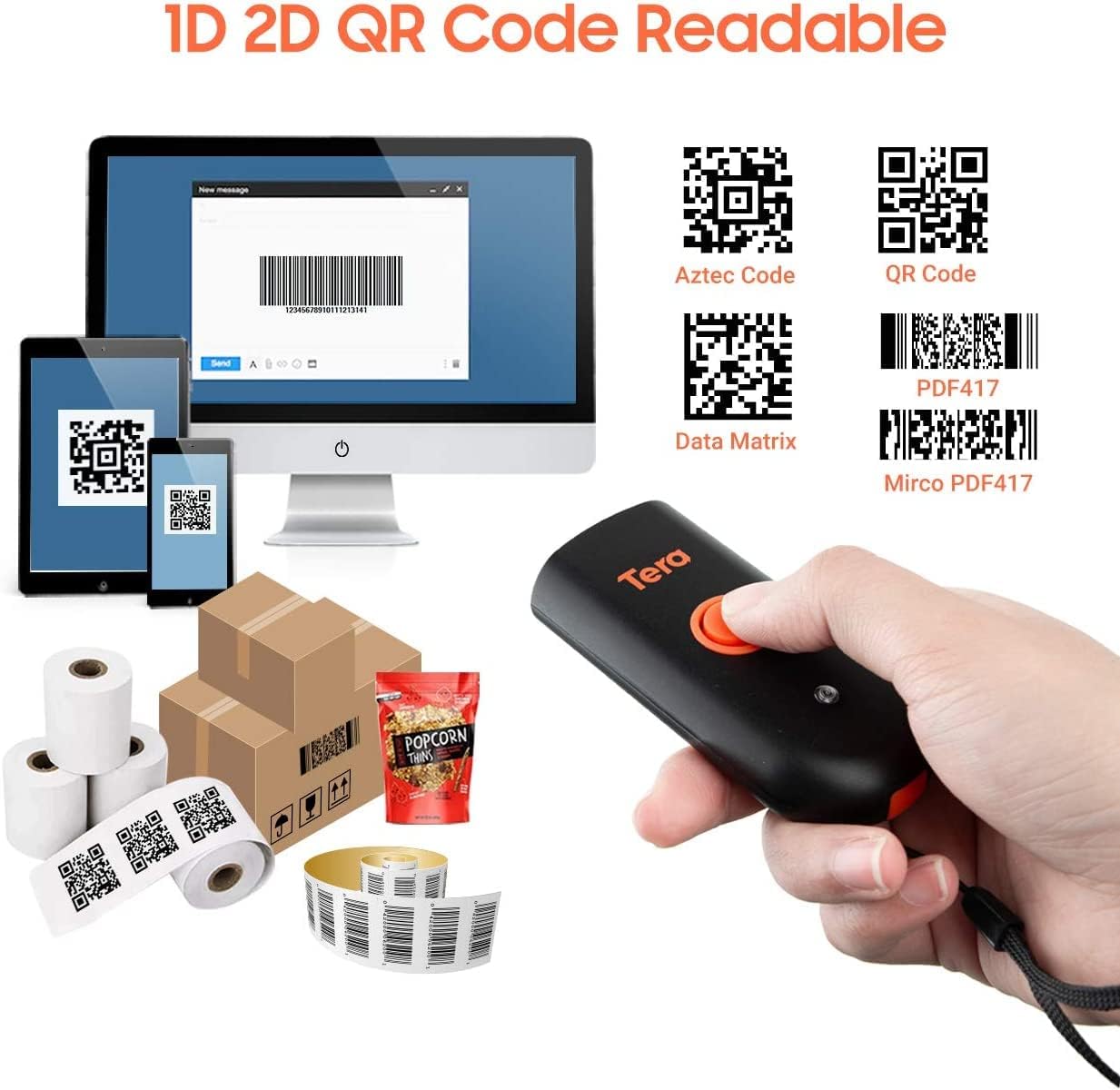
Figure 5.1: Data upload modes.
-
Режими на скенирање:
- Режим за активирање на клучот: Scan a barcode by pressing the trigger button for each scan.
- Континуиран режим: The scanner continuously emits its scan beam, allowing for rapid scanning without repeatedly pressing the trigger.

Figure 5.2: Scanning modes.
6. Полнење
To charge the Tera Mini 1100D, use the provided USB cable. Connect it to a standard USB power source. Observe the following charging guidelines:
- Препорачана струја за полнење: 5V/1A.
- Максимална струја на полнење: 5V/1.2A.
- Важно: Do НЕ use quick charge adapters or USB Power Delivery (USB PD) standard power adapters and data cables to charge this scanner. Use only the original USB cable included in the package for optimal charging and to prevent damage.
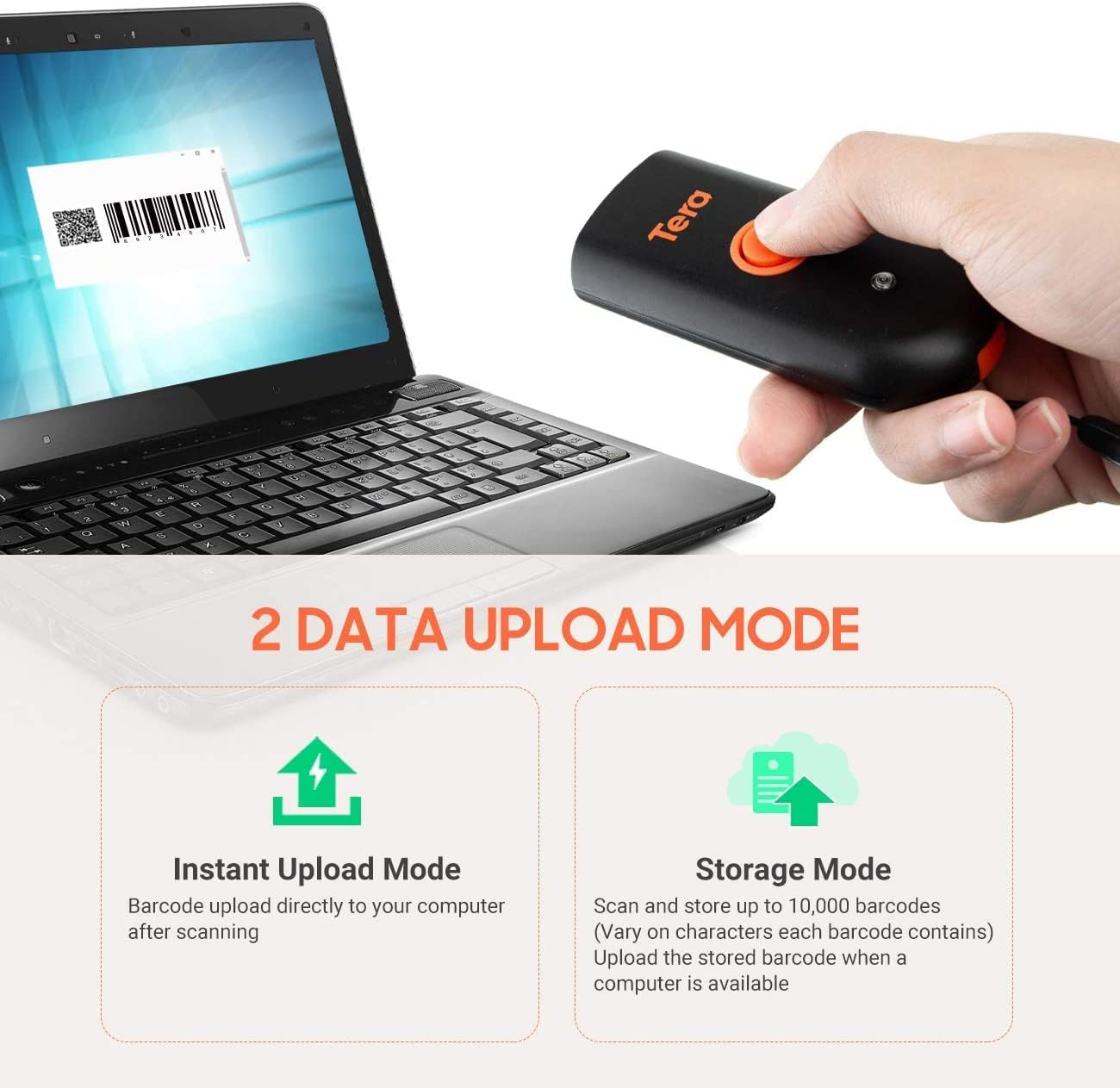
Figure 6.1: Charging specifications and warnings.
7. Компатибилност
The Tera Mini 1100D barcode scanner is compatible with a wide range of devices and operating systems:
- Компатибилни уреди: Desktop computers, laptops, smartphones, tablets.
- Компатибилни оперативни системи: Windows (11/10/8/7/XP), Mac OS, iOS, Android, Linux.
- Забелешка: This scanner is не compatible with Square POS systems.
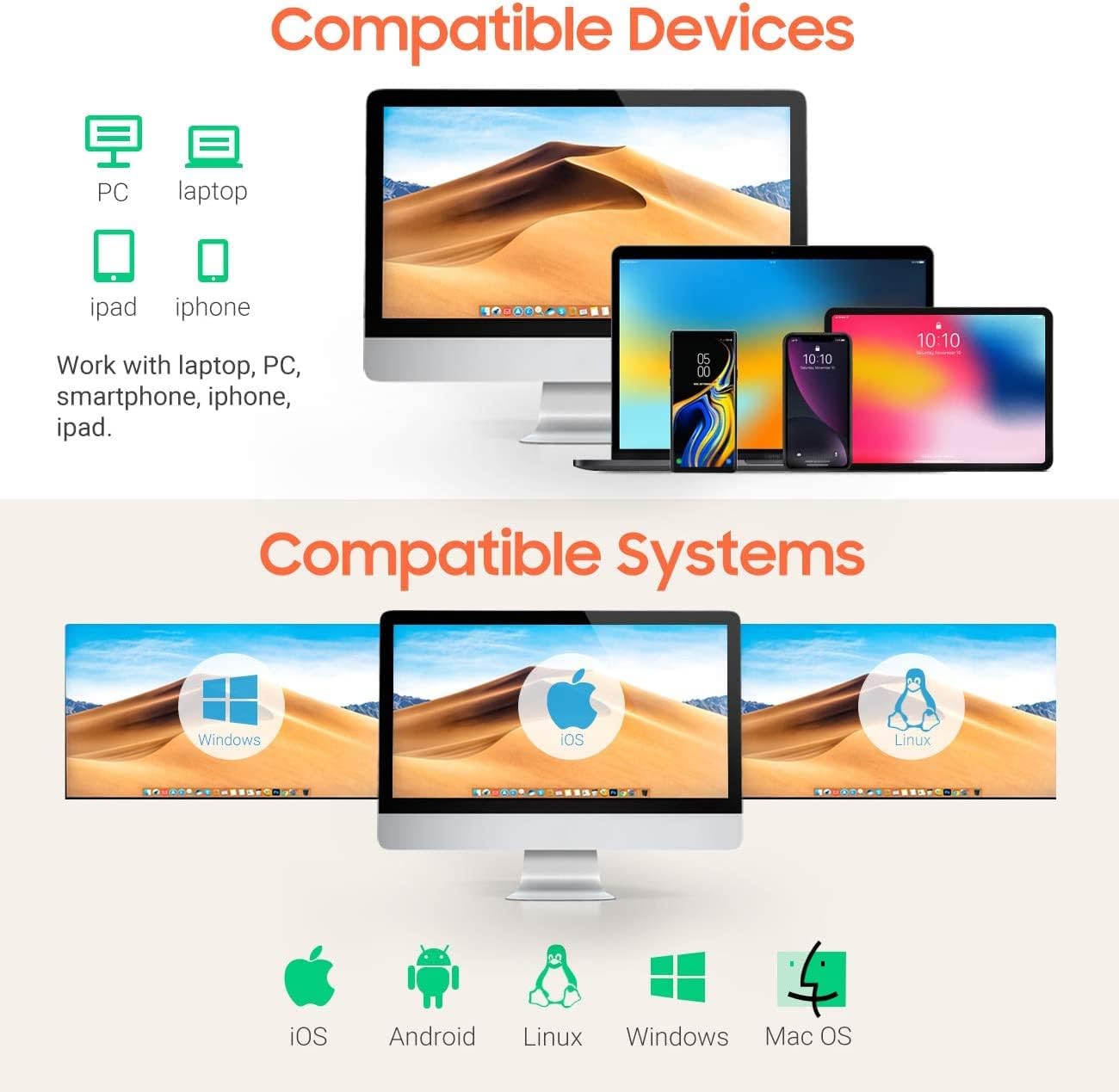
Figure 7.1: Device and system compatibility.
8. Scanning Capabilities
The Tera Mini 1100D is capable of reading both digital and printed 1D, 2D, and QR barcode symbologies. It features a global shutter for fast and accurate decoding performance.
- 1D Decode Capability: Codabar, Code 11, Code93, MSI, Code 128, UCC/EAN-128, Code 39, EAN-8, EAN-13, UPC-A, ISBN, Industrial 25, Interleaved 25, Standard 25, 2/5 Matrix.
- 2D Decode Capability: QR, PDF417, Data Matrix, Aztec code, Maxi Code.
- The scanner supports reading barcodes directly from computer screens and mobile phones.
- It also supports adding time prefixes or suffixes to scanned data.
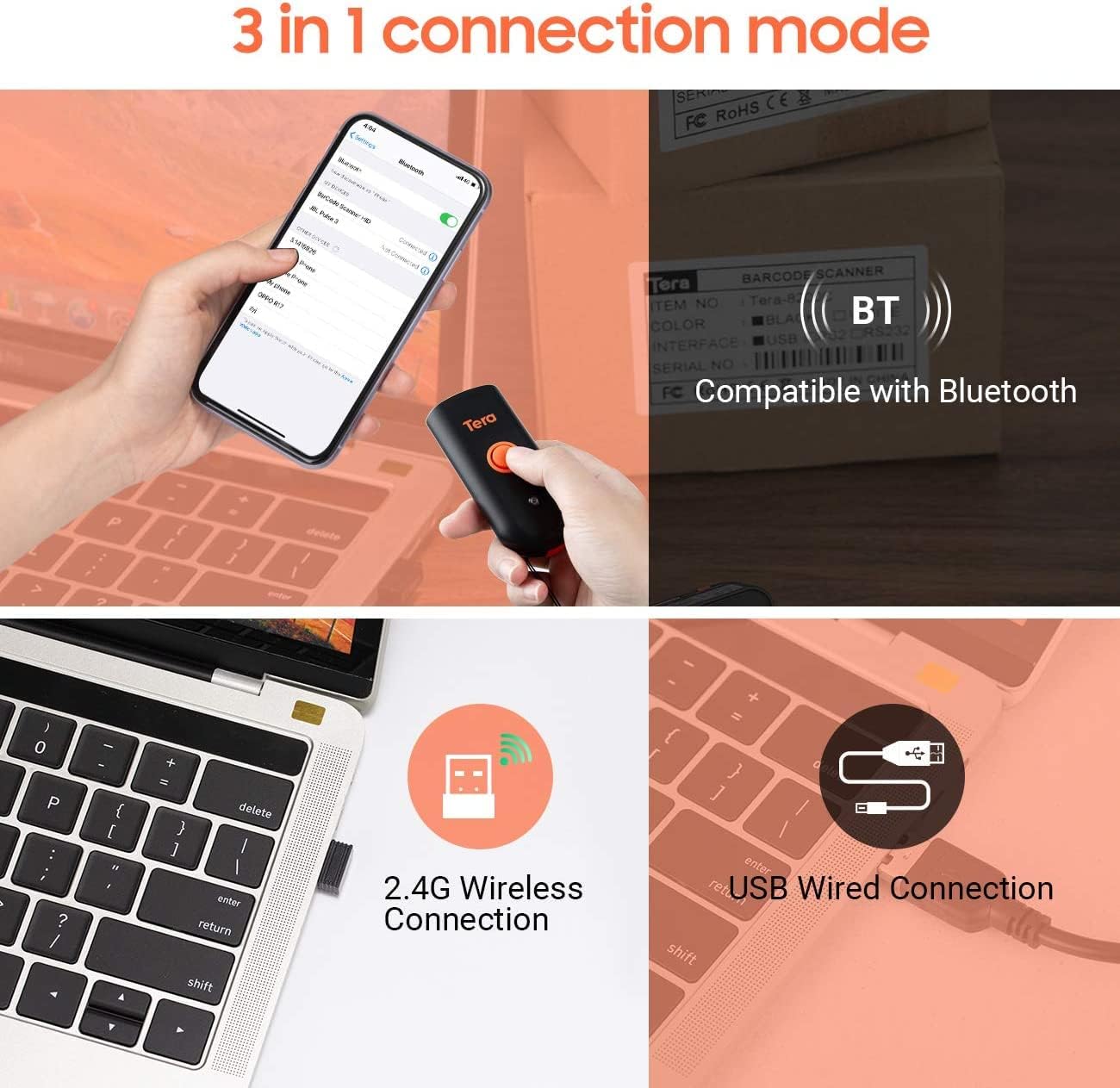
Figure 8.1: 1D, 2D, and QR code readability.
Figure 8.2: Reading barcodes from screens.
Figure 8.3: Time prefix/suffix support.
9. Напредни поставки
The scanner can be configured for various advanced functionalities by scanning specific setup barcodes (refer to the comprehensive user manual for all configuration barcodes):
-
Adding or Hiding Digits: Customize scanned data by adding or removing specific digits from the barcode output.

Figure 9.1: Customizing barcode output.
-
Повеќејазична поддршка: Configure the scanner to support various keyboard layouts for different languages, including English, Spanish, German, Japanese, French, and Italian.

Figure 9.2: Multi-language keyboard support.
10. Спецификации
| Карактеристика | Детал |
|---|---|
| Димензии на производот | 3.43"Д x 1.57"Ш x 0.79"В (87 x 40 x 20 мм) |
| Тежина на ставката | 5.3 унци (150 g) |
| Технологија за поврзување | 2.4G безжичен, Bluetooth, USB кабел |
| Извор на енергија | Corded Electric (Internal Battery) |
| Компатибилни уреди | Десктоп, лаптоп, паметен телефон, таблет |
| Производител | Тера |
| Оценка за IP | IP66 (водоотпорен и отпорен на прашина) |

Figure 10.1: IP66 Waterproof and Dustproof design.
11. Одржување
Правилното одржување обезбедува долготрајност и оптимални перформанси на вашиот скенер:
- Чистење: Use a soft, dry cloth to clean the scanner's exterior. For stubborn dirt, a slightly damp Може да се користи крпа, но осигурајте се дека влагата не влегува во отворите.
- Складирање: Чувајте го скенерот на ладно и суво место, подалеку од директна сончева светлина и екстремни температури.
- Заштита на пристаништето: Always ensure the silicone port plug is securely in place when the USB cable is not connected to maintain its waterproof and dustproof integrity.
- Нега на батеријата: Avoid fully discharging the battery frequently. Charge the scanner regularly, especially if it will be stored for an extended period.
12 Смена на проблеми
If you encounter issues with your Tera Mini 1100D scanner, please refer to the following common troubleshooting steps:
-
Скенерот не се поврзува:
- Осигурајте се дека скенерот е целосно наполнет.
- Verify the correct connection mode (Bluetooth, 2.4G, or USB) is selected and properly set up.
- For Bluetooth, ensure your host device's Bluetooth is on and the scanner is in pairing mode.
- For 2.4G wireless, ensure the USB dongle is securely inserted and recognized by your computer.
- Обидете се да ги рестартирате и скенерот и уредот домаќин.
-
Не може да се скенираат баркодови:
- Ensure the scanner is powered on and connected.
- Check if the barcode is damaged or poorly printed.
- Adjust the scanning distance and angle. The scanner works best within 2 to 16 inches.
- Ensure there is sufficient lighting for the barcode to be read.
- Проверете дали типот на баркод е поддржан од скенерот (видете го делот 8).
- Ако скенирате од екран, осигурајте се дека осветленоста на екранот е соодветна и дека нема отсјај.
-
Data Not Uploading Correctly:
- Confirm the correct data upload mode (Instant or Storage) is selected.
- If using Storage Mode, ensure you have initiated the upload process to transfer stored data.
- Check for any software or driver issues on your host device.
-
Батеријата брзо се троши:
- Пред употреба, проверете дали скенерот е целосно наполнет.
- Reduce continuous scanning if not necessary, as this consumes more power.
- Check for any background processes or settings that might be keeping the scanner active.
13. Официјално видео за производот
Watch the official product video for a visual guide on the Tera Pro 1100D Waterproof Mini Barcode Scanner's features and capabilities.
Video 13.1: Tera Pro 1100D Waterproof Mini Barcode Scanner Overview.
14. Гаранција и поддршка
For warranty information, technical support, or further assistance, please contact Tera customer service through the official website or your point of purchase. Keep your purchase receipt as proof of purchase.
A detailed PDF user manual is also available for download: Преземи го упатството за користење (PDF)


