1. Вовед
Thank you for choosing the Rebel RB-0005 Weather Station. This device provides accurate indoor and outdoor temperature readings, indoor humidity, and features a clock, calendar, and alarm function. This manual will guide you through the setup, operation, and maintenance of your new weather station to ensure optimal performance.
2. Информации за безбедност
- Не го изложувајте уредот на екстремни температури, директна сончева светлина или висока влажност.
- Избегнувајте паѓање или изложување на уредот на силни удари.
- Чувајте го уредот подалеку од вода и други течности.
- Отстранете ги искористените батерии одговорно во согласност со локалните прописи.
- Не обидувајте се сами да го расклопите или поправите уредот. Контактирајте квалификуван персонал за сервис.
- The outdoor sensor cable should be handled with care to prevent damage.
3. Содржина на пакетот
Ве молиме проверете ја содржината на пакувањето при распакување:
- 1x Rebel RB-0005 Weather Station Main Unit
- 1x Wired Outdoor Temperature Sensor
- 1x Упатство за употреба (овој документ)
Note: 1x AAA battery is required for operation and is not included in the package.
4. Карактеристики на производот
- Indoor and Outdoor Temperature Measurement
- Indoor Humidity Measurement
- Календарска функција
- Функција за аларм
- Приказ на часовник од 12/24 часа
- Memory Function for Highest and Lowest Temperature Readings
- Clear and Easy-to-Read LCD Display
- Работи со батерија за преносливост
5. Производот завршиview
Familiarize yourself with the main components of your Rebel RB-0005 Weather Station.
5.1 Преден дисплеј
The large LCD screen displays various information simultaneously:
- IN Temperature: Моментална внатрешна температура.
- OUT Temperature: Current outdoor temperature from the wired sensor.
- Време: Current time in 12-hour (AM/PM) or 24-hour format.
- RH%: Current indoor relative humidity.
- Календар: Date display (day, month).
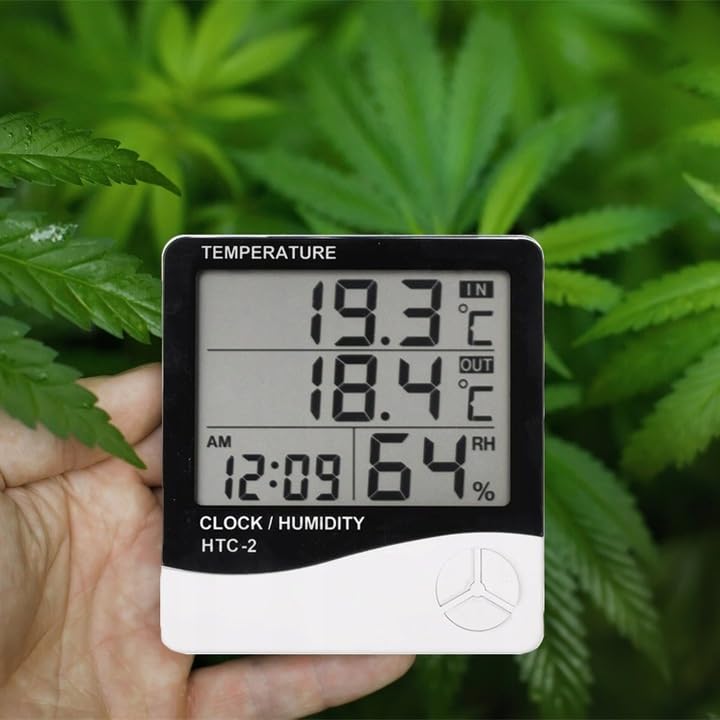
Figure 1: Front display of the weather station showing temperature, time, and humidity readings.

Слика 2: Детално view of the display and control buttons.
5.2 Контролни копчиња
The device features three control buttons located on the front, below the display:
- МОД: Used to switch between display modes (e.g., time, alarm, calendar) and to enter/exit setting modes.
- ADJ (Adjust): Used to adjust values (e.g., hours, minutes, date) when in setting mode.
- МЕМОРИЈА: Навикнати да view the highest and lowest recorded temperature and humidity values.
5.3 Заден дел View и сензор
The back of the unit houses the battery compartment, a foldable stand, and the input for the wired outdoor temperature sensor.

Слика 3: Заден дел view of the weather station with battery compartment and wired sensor.
6. Поставување
6.1 Инсталација на батерија
- Отворете го капакот на преградата за батерии на задната страна од главниот уред.
- Insert one (1) AAA battery, ensuring the correct polarity (+/-).
- Close the battery compartment cover securely. The device should power on automatically.
6.2 Поставување на надворешни сензори
- Connect the wired outdoor temperature sensor to the designated port on the back of the main unit.
- Carefully route the sensor cable to the desired outdoor location. Ensure the cable is not pinched or damaged.
- Place the sensor in a shaded area, protected from direct sunlight and precipitation, to ensure accurate readings. Avoid placing it near heat sources or vents.
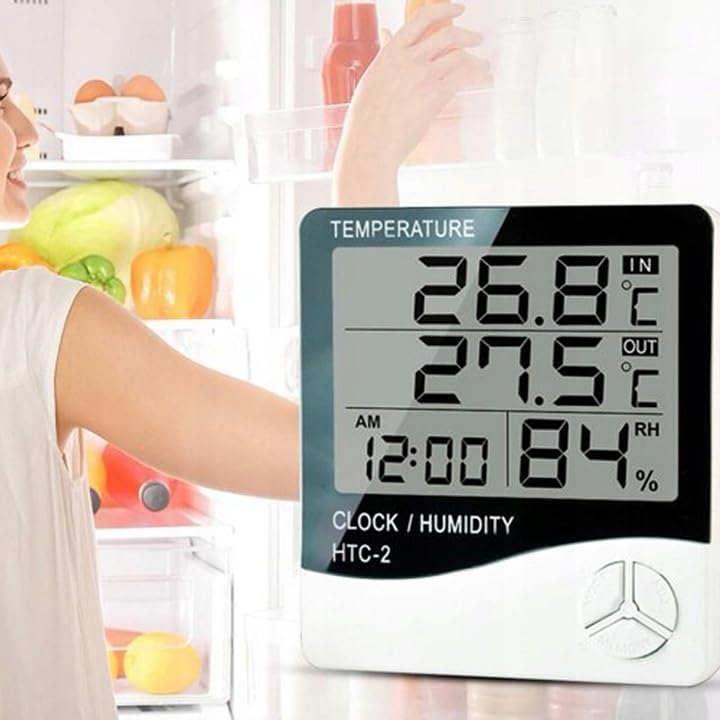
Слика 4: Прample placement of the weather station for indoor temperature monitoring.
7. Упатства за работа
7.1 Поставување време и датум
- Притиснете и задржете го РЕЖИМ копчето приближно 3 секунди додека не почне да трепка екранот за време.
- Користете го ADJ копче за да ја прилагодите трепкачката вредност (на пр., часови, минути).
- Притиснете го РЕЖИМ button again to confirm the setting and move to the next value (e.g., minutes, 12/24 hour format, year, month, day).
- Repeat step 2 and 3 until all time and date settings are configured.
- Притиснете РЕЖИМ уште еден последен пат за да излезете од режимот на поставување.
7.2 Поставување аларм
- Од нормалниот приказ на времето, притиснете го копчето РЕЖИМ button once to enter alarm display mode (usually indicated by an alarm icon).
- Притиснете и задржете го РЕЖИМ button for approximately 3 seconds until the alarm time starts flashing.
- Користете го ADJ копчето за да го поставите посакуваниот час за алармот.
- Притиснете го РЕЖИМ button to confirm the hour and move to set the minutes.
- Користете го ADJ копче за да ја поставите саканата минута за аларм.
- Притиснете го РЕЖИМ копче за потврда и излез од режимот на поставување аларм.
- За да го активирате/деактивирате алармот, притиснете го копчето ADJ button once while in alarm display mode. An alarm icon will appear/disappear on the display.
7.3 Viewing Min/Max Temperature and Humidity
- Од нормалниот екран, притиснете го копчето МЕМОРИЈА button once to show the maximum recorded indoor/outdoor temperature and indoor humidity.
- Притиснете го МЕМОРИЈА button again to show the minimum recorded indoor/outdoor temperature and indoor humidity.
- Притиснете го МЕМОРИЈА button a third time to return to the current readings.
- To clear the min/max memory, press and hold the МЕМОРИЈА копчето за приближно 3 секунди додека viewing the min/max values.
7.4 Префрлување на температурни единици (°C/°F)
While in normal display mode, press the ADJ button once to toggle between Celsius (°C) and Fahrenheit (°F) temperature units.
8. Одржување
- Чистење: Избришете го уредот со мека, сува крпа. Не користете абразивни средства за чистење или растворувачи.
- Замена на батерија: Replace the AAA battery when the display becomes dim or the device stops functioning. Follow the battery installation steps in Section 6.1.
- Нега на сензорот: Ensure the outdoor sensor cable is not damaged. Periodically check the sensor's placement to ensure it remains protected from elements for accurate readings.
9 Смена на проблеми
| Проблем | Можна причина | Решение |
|---|---|---|
| Нема екран или екранот е затемнет. | Low or depleted battery. Incorrect battery polarity. | Заменете ја батеријата AAA со нова, внимавајќи на правилниот поларитет. |
| Outdoor temperature reading is incorrect or "---". | Outdoor sensor cable is disconnected or damaged. Sensor is exposed to direct sunlight or heat source. | Check if the sensor cable is securely connected. Ensure the sensor is placed in a shaded, protected area. Inspect the cable for damage. |
| Времето/датумот се неточни. | Time/Date not set correctly after battery installation. | Refer to Section 7.1 "Setting Time and Date" to adjust. |
| Алармот не се огласува. | Alarm is not activated. Alarm volume is too low (if adjustable, though this model likely isn't). | Ensure the alarm icon is displayed, indicating it is active (refer to Section 7.2). |
10. Спецификации
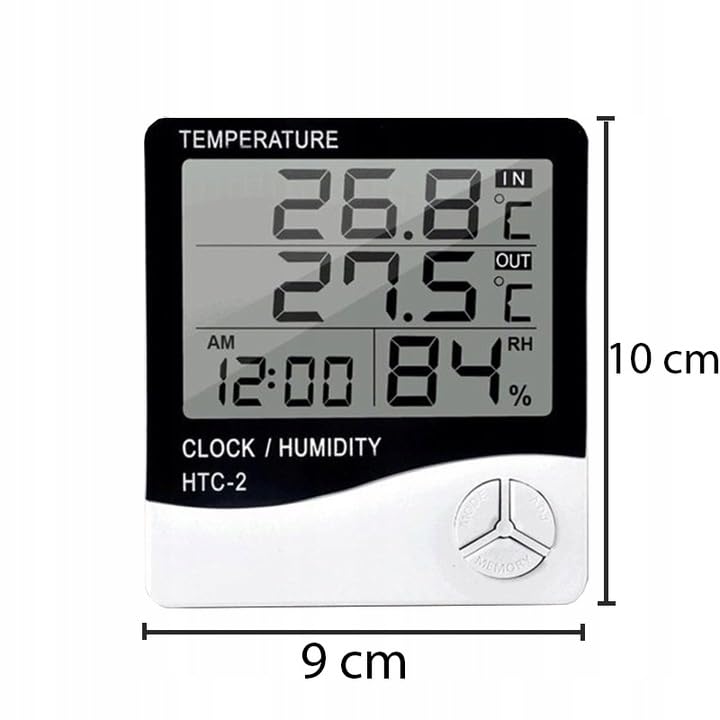
Figure 5: Approximate dimensions of the weather station.
- Модел: RB-0005
- Бренд: Бунтовник
- Извор на енергија: 1x AAA батерија (не е вклучена)
- Материјал: Пластика
- Посебни карактеристики: Alarm, Calendar, Min/Max Memory
- Димензии на пакетот: 18 x 12 x 10 cm
- Димензии на производот (приближно): 9 см (ширина) x 10 см (висина)
- Прв достапен датум: 23 ноември 2020 година
11. Гаранција и поддршка
Овој производ е покриен со стандардна гаранција од производителот. За специфични услови на гаранцијата, ве молиме погледнете ја документацијата доставена при купувањето или контактирајте го вашиот продавач.
For technical support or inquiries, please contact the Rebel customer service department through their official webстраницата или информациите за контакт што ги дал вашиот продавач.


