1. Вовед
The WAVLINK 14-in-1 DisplayLink Docking Station (Model WL-UG69DK7) is designed to expand the connectivity of your laptop or computer, providing a versatile solution for multiple displays and peripherals. This docking station supports a wide range of devices and operating systems, enhancing your workspace efficiency.
It features dual 5K display outputs, multiple USB 3.0 ports, a Gigabit Ethernet port, and a 2-in-1 audio/microphone jack. Please note that this docking station does not support charging your host device.

Слика 1: Готовоview of the WAVLINK 14-in-1 DisplayLink Docking Station and its ports.
Video: WAVLINK USB-C Universal Docking Station Overview
Видео 1: Краток прегледview of the WAVLINK USB-C Universal Docking Station (Model UG69DK7) and its features.
2. Поставување и инсталација
2.1. Инсталација на драјвери
Before connecting the docking station, it is crucial to install the DisplayLink driver for your operating system. This driver enables the docking station to function correctly and support multiple displays.
- Go to the official DisplayLink webсајт (displaylink.com).
- Navigate to the "Downloads" section.
- Select the correct driver version for your operating system (Windows, macOS, Android, Ubuntu, Chrome OS).
- Download and install the driver following the on-screen instructions.
- Рестартирајте го компјутерот доколку се побара.

Figure 2: Steps for downloading and installing the DisplayLink driver.
Video: DisplayLink Driver Installation for Mac
Video 2: A guide on how to download and install the DisplayLink driver on macOS for optimal functionality.
2.2. Физичка врска
Follow these steps to connect your docking station and peripherals:
- Connect the power adapter to the 20V DC IN port on the docking station and then to a power outlet.
- Connect your monitors to the docking station using HDMI or DisplayPort cables. The docking station supports up to two 5K displays.
- Connect your USB peripherals (keyboard, mouse, external hard drives, etc.) to the available USB 3.0 ports.
- For a wired network connection, connect an Ethernet cable to the Gigabit Ethernet port on the docking station.
- Connect your headphones or microphone to the 2-in-1 audio & microphone jack.
- Finally, connect the docking station to your laptop using the provided USB-C to C or USB-C to A cable.

Figure 3: Docking station connected to a laptop and dual monitors.
3. Упатства за работа
3.1. Конфигурација на екранот
The docking station supports single or dual monitors with resolutions up to 5120x1440@60Hz. You can configure your displays in either Mirror Mode or Extend Mode through your operating system's display settings.
- Режим на огледало: Duplicates your primary display onto the external monitors.
- Проширете го режимот: Expands your desktop across multiple screens, allowing for increased productivity.
Важна забелешка: In the same video stream group (Display 1: DP1+HDMI1 and Display 2: DP2+HDMI2), the DisplayPort and HDMI port cannot be used simultaneously. If both are connected, the DisplayPort will take priority.

Figure 4: Illustration of Mirror Mode and Extend Mode for display setup.
3.2. USB пренос на податоци
The docking station features six USB-A 3.0 ports, supporting data transfer speeds of up to 5Gbps. This allows for rapid transfer of large files and efficient connection of various USB peripherals. One of these ports also supports BC1.2 fast charging (7.5W) for compatible devices.
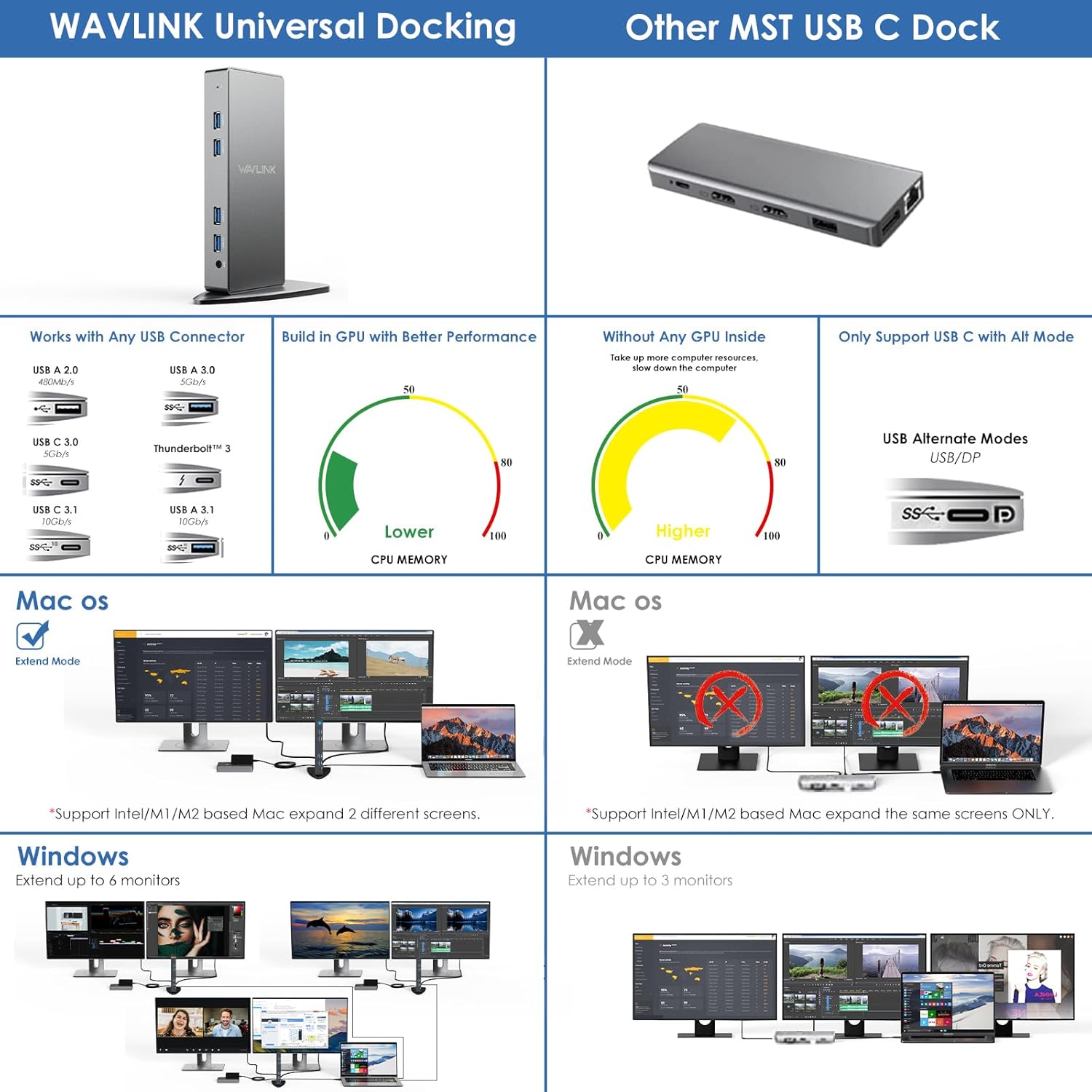
Figure 5: Highlighting the ultra-fast data transfer speed of USB 3.0 ports.
3.3. Network and Audio
The Gigabit Ethernet port provides a stable and fast wired network connection (10/100/1000Mbps), ideal for streaming and online activities. The 2-in-1 audio & microphone jack allows for simultaneous audio output and voice input, supporting headsets with a single 4-pole connector.

Figure 6: Docking station with Gigabit RJ45 Ethernet and 2-in-1 audio/mic jack connections.
3.4. Additional Modes
- Режим на ротација: Supports screen rotation to adjust to different monitor orientations.
- Режим на затворач: Allows you to use your laptop with the lid closed while connected to external monitors, reducing power consumption and extending battery life.

Figure 7: Visual representation of Rotation Mode and Clamshell Mode functionality.
4. Спецификации
| Карактеристика | Детал |
|---|---|
| Број на модел | WL-UG69DK7 |
| Димензии на производот | 4.72 x 3.15 x 2.36 инчи (12 x 8 x 6 см) |
| Тежина на ставката | 1.23 фунти (558 грама) |
| Вкупно порти | 14 |
| USB порти | 6 x USB 3.0 Type-A (5Gbps, one with BC1.2 fast charging) |
| Видео излез | 2 x HDMI (up to 5K), 2 x DisplayPort (up to 5K) |
| Етернет | 1 x Gigabit Ethernet (10/100/1000Mbps) |
| Аудио | 1 x 2-in-1 Audio & Microphone Jack |
| Влез на енергија | 20V DC (35 watts) |
| Поврзување на домаќинот | USB-C (with included USB-C to C/A cables) |
| Компатибилност | Windows 11/10/8.1/8/7/Vista, Mac OS 10.14-14.x+, Android 5.0+, Ubuntu 20.04/22.04, Chrome OS, Harmony OS. (Not compatible with iPhone OS, iPad OS, Linux, Unix) |
5. Одржување
- Чувајте ја приклучната станица на суво, добро проветрено место.
- Избегнувајте изложување на уредот на екстремни температури или директна сончева светлина.
- Чистете ја надворешноста со мека, сува крпа. Не користете течни средства за чистење или аеросоли.
- Ensure all cables are securely connected to prevent signal loss or power interruptions.
- Regularly check for DisplayLink driver updates to ensure optimal performance and compatibility.
6 Смена на проблеми
- Нема излез за прикажување:
- Проверете дали драјверот за DisplayLink е правилно инсталиран и ажуриран.
- Verify all display cables (HDMI/DisplayPort) are securely connected to both the docking station and the monitors.
- Check your computer's display settings to ensure the external monitors are detected and configured (Mirror or Extend mode).
- Confirm the docking station is receiving power.
- USB уредите не работат:
- Ensure the docking station is properly connected to your host computer via the USB-C cable.
- Обидете се да го поврзете USB-уредот директно со компјутерот за да исклучите проблеми со уредот.
- Тестирајте различни USB порти на приклучната станица.
- Проблеми со мрежната поврзаност:
- Проверете дали етернет кабелот е безбедно поврзан и со приклучната станица и со вашиот рутер/модем.
- Проверете ги мрежните поставки на вашиот компјутер.
- Ensure the network adapter for the docking station is enabled in your operating system.
- Аудио проблеми:
- Check your computer's sound settings to ensure the docking station's audio output is selected as the default device.
- Verify your headphones/speakers are properly connected to the 2-in-1 audio jack.
- Performance Issues (Lagging Display, Slow USB):
- Ensure your computer meets the minimum system requirements for DisplayLink.
- Затворете ги непотребните апликации за да ослободите системски ресурси.
- Update your computer's graphics drivers and operating system.
7. Гаранција и поддршка
За информации за гаранцијата и техничка поддршка, ве молиме погледнете ја документацијата што е вклучена со вашиот производ или посетете ја официјалната WAVLINK website. You may also contact WAVLINK customer service directly for assistance with product setup, troubleshooting, or warranty claims.
Производител: ВЕЈВЛИНК