1. Вовед
Thank you for choosing the Vortec Multi-Device Bluetooth Keyboard. This keyboard is designed for seamless connectivity across multiple operating systems and devices, offering a comfortable and efficient typing experience. Please read this manual carefully to ensure proper use and maintenance of your device.

Image 1.1: The Vortec Multi-Device Bluetooth Keyboard, designed for portability and travel.
2. Содржина на пакетот
- Vortec Multi-Device Bluetooth Keyboard
- USB-C кабел за полнење
- Упатство за употреба
3. Производот завршиview
The Vortec Multi-Device Bluetooth Keyboard features a sleek design, multi-device connectivity, and broad operating system compatibility. It is equipped with scissor-switch keys for a responsive and quiet typing experience.

Image 3.1: The Vortec Multi-Device Bluetooth Keyboard.

Image 3.2: Keyboard showcasing multi-device and multi-OS features, along with 120 hours of usage on a single charge.
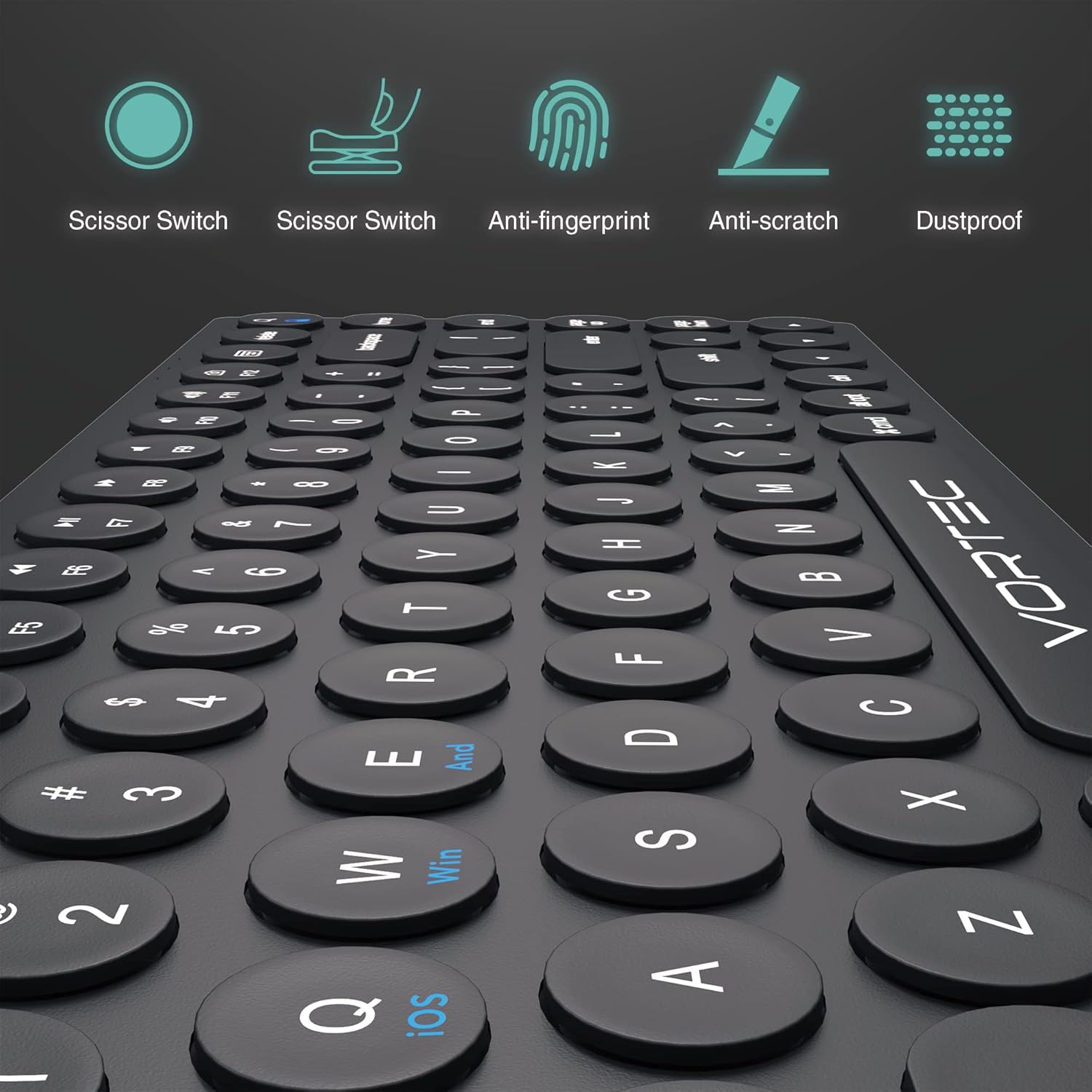
Image 3.3: Key features of the keyboard, including scissor-switch technology, anti-fingerprint, anti-scratch, and dustproof design.

Image 3.4: Close-up demonstrating the scissor-switch mechanism for improved tactile response and quieter typing.
4. Поставување
4.1 Полнење на тастатурата
Before first use, fully charge the keyboard. Connect the supplied USB-C charging cable to the keyboard's charging port and to a USB power source (e.g., computer, USB wall adapter). The charging indicator light will illuminate during charging and turn off when fully charged.
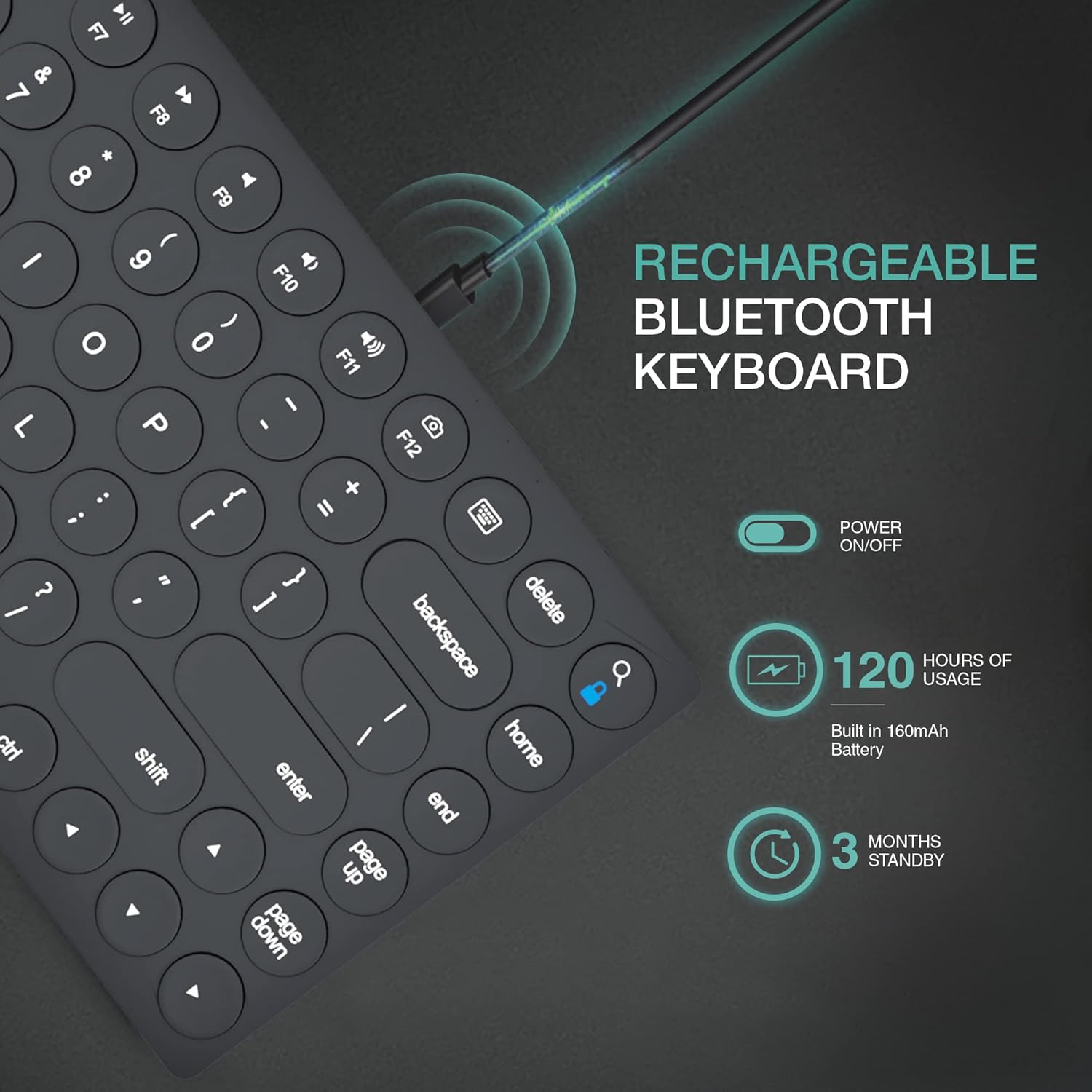
Image 4.1: USB-C charging port and power switch. The keyboard offers up to 120 hours of usage on a single charge.
4.2 Вклучување/исклучување
Locate the power switch on the side of the keyboard. Slide the switch to the 'ON' position to power on the keyboard. Slide it to 'OFF' when not in use to conserve battery.
4.3 Спарување преку Bluetooth
The keyboard can connect to up to three devices simultaneously.
- Вклучете ја тастатурата користејќи го прекинувачот за напојување.
- Select a Bluetooth channel by pressing the Fn key simultaneously with one of the device selection keys: fn+1, fn+2, или fn+3. The corresponding indicator light will blink slowly.
- Enter pairing mode by pressing Fn + F10 (Bluetooth icon). The indicator light for the selected channel will blink rapidly, indicating it is ready to pair.
- On your device (iPad, iPhone, Android, Mac, PC), go to Bluetooth settings and search for available devices.
- Select "Vortec Keyboard" from the list of found devices. Follow any on-screen prompts to complete the pairing process.
- Once paired, the indicator light will stop blinking and remain solid for a few seconds before turning off.

Image 4.2: Illustration of multi-device connectivity, allowing the keyboard to switch between a laptop, tablet, and smartphone.
4.4 Префрлување на оперативни системи
To optimize key functions for your specific operating system, use the following combinations:
- Fn + Q: For iOS devices (iPad, iPhone)
- Fn + W: For Windows devices (PC)
- Fn + E: For Android devices (Phone, Tablet)

Image 4.3: The keyboard demonstrating universal compatibility with various devices and operating systems.
5. Упатства за работа
5.1 Префрлување помеѓу спарени уреди
Once paired with multiple devices, you can switch between them instantly by pressing fn+1, fn+2, или fn+3, corresponding to the channel your device is paired to.
5.2 Функциски копчиња (F1-F12)
The top row of keys (F1-F12) provides multimedia and shortcut functions. To activate these functions, press the Fn копчето истовремено со саканото функционално копче.
| Клуч | Функција |
|---|---|
| Fn + Esc | Дома |
| Fn + F1 | Осветленост надолу |
| Fn + F2 | Осветленост горе |
| Fn + F3 | Виртуелна тастатура |
| Fn + F4 | Барај |
| Fn + F5 | Слика од екранот |
| Fn + F6 | Заклучување на екранот |
| Fn + F7 | Претходна песна |
| Fn + F8 | Пушти/Пауза |
| Fn + F9 | Следна песна |
| Fn + F10 | Исклучи звук |
| Fn + F11 | Намалување на јачината на звукот |
| Fn + F12 | Јачина на звук нагоре |
5.3 Индикаторски светла
Тастатурата има неколку индикаторски светла:
- Индикатор за ниска моќност: A red light indicates low battery. Recharge the keyboard promptly.
- Индикатор за целосно полнење: A green light indicates the keyboard is fully charged.
- Pairing / Bluetooth Indicator: A blue light flashes during pairing and briefly illuminates when connected.
- Индикатор за заклучување на капачиња: A white light indicates Caps Lock is active.

Image 5.1: Keyboard dimensions and indicator light locations (Low Power, Pairing, Caps Lock, Full Charge).
6. Одржување
- Држете ја тастатурата подалеку од течности и екстремни температури.
- Clean the keyboard with a soft, damp крпа. Избегнувајте груби хемикалии или абразивни материјали.
- Store the keyboard in a dry, cool place when not in use for extended periods.
7 Смена на проблеми
7.1 Тастатурата не се поврзува/спарува
- Осигурајте се дека тастатурата е вклучена и целосно наполнета.
- Проверете дали Bluetooth е овозможен на вашиот уред.
- Ensure the keyboard is in pairing mode (indicator light blinking rapidly).
- Try forgetting the keyboard from your device's Bluetooth settings and re-pairing.
- Ensure you have selected the correct Bluetooth channel (Fn + 1/2/3).
- Рестартирајте ја и тастатурата и вашиот уред.
7.2 Копчињата не реагираат
- Проверете го нивото на батеријата и наполнете ја доколку е потребно.
- Осигурајте се дека тастатурата е правилно поврзана со вашиот уред.
- Verify that the correct operating system mode is selected (Fn + Q/W/E).
- Исчистете ги сите остатоци околу копчињата.
7.3 Доцнење или прекини на поврзување
- Ensure your device is within the effective range of the keyboard (typically 10 meters).
- Избегнувајте пречки од други безжични уреди.
- Recharge the keyboard if the battery is low.
8. Спецификации
| Карактеристика | Детал |
|---|---|
| Димензии на производот | 14.17 x 5.12 x 0.39 инчи |
| Тежина на ставката | 1.2 фунти |
| Батерии | 1 литиум-јонска батерија (вклучена) |
| Компатибилни уреди | iPad, iPhone, Android, Windows, Mac OS |
| Технологија за поврзување | Bluetooth, USB-C |
| Опис на тастатурата | Ergonomic, Multi-Device, Scissor-Switch Keyboard |
| Специјална карактеристика | Bluetooth, Multimedia Keyboard, Wireless |
| Боја | Црното |
| Материјал | Акрилонитрил Бутадиен Стирен |
| Извор на енергија | Напојува со батерија |
9. Гаранција и поддршка
Vortec products are designed for reliability and performance. For warranty information or technical support, please refer to the product packaging or contact Vortec customer service through the retailer where the product was purchased. Keep your purchase receipt for warranty claims.