Вовед
This manual provides detailed instructions for the setup, operation, and maintenance of your Sharp Digital Alarm Clock, Model B08TG1QB2B. Designed for simplicity, this clock features a clear LED display, dual ascending alarms, and a battery backup system to ensure reliability.

Слика 1: Предна страна view of the Sharp Digital Alarm Clock, displaying the time 12:08 in green LED digits.
Карактеристики на производот
- Дизајн лесен за употреба: Едноставна операција погодна за сите корисници.
- Двоен алармен систем: Поставете два независни аларми за различни распореди.
- Ascending Alarm Volume: Alarm starts softly and gradually increases in volume for a gentle wake-up.
- Резервна копија на батеријата: Ги одржува поставките за време и аларм за време на исклучување на струјатаtages (requires 2x AA batteries, not included).
- Illuminated Green LED Digits: Јасен и лесен за читање дисплеј.
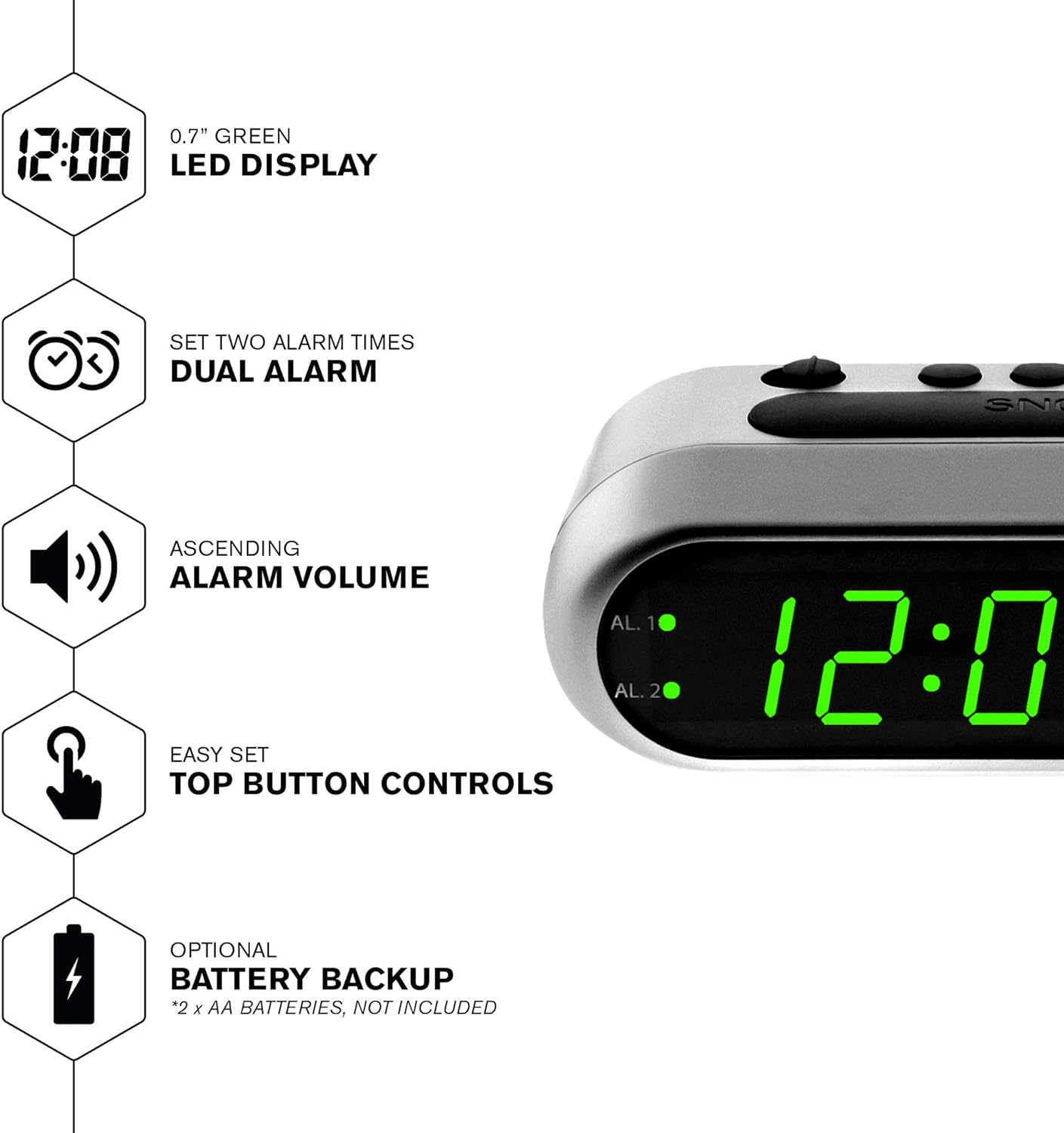
Слика 2: Готовоview of the clock's main features, including the LED display, dual alarm, ascending volume, and battery backup.
Содржина на пакетот
- Sharp Digital Alarm Clock (Model B08TG1QB2B)
- Адаптер за напојување со наизменична струја
- Упатство за употреба
Забелешка: 2x AA batteries for battery backup are not included and must be purchased separately.
Контроли и приказ
Familiarize yourself with the buttons and indicators on your alarm clock:
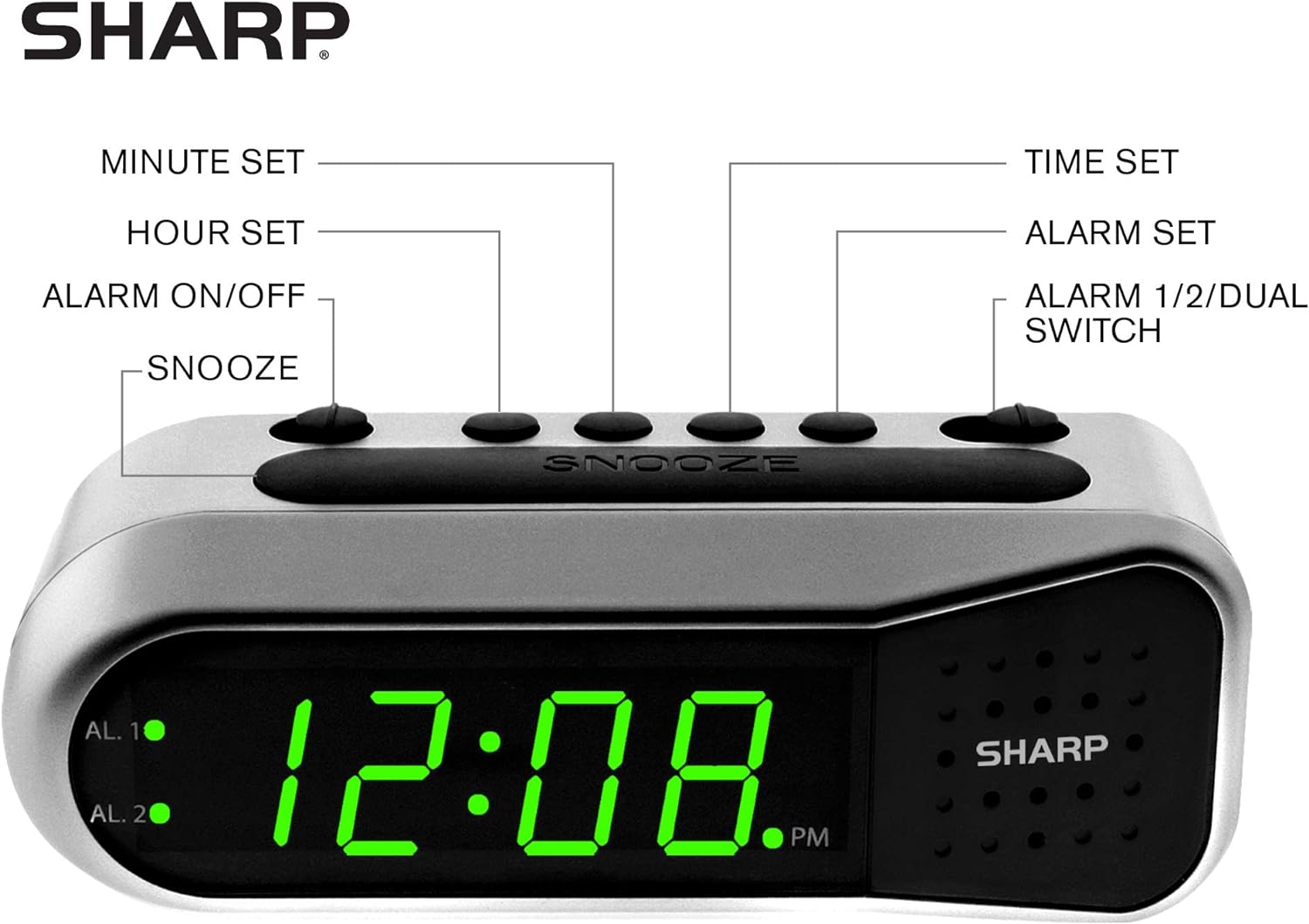
Figure 3: Labeled diagram of the clock's controls and display elements.
- Minute Set Button: Adjusts minutes for time and alarm settings.
- Hour Set Button: Adjusts hours for time and alarm settings.
- Прекинувач за вклучување/исклучување на алармот: Activates or deactivates the selected alarm.
- Копче за одложување: Temporarily silences the alarm for a short period.
- Копче за поставување време: Влегува во режим на поставување време.
- Копче за поставување аларм: Enters alarm setting mode.
- Alarm 1/2/Dual Switch: Selects which alarm (Alarm 1, Alarm 2, or both) is being set or activated.
- AL. 1 Indicator: Свети кога е активен Аларм 1.
- AL. 2 Indicator: Свети кога е активен Аларм 2.
- PM индикатор: Lights up when the displayed time is PM.
Поставување
1. Поврзување за напојување
Connect the AC power adapter to the DC input jack located on the back of the alarm clock. Plug the adapter into a standard electrical outlet. The display will illuminate.
2. Инсталација на резервна копија на батеријата
The battery backup feature requires two (2) AA batteries (not included). These batteries maintain time and alarm settings during a power outage but do not power the display.
- Open the battery compartment cover on the bottom of the clock.
- Вметнете две (2) AA батерии, почитувајќи ја точната поларност (+ и -) како што е наведено во внатрешноста на преградата.
- Заменете го капакот на преградата за батерии.
Забелешка: Replace batteries annually or when the clock experiences frequent power interruptions to ensure reliable backup.
3. Почетно поставување на времето
After connecting power, the display will show a default time (e.g., 12:00 AM). Set the current time:
- Притиснете и задржете го ВРЕМЕ СЕТ копче. Цифрите за часовите ќе трепкаат.
- Додека се држи ВРЕМЕ СЕТ, притиснете го СЕТ НА ЧАСОВИ button repeatedly to adjust the hour. Observe the PM indicator for correct AM/PM setting.
- Ослободете го ВРЕМЕ СЕТ копче.
- Притиснете и задржете го ВРЕМЕ СЕТ копчето повторно. Цифрите за минути ќе трепкаат.
- Додека се држи ВРЕМЕ СЕТ, притиснете го ПОСТАВЕНИ МИНУТИ копчето повеќе пати за да ги прилагодите минутите.
- Ослободете го ВРЕМЕ СЕТ копче за да заштедите време.
Упатства за работа
Поставување аларм 1 или аларм 2
Your clock features two independent alarms. To set an alarm:
- Лизгајте го ALARM 1/2/DUAL префрли на било кој АЛ. 1 or АЛ. 2, depending on which alarm you wish to set.
- Притиснете и задржете го СЕТ ЗА АЛАРМ button. The hour digits for the selected alarm will flash.
- Додека се држи СЕТ ЗА АЛАРМ, притиснете го СЕТ НА ЧАСОВИ button repeatedly to adjust the alarm hour. Ensure the correct AM/PM is selected.
- Ослободете го СЕТ ЗА АЛАРМ копче.
- Притиснете и задржете го СЕТ ЗА АЛАРМ button again. The minute digits for the selected alarm will flash.
- Додека се држи СЕТ ЗА АЛАРМ, притиснете го ПОСТАВЕНИ МИНУТИ button repeatedly to adjust the alarm minutes.
- Ослободете го СЕТ ЗА АЛАРМ копче за да го зачувате времето на алармот.
Activating/Deactivating Alarms
To turn an alarm ON or OFF:
- Лизгајте го ALARM 1/2/DUAL префрли на АЛ. 1 or АЛ. 2.
- Премести го Вклучено / исклучено аларм префрлете се на ON position to activate the alarm. The corresponding AL. 1 or AL. 2 indicator light will illuminate.
- Премести го Вклучено / исклучено аларм префрлете се на ИСКЛУЧЕНО position to deactivate the alarm. The indicator light will turn off.
To activate both alarms, set both alarm times and then slide the ALARM 1/2/DUAL префрли на ДВОЈНА. Both AL. 1 and AL. 2 indicators will light up.
Функција за одложување
Кога ќе се огласи алармот, притиснете го големото копче СНОЗА button on top of the clock. The alarm will temporarily stop and sound again after approximately 9 minutes.
Запирање на алармот
To stop the alarm completely after it sounds, slide the Вклучено / исклучено аларм префрлете се на ИСКЛУЧЕНО position. The alarm will reset for the next day.
Одржување
Чистење
Избришете го часовникот со мека, сува крпа. Не користете абразивни средства за чистење или растворувачи, бидејќи тие може да ја оштетат завршната обработка.
Замена на батеријата
Replace the AA backup batteries annually or if the clock loses time during power interruptions. Refer to the "Battery Backup Installation" section for instructions.
Решавање проблеми
| Проблем | Можна причина | Решение |
|---|---|---|
| Приказот на часовникот е празен. | Нема напојување со наизменична струја. | Ensure the AC adapter is securely plugged into the clock and a working electrical outlet. |
| Алармот не се огласува. | Алармот не е активиран или е неправилно поставен. | Потврдете го Вклучено / исклучено аларм прекинувачот е во ON position and the alarm time is correctly set (check AM/PM). |
| Времето е неточно по исклучувањето на струјатаtage. | Резервните батерии се празни или не се инсталирани. | Install fresh AA batteries or replace existing ones. Reset the time if necessary. |
| Alarm is too quiet/loud. | Alarm volume is ascending, not fixed. | The alarm features an ascending volume. It starts faintly and gradually increases. This is normal operation. |
Спецификации
- Модел: B08TG1QB2B
- Бренд: Остро
- Тип на приказ: Дигитална LED диода (зелена)
- Извор на енергија: AC Power Adapter (included), 2x AA Batteries (for backup, not included)
- Димензии на производот: 5.5" W x 2.1" H x 2.3" D (approximate)
- Тежина: 8.4 унци
- Материјал: Пластика
- Боја: Брусено сребро
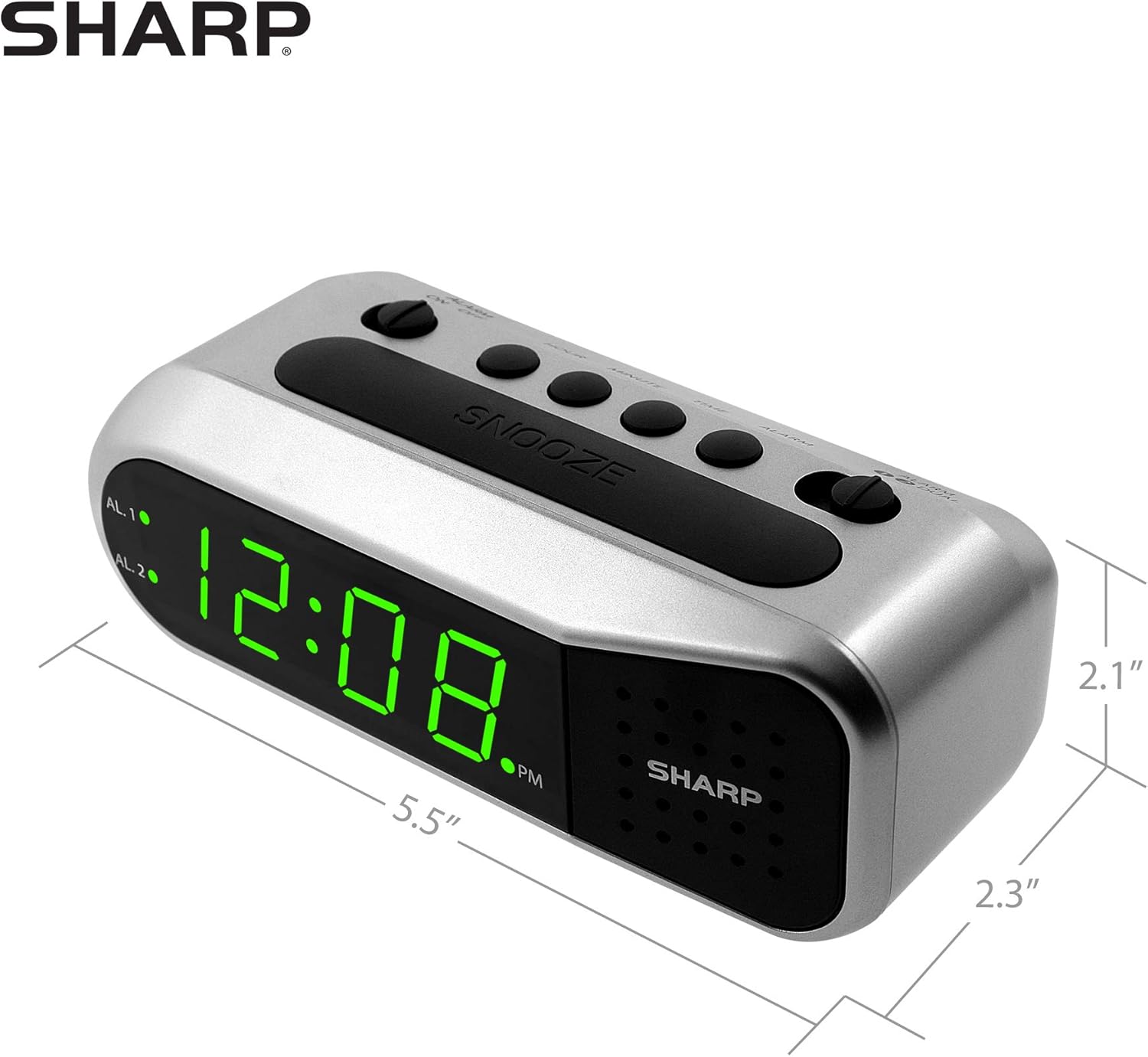
Figure 4: Dimensions of the Sharp Digital Alarm Clock.
Гаранција и поддршка
For warranty information or technical support, please refer to the warranty card included with your product or visit the official Sharp webстраница. Чувајте ја сметката за купување како доказ за купување.
For further assistance, you may contact Sharp customer service through their official channels.


