1. Вовед
Thank you for choosing the NEC E438 43-inch LCD 4K UHD Commercial-Grade Monitor. This manual provides detailed instructions for the safe and efficient use of your display. Please read this manual thoroughly before operating the product and retain it for future reference.
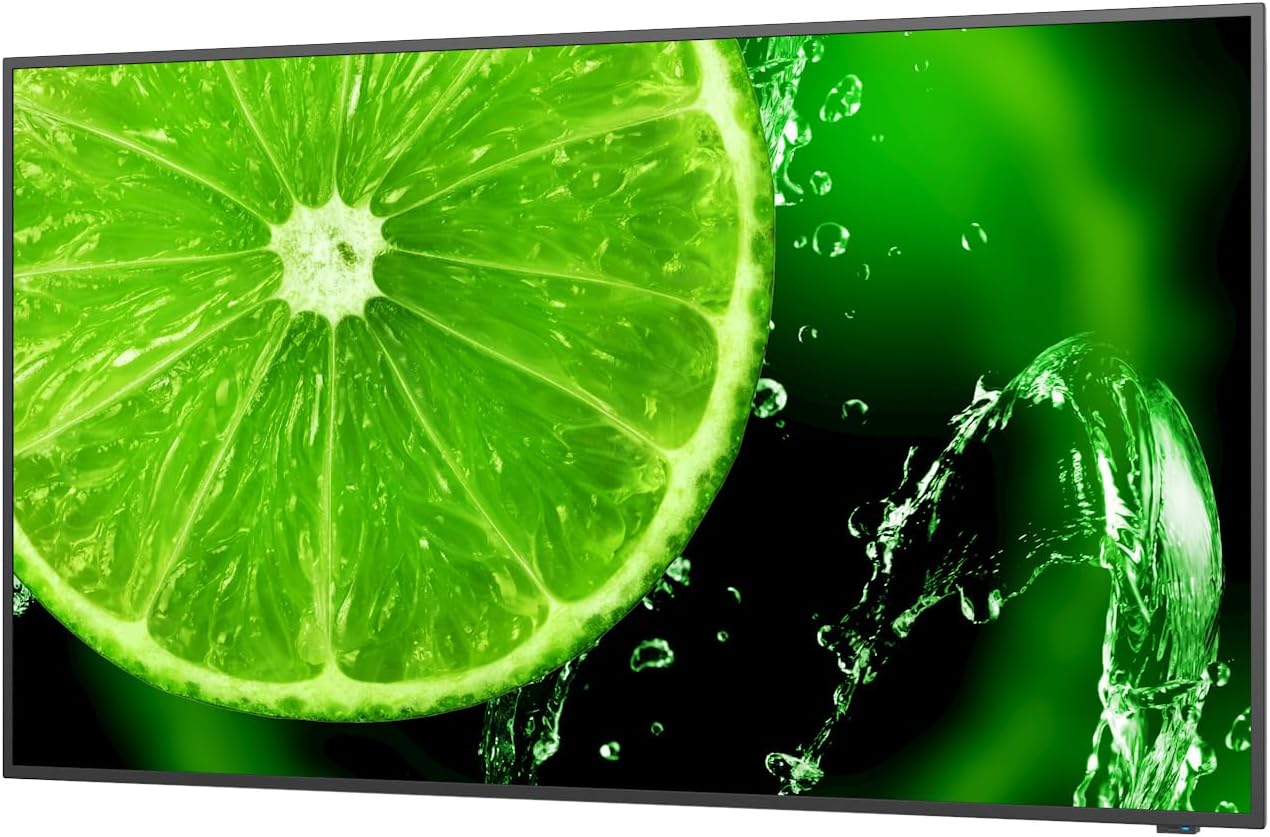
Слика 1: Предна страна view of the NEC E438 43-inch 4K UHD monitor.
2. Информации за безбедност
Observe the following safety precautions to prevent damage to the product and to ensure your safety:
- Не го изложувајте мониторот на дожд или влага за да избегнете пожар или електричен удар.
- Не го отворајте мониторот casing. Целото сервисирање обратете се кај квалификуван сервисен персонал.
- Обезбедете соодветна вентилација. Не ги блокирајте отворите за вентилација.
- Use only the power cord supplied with the monitor or a suitable replacement.
- Place the monitor on a stable, level surface or mount it securely according to VESA standards.
- Исклучете го приклучокот за струја од штекерот ако мониторот не се користи подолг период.
3. Содржина на пакетот
Проверете дали сите артикли се присутни во пакувањето:
- NEC E438 43-inch LCD 4K UHD Monitor
- Кабел за напојување
- HDMI кабел
- USB-C кабел
- Далечински управувач (со батерии)
- Упатство за употреба (овој документ)
- Водич за брзо поставување
4. Поставување
4.1 Физичко сместување
Place the monitor on a sturdy, flat surface or mount it using a VESA-compatible wall mount or stand. Ensure adequate space around the monitor for ventilation.
4.2 Кабли за поврзување
Connect the necessary cables to the corresponding ports on the monitor and your source device (e.g., computer, media player).

Слика 2: Заден дел view of the monitor showing connection ports and mounting points.

Слика 3: Страна view of the monitor illustrating the input port cluster.
- Моќност: Connect the power cord to the monitor's AC input and then to a grounded electrical outlet.
- Видео влез: Use an HDMI, VGA, or USB-C cable to connect your source device to the monitor. The monitor supports multiple HDMI inputs.
- LAN: Поврзете етернет кабел во LAN-портата за мрежно поврзување.
- USB-C: For video, data, and power delivery (if supported by the source device).
5. Упатства за работа
5.1 Вклучување/исклучување
Press the power button located on the monitor or on the remote control to turn the display on or off. The power indicator light will illuminate when the monitor is on.
5.2 Избор на влез
Use the 'Input' button on the remote control or the monitor's control panel to cycle through available input sources (HDMI 1, HDMI 2, HDMI 3, VGA, USB-C, etc.).
5.3 Мени за приказ на екран (OSD).
Access the OSD menu to adjust various display settings such as brightness, contrast, color temperature, aspect ratio, and audio settings. Navigate the menu using the directional buttons on the remote or monitor and confirm selections with the 'Enter' button.
5.4 Аудио
The monitor includes integrated speakers. Adjust the volume using the remote control or through the OSD menu. You can also connect external audio devices if desired.
6. Одржување
6.1 Чистење на мониторот
- Секогаш исклучувајте го мониторот пред чистење.
- Користете мека крпа без влакненца малку гampизмијте со вода или со благ, неабразивен чистач на екрани.
- Не прскајте средство за чистење директно на екранот.
- Избегнувајте употреба на груби хемикалии, растворувачи или абразивни материјали.
6.2 Општа нега
- Држете го мониторот подалеку од директна сончева светлина и извори на топлина.
- Обезбедете соодветна вентилација за да спречите прегревање.
- Избегнувајте поставување тешки предмети врз мониторот или неговите кабли.
7 Смена на проблеми
Доколку наидете на проблеми со вашиот монитор, погледнете ги следните вообичаени чекори за решавање проблеми:
| Проблем | Можно решение |
|---|---|
| Нема моќ | Проверете дали кабелот за напојување е безбедно поврзан и со мониторот и со штекерот. Проверете дали штекерот е функционален. |
| Нема сигнал | Verify that the video cable (HDMI, VGA, USB-C) is correctly connected to both the monitor and the source device. Select the correct input source using the 'Input' button. |
| Сликата е искривена или нејасна | Adjust resolution and refresh rate settings on your source device. Check cable connections for looseness or damage. Perform an auto-adjustment via the OSD menu if using VGA. |
| Нема звук од звучници | Check the volume settings on the monitor and your source device. Ensure the audio output is correctly configured on your source device. |
If the problem persists after trying these steps, please contact NEC customer support.
8. Спецификации
Key technical specifications for the NEC E438 monitor:
- Големина на екранот: 43 инчи
- Резолуција: 3840 x 2160 (4K UHD)
- Сооднос: 16:9
- Тип на панел: IPS (префрлување во авион)
- Осветленост на сликата: 350 cd/m² (NITS)
- Влези за видео: HDMI (multiple), VGA, USB-C
- Други пристаништа: LAN, Total 2 USB Ports
- Говорници: Интегриран
- Димензии на производот: 2.8 x 38.2 x 22.04 инчи
- Тежина на ставката: 19.58 фунти
- Voltage: 240 волти
- Број на модел: 60005045

Figure 4: Excerpt from the product data sheet.
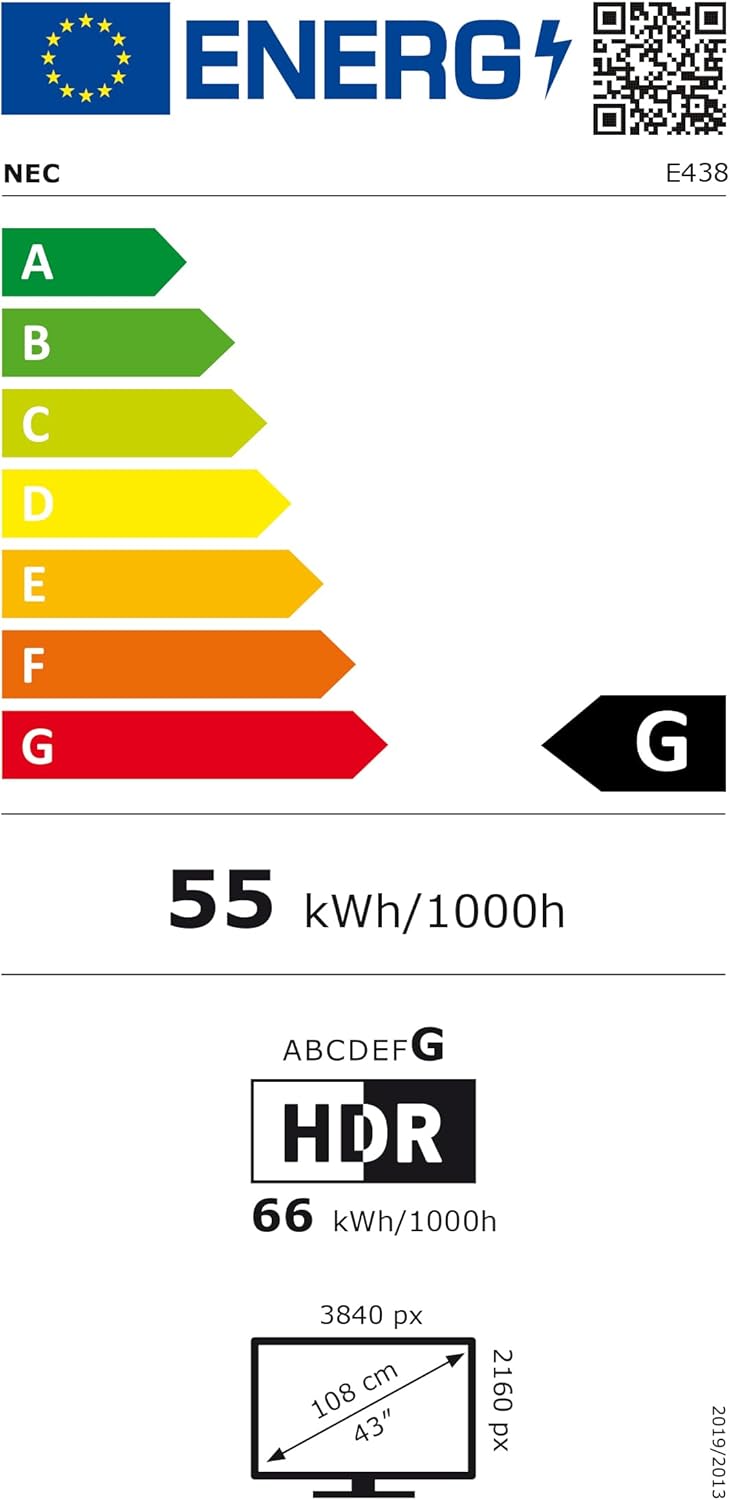
Figure 5: EU Energy Label for the NEC E438 monitor.
For more detailed energy information, please visit the EPREL database: https://eprel.ec.europa.eu/qr/429363
9. Гаранција и поддршка
9.1 Информации за гаранцијата
This NEC E438 monitor comes with a 3-year limited warranty. Please refer to the warranty card included in your package for specific terms and conditions. Keep your proof of purchase for warranty claims.
9.2 Поддршка за корисници
For technical assistance, service, or further inquiries, please contact NEC customer support. Visit the official NEC webстраница за контакт информации и ресурси за поддршка.


